
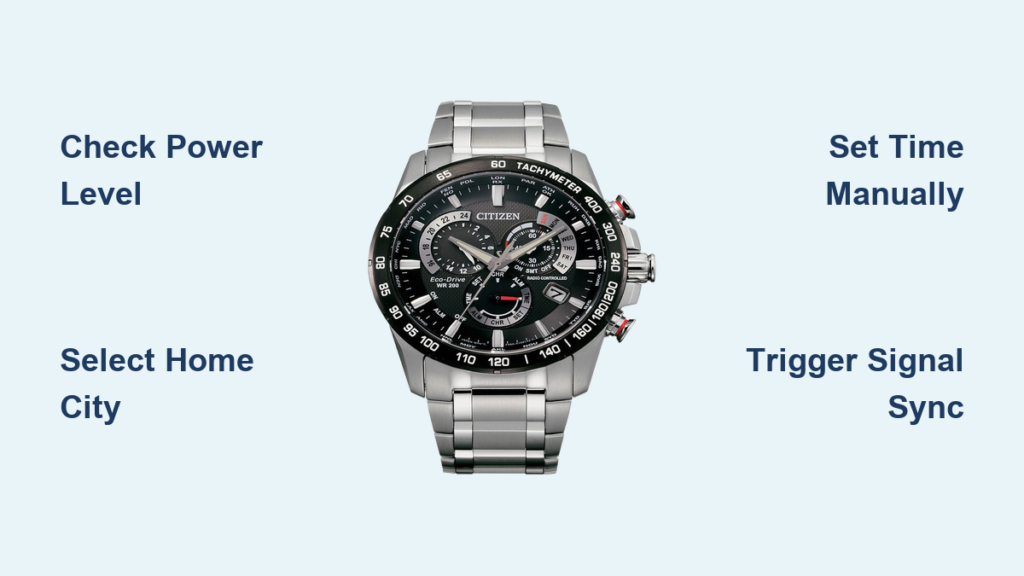
You just unboxed your Citizen Eco-Drive radio-controlled watch and noticed the time is off. It is not syncing. The date is wrong. And the tiny subdials seem to speak a secret language. Do not worry this is not a complicated gadget, but a precision timepiece designed for effortless accuracy once you know how to set it.
The Citizen Eco-Drive radio-controlled watch combines solar power with atomic clock synchronization, offering near-perfect timekeeping without battery changes. But to unlock its full potential, you need to correctly set the home city, time, date, year, and daylight saving status. This guide covers step-by-step instructions for models with H145 and H820 movements.
Check Power Level Before Setting Your Watch
Before adjusting anything, confirm your watch has enough charge to complete the setup process.
Press Button A (usually lower right). If the second hand jumps backward by a quarter turn, the power is low. Action required: expose the watch to direct sunlight for 30 to 60 minutes. Avoid indoor lighting because it is not strong enough for full charging.
After charging, press Button A again. The second hand will point to “OK” if the last radio sync was successful, or “No” if no signal was received recently. Signal sync will not start if power is low, so always verify charge first.
Select Your Home City and Time Zone
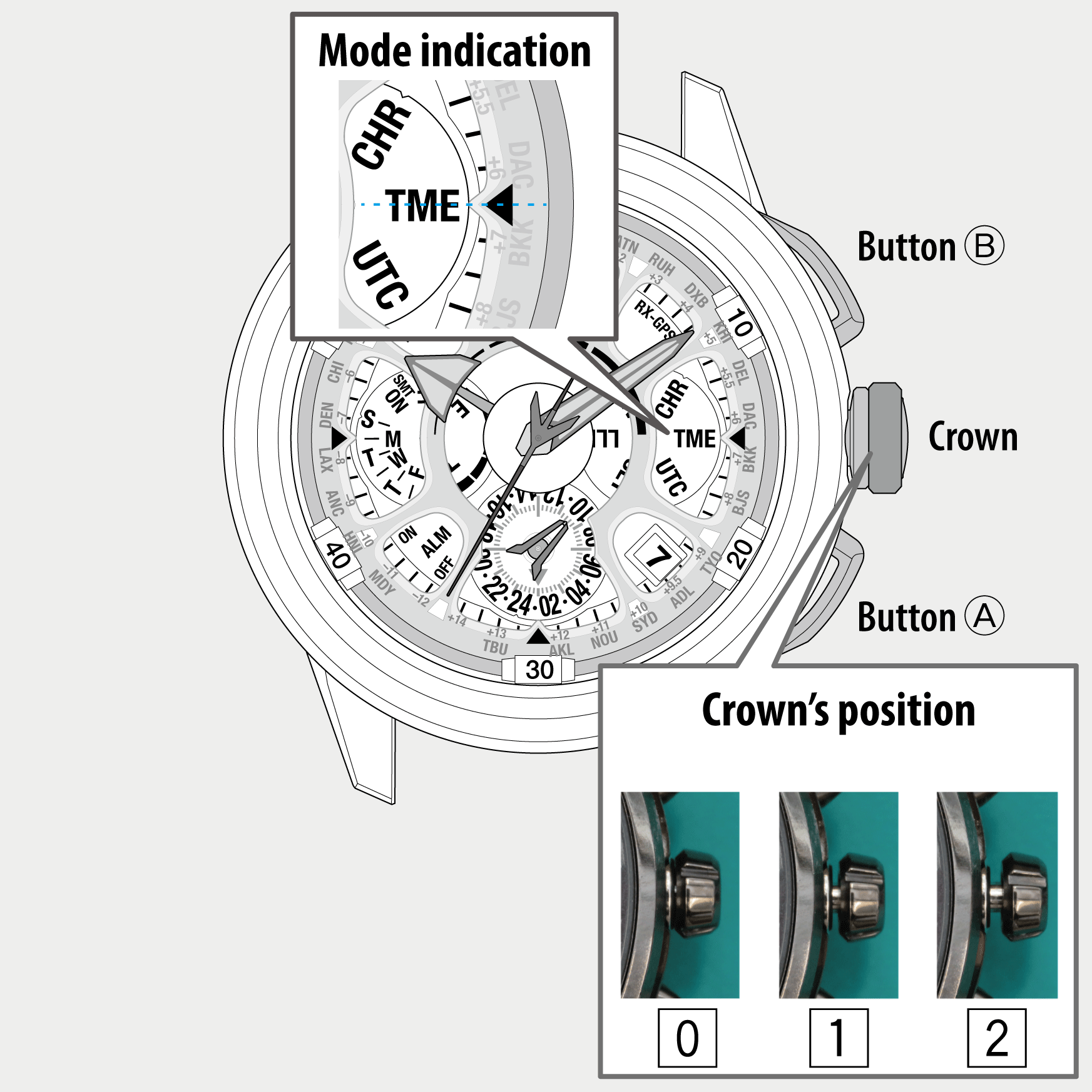
Your watch uses city codes to set local time and apply correct daylight saving rules.
For CB0250 and CB0270 models with H145 movement: pull the crown to Position 1 (first click). The second hand points to your current city on the chapter ring. Rotate the crown to select your home city such as DEL for Delhi, NYC for New York, or LON for London. For half-hour zones like India, first select DEL, then pull the crown to Position 2 and manually add +30 minutes.
For H820-S087228 models with Calibre H820: pull the crown to Position 1. The second hand jumps to 12 oclock (London default). Rotate the crown to cycle through city codes. Hands automatically adjust to local time of the selected city. The chosen city determines all automatic time updates including DST.
Manually Set the Time on Your Citizen Eco-Drive
Use manual time setting when signal sync fails or after initial setup.
For H145 models: pull the crown to Position 2. Press Button A and the second hand stops at 12:00 (hacking enabled). Rotate the crown: quarter turn clockwise adds 1 minute, full turn clockwise adds 1 hour. Set the correct time and press Button A to confirm.
For H820 models: press and hold the top button (Button A) for 3 seconds. The second hand moves to 6 oclock. Pull the crown to Position 3 (fully out). The minute hand wiggles to confirm mode. Turn the crown to set time. Flick down rapidly to speed up hand movement. Use the 24-hour hand to verify AM/PM: 12 equals noon, 24/0 equals midnight.
Pro tip: stop the second hand at 12:00 for precise minute alignment during calibration.
Adjust the Date on Your Watch
Never set the date between 9 PM and 3 AM because it may damage the internal date-changing mechanism.
For H145 movement: after setting time, press Button A. The arrow hand points to “DATE.” Rotate the crown clockwise to advance the date. Rotate counter-clockwise to go backward. Push the crown back to Position 0.
For H820 movement: press the top button after time is set. Turn the crown to advance date. Rapid sweeps fast-forward the date. Rotate counter-clockwise to go back. Press the button again to move to day setting. Always set date after time to avoid confusion during midnight transitions.
Set the Day of the Week (H820 Models)
Available only on models with day display like the H820 movement.
After date is set, press the top button. The day indicator becomes active. Rotate the crown to cycle through the days: S (Saturday) then S (Sunday) then M (Monday) then T (Tuesday) then W (Wednesday) then T (Thursday) then F (Friday). Selected day updates instantly. Press the top button to continue.
Ensure day matches the actual calendar because this improves long-term sync accuracy.
Program Month and Year with Leap Year Settings
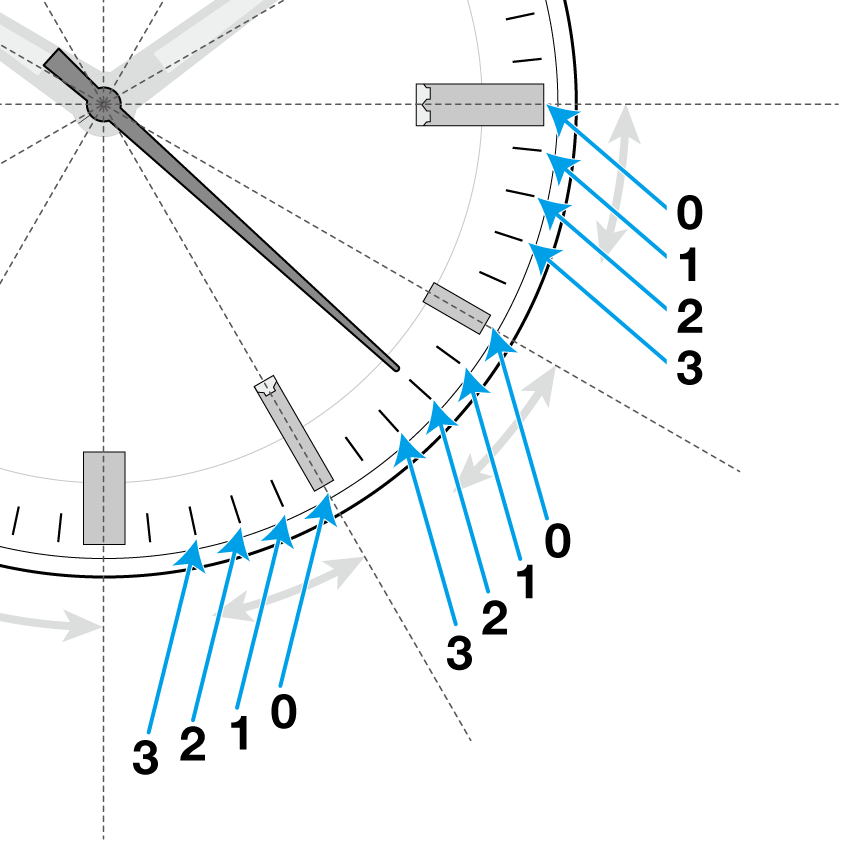
Correct month and year settings are critical for accurate calendar function and proper February length in leap years.
For H145 models: press Button A after date setting. The second hand moves to a random position indicating calendar mode is active. Move the hand to the correct month index: 1:00 equals January, 2:00 equals February, up to 12:00 for December. Set year using minute marks past the index: 1 mark equals 1 year after last leap year, 4 marks equals leap year (hand jumps to next month).
For H820 models: press the top button after day setting. The second hand moves through 12 positions (each represents one month). Position the hand at the correct month dash. Use crown rotations to set offset: 1 dash equals 1 year after leap, 4 dashes equals leap year (hand advances to next month).
Correct leap-year setting ensures February has 29 days when needed and 28 otherwise.
Toggle Daylight Saving Time (DST)
Your watch can auto-adjust during signal reception, but manual override is available when needed.
For H145 models: pull the crown to Position 2. Rotate the crown to toggle DST. The hour hand shifts plus or minus 1 hour. Push the crown back to Position 0.
For H820 models: press the top button once. The white indicator toggles between “Standard Time” and “Summer Time.” Time adjusts automatically. No crown pull needed.
Manual DST setting remains until the next successful radio sync, which will reapply the correct DST status.
Trigger Radio Signal Reception for Atomic Accuracy
For atomic-level precision, sync with the nearest time tower manually.
Automatic sync happens daily at 2:00 AM, 3:00 AM, and 4:00 AM local time, but only if power is sufficient. For manual sync: crown in Position 0, press and hold Button A for 2 seconds. The second hand moves to “RX” indicating sync in progress. Wait 10 to 15 minutes and do not move the watch.
Best sync practices: remove from wrist and place on a table. Position the 9:00 side (antenna location) toward a window. Avoid electronics, Wi-Fi, and microwaves. Ensure full charge. Try at night because there is less interference.
Global signal coverage includes: WWVB for North America at 60 kHz, DCF77 for Europe at 77.5 kHz, JJY for Japan at 40/60 kHz, and BPC for China at 68.5 kHz. India, Australia, Africa, and South America have no reliable signal, so manual setup is required in these regions.
Switch Between Time Zones for Travel
Perfect for frequent travelers who need to track multiple time zones.
Pull the crown to Position 1. Rotate the crown to select a new city such as NYC, LON, or SYD. Hands automatically adjust to local time. Date and DST update accordingly. Return to home city anytime because the original setting is saved.
Reset Hands to Home Position After Power Loss
Use after power depletion or impact to recalibrate all indicators.
Pull the crown to Position 1. Press and hold Button B (upper right) for 5 or more seconds. All hands move to 12:00 (hour, minute, second) and date shows “1.” Release the button. Calibration is complete. This ensures all indicators are properly aligned with the internal timekeeping system.
Final Setup Verification Checklist
After all adjustments are complete, verify everything is correct.
Push the crown fully to Position 0. Press Button A to confirm all settings. Check that time and AM/PM are accurate. Verify date, day, month, and year are correct. Confirm DST indicator shows proper status. Ensure 24-hour display is stable. Check that “OK” appears on next signal check.
Troubleshoot Common Sync and Setting Issues
Watch not syncing: cause is low power, interference, or being outside signal range. Fix by charging fully, placing near window, avoiding electronics, and trying at night.
Date not changing at midnight: cause is setting during the 9 PM to 3 AM transition window. Fix by waiting until 1 or 2 AM and avoiding date setting during this period.
Hands stopped after storage: cause is power-saving mode activated from complete darkness. Fix by exposing to sunlight because hands will auto-correct in minutes.
DST not updating: cause is no signal received recently. Fix by manually toggling DST or forcing a sync attempt.
Wrong city time: cause is incorrect city selected. Fix by re-entering Position 1 and choosing the correct city code.
Frequently Asked Questions About Citizen Eco-Drive Radio-Controlled Watches
How do I know if my Citizen Eco-Drive watch is receiving radio signals?
Press Button A to check the signal reception result. The second hand points to “OK” if sync was successful within the past 24 hours, or “No” if no signal was received. You can also manually trigger a sync by holding Button A for 2 seconds and watching for the “RX” indicator.
Can I set my Citizen Eco-Drive watch without using radio signals?
Yes. You can set time, date, day, month, year, and DST manually using the crown and buttons. Pull the crown to the appropriate position and rotate to adjust. This is necessary if you are outside signal coverage areas like India, Australia, Africa, or South America.
Why does my watch show the wrong date after midnight?
This happens if you set the date between 9 PM and 3 AM, which interferes with the internal date-changing mechanism. Avoid setting the date during these hours. Wait until 1 or 2 AM to set the date, or set it after the date has already changed.
How long does radio signal reception take?
Manual signal reception typically takes 10 to 15 minutes. The watch attempts automatic sync daily at 2:00 AM, 3:00 AM, and 4:00 AM. For best results, place the watch near a window with the 9:00 side facing outward and avoid movement during reception.
Do I need to replace the battery in my Citizen Eco-Drive watch?
No. Eco-Drive technology is solar-powered and converts any light into electrical energy. The watch never needs battery replacement. Simply expose it to light periodically to maintain charge.
Key Takeaways for Setting Your Citizen Eco-Drive Radio-Controlled Watch
Your Citizen Eco-Drive radio-controlled watch is built to last decades with minimal maintenance. Always check power level first before making any settings. Select the correct home city to enable proper automatic time updates and DST adjustments. Use manual settings when outside signal coverage areas like India, Australia, Africa, or South America. Set month and year correctly, including leap year status, to ensure accurate February dates.
Once set correctly, the watch synchronizes automatically with atomic clocks for unmatched precision. If you are in a region without signal coverage, simply set it manually and enjoy its solar-powered reliability. With this guide, you have mastered every function: time, date, DST, sync, and travel modes. Now wear it with confidence because your time is perfectly set.



