
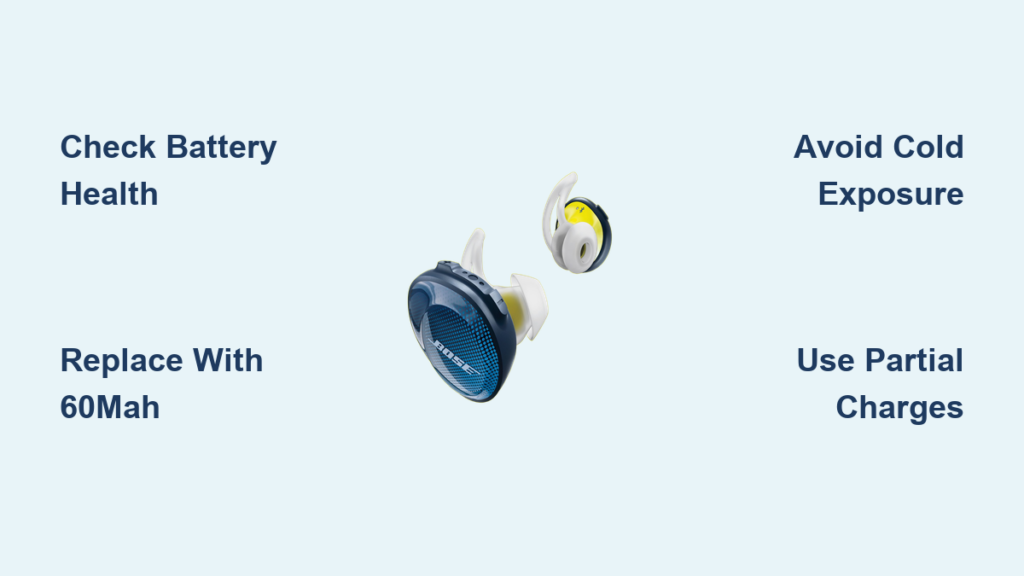
You charge your Bose Sport Earbuds before a workout, settle in, and find them dead before you finish. If this sounds familiar, you are not alone. The battery life of Bose Sport earbuds is one of the most common frustrations owners report, with many getting only 4 to 5 hours before needing a recharge. Real-world use, especially after 18 to 24 months, often delivers far less than advertised.
This guide explains what is happening inside your earbuds, why the battery fades so quickly, and how to fix it. You will learn how to diagnose true battery health, optimize daily use, and even replace the battery yourself for nearly double the runtime. Whether you are troubleshooting a sudden drop or planning a long-term fix, you will find actionable steps here.
What 4 to 5 Hours of Runtime Really Means
Bose advertises up to 5 hours of playback per charge of the earbuds themselves, not including the case. Most users get 4 to 5 hours total when factoring in case recharges. Here is how that breaks down in practice:
• Single charge gives roughly 2 hours of continuous use
• The case provides 1 to 2 full recharges
• Moderate users recharge every 2 to 3 days
• Heavy users may need to top off daily
This runtime falls short compared to many competing models, which is why frustration runs high. The gap between advertised and actual performance becomes even more noticeable as the device ages.
Why Real-World Runtime Feels Shorter Than Advertised
Several factors make the 5-hour claim feel misleading in everyday use:
• Auto-pause sensors drain power even when playback is paused
• Bluetooth 4.1 or 5.0 uses more energy during unstable connections
• Cold weather drastically reduces effective battery life
• Volume levels above 70 percent increase power draw
• App features like EQ or voice prompts add overhead
You are not imagining it. Real-world performance often falls below spec, and the problem grows worse with age.
The 18 to 24 Month Battery Degradation Window
The biggest issue is not initial runtime. It is how fast the battery dies afterward. Most users report significant degradation between 18 to 24 months of regular use. Common symptoms include:
• Runtime drops to 30 to 60 minutes
• One earbud stops charging entirely
• Case shows full charge but earbuds will not power on
• Blinking LED followed by sudden shutdown
This is not a software glitch. It is lithium-ion polymer (Li-Po) cell degradation, a chemical breakdown that happens even with careful charging habits.
Early Failure in Some Units Within 1 Year
Not all units last 18 months. Some users report noticeable decline within 12 months, suggesting variability in cell quality or manufacturing batches. If you see rapid drain early, it is likely not user error. It is a known hardware limitation tied to the small 30mAh cells inside.
Why Voltage Testing Fails to Reveal True Battery Health
A common mistake is testing battery voltage with a multimeter and assuming the battery is healthy. Degraded batteries often still read 3.7V, the nominal voltage, but cannot hold meaningful charge. This creates a confusing situation:
• Your multimeter shows “good” voltage
• Yet the earbud dies within minutes
• The real issue is internal resistance and capacity loss, not voltage
True health assessment requires load testing, not just a voltage reading. A battery can show perfect voltage while delivering almost no usable runtime.
Physical Signs of Battery Failure Inside the Earbud
Open up a failing unit and you will often find these warning signs:
• Oxidation on rubber seals, indicating moisture exposure
• Slight tearing of the gasket due to long-term oxidation
• Swollen or discolored battery, a clear sign of end-of-life
Even with seal damage, the motherboard and speakers usually remain functional. This makes battery replacement a highly viable fix rather than a complete write-off.
Charging and Usage Habits That Extend Battery Lifespan
Lithium-ion batteries suffer when drained to 0 percent. To extend overall lifespan, follow these habits:
• Recharge when the battery drops below 20 percent
• Use the case between workouts or calls
• Never let earbuds sit fully drained for days
Partial discharges between 20 percent and 80 percent significantly slow chemical degradation. Frequent, small top-ups are far better than full deep cycles.
Use the Charging Case as a Lifespan Tool
The charging case is not just for travel. It is a lifespan extension tool. Top up after short uses instead of waiting for complete drain. Frequent small charges keep the cells in their comfort zone and reduce stress on the chemistry.
How Cold Weather Drains Bose Sport Earbuds Faster
Low temperatures reduce ion mobility in Li-Po cells. Users report the following cold-weather symptoms:
• 50 percent shorter runtime when used outdoors in winter
• Earbuds shutting down at “30 percent” charge
• Slow recharging in cold environments
Simple Steps to Prevent Cold-Weather Failure
You can reduce cold-weather drain with a few practical habits:
• Keep earbuds warm before use by storing them in a pocket
• Limit outdoor exposure during freezing temperatures
• Pre-charge fully, since cold reduces effective capacity
• Pause playback during long breaks to reduce load
Performance returns to normal once the cells warm up. However, repeated cold exposure accelerates long-term wear, so consistent protection matters.
Upgrade Battery Capacity from 30mAh to 60mAh
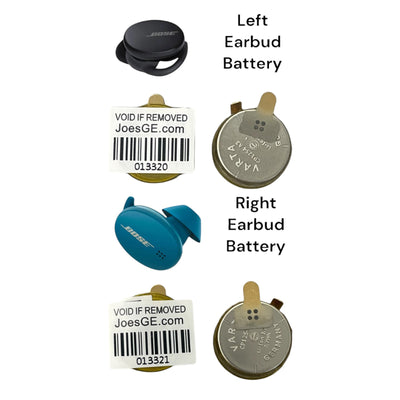
Bose Sport Free earbuds ship with approximately 30mAh lithium-polymer cells. That is tiny, and it explains the short runtime. These small cells degrade quickly due to:
• High energy density demands
• Poor thermal management
• Sealed, non-replaceable design
The good news is that you can upgrade to 50 to 60mAh cells in the same housing.
Double Your Runtime with Compatible Upgrades
Replacement batteries rated at 50 to 60mAh (3.7V) fit inside the same housing and deliver notable improvements:
• Up to 2x longer runtime per charge
• Same physical size and voltage
• No firmware conflicts
• Full case compatibility
Many users report 7 to 8 hours total runtime with upgraded cells and case recharges combined.
Step-by-Step Battery Replacement Guide
Heat and Open the Earbud Housing
Tools needed: Heat gun or hairdryer, plastic pry tool, precision tweezers
- Apply even heat for 30 to 45 seconds to soften the adhesive
- Use a plastic pry tool to gently lift the top cover
- Work slowly, since overheating damages internal flex cables
The rubber gasket often survives if heated properly.
Disconnect the Old Battery Safely
Inside, you will find one battery terminal soldered directly to the PCB and the other connected via a thin wire. Desolder the positive pad carefully using a fine-tip iron and avoid lifting PCB traces. Pulling the battery off without desoldering will tear the board.
Install a Higher-Capacity Replacement
Choose a 3.7V 50 to 60mAh Li-Po cell with pre-soldered, fully insulated wires. Red is positive and black is negative. Solder the new wires to the same pads and avoid polarity mistakes, since reversed wires can kill the motherboard.
Reassemble the Earbuds Without Damage
Reconnect the Flex Cable and Motherboard
- Fold the flex cable neatly without creasing it
- Reinsert into the connector and lock the clip
- Seat the motherboard into the housing and snap both clips
- Ensure no cables are pinched during reassembly
Seal with T7000 Adhesive
Apply small dots of T7000 adhesive to the housing corners only. Avoid blocking microphone vents, covering charging contacts, or over-applying. Let the adhesive cure for 12 hours before using the earbuds.
Test the Earbuds After Repair
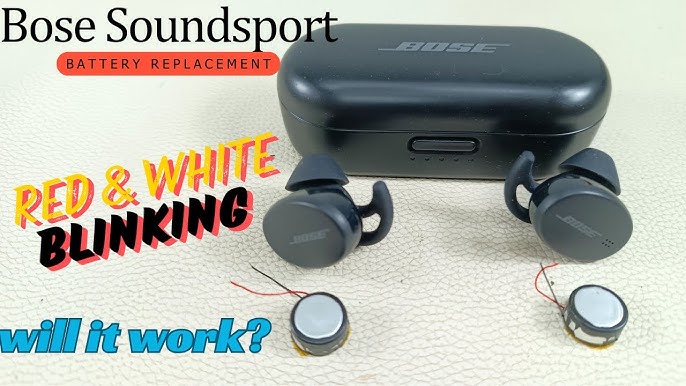
After reassembly, verify these key functions:
• Solid white LED indicates the device is ready to pair
• Blinking light confirms active charging
• Instant connection to your paired device
• Clear audio in both earbuds
• Full charge display in the case at 100 percent
If all checks pass, you have successfully restored and improved your earbuds.
When to Seek Professional Repair Instead
DIY Risks You Should Know
This repair is not beginner-friendly. Common risks include:
• Torn flex cable that kills connectivity
• Lifted PCB traces causing permanent damage
• Solder bridges that create short circuits
• Seal compromise leading to future moisture damage
Finding a Trusted Repair Service
If you are not confident with micro-soldering, look for shops specializing in earbud battery replacements. Providers in Bangalore, the US, and the EU offer mail-in services. Typical cost is $40 to $60 including parts and labor, with turnaround of 3 to 7 business days. Many specialists handle Bose, Sony, Jabra, and JBL models.
Prevent Future Battery Failure
Firmware and App Tweaks That Help
Use the Bose Music app to make these adjustments:
• Disable auto-pause to reduce sensor activity and save power
• Check for firmware updates, since some patches improve power management
• Reset the device to fix charging glitches (though this will not revive degraded cells)
Note that firmware cannot reverse chemical decay. Only hardware fixes can restore lost capacity.
Store Earbuds Properly When Not in Use
Proper storage prevents unnecessary wear:
• Charge to 50 percent before long-term storage
• Keep in a cool, dry place away from heat and humidity
• Leave the case lid open if storing for weeks
Avoid leaving earbuds in cars, gym bags, or near windows where temperatures swing dramatically.
Know When the Earbuds Are Beyond Repair
Even with battery replacement, some issues signal the end of the road:
• Motherboard corrosion, especially near charging pins
• Torn flex cable with no signal between earbuds
• Speaker damage causing crackling or no sound
• Case communication failure persisting after multiple repairs
At that point, consider upgrading to a new model. However, do not recycle the old earbuds yet, since many internal parts remain reusable.
Frequently Asked Questions About Bose Sport Earbuds Battery Life
How long should Bose Sport Earbuds battery last on a single charge?
You can expect roughly 4 to 5 hours of total use when factoring in case recharges. A single charge of the earbuds alone delivers about 2 hours of continuous playback. Moderate users typically recharge every 2 to 3 days.
Why does one Bose earbud die faster than the other?
Asymmetric charging usually points to a degraded cell in the failing earbud. The battery may still read 3.7V but cannot hold meaningful charge. This is a sign that one battery needs replacement while the other may still be healthy.
Can I replace the battery in Bose Sport Earbuds myself?
Yes, technically. The process requires a heat gun, plastic pry tools, and precision soldering equipment. If you have micro-soldering experience and patience, you can upgrade from 30mAh to 50 to 60mAh cells for nearly double the runtime.
Do firmware updates improve Bose Sport Earbuds battery life?
Firmware updates can improve power management in some cases. Disabling auto-pause in the Bose Music app also reduces sensor drain. However, no software fix can reverse chemical battery degradation.
Why do my Bose earbuds die so fast in cold weather?
Low temperatures reduce ion mobility inside Li-Po cells, cutting effective capacity by up to 50 percent. Keep earbuds warm in your pocket before use and limit outdoor exposure during freezing temperatures to minimize the effect.
Is it worth replacing the battery or should I buy new earbuds?
If your earbuds are otherwise functional, battery replacement is often worth it. A $40 to $60 professional repair or a DIY upgrade to 60mAh cells can restore and even exceed original runtime. Buying new is only justified when the motherboard, speakers, or case are also failing.
Key Takeaways for Fixing Bose Sport Earbuds Battery Life
The battery life of Bose Sport earbuds starts modest and declines quickly, but it does not have to end at 2 years. With proper charging habits and cold-weather protection, you can slow degradation significantly. When the battery finally dies, replacement is not just possible. It is a genuine performance upgrade that doubles your runtime.
Start by diagnosing true battery health with a load test rather than a voltage check. If the cells are degraded, decide between a DIY upgrade using 50 to 60mAh replacements or a professional repair service. Either path beats replacing the entire device and keeps functional electronics out of the landfill.



