
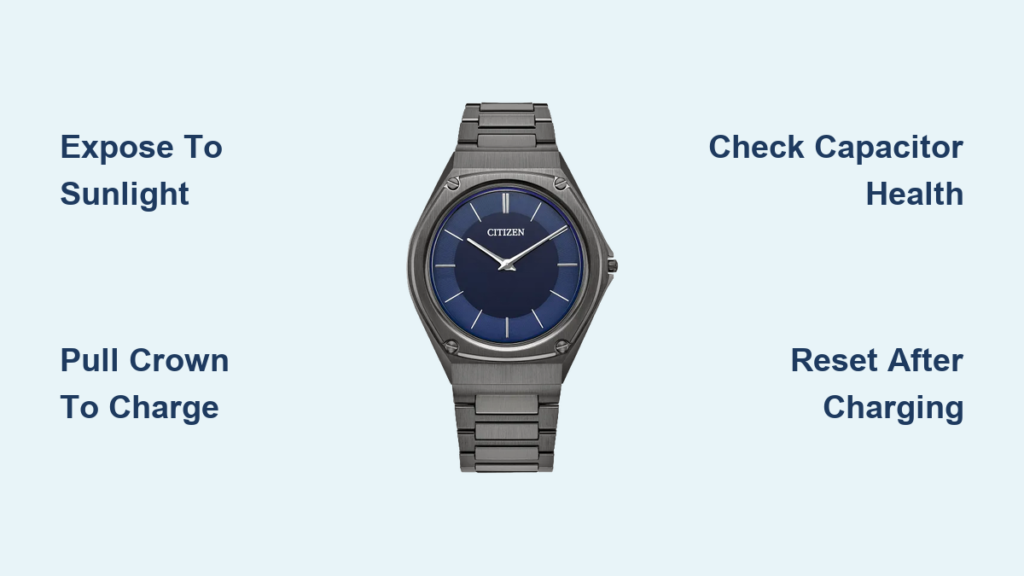
Your Citizen Eco-Drive watch isn’t dead. It’s likely just starved for light. Most “broken” Eco-Drives aren’t broken at all. They’ve simply lost charge from being stored in a drawer, left unused for months, or worn in low-light conditions. The good news? Over 90% of non-working Eco-Drives can be revived with proper sunlight exposure. Even watches stored for years have come back to life after sustained charging.
This guide cuts through the confusion, delivers proven fixes from real user recoveries, and shows you exactly how to diagnose, revive, and maintain your solar-powered timepiece. You’ll learn quick fixes for common power issues, the crown-pull method for deeply drained watches, and when it’s time to replace the capacitor.
Diagnose the Problem First
Before charging, check what your watch is telling you. The second hand’s behavior reveals the power status.
Check the Second Hand Movement
Watch the second hand carefully to determine the issue.
• One-second tick means the watch is fully charged and operating normally.
• Two-second tick (stutter) indicates low power warning. The capacitor is draining but not dead.
• No movement at all means deep discharge, failed capacitor, or circuit issue.
If the second hand jumps every two seconds, your watch is screaming for light, not dead. If it’s completely still, it may be deeply drained or have a hardware issue.
Determine How Long It Has Been Idle
Time out of use directly impacts the recovery method.
• Stopped after days or weeks of non-use? Likely temporary discharge.
• Stored six months or longer in a box or safe? Probably fully depleted.
• Over ten years old and stopped suddenly? Capacitor likely failed.
The longer it’s been in darkness, the longer it needs sun to recover.
Revive a Dead Eco-Drive Watch
Most non-working Eco-Drives just need a power boost. Here is how to bring it back.
Expose to Direct Sunlight First
Place the watch face-up in direct sunlight. Windows block UV light, reducing charging efficiency by up to 50%.
• Duration: two to six hours for mildly drained watches.
• Distance: no barrier between watch and sun.
• Angle: dial flat to the sun for maximum light absorption.
Avoid car dashboards. Intense heat can damage internal components. Sunlight is safe, but heat is the enemy.
Use Bright Artificial Light If No Sun Is Available
No sunlight? Use a bright LED or halogen lamp instead.
• Bulb type: 60W equivalent LED or halogen. Not fluorescent.
• Distance: two to six inches from the dial.
• Duration: six to twelve hours minimum.
Ensure the light hits the entire face evenly. Rotate the watch occasionally for full coverage.
Fix a Fully Drained Watch Using the Crown-Pull Method
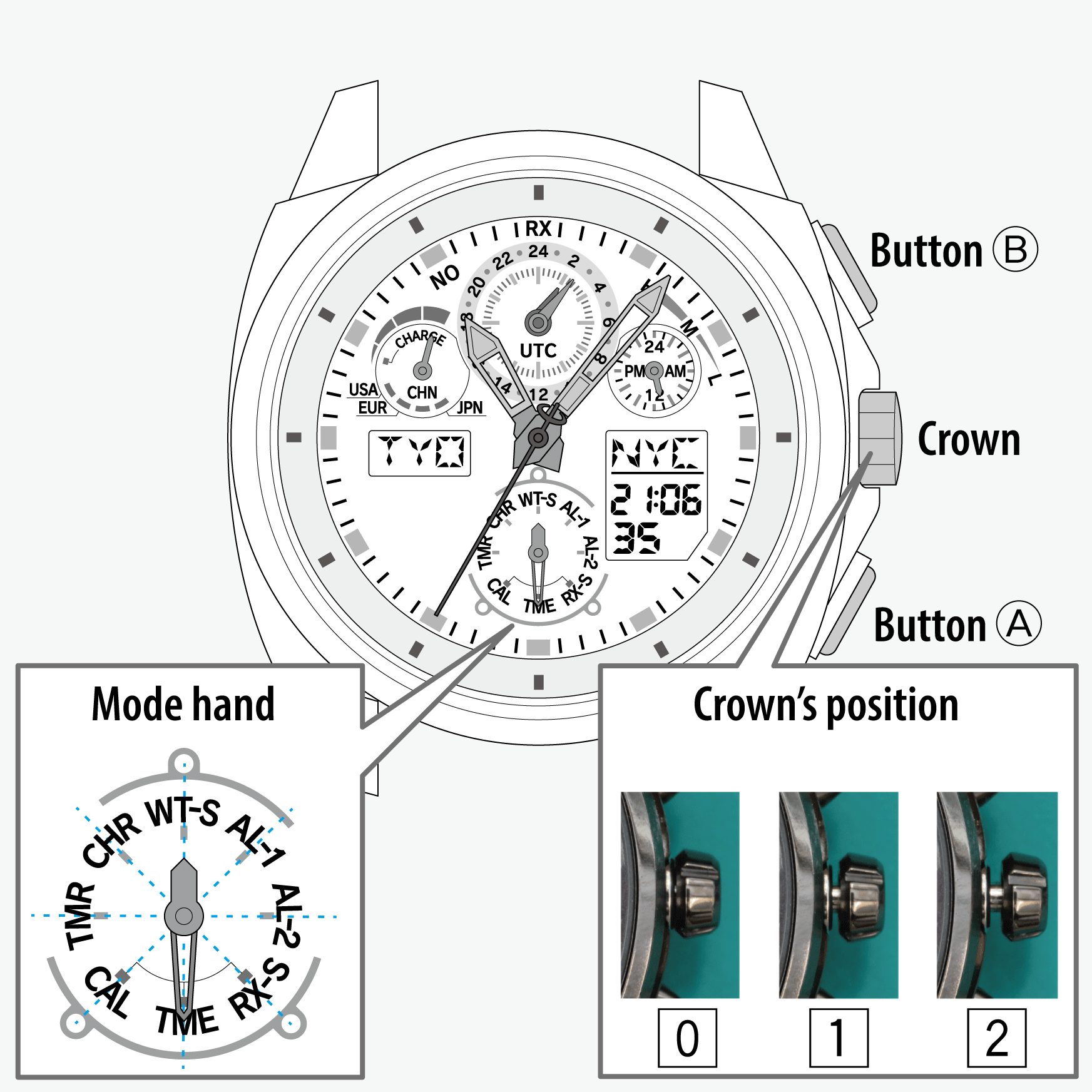
If brief sunlight does nothing, the capacitor is deeply discharged. Use the crown-pull trick, a pro-level fix that works when nothing else does.
Pull the Crown to Stop Power Drain
Pull the crown out fully to the time-setting position. This stops the hands and reduces energy draw so the capacitor can charge without powering the movement.
- Pull the crown out fully (time-setting position).
- This stops the hands and reduces energy draw.
- The capacitor can now charge without powering the movement.
This step is critical for watches stored over six months. It allows the capacitor to rebuild charge without wasting energy on timekeeping.
Charge for 24 to 72 Hours Minimum
Extended charging time is required for deeply drained watches.
• Direct sunlight: 24 to 72 hours, ideally seven days.
• Artificial light: 48 to 72 hours, unbroken.
• Position: crown pulled, dial facing light source.
Some watches take up to six weeks of daily sun to revive. Patience is key.
Push Crown Back In and Wait
After charging, push the crown back in. The second hand should resume a one-second tick. Allow one to seven days for timekeeping to stabilize if running slow.
Do not panic if it is not perfect immediately. The movement recalibrates as charge builds.
Reset the Watch After Charging
Multi-function models (chronograph, perpetual calendar, radio-sync) may need a full reset after deep discharge.
Perform an All-Reset Full System Reboot
- Ensure the watch is fully charged.
- Pull the crown to setting position.
- Press and hold top right (A) and bottom right (B) buttons for three to five seconds.
- Hands will spin rapidly or display will blink.
- Release buttons, push crown in.
- Reset time, date, and functions manually.
Button combinations vary by model. Check your manual for the correct procedure.
Realign Chronograph or Calendar Hands
If sub-dials are misaligned after a power event:
- Pull crown.
- Press designated reset button (often top left).
- Use crown to adjust hand position.
- Push crown back in.
This prevents future sync issues.
When the Capacitor Is Failing

If your watch charges but dies within hours, the rechargeable capacitor is likely degraded. This is a common issue after ten or more years.
Signs of Capacitor Failure
Watch for these warning signs.
• Watch runs for minutes, then stops.
• Two-second tick returns within days of charging.
• No sustained operation despite seven or more days of sun.
• Voltage reads 1.5V but drops under load.
The capacitor cannot hold or deliver power. Replacement is the only fix.
Replace the Capacitor DIY or Professional
Find your movement number on the case back. Look for format E-111, H800, or similar (letter plus numbers). This determines the correct capacitor model.
DIY Replacement Steps
Tools needed include a case back tool, tweezers, wooden cuticle pusher (to avoid scratches), and replacement capacitor.
- Open case back using proper tool. Align with notches, rotate to tighten, press to open.
- Remove old capacitor with tweezers and push rod.
- Install new capacitor. Align bronze nub with slot (only fits one way). Turn until it clicks. Press flat and tap lightly to seat. Ensure lever lip covers top.
- Replace gasket if cracked or dry. This preserves water resistance.
- Reassemble case back. Tighten snugly, do not over-torque.
DIY replacement costs about $20 for parts. This is best for non-waterproof models or hobbyists with basic tools.
Professional Service for Waterproof Models
For waterproof models, consider professional service.
• Cost: $50 to $100.
• Includes: capacitor replacement, gasket change, pressure testing.
• Guarantee: factory-certified work.
This is worth it for dive watches or sentimental pieces.
Troubleshoot Charging Failures
If your watch still will not charge, rule out these issues.
Test the Charging Environment
• Behind glass? Move it outside. Glass blocks UV.
• Indirect light? Use direct sun or bright lamp.
• Cloudy location? Extend exposure time.
Even bright indoor light may not be enough for revival.
Check for Internal Damage
Rare but possible issues include moisture ingress (look for fog under crystal or corrosion), solar cell failure (no charge even after seven plus days of sun), and circuit damage (watch shows no signs of life).
If no response after six weeks of daily sunlight, internal failure is likely.
Rule Out Model-Specific Issues
Perpetual Calendar E820
This model has high power demand. It needs three to five days of sun with crown pulled. Perform full reset after charging.
Nighthawk (Solar Movement)
This model has two low-battery patterns: short-short-long and long-long. It has no true sleep mode and stops when power depletes. Recovery requires pulling crown and one to two weeks in sun.
Radio-Sync Models (PMD56)
These models constantly search for signal and drain power. They are more sensitive to low charge. Fix by pulling crown, charging 48 plus hours, then re-syncing.
Prevent Future Stoppage
Do not let it happen again. Follow these habits to keep your Eco-Drive alive.
Wear It Daily
Even indoor light maintains charge. The more light it gets, the less likely it is to stop.
Avoid Long-Term Storage in Darkness
If not wearing the watch, place it on a sunny windowsill (not behind glass) or use a lamp with timer set to eight to twelve hours per day.
Monitor Power Reserve If Available
Some models show energy level. Use it to catch low charge before stoppage.
Replace Capacitor Proactively
For watches over ten years old, consider preemptive replacement. This prevents sudden failure, eliminates risk of capacitor leakage, and costs less than movement replacement.
When to Give Up
Not every watch can be saved. Consider replacement if there is no response after six or more weeks of direct sunlight, capacitor was replaced but still no function, movement is damaged or corroded, or repair cost exceeds 50% of watch value.
Citizen offers trade-in discounts. They may offer 30 to 40% off another Citizen watch.
Key Takeaways for Reviving Your Citizen Eco-Drive Watch
A dead Eco-Drive is rarely dead. Most are just hibernating. With direct sunlight, the crown-pull method, and patience, even decade-old watches can return to life. For older models, a $20 capacitor swap can add another ten years of service.
Do not toss it. Revive it. Your watch is not broken. It just needs a little sun.
Frequently Asked Questions About Citizen Eco-Drive Watch Problems
Why did my Citizen Eco-Drive watch stop working?
Most commonly, the watch simply lost charge from being stored in darkness or worn in low-light conditions. The capacitor depleted over time, especially if the watch was not exposed to sufficient light for months.
How long does it take to revive a dead Eco-Drive watch?
For mildly drained watches, two to six hours of direct sunlight. For fully depleted watches stored for months, expect 24 to 72 hours minimum, sometimes up to six weeks for older or deeply drained models.
Does pulling the crown help revive a dead Eco-Drive?
Yes. Pulling the crown to the time-setting position stops the hands from drawing power. This allows the capacitor to charge without running the movement, greatly improving recovery chances for deeply drained watches.
Can I replace the capacitor myself?
Yes. DIY replacement costs about $20 for parts and requires basic tools (case back tool, tweezers, push rod). It is best suited for non-waterproof models. Professional service is recommended for waterproof watches.
How do I know if my Eco-Drive capacitor needs replacement?
Signs include the watch running for only minutes or hours after charging, the two-second tick returning within days despite charging, and no sustained operation after seven or more days of direct sunlight exposure.



