

If your Timex watch is running fast, slow, or out of sync after a battery change, you’re not alone. Whether it’s a classic Easy Reader, a rugged Ironman, or a retro T80 digital, knowing how to adjust time on a Timex watch properly ensures accuracy and protects its internal mechanisms. Most Timex models allow straightforward time setting, but the method varies significantly between analog and digital versions.
This guide walks you through step-by-step instructions for every major Timex model, including common pitfalls, model-specific quirks, and expert-backed best practices. By the end, you’ll know exactly how to set the time, date, and day safely and accurately.
Understanding Your Timex Watch Type
Timex produces three main watch types, each requiring different adjustment methods. Identifying your watch type is the first step to setting it correctly.
Analog Timex watches feature traditional hour and minute hands with a crown (small knob) on the side of the case. These include popular models like the Timex Easy Reader, Legacy Day/Date, and Waterbury collection. Digital Timex watches use LCD displays and buttons for navigation. Common models include the T80, Ironman, Expedition, and Weekender Digital. Mechanical or wind-up Timex watches are vintage models from the 1970s or earlier that require manual winding and have no quick-set functions.
Knowing whether you have an analog or digital Timex determines which adjustment method you need to follow.
Adjust Time on Analog Timex Watches
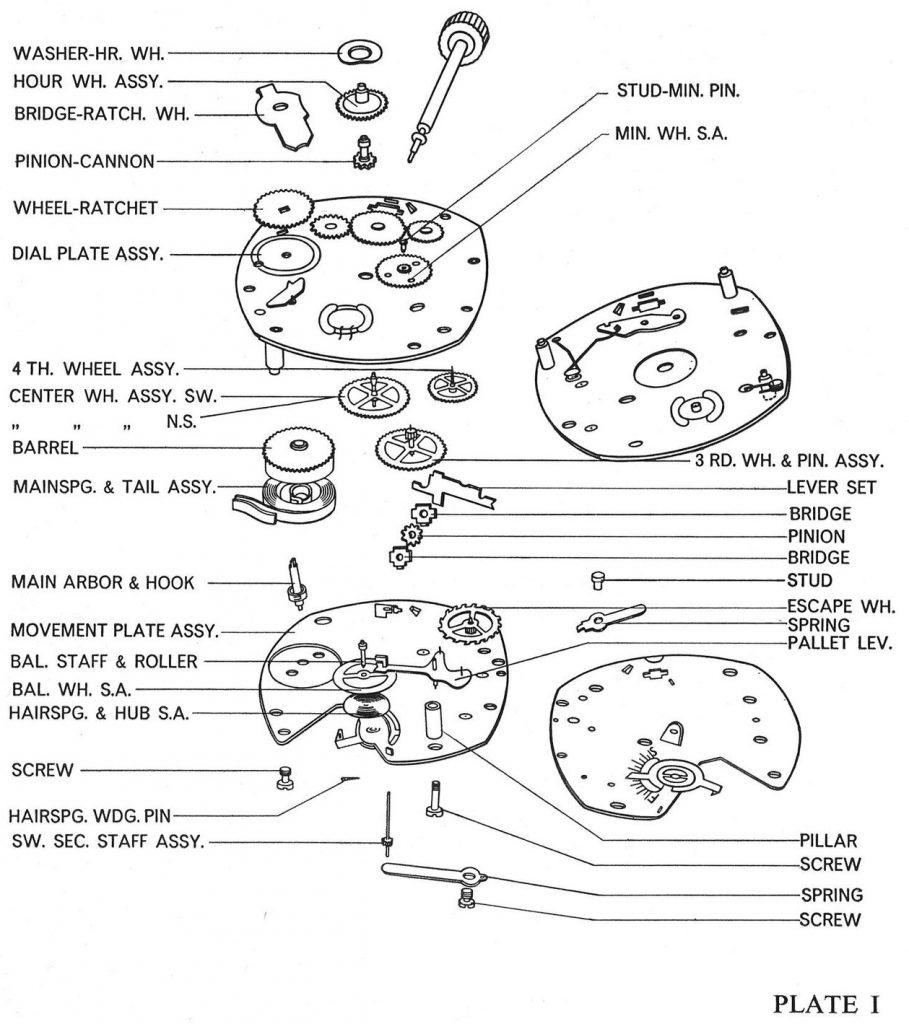
Analog Timex watches use a crown on the side of the case to control time, date, and day settings. The key is knowing how far to pull the crown and when to avoid certain adjustments.
Pull Crown to Position 3 for Time Setting
To set the time on analog Timex watches, pull the crown fully outward to Position 3. Most Timex analog models have three positions.
Flush (pushed in) is normal operation. First click out adjusts the date. Fully pulled out sets time and day. Once in Position 3, rotate the crown clockwise or counter-clockwise. Timex quartz movements safely allow bidirectional winding, unlike some luxury mechanical watches. Turn until the hour and minute hands match your reference time.
Always set the time using a reliable source like your smartphone or an atomic clock website for precision.
Avoid 10 PM to 2 AM for Date Changes
Never adjust the date or day between 10:00 PM and 2:00 AM. During this window, the date mechanism is actively engaged. Forcing changes can strip gears or misalign the calendar.
If your current time falls in this range, move the hands forward past 2:00 AM first, then set the correct time. This prevents internal damage and ensures smooth date transitions at midnight.
Set Date Using Position 2
To adjust just the date, pull the crown to Position 2 (first click). Turn the crown to advance or retreat the date, then push the crown back in fully.
Some users report the date jumps multiple days. This often happens with older or basic movements. If so, turn the crown slowly and avoid rapid spinning.
Set Day by Rotating Through 24 Hours
Timex analog watches don’t have a quick-set day function. To change the day, pull the crown to Position 3 and rotate the hands forward in full 24-hour cycles. Stop when the correct day appears after passing midnight.
For example, if it shows Tuesday but you need Friday, spin the hands forward three full cycles.
Do not move hands backward to save time. This can damage the date train in some vintage models.
Handle Screw-Down Crowns Carefully
On water-resistant models like the Timex Waterbury or Expedition, the crown may screw down. After setting time, push the crown in fully, then rotate it clockwise until snug. Never force it. If it resists, realign and try again.
A loose crown compromises water resistance and risks moisture damage.
Adjust Time on Digital Timex Watches
Digital Timex watches like the T80, Ironman, and Weekender Digital use button-based navigation. The process is consistent across most models, but button layout matters.
Enter Time Mode with SET Button
To begin adjusting digital Timex watches, press the SET button (usually bottom-left). The seconds will start flashing, indicating you’re now in time-setting mode.
A common mistake is pressing START/STOP instead of SET. This starts the stopwatch, not time adjustment. If stuck in stopwatch mode, press MODE repeatedly until the regular clock face returns, then press SET.
Reset Seconds to 00
With seconds flashing, press START/STOP to reset seconds to 00. This synchronizes your watch precisely with a reference clock.
Some models auto-reset seconds when exiting, but manual sync ensures accuracy.
Set Minutes and Hours in Order
After setting seconds, press MODE to move to minutes (which will flash). Press START/STOP to increase minutes. Some models allow holding the button for rapid advance. Press MODE again to move to hours, then press START/STOP to adjust.
Watch for the A or P indicator in the top-right corner. A means AM, P means PM. Set accordingly to avoid 12-hour confusion.
Adjust Date and Year if Available
Press MODE to cycle through month, date, and year (on newer models). Use START/STOP to increment each value. No need to hold the button. Just tap until correct.
Exit and Save Settings
To finish, press SET to save and exit. Alternatively, most models auto-exit after 10 to 15 seconds of inactivity. Changes are saved automatically upon exit.
Fix Common Timex Time-Setting Issues

Even with correct steps, problems arise. Here’s how to troubleshoot them fast.
Digital Watch Unresponsive After Battery Change
If seconds flash but no other buttons work, try these solutions. Some new watches have a plastic insulator under the battery that must be removed. Reset the watch by taking out the battery for 10 seconds, then reinsert and retry. Ensure you’re in clock mode, not stopwatch or alarm.
If nothing works, contact Timex support. It could be a defective unit.
Date Jumps Erratically on Analog Models
This issue is caused by worn movement or rapid crown turning. Fix it by turning the crown slowly when setting time. Avoid spinning the hands at high speed. If persistent, the movement may need professional servicing.
This problem is common in vintage or low-cost models.
Crown Won’t Pull Out
If the crown won’t pull out, dirt, moisture, or dried lubricant may be the cause. Do NOT force it. This can break the stem.
Instead, clean around the crown with a soft, dry cloth. Try gently wiggling while pulling. If still stuck, seek professional repair. Forced extraction risks permanent damage.
Day Doesn’t Change at Midnight
The cause is an internal calendar not synced with the hands. Fix it by pulling the crown to Position 3, rotating hands forward past midnight, letting the day roll over, then setting the correct time.
This resets the internal day counter.
Watch Loses Water Resistance
The cause is usually a crown not fully seated. Prevent this by always pushing the crown all the way in. On screw-down models, rotate to lock. Check before swimming or showering.
Even a slightly protruding crown can let water in and damage the movement.
Model-Specific Time Setting Tips
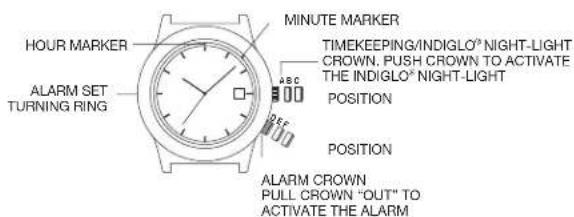
Each Timex model has unique quirks. Use these shortcuts to save time.
Timex Easy Reader Analog
The Easy Reader has crown positions for date and time. First pull sets date. Full pull sets time and day. There is no quick-set day function. You must rotate hands in 24-hour cycles. Always avoid the 10 PM to 2 AM window for date changes.
This classic design is simple and ideal for beginners.
Timex T80 Retro Digital
The T80 uses 12-hour format only. AM/PM is shown by A or P in the top-right corner. The button sequence is SET, then seconds, MODE, minutes, MODE, hours. There is no year setting, only month and date.
This retro watch combines 1980s design with modern reliability.
Timex Ironman Digital
The Ironman has buttons that may be recessed for durability. Use a pen tip or toothpick for firm presses when needed. It supports multiple alarms, chronograph, and dual time. Time setting follows the standard digital steps described above.
This model is ideal for athletes and outdoor use.
Vintage Wind-Up Timex (1970s)
These mechanical watches have no battery and no quick-set functions. To change date without altering day, set the correct day first. Advance to just before midnight. Let the date roll over. Move hands backward to 6:00 PM. Advance forward to midnight again. Repeat until the date is correct.
This method avoids advancing the day indicator while cycling through dates.
Best Practices for Long-Term Accuracy
Follow these expert-backed habits to keep your Timex running correctly.
Set Time Off the Wrist
Always remove the watch before adjusting. Turning the crown while worn applies uneven pressure that can strain the stem, misalign internal gears, and accelerate wear. Work on a soft, lint-free cloth to prevent scratches.
Use Proper Lighting
Dim light leads to misreading analog hands or wrong AM/PM selection on digital models. Set time under bright, natural light or a desk lamp for accuracy.
Replace Battery Promptly
A dying battery causes erratic timekeeping, can leak and damage the movement, and prevents digital buttons from working. Replace every 1 to 2 years for quartz models.
Clean Digital Buttons Regularly
Dust and sweat clog button seals over time. Dampen a cotton swab with isopropyl alcohol. Gently clean around buttons. Let dry before use.
This prevents unresponsiveness and extends the watch’s lifespan.
Store Analog Watches with Crown In
A common myth is that pulling the crown stops the watch to save battery. On most Timex quartz analogs, this doesn’t save power and risks dust entering the movement or crown damage from accidental bumps.
Simply push the crown in and store normally.
Frequently Asked Questions About Timex Watch Time Adjustment
How do I set the time on a Timex Easy Reader watch?
Pull the crown to Position 3 (fully extended) to set time, or Position 2 (first click) to set date. Turn the crown to adjust, then push it back in. Avoid setting date between 10 PM and 2 AM.
Why won’t my digital Timex watch let me change the time?
You may be pressing START/STOP instead of SET. Press SET first to enter time-setting mode. If still unresponsive, check that you’re in clock mode (not stopwatch or alarm), and try resetting the battery.
Can I damage my Timex watch by setting the time wrong?
Yes. Forcing the crown, adjusting date during 10 PM to 2 AM, or moving hands backward on some models can damage internal gears. Follow the correct procedure for your watch type.
How do I know if my Timex watch is analog or digital?
Look at the display. Analog watches have moving hands and a crown. Digital watches have an LCD screen and buttons around the case.
Why does the date jump multiple days on my Timex?
This happens with older or basic movements when the crown is turned too quickly. Turn the crown slowly and avoid rapid spinning. If persistent, the movement may need servicing.
How do I set AM or PM on a digital Timex watch?
When setting hours, look for the A or P indicator in the top-right corner of the display. Press START/STOP to toggle between AM and PM.
Key Takeaways for Adjusting Time on Your Timex Watch
Whether analog or digital, setting time on a Timex watch is straightforward when you know the right steps. For analog models, remember to pull the crown to the correct position, avoid the 10 PM to 2 AM window for date changes, and always push the crown back in fully to maintain water resistance. For digital models, use the SET button to enter time-setting mode, not START/STOP, and pay close attention to the AM/PM indicator.
With proper care and correct procedures, your Timex will keep accurate time for years. For persistent issues that don’t resolve with troubleshooting, consult Timex customer support or a certified repair technician.



