
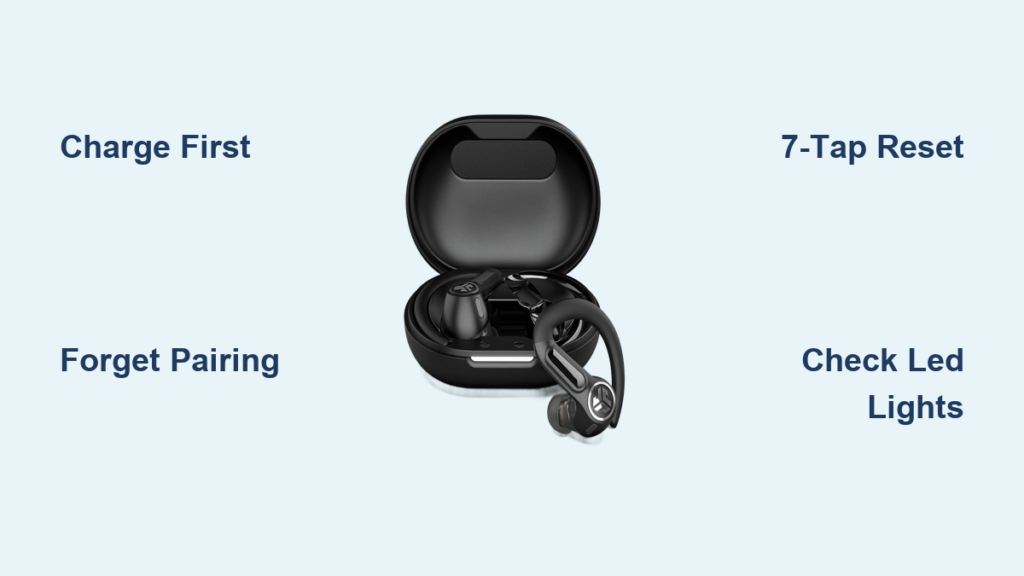
Your JLab Sport earbuds worked perfectly yesterday, but today only one side plays sound, pairing fails, or the touch controls refuse to respond. Before assuming the worst, know that a factory reset solves most of these issues in under two minutes. This guide shows you exactly how to reset JLab sport earbuds using the proven 7-tap method, plus what to do if things still go wrong.
The reset clears corrupted Bluetooth data and restores the original pairing state without touching any files on your phone. You’ll learn the correct tap sequence, how to read LED feedback, how to prep your device, and how to fix stubborn post-reset problems. Whether you own GO Air Sport, JBuds Air Sport, or another True Wireless model, these steps apply to nearly all of them.
Check Battery and Charging Before Resetting
A dead battery is the number one reason a reset fails. The earbuds need enough power to register the tap command and execute the factory reset properly.
Charge the Case and Earbuds
- Plug the charging case into a power source using the included USB-C cable
- Let it charge for at least 10 to 30 minutes before starting the reset
- Place both earbuds inside the case during charging so they receive power
Inspect Charging Contacts
Dirty or blocked contacts prevent proper charging and stop the reset from registering.
- Use a dry cotton swab or soft brush to clean the gold pins on the earbuds and inside the case
- Avoid liquids or sharp objects that could scratch the metal contacts
- Look for visible debris or earwax buildup, which are common culprits
Test LED Response After Charging
- Open the case and remove the earbuds
- If no LED lights appear, the earbuds may be fully drained or faulty
- If lights still do not appear after 30 minutes of charging, contact JLab support since this points to a hardware issue
Prepare Your Device for Reconnection
A clean Bluetooth slate on your phone ensures the earbuds pair correctly after the reset. Skipping this step often causes the same connection problems to return.
Turn Off Bluetooth Temporarily
- Disable Bluetooth on your smartphone or tablet before resetting
- This prevents automatic reconnection attempts that can interfere with the reset process
Forget Previous Pairings
Clear old connection data so your device treats the earbuds as new.
For iPhone:
1. Go to Settings, then Bluetooth
2. Find “JLab GO Air Sport” or your model name
3. Tap the “i” icon next to it
4. Select “Forget This Device”
For Android:
1. Open Settings, then Connected Devices, then Bluetooth
2. Tap the gear icon next to the JLab device
3. Choose “Unpair” or “Forget”
Remove Multiple Entries
If you see two entries like “JLab L” and “JLab R,” forget both. These indicate a split connection that the reset should fix.
Perform the 7-Tap Factory Reset
Most JLab sport models use a tap-to-reset function on the earbud stems. Getting the sequence right makes the difference between success and frustration.
Step-by-Step Reset Instructions
-
Place Both Earbuds in the Case
Put both earbuds back into the charging case. -
Keep the Lid Open
Leave the case open during the entire reset. Closing the lid interrupts the process. -
Tap the Right Earbud 7 Times
– Tap the touch sensor (JLab logo area) on the right earbud quickly
– Do seven rapid taps in succession
– Watch for the LED to flash blue four times, which confirms the reset command was accepted -
Tap the Left Earbud 7 Times
– Repeat the same seven quick taps on the left earbud
– Confirm the LED flashes blue four times again -
Remove Earbuds After Reset
Only take them out after both have shown the 4-blue-flash signal.
Pro Tip: Perform this in a dimly lit area to better see the LED. The flash can be faint and easy to miss.
What If the Lights Don’t Flash
- Try tapping faster and more consistently
- Ensure fingers are clean and dry, since grease or moisture can block touch sensors
- If there is no response after multiple tries, charge for another 15 minutes and retry
Confirm Reset Success With LED Patterns

After removing the earbuds, check the lights. They tell you whether the reset actually worked.
Correct Post-Reset Indicators
| Earbud | LED Pattern | Meaning |
|---|---|---|
| One Earbud | Solid White Light | Master earbud, powered on and ready |
| Other Earbud | Blinks Blue and White Alternately | In pairing mode, seeking connection |
This split pattern confirms three things at once. The earbuds have reset successfully. They have re-synchronized with each other through the TWS link. They are now discoverable by your device.
Incorrect Patterns Mean Try Again
- If both blink blue, or only one lights up, the reset failed
- Repeat the 7-tap process, making sure the case stays open and taps are fast
Reconnect Your Earbuds to Your Phone

Now that the earbuds are reset, it is time to pair them again. The process is quick once the reset worked properly.
Pairing Steps
- On your phone, go to Bluetooth settings
- Turn Bluetooth ON
- Wait for “JLab GO Air Sport” to appear as a single device
- Tap it to connect
Don’t select “JLab L” or “JLab R.” If those appear, forget them and repeat the reset.
Troubleshoot Pairing Issues
Problem: Device not showing up
– Toggle Bluetooth off and on to refresh the scan
Problem: Still sees two devices
– Go back and forget all JLab entries
– Repeat the 7-tap reset, double-checking the 4-blue-flash confirmation
Problem: Connection drops immediately
– Restart your phone’s Bluetooth stack or restart the phone itself
– Try pairing with another device like a tablet to isolate the issue
Fix Common Post-Reset Problems
Even after a successful reset, minor hiccups can still happen. Here is how to handle the most frequent ones.
Only One Earbud Works
The TWS sync likely failed after the reset. Place both earbuds in the case, close the lid for 10 seconds, then reopen. Remove them and watch for the Solid White and Blinking Blue/White pattern. If they still do not sync, tap both touch sensors simultaneously a few times to force reconnection.
Touch Controls Still Unresponsive
An internal glitch may persist. Perform the 7-tap reset again and clean the touch sensor area with a dry cloth. Avoid wearing gloves or using wet hands when tapping.
Audio Keeps Cutting Out
Interference or outdated firmware is often the cause. Move away from Wi-Fi routers, microwaves, or crowded Bluetooth areas. Check if your model supports the JLab Sound App, since some firmware updates fix stability issues.
Prevent Future Connection Issues
A few simple habits keep your JLab sport earbuds running smoothly for years.
Store Properly
- Always return earbuds to the case when not in use
- Close the lid to protect from dust and moisture
Clean Regularly
- Wipe earbud stems and mesh grills weekly with a dry cloth
- Use a soft brush to remove earwax from speaker openings
- Clean charging pins monthly to maintain good contact
Avoid Extreme Conditions
- Don’t leave earbuds in hot cars or freezing temperatures
- High heat damages batteries while cold causes temporary power loss
Update Firmware When Available
- Open the JLab Sound App if compatible with your model
- Check for firmware updates under device settings
- Updates can improve battery life, sound quality, and connectivity
Which JLab Models Use This Reset Method

The 7-tap reset works on most JLab True Wireless earbuds, including:
- JLab GO Air Sport
- GO Air Pop and GO Air Tones
- JBuds Air Sport and JBuds Mini
- JBuds Air Pro and JBuds Air ANC
- Epic Air ANC (Gen 1 and Gen 2)
- Work Buds
- GO Sport+ and Epic Open Sport
Exception: Models like GO Pods ANC, Flex Open, and Epic Pods ANC use a button on the case (hold for 3 seconds) instead of the tap reset.
LED Light Guide: What the Flashes Mean

| Light Pattern | Meaning |
|---|---|
| 4 Blue Flashes | Reset command received |
| Solid White | Ready to use, synced |
| Blinking Blue/White | In pairing mode |
| No Light | Dead battery or hardware issue |
| Red Light | Low battery on some models |
Use this as a quick reference whenever troubleshooting.
When to Contact JLab Support
If you have followed every step and still have issues, reach out to JLab for help.
- No LED lights after 30 or more minutes of charging
- Reset command not accepted (no 4-blue-flash)
- One earbud never powers on
- Persistent audio or sync problems after multiple resets
Contact options include:
– Email: support@jlab.com
– Phone: 1-405-445-7219
– Warranty: Most models include 1-year coverage, so ask about repair or replacement options
Frequently Asked Questions About Resetting JLab Sport Earbuds
How long does it take to reset JLab sport earbuds?
The actual reset takes under one minute once your earbuds are charged. Add another minute or two for charging prep and device setup, and the whole process usually finishes in about five minutes.
Will resetting delete my music or phone data?
No. The reset only clears the earbuds’ internal Bluetooth pairing history. Your phone’s music, contacts, apps, and personal files stay completely untouched.
Why is only one JLab earbud working after reset?
This usually means the TWS sync between the two earbuds failed. Place both back in the case, close the lid for 10 seconds, then reopen. Remove them and check for the Solid White and Blinking Blue/White pattern.
Do all JLab earbuds use the 7-tap reset method?
Most True Wireless models do, including GO Air Sport, JBuds Air series, and Epic Air series. However, models like GO Pods ANC and Flex Open use a physical button on the case held for 3 seconds instead.
What do I do if the LED does not flash during the reset?
First, make sure the case is open and the earbuds are properly seated. Charge for another 15 to 30 minutes, then retry with faster, cleaner taps. If the lights still do not appear, contact JLab support since this signals a hardware issue.
Final Thoughts on Resetting Your JLab Sport Earbuds
The 7-tap factory reset is the fastest and most reliable fix for most JLab sport earbud problems. The key steps are charging first, forgetting old connections on your phone, performing the 7-tap reset with the case open, and watching for the 4-blue-flash confirmation on both earbuds.
If you notice sluggish performance or pairing delays returning over time, repeat this process every few months as preventive maintenance. It keeps the internal Bluetooth logic clean and the TWS sync stable.
For best results, bookmark this guide so you can return to it whenever connection issues pop up. And if the reset never produces the 4-blue-flash signal after multiple tries, reach out to JLab support at support@jlab.com or 1-405-445-7219 to explore warranty options.



