

You’re mid-workout, music pumping, sweat dripping, then silence. Your Jabra Elite Sport earbuds cut out. You check the case, pop them in to charge, and nothing happens. No LED, no response, just dead earbuds. This frustrating scenario is common, and the culprit is usually Jabra Elite Sport earbuds not charging properly. The good news: most issues are fixable without buying new gear.
This guide walks you through every proven fix, from quick cleaning to full resets and firmware updates. You’ll learn how to diagnose the exact problem, test your charging case, and prevent future failures. Whether it’s dirty contacts, a dead case battery, or a firmware bug, you’ll find the solution here.
Verify the Charging Case Has Power
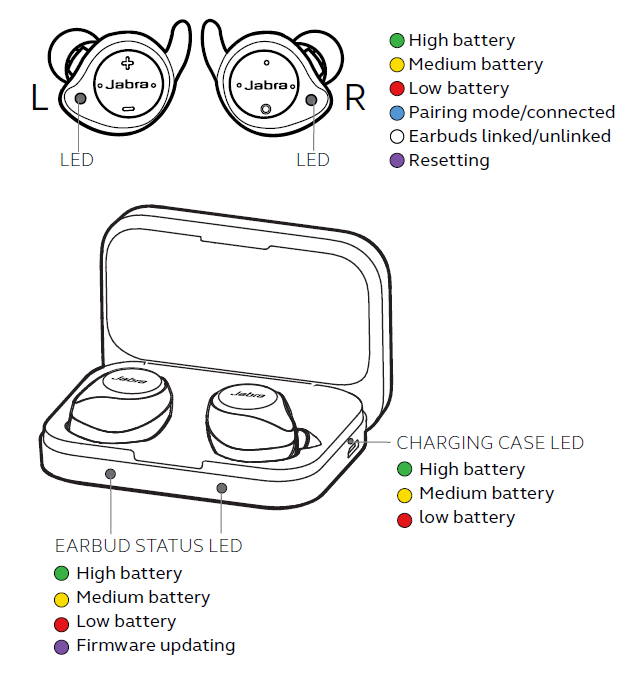
Before blaming the earbuds, confirm the case itself is alive and functional.
Check the Case LED When Plugged In
Connect the charging case to a power source using its micro-USB cable. The LED indicator should glow immediately. If nothing lights up, the case may have a dead internal battery or a faulty connection.
Try these quick tests:
– Swap the USB cable for a different one you know works
– Test the wall adapter with another device
– Confirm the cable sits firmly in the case’s micro-USB port
A completely unresponsive case LED often signals a degraded battery. The Jabra Elite Sport case typically loses strong charge retention after two or more years of regular use.
Case Lights Up but Won’t Charge Earbuds
If the case LED glows but your earbuds still won’t charge, the case may simply need time to build up power. Remove the earbuds, plug the case in, and wait at least 10 minutes. Then reinsert the earbuds and watch for any LED flash.
Sometimes the case battery is too drained to transfer power immediately. If no response appears after 30 minutes of charging, move on to inspecting the physical contacts.
Clean the Earbud and Case Charging Contacts
The charging system depends on clean metal contact points. Sweat, skin oil, and pocket lint create a barrier that blocks power transfer.
Wipe Down the Earbud Charging Pads
The metal base of each earbud must stay clean for proper conductivity. Power off the earbuds first, then follow these steps:
- Grab a dry, lint-free cloth and wipe the bottom metal surface
- For stubborn grime, lightly dampen a cotton swab with isopropyl alcohol
- Gently rub the contact points, avoiding speaker grilles
- Let everything dry completely before returning to the case
Warning: Never submerge the earbuds or apply water directly. Moisture damage voids the warranty permanently.
Clean the Case’s Inner Charging Pins
Flip open the case and shine a flashlight into the charging slots. Look for lint, dust, or any greenish corrosion on the magnetic pins. Use a dry cotton swab or soft brush to remove debris. For sticky buildup, lightly moisten the swab with alcohol, but never let liquid drip inside.
Misaligned pins prevent a solid connection. Make sure each earbud clicks securely into place with the LED side facing up.
Test with a Different Cable and Power Source
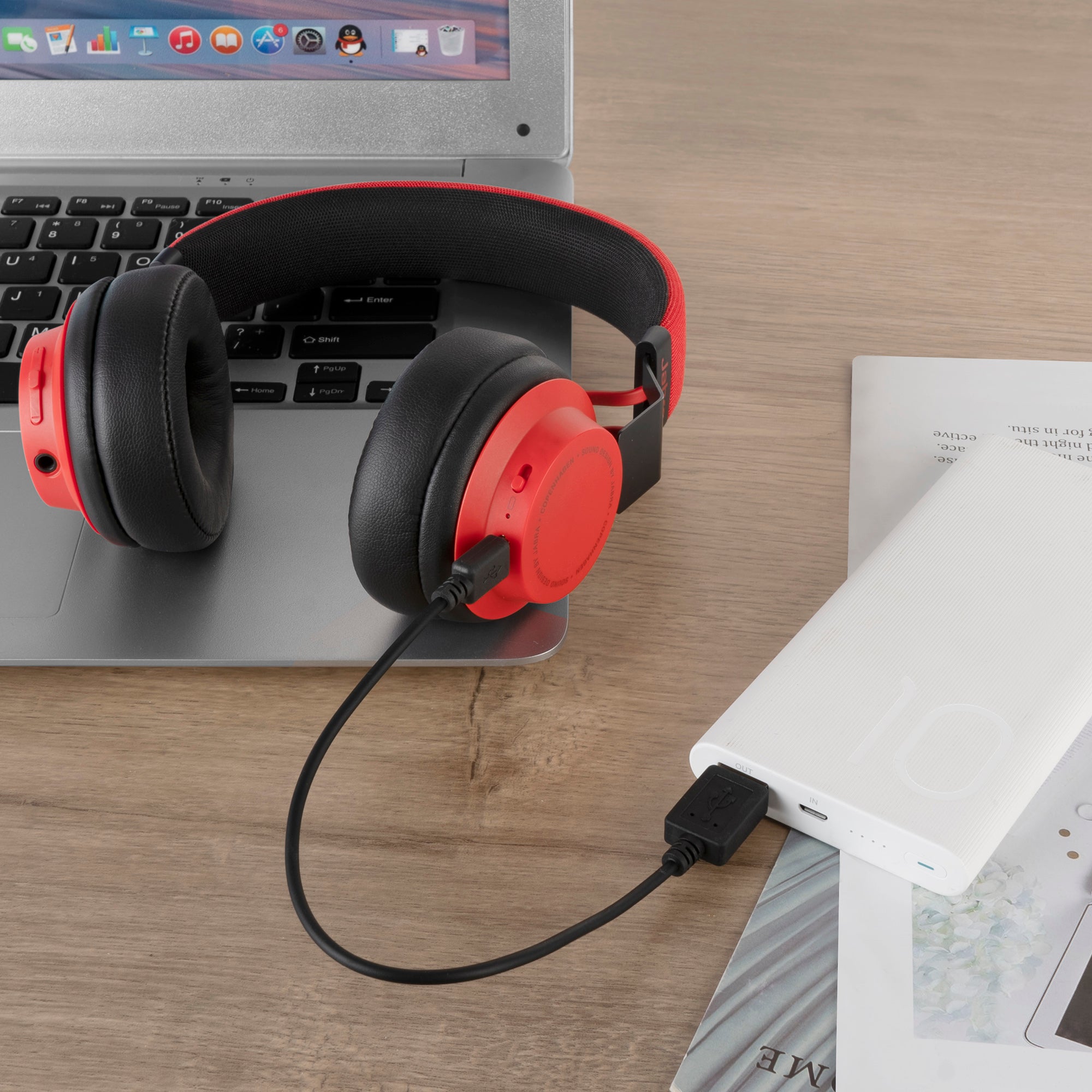
A faulty cable is one of the most overlooked charging culprits.
Swap in a Known-Good USB Cable
Many users rely on worn or third-party cables that deliver inconsistent power. Try a high-quality micro-USB cable rated for both data and charging. Avoid frayed or bent cables, especially near the connector ends. Any cable that supports at least 5V/1A output should work.
Jabra recommends the original cable, but certified alternatives perform just as well when properly tested.
Avoid Low-Power USB Ports
Not all power sources deliver equal current. Computer USB ports often provide insufficient power for proper charging. Use a wall charger rated at 1A or higher instead. Car chargers and unknown power banks can also deliver unstable voltage.
Low power causes slow or failed charging, which tricks users into thinking the device is broken when it’s actually starving for juice.
Reset the Jabra Elite Sport Earbuds
A factory reset clears firmware glitches that block charging behavior.
Perform a Full Reset Sequence
This wipes pairing data and resets internal systems to default. Follow these steps carefully:
- Place both earbuds in the charging case
2.



