

Your Bose Sport Earbuds are completely dead, and the charging case is nowhere to be found. Maybe it got lost at the gym, left in a hotel room, or simply stopped working. Before you toss those earbuds in a drawer, there is a practical workaround. You can charge Bose Sport Earbuds without the case by connecting them directly to a USB power source using basic electronics tools and careful wiring.
This method bypasses the case entirely and feeds power straight into the earbuds’ internal charging terminals. It requires precision, a multimeter, and strict attention to polarity, but it works when replacement cases are too expensive or slow to arrive. This guide walks you through every step safely, whether you are troubleshooting, salvaging a lost pair, or building a custom charging setup.
Tools You Need to Charge Bose Sport Earbuds Without the Case
Gathering the right tools before you start protects your earbuds from short circuits and permanent damage. Skipping any item increases the risk of failure.
- USB power source (wall adapter or laptop port)
- Sacrificial USB cable (Micro-USB or USB-C depending on your earbud model)
- Multimeter for verifying voltage and polarity
- Wire strippers or small precision scissors
- Red and black jumper wires (optional but helpful)
- Plastic tweezers or a non-conductive holder
- Electrical or transparent tape for insulation
Make sure every tool is clean and dry. Moisture or metallic debris near the charging terminals can cause a dangerous short.
Locate the Charging Terminals on Your Earbuds
Find the Metal Contact Points
Each Bose Sport Earbud has two small metal dots on the stem that serve as charging contacts. These are the positive and negative terminals. They usually sit vertically aligned on the inner side of the earbud stem.
Do not confuse these pads with microphone ports or sensor openings. Only the slightly raised, metallic points are used for charging.
Confirm Polarity With a Multimeter
Guessing polarity can destroy the battery. Always verify before connecting anything.
- Set your multimeter to DC voltage on the 20V range.
- Touch one probe to each metal pad.
- If the reading shows a negative value, swap the probes.
- The terminal showing a positive reading is the positive terminal.
- Mark this terminal mentally or with a non-conductive marker.
Pro Tip: On most Bose models the right-side terminal is positive, but always confirm with your multimeter since layouts vary.
Prepare a USB Cable for Direct Charging

Strip and Identify the Inner Wires
- Cut one end off your sacrificial USB cable.
- Strip back the outer insulation to expose four inner wires.
- Identify the red wire (positive) and black wire (negative).
- Strip about 5mm of insulation from the tips of both wires.
The white and green wires carry data only and are not needed for charging. Trim them away or tuck them out of sight.
Connect the Wires to the Earbud Terminals
Match Polarity Before Touching Power
- Align the red wire with the earbud’s positive terminal.
- Align the black wire with the negative terminal.
- Use plastic tweezers to hold both wires firmly against the contacts.
- Confirm the wires never touch each other.
Critical Warning: A single spark from crossed wires can destroy the lithium-ion battery inside the earbud.
Secure the Connection With Tape
Once both wires sit firmly on the terminals:
– Wrap transparent tape around the connection area to prevent shifting.
– Leave the LED indicator uncovered so you can monitor charging status.
– Make sure no exposed metal sits outside the taped zone.
This setup is fragile. Any sudden movement can break the circuit.
Start Charging and Watch the LED Indicator
Plug Into a Safe Power Source
- Insert the USB end into a standard 5V wall charger. Avoid high-speed PD chargers.
- Watch the earbud’s LED light closely.
- A blinking or solid light confirms charging has started.
- No light means you need to recheck polarity, clean the terminals, or press the wires more firmly.
Expected Charge Time
With a stable 5V supply at 100mA to 200mA, a full charge takes roughly 60 to 90 minutes. Manual connections add slight resistance, so charging may run a bit slower than the original case.
Never leave the earbuds unattended during this process.
Fix Common Charging Problems
LED Does Not Light Up
The contact is loose or the polarity is reversed. Reseat the wires and recheck with your multimeter.
LED Blinks Intermittently
Conductivity is poor or the wires are shifting. Clean the terminals with isopropyl alcohol and resecure with fresh tape.
Earbud Feels Hot
A short circuit or damaged battery is likely. Disconnect immediately and do not retry until you inspect every connection.
Only One Earbud Charges
The other earbud may have a dead cell or asymmetric wear. Test each one individually to identify the faulty unit.
Build a Semi-Permanent Charging Dock
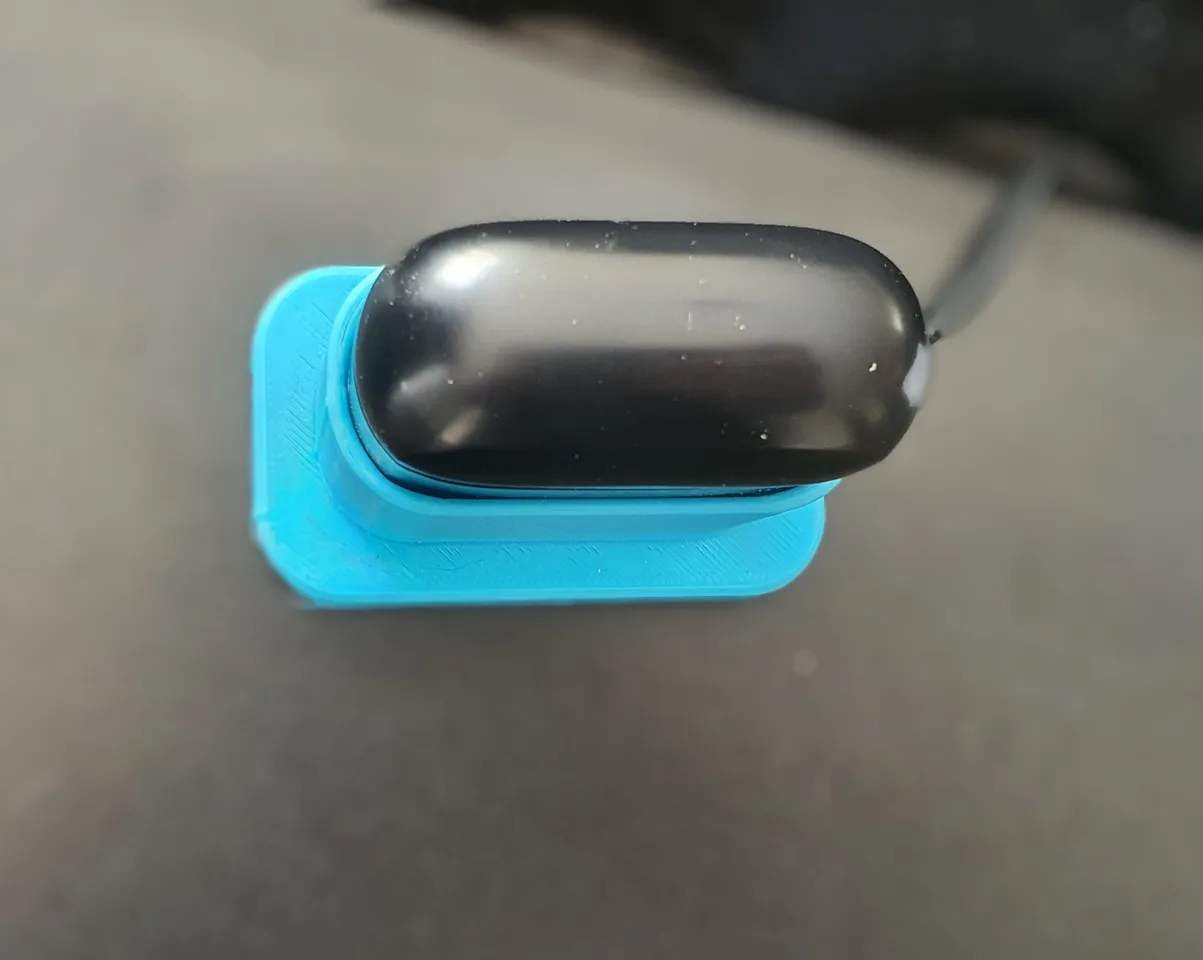
If you plan to charge this way often, a stable rig saves time and reduces risk.
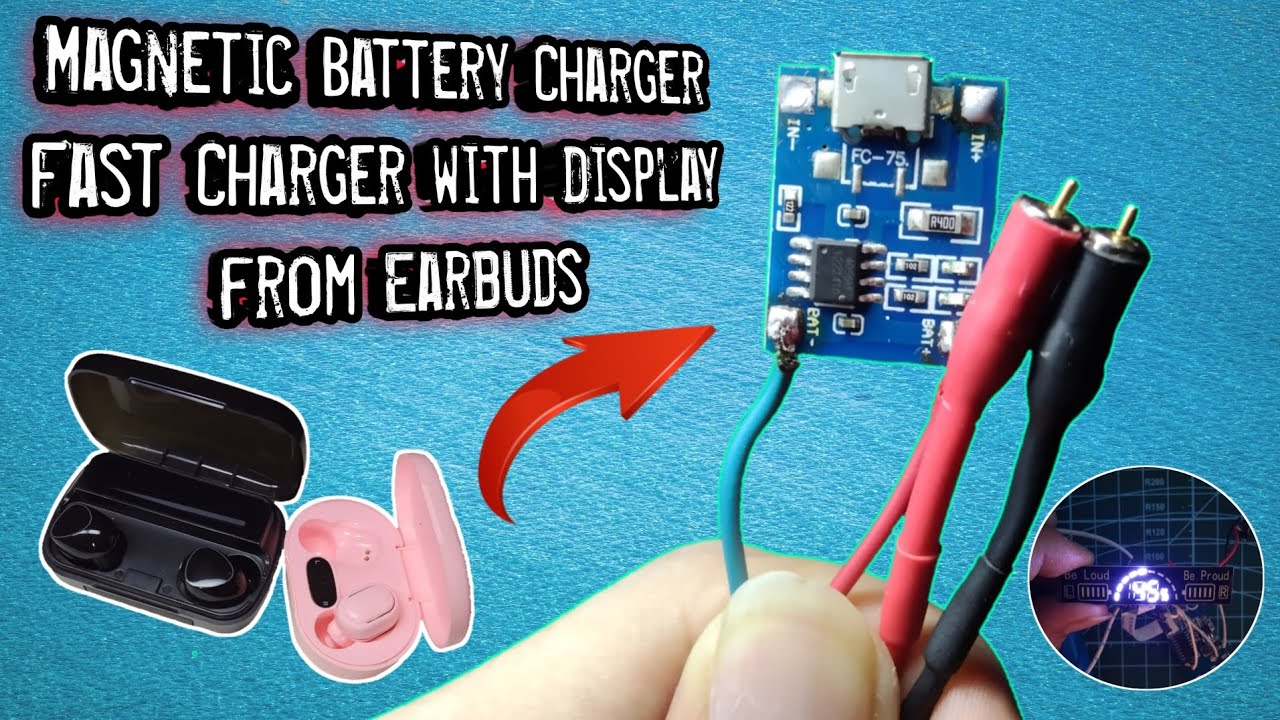
Salvage the Circuit Board From a Broken Case
- Open a damaged Bose charging case carefully.
- Remove the circuit board with the spring contacts.
- Identify the input pads where USB power enters the board.
Wire the USB Directly to the Board
- Solder the red USB wire to the VCC positive pad.
- Solder the black USB wire to the GND negative pad.
- Position the board so the spring contacts align with the earbud terminals.
- Mount the board inside a 3D-printed or repurposed holder.
Now you can drop the earbud onto the dock like a mini charging station without holding wires by hand.
Stay Safe While Charging Without the Case
Prevent Short Circuits
Always insulate exposed wires with tape. Work on a non-conductive surface like wood or plastic. Keep loose metal objects far away from your workspace.
Never Reverse Polarity
Connecting positive to negative even briefly can permanently damage the battery management system. It can also cause the lithium-ion cell to swell or leak.
Monitor Temperature Closely
Lithium batteries can overheat fast under fault conditions. If the earbud feels warm, unplug right away and let it cool fully before inspecting connections.
When This Direct Charging Method Will Not Work
Wireless Charging Models
If your earbuds use Qi wireless charging, this direct-wire method does not apply. You would need a wireless transmitter pad instead.
Degraded Internal Battery
If the earbud refuses to hold a charge even with correct wiring, the internal battery is likely dead. Replacement requires microsoldering skills.
Missing or Corroded Terminals
Physical damage to the charging pads blocks reliable contact. Light oxidation cleans up easily, but deep corrosion may be permanent.
Try These Safer Alternatives First
Before opening up your earbuds, consider easier options.
Buy a Replacement Charging Case
Official and third-party cases cost between $30 and $60. Make sure the model matches your Bose Sport Earbuds generation.
Test the Original Case Port
Try a different USB cable. Clean the case’s charging port with compressed air. Check for bent pins inside the port.
Visit an Authorized Service Center
Some Bose retailers offer case replacement services. Defective cases may qualify for warranty repair at no cost.
Keep Your Earbuds Charging Reliably Long-Term
Clean the Terminals Every Few Weeks
Earwax and debris block conductivity over time. Wipe the pads with a cotton swab dampened in isopropyl alcohol. Let everything dry fully before charging.
Label Your DIY Wires
Color-code or tape your charging wires so polarity is always obvious. This prevents mistakes during future charging sessions.
Store Your Modified Cable Safely
Keep your custom cable in a labeled pouch away from other electronics. Tangled cables lead to damaged wires and bad connections.
Frequently Asked Questions About Charging Bose Sport Earbuds Without the Case
Can You Really Charge Bose Sport Earbuds Without the Charging Case?
Yes. You can charge Bose Sport Earbuds without the case by connecting the earbud’s metal charging terminals directly to a 5V USB power source. This requires a modified USB cable, a multimeter, and careful polarity matching.
Is It Safe to Charge Bose Earbuds Without the Case?
It is safe when done correctly, but it carries real risks. Short circuits, reversed polarity, and overheating can permanently damage the battery. Strict attention to safety protocols is essential.
What Voltage Do Bose Sport Earbuds Use for Charging?
Bose Sport Earbuds charge at 5V DC through their metal terminals. Use a standard USB wall adapter or laptop port that delivers this voltage without fast-charge protocols.
How Long Does It Take to Charge Bose Earbuds Without the Case?
A full charge takes roughly 60 to 90 minutes with a stable 5V connection. Manual wiring adds slight resistance, so charging may run slower than through the original case.
Will Charging Without the Case Damage the Battery?
Not if you match polarity correctly and avoid short circuits. Reversed polarity or overheating can permanently damage the battery management system and reduce battery life.
What if Only One Earbud Charges Without the Case?
Test each earbud individually with the same setup. If one charges and the other does not, the non-charging earbud likely has a dead internal cell or damaged terminal pad.
Final Thoughts on Charging Bose Sport Earbuds Without the Case
Charging Bose Sport Earbuds without the case is a temporary workaround, not a daily solution. It works best for emergencies, diagnostics, or custom builds when the original case is lost, broken, or too expensive to replace quickly. The method requires precision tools, careful polarity checks, and constant monitoring to avoid damaging the lithium-ion battery inside each earbud.
The safest long-term answer is still a replacement charging case. Order an official or compatible third-party case as soon as possible, and use the direct-wire method only as a bridge until it arrives. If you decide to proceed manually, work slowly, double-check every connection, and never leave the earbuds charging unattended. With the right care, this technique can keep your earbuds alive long after the original case is gone.



