You pop in your JLab JBuds Air Sport, hit play, and only the right earbud produces sound. A silent left earbud not working while the right plays fine is one of the most reported issues across the JBuds Air Sport, Go Air Sport, and Epic Air Sport lineup. You are not dealing with a rare defect. This problem affects a wide range of users and often traces back to a failed inter-bud sync, a low battery, or contaminated charging contacts.
This guide walks you through step-by-step solutions, starting with quick resets and cleaning, then moving to advanced pairing, device testing, and warranty navigation. By the end, you will know exactly whether your earbud can be saved or needs replacing.
Run a Factory Reset to Clear Sync Errors
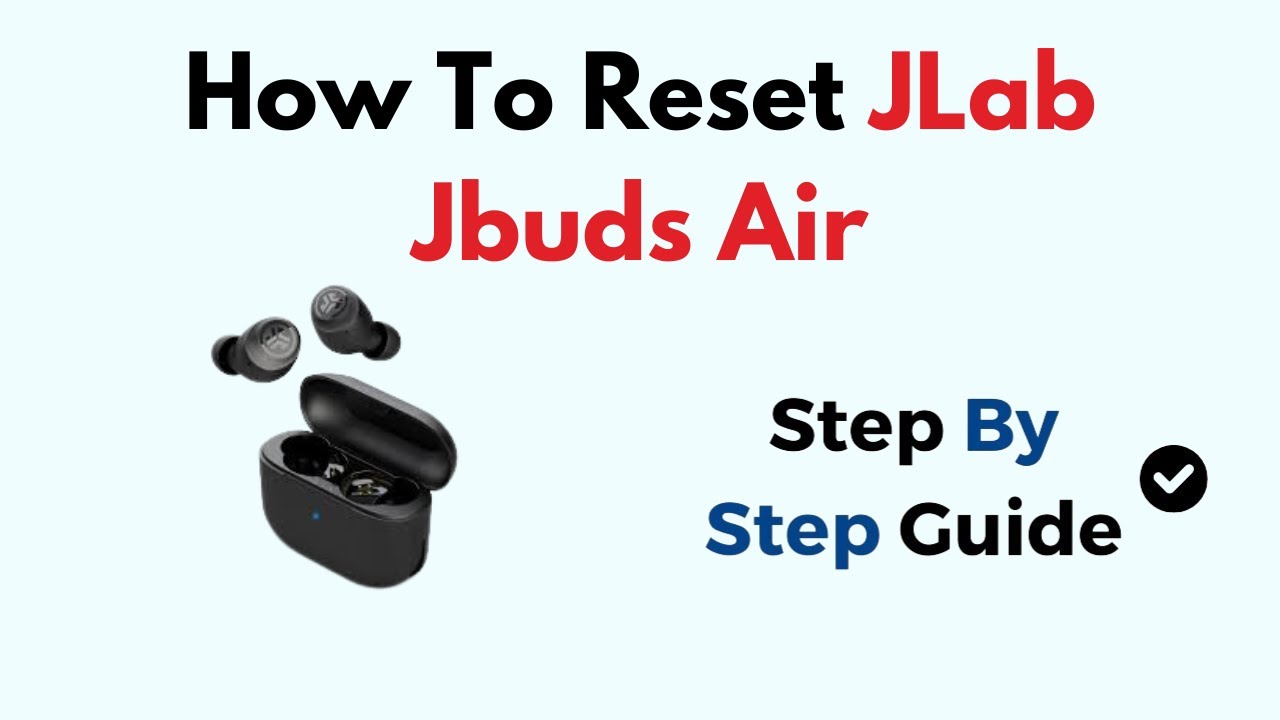
A factory reset wipes corrupted pairing data and forces both earbuds to re-establish their master-slave link. This single fix solves the majority of one-sided audio problems.
Try the 7-Tap Touch Sensor Reset
This is the standard reset method for touch-controlled models like the JBuds Air Sport.
- Place both earbuds in the charging case with the lid open.
- Turn off Bluetooth on your phone to block outside interference.
- On the left earbud, quickly tap the touch sensor seven times in a row.
- Watch the LED closely. It should blink blue four times. The light is dim, so look carefully.
- Repeat the seven quick taps on the right earbud.
- Confirm both buds show the four blue blinks.
- Remove both earbuds from the case.
After the reset, the left earbud should glow solid white. The right should blink blue and white, confirming sync and pairing mode.
Pro Tip: If the blue blink never appears, tap faster. Slow or spaced-out taps will not trigger the reset.
Use the Press-and-Hold Reset
Some users succeed with a hold method when taps fail to register.
- Place both buds in the open case.
- Press and hold the touch sensor (JLab logo) on the left earbud for 4 to 5 seconds until you hear a beep.
- Repeat on the right earbud.
- Remove both and check the lights:
– Left: Solid white
– Right: Blinking blue and white
If no beep or light change occurs, the earbud may not be powering on. Move to the charging section below.
Reset Using the Case Button (Select Models)
Some Go Air Pop and newer models include a physical button on the case.
- Place earbuds in the case and close the lid for 10 seconds.
- Open the lid.
- Press and hold the case button for 10 to 15 seconds.
- The LED should flash red and white alternately.
- Release the button to complete the reset.
Remove the earbuds and proceed to re-pairing.
Re-Pair Your Earbuds After the Reset
After a reset, old Bluetooth bonds must be cleared. Otherwise, your phone may reconnect to only one bud.
Forget the Device on Your Phone
- Open Bluetooth settings on your phone.
- Locate “JLab JBuds Air Sport” or the matching model name.
- Tap “Forget This Device” (iOS) or “Unpair” (Android).
- Turn Bluetooth OFF completely.
This prevents auto-reconnection and forces a fresh stereo pairing.
Reconnect as a Stereo Pair
- Turn Bluetooth back ON.
- Remove both earbuds from the case.
- Wait 5 to 10 seconds for the sync lights to appear.
- On your phone, scan for new devices.
- Select “JLab JBuds Air Sport” as a single entry.
- Wait for the “Bluetooth connected” voice prompt.
✅ Success Signs: Both earbuds play audio, show solid white or a slow pulse, and appear as one device.
Manually Sync If Auto-Pairing Fails
If both buds blink or refuse to sync:
- Place both back in the case.
- Remove and hold both touch sensors for 3 seconds to power on.
- Wait for left (solid white) and right (blinking blue and white).
- Reconnect through your Bluetooth menu.
Clean the Charging Contacts

Dirty or corroded contacts can block power delivery, making an earbud appear completely dead.
Inspect the Metal Contacts
- Remove both earbuds from the case.
- Check the gold pins on the earbuds and the metal pads inside the case.
- Look for:
– Earwax buildup
– Dirt or lint
– Greenish oxidation
Clean Safely
- Use a dry cotton swab or microfiber cloth.
- Wipe the contacts on both buds and inside the case.
- Never use water, alcohol, or any liquid, since moisture damages electronics.
- For stubborn debris, use a soft-bristled clean toothbrush.
⚠️ Warning: Wet cleaning can short the circuit. Stick with dry tools only.
Confirm Proper Seating
- Place the left earbud back in the case.
- Listen for a soft click that confirms magnetic alignment.
- If it does not seat fully, debris may still be blocking the pin.
Charge for 15 to 30 minutes after cleaning to rule out power issues.
Test the Battery and Power State

A weak or drained battery often mimics hardware failure.
Confirm Both Buds Are Charging
- Place both earbuds in the case.
- Check the case LED:
– Solid green: fully charged
– Blinking red and green: actively charging
– No light: case needs charging - Wait at least 15 minutes if the battery was fully depleted.
Check for Power After Charging
- Remove the left earbud. Does the LED light up?
- If no light appears, the bud may not be charging or is faulty.
- If it lights but still will not sync, repeat the reset.
Time Estimate: Around 20 minutes to fully verify the charging state.
Diagnose Hardware Failure
When resets, cleaning, and re-pairing all fail, the problem likely lies in internal hardware damage.
Run the Pressure Test
Some users report a telltale sign of a wiring defect.
- Play audio with both earbuds in your ears.
- Press firmly on the left earbud housing near the stem.
- If sound returns when pressed, the unit has a loose internal wire or driver connection.
🔧 Real-World Case: IT professionals have used a screwdriver handle to tap the housing and temporarily restore audio, confirming a manufacturing defect.
Look for Physical Damage
Check the earbud for:
– Cracks in the plastic shell
– Moisture or water inside
– Bent or dented charging pins
– Blocked speaker mesh (clean with a dry brush)
Any of these signs point toward replacement rather than repair.
Test the Earbuds on Another Device
This step rules out phone-specific Bluetooth glitches.
Pair With a Second Device
- Grab a different phone, tablet, or laptop.
- Forget the earbuds on the first device.
- On the second device:
– Turn Bluetooth on
– Pair fresh after a reset - Play audio.
Interpret the Results
- ✅ Left bud works on the second device: Your original phone has a Bluetooth cache issue.
- ❌ Left bud stays silent: The earbud has an internal hardware fault.
💡 Quick Phone Fix: Restart your phone, clear the Bluetooth cache (Android), or reset network settings (iOS).
Update Firmware Through the JLab App
Firmware bugs can trigger sync drops and audio loss.
Install the JLab App
- Download “JLab” from the App Store or Google Play.
- Open the app and pair your earbuds.
- Go to the device section and check for available updates.
Apply Any Available Patches
- Follow the prompts to install updates.
- Keep the earbuds charged during the process.
- Firmware often improves connection stability and audio sync.
📅 Note: Not all models support app updates. Check compatibility in the app before relying on this step.
Optimize Bluetooth Performance
The right earbud acts as the main receiver. It pulls the signal from your phone and relays it to the left.
Keep Your Phone on the Right Side
- Carry your phone in your right pocket or hold it in your right hand.
- This shortens the signal path to the master bud.
- Avoid placing your body between the phone and the right earbud.
Reduce Wireless Interference
- Stay away from Wi-Fi routers, microwaves, or crowded Bluetooth zones.
- Turn off unused Bluetooth devices nearby.
⚡ Pro Tip: If the left bud drops mid-use, check whether your phone has shifted to your left side.
When to Seek Warranty Support
If all fixes fail, contact JLab, especially while the unit is still new.
Prepare Before You Reach Out
Have these ready:
– Proof of purchase (receipt or order number)
– Model name (such as JBuds Air Sport)
– Summary of steps already tried (reset, cleaning, re-pairing)
Start a Warranty Claim
- Visit JLab.com/support.
- Fill out the contact form or email support@jlab.com.
- Describe the issue: “Left earbud not working after multiple resets.”
- Mention if the pressure test restored sound, since this signals a hardware defect.
Return Through the Retailer
If you are inside the return window (such as 30 days at Best Buy):
– Bring the earbuds and your receipt.
– Request a replacement or refund.
– Many users find retailer returns faster than warranty repair.
💬 User Insight: Some customers report limited post-purchase support, so act quickly while return options remain open.
Frequently Asked Questions About JBuds Air Sport Left Earbud Issues
Why is my left JBuds Air Sport earbud silent but the right one works?
The right earbud acts as the master and relays audio to the left. When the left bud goes silent, the inter-bud sync has usually failed. A factory reset, clean re-pairing, or charged contacts typically restores stereo sound.
How do I reset my JBuds Air Sport when only one earbud works?
Place both buds in the open case, turn off Bluetooth on your phone, then tap the touch sensor on each earbud seven times quickly. A successful reset shows four blue blinks on each LED. After removing them, the left should glow solid white and the right should blink blue and white.
What does it mean if my left earbud only works when I press on it?
This is a classic sign of a loose internal wire or driver connection. Pressure temporarily reconnects the broken circuit. The fix is replacement, since the defect is inside the housing and cannot be repaired reliably at home.
Can a dirty charging case cause one earbud to stop working?
Yes. Debris, earwax, or oxidation on the metal contacts can block charging. A dead left bud often just needs a clean with a dry cotton swab and a proper reseat in the case before it powers on again.
Will a firmware update fix the left earbud not working issue?
Sometimes. The JLab App releases patches that improve sync stability. If your model supports the app, installing the latest firmware can resolve audio dropouts, though it will not repair physical wiring damage.
How long should JBuds Air Sport earbuds last before failure?
User reports show failures as early as two weeks after purchase, with some units failing straight out of the box. Lifespan varies widely, which is why acting within the return window is critical if you spot a defect.
Key Takeaways for Fixing Your JBuds Air Sport Left Earbud

Start with the 7-tap factory reset, since it solves most sync-related failures in under two minutes. If that fails, clean the charging contacts, confirm both buds hold a charge, and re-pair through your phone’s Bluetooth menu. Test on a second device to isolate whether the fault lies in the earbud or your phone.
If the left earbud only works under pressure, you are dealing with a hardware defect that no software fix can solve. Move quickly toward a retailer return or a JLab warranty claim while your purchase is still covered. Keep the firmware updated and the case clean to prevent repeat issues down the line.