
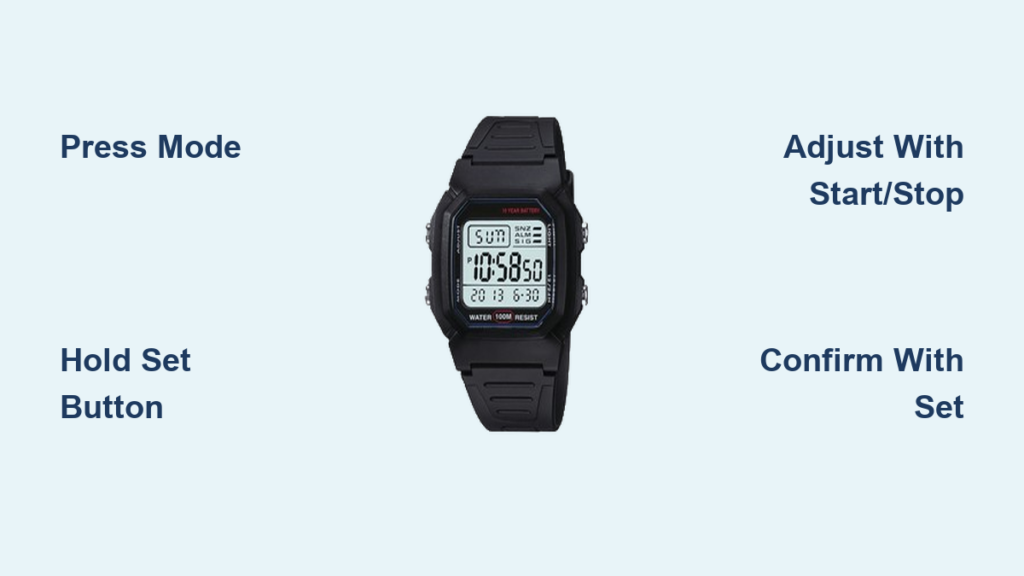
You just got a new digital wristwatch, or maybe you’ve had one for years that finally needs resetting. Either way, if you’ve stared at the blinking digits, unsure which button to press, you’re not alone. Setting a digital wrist watch doesn’t have to be confusing. With the right steps, you can adjust the time, date, and other functions in under two minutes.
Most digital watches use a simple four-button system: Mode, Set, Start/Stop, and Light. While labels may vary by brand like Casio, Timex, or Seiko, the logic remains consistent. This guide walks you through every step, model variation, and common mistake so you can navigate your watch interface with confidence.
Identify Your Watch’s Button Layout
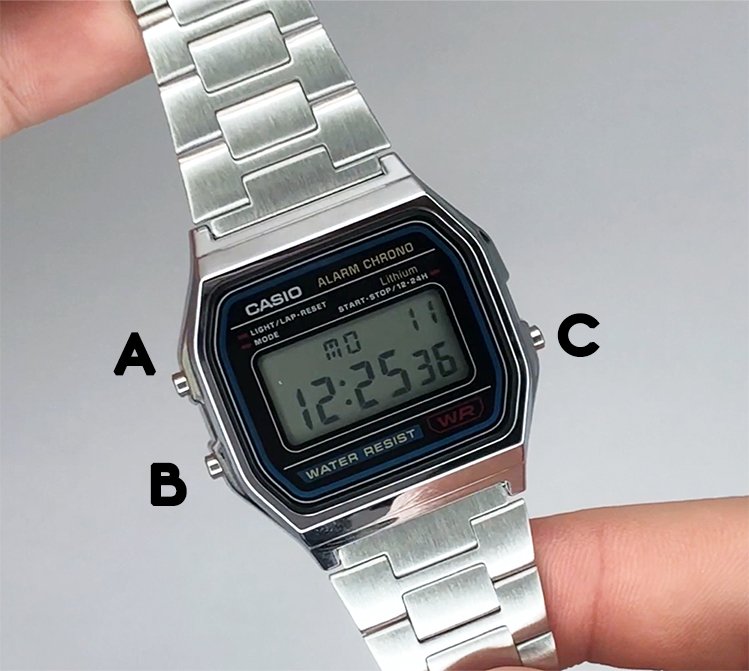
Before making any adjustments, locate and label the buttons on your watch. Most digital models have four buttons typically arranged around the sides.
Standard Button Functions
- Mode (MOD): Cycles through time, stopwatch, alarm, and date screens. Press it repeatedly to reach the function you want to adjust.
- Set / Adjust: Enters edit mode. On Casio models, it’s often labeled Adjust. This button confirms changes after setting.
- Start / Stop: Increases values like hours and minutes during setup. In stopwatch mode, it starts and stops timing.
- Light / INDIGLO: Illuminates the display. On watches without a Set button, this often doubles as a navigation control during setup.
Pro Tip: If your watch has no Set button, the Light button likely takes over its role during setup. This is common in older or simpler models.
Always start in the time display mode before attempting adjustments. Knowing what each button does prevents confusion and accidental resets.
Set Time on a Watch With a Set Button
Most modern digital watches, including Casio G-Shock and Timex Ironman models, use a dedicated Set button. Follow these steps to adjust time accurately.
Enter Time Setting Mode
Press the Mode button until the main time display appears. Then, press and hold the Set button. The seconds will start flashing, which means you’re in edit mode.
Adjust Seconds to Zero
Use the Start/Stop button to set seconds to 00. This ensures precise synchronization. If you don’t need exact timing, you can skip this step.
Move to Minutes and Hours
Press Mode once. Now minutes flash. Use Start/Stop to increase the value. Press Mode again to shift to hours, then adjust using Start/Stop.
Watch for AM/PM: A small A or P on the display indicates AM or PM. Make sure this matches the current time of day.
Save and Exit
Once hours and minutes are correct, press Set again to confirm. The flashing stops, and your watch returns to normal operation.
Set Time Without a Dedicated Set Button
Some digital watches, especially basic or vintage models, lack a dedicated Set button. Instead, the Light button handles navigation. Here’s how to adjust time on these models.
Activate Time Adjustment
Press Mode until the time is displayed. Then, press the Light button. The seconds will begin to flash.
Cycle Through Time Fields
Press Light again. Now hours blink. Use Start/Stop to adjust. Press Light once more to move to minutes, then set as needed.
Finalize the Settings
After setting minutes, press Mode to exit. The watch saves automatically and returns to normal display.
Note: This method skips a dedicated Set button entirely. The Light button acts as both selector and confirm button.
This approach is common in older Timex or generic digital watches. If nothing happens, ensure the watch isn’t in stopwatch or alarm mode.
Adjust the Date on Your Digital Watch

Once time is set, configure the date. Most watches display it in MM-DD-YY format, especially U.S. market models.
Enter Date Mode
Press Mode repeatedly until the date appears, like 09-11-24. Then, press Set (or Light if no Set button exists). The month will start flashing.
Set Month and Day
Use Start/Stop to adjust the month (1 equals January, 12 equals December). Press Mode to move to day, then set it the same way.
Critical: The format is usually MM-DD, not DD-MM. Entering 11-09 will show November 9th, not September 11th. This is a common mistake outside North America.
Save Date Settings
Press Set (or Mode) to confirm and exit. The watch returns to normal display. Some models allow year adjustment. If available, navigate to it with Mode and set using Start/Stop.
Fix Common Digital Watch Setting Problems
Even with clear steps, issues can arise. Here’s how to solve them fast.
Watch Buttons Not Responding
If pressing buttons does nothing, check these potential causes:
- You’re in the correct mode (time or date display)
- The battery isn’t dead or loose
- Buttons aren’t stuck or blocked by dirt
Quick Fix: Clean around buttons with a soft cloth. If still unresponsive, battery replacement may be needed.
Time Resets After Setting
This usually means the battery is weak or the contacts are corroded. Replace the battery and clean the terminals with a cotton swab and rubbing alcohol.
Date Changes at Noon Instead of Midnight
This happens when the 12-hour clock is misaligned. For example, if your watch thinks it’s 12 PM instead of 12 AM, the date flips at noon.
Solution: Reset the time close to midnight. Make sure the AM/PM indicator is correct when setting hours.
Wrong AM/PM After Setting
Re-enter time mode and watch the A or P indicator. Use Start/Stop to toggle between them if needed. Some watches auto-adjust based on hour input, like 7 equals AM and 19 equals 7 PM in 24-hour format.
Use Alarm, Stopwatch, and Other Features
After setting time and date, explore built-in functions on your digital watch.
Activate the Stopwatch
Press Mode until CHRONO or ST appears. Then, use Start/Stop to begin timing. Press Set or Reset to record lap times or reset to zero.
Set an Alarm
Cycle to Alarm Mode using Mode. Press Set. Hours flash. Adjust with Start/Stop, then Mode to minutes, set, and confirm with Set. To turn the alarm on or off, press Start/Stop or Set while looking for an AL or bell icon.
Switch Between 12-Hour and 24-Hour Format
Some watches allow format changes. In setting mode, hold Set or press Mode repeatedly until 12H or 24H appears. Use Start/Stop to toggle.
Note: Not all models support this format change. Check your manual for specific capabilities.
Set Up Popular Brands Like Casio and Timex
While most digital watches follow the same logic, brands have slight differences in button labeling and workflow.
Casio G-Shock and F-91W
Press and hold Adjust in time mode to enter settings. Use Start/Stop to change values. Press Adjust to move between fields like seconds, minutes, hours, and date. Hold Adjust at the end to save. These watches are known for durability and consistent interface since the 1980s.
Timex Ironman and INDIGLO Watches
The INDIGLO button acts as Light and secondary selector. Press Set to enter mode. Use Start/Stop to adjust values. Press Mode to cycle through fields. Press Set to confirm. These watches often include split timing and multiple alarms.
Maintain Your Digital Watch for Long-Term Use
Proper care keeps your watch accurate and functional for years.
Replace the Battery Promptly
Most digital watches last 2 to 5 years on a single battery. Signs it’s time to replace include dim or flickering display, time running slow, or buttons responding intermittently.
Warning: Never open the case unless you’re trained. For water-resistant models, have a professional replace the battery to preserve seals.
Clean Your Watch Regularly
Wipe with a soft, damp cloth. For water-resistant watches, rinse with fresh water after saltwater exposure. Avoid submerging non-waterproof models.
Avoid Pressing Buttons Underwater
Even water-resistant watches rated to 100m can leak if buttons are pressed underwater, unless specifically rated for it like G-Shock 200m models.
Find Your Watch Manual Online
Lost the manual? No problem. You can find it in minutes using these methods.
Official Sources
Visit Casio.com or Timex.com and search by model number. Mastersintime.com hosts a huge archive of watch manuals and diagrams.
Search Smart
Use this format: “[Brand] [Model] user manual PDF”. For example, “Casio G-Shock DW-5600E manual PDF”. Most manuals include button diagrams, feature explanations, and troubleshooting charts.
Key Takeaways for Setting Your Digital Watch
Setting a digital wrist watch is simple once you understand the button logic. Use Mode to navigate, Set (or Light) to enter edit mode, and Start/Stop to adjust values. Always check AM/PM and date format to avoid errors.
Synchronize with Time.is or another atomic clock source for perfect accuracy. If your watch misbehaves, check the battery first or consult the manual for model-specific guidance.
With proper care, your digital watch can last decades, just like a classic G-Shock that continues working for years without issues.
Frequently Asked Questions About Setting a Digital Wrist Watch
How do I set the time on a digital watch for the first time?
Press Mode until the time display appears. Press and hold Set until seconds flash. Use Start/Stop to adjust values, Mode to move between fields, and Set to confirm and exit.
Why does my digital watch reset after I set it?
This usually indicates a weak battery or poor battery contact. Replace the battery and clean the terminals with a cotton swab and rubbing alcohol to ensure proper connection.
How do I change AM to PM on my digital watch?
Re-enter time setting mode and watch the A or P indicator while adjusting hours. Use Start/Stop to toggle between AM and PM until the correct setting displays.
Can I set a digital watch without a Set button?
Yes. On watches without a Set button, the Light button typically handles navigation. Press Light to enter edit mode, then use Light to cycle through fields and Start/Stop to adjust values.
Why does the date change at noon instead of midnight?
Your watch is set to the wrong AM/PM time. Reset the time close to midnight and verify the AM/PM indicator matches the actual time of day. The date advances at midnight, not noon.
How often should I replace the battery in my digital watch?
Most digital watches need battery replacement every 2 to 5 years. Replace when the display dims, time runs slow, or buttons respond intermittently.



