
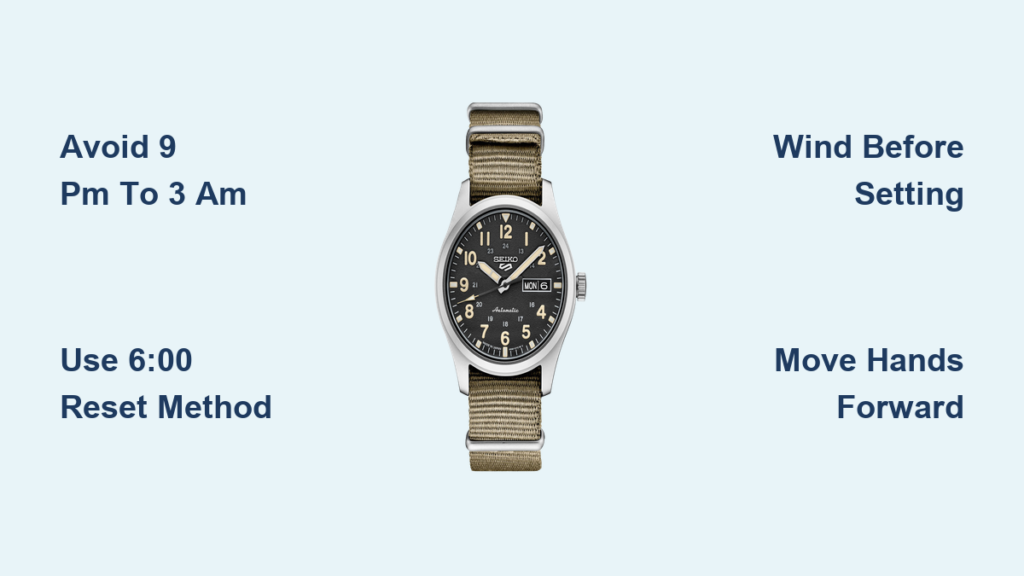
You just bought your first Seiko automatic watch. Now you’re staring at the dial, wondering: is it 10:10 AM or PM? And more importantly, how do you set the time without damaging your new timepiece? You’ve heard whispers about avoiding certain hours when adjusting the hands, and you’re not wrong to be cautious. The truth is, you can adjust the time on a Seiko watch at any hour, but there’s a critical caveat: avoid changing the date between 9 PM and 3 AM, and never force the crown during this window.
Here’s what you need to know: setting the hour and minute hands is safe at any time, but the quick-set date function should only be used outside the danger zone. If you pull the crown and try to change the date while the mechanism is engaged, you risk bending internal levers. The good news? There’s a simple, foolproof method to set both time and date correctly.
Set Time Without Damaging the Movement
Seiko watches are built tough, but their date mechanisms are delicate during transition. To avoid wear, follow a safe adjustment sequence that bypasses risk entirely. The key is understanding the difference between adjusting the time versus adjusting the date.
Avoid the 9 PM to 3 AM Danger Zone
The date wheel in most Seiko automatics begins moving just before midnight and completes the shift around 12:05 to 12:10 AM. During this period, roughly 9 PM to 3 AM, the internal gears are under tension. If you use the quick-set function to change the date during this window, you can strain or damage the date jumper spring or cannon pinion.
Never force the crown if it feels stiff when trying to change the date. This resistance is a warning sign the mechanism is engaged. Even though you’re adjusting the time and not the date, moving the hands backward through this zone can also cause issues.
Use the 6:00 Reset Method
To eliminate risk entirely, use the safe-setting method recommended by experienced owners and watchmakers. This approach ensures the date changes naturally, mimicking real-time progression and eliminating mechanical stress.
First, pull the crown to the second position, which is fully extended, to adjust the hands. Next, move the hands forward until the time reads 6:00, which places the watch well outside the danger window. Then pull the crown to the first position, one click out, and adjust the date to yesterday’s date. After that, go back to the second position and move the hands forward until the date rolls over to today’s date. Finally, continue advancing the hands to reach the correct current time.
This method works because you’re forcing the date to change at a time when the mechanism is guaranteed to be safe.
Determine AM vs PM After Setting
Once you’ve passed the 12:00 mark during adjustment, the date will either change over or stay the same. If the date changes over, this was 12:00 AM, which means the next 12 hours are AM. If the date stays the same, this was 12:00 PM, which means the next 12 hours are PM.
Here’s a practical example. If you move the hands forward from 6:00 and the date changes at 12, it’s midnight, and you’re now in AM. If the date doesn’t change at 12, it’s noon, and you’re in PM. This trick instantly tells you whether your watch is in the morning or evening cycle, eliminating all confusion.
First-Time Setup for Your Seiko Watch
When your Seiko arrives from a retailer, it may have stopped or be hours behind. Here’s how to set it correctly, even if the power reserve is low. Taking these steps ensures smooth operation from day one.
Wind the Watch Before Setting
Automatic Seikos need power to drive the hands and date mechanism. If the watch has been idle, you must wind it manually first.
Screw down the crown if applicable and gently turn it 20 to 30 times clockwise to manually wind the mainspring. This provides enough power for smooth hand and date adjustment. If the seconds hand is ticking unevenly or stuttering, wind a bit more.
Pro Tip: Even self-winding Seikos benefit from manual winding before initial setup, especially if they’ve been in storage. This ensures the mechanism has sufficient power to complete all functions properly.
Position the Crown Correctly
Most Seikos have a two-position crown that serves different functions depending on how far you pull it out. Understanding these positions prevents costly mistakes.
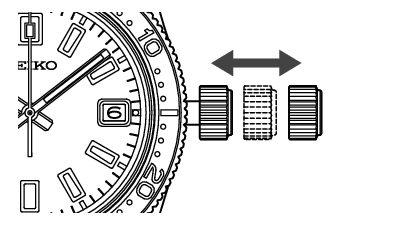
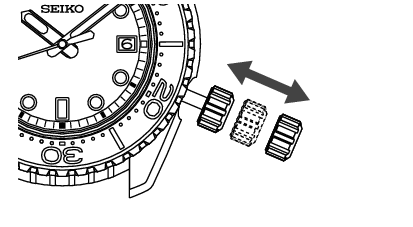
Position 1, which is one click out, allows you to adjust the date and day if your model has these functions. Position 2, which is fully pulled out, allows you to adjust the hour and minute hands. To avoid damage, always unscrew the crown if it’s a screw-down type before pulling it out. After setting, push the crown fully in and screw it down to maintain water resistance.
Never try to adjust the date in Position 2. This forces the hands and can damage the motion works.
Troubleshooting Common Setting Issues
Even with care, things can go wrong. Here’s how to fix the most common problems Seiko owners encounter when setting their watches. Knowing how to diagnose these issues saves time and prevents unnecessary service visits.
Date Doesn’t Change at Midnight
If your Seiko fails to advance the date at 12, it may be due to insufficient movement. The watch hasn’t been worn enough to wind the automatic mechanism. Alternatively, the time may be set incorrectly across AM and PM, which is a common error. There’s also a chance the internal date mechanism is misaligned.
The fix involves resetting using the 6:00 method. Advance the hands slowly through midnight and confirm the date clicks over. If it still doesn’t change, the watch may need servicing from an authorized Seiko technician.
Stiff Crown or Clicking Without Date Change
If the crown feels tight when trying to change the date, or you hear clicks but the date doesn’t advance, you’re likely in the 9 PM to 3 AM danger zone without realizing it. Another possibility is that the date jumper spring is worn or misaligned.
The solution is straightforward. Move the hands forward to 6:00 and try again. If the issue persists, have the watch inspected by an authorized Seiko technician rather than forcing the mechanism.
Can You Set Time Backward Safely?
Yes, but only outside the 9 PM to 3 AM window. While Seiko movements like the 7S26, 4R36, and 6R35 allow backward hand setting, doing so during date transition risks damaging the date mechanism. The internal gears are designed to move forward under spring tension, and reversing them while engaged can displace the date wheel.
Best Practice: Always move hands forward to avoid risk. It takes longer, but it’s safer for long-term movement health.
Model-Specific Tips for Seiko Watches
Not all Seikos are identical. Here’s how settings vary by series, so you can apply the right technique for your specific watch. Understanding your model ensures you don’t accidentally void the warranty or damage components.
Seiko 5 Sports Models
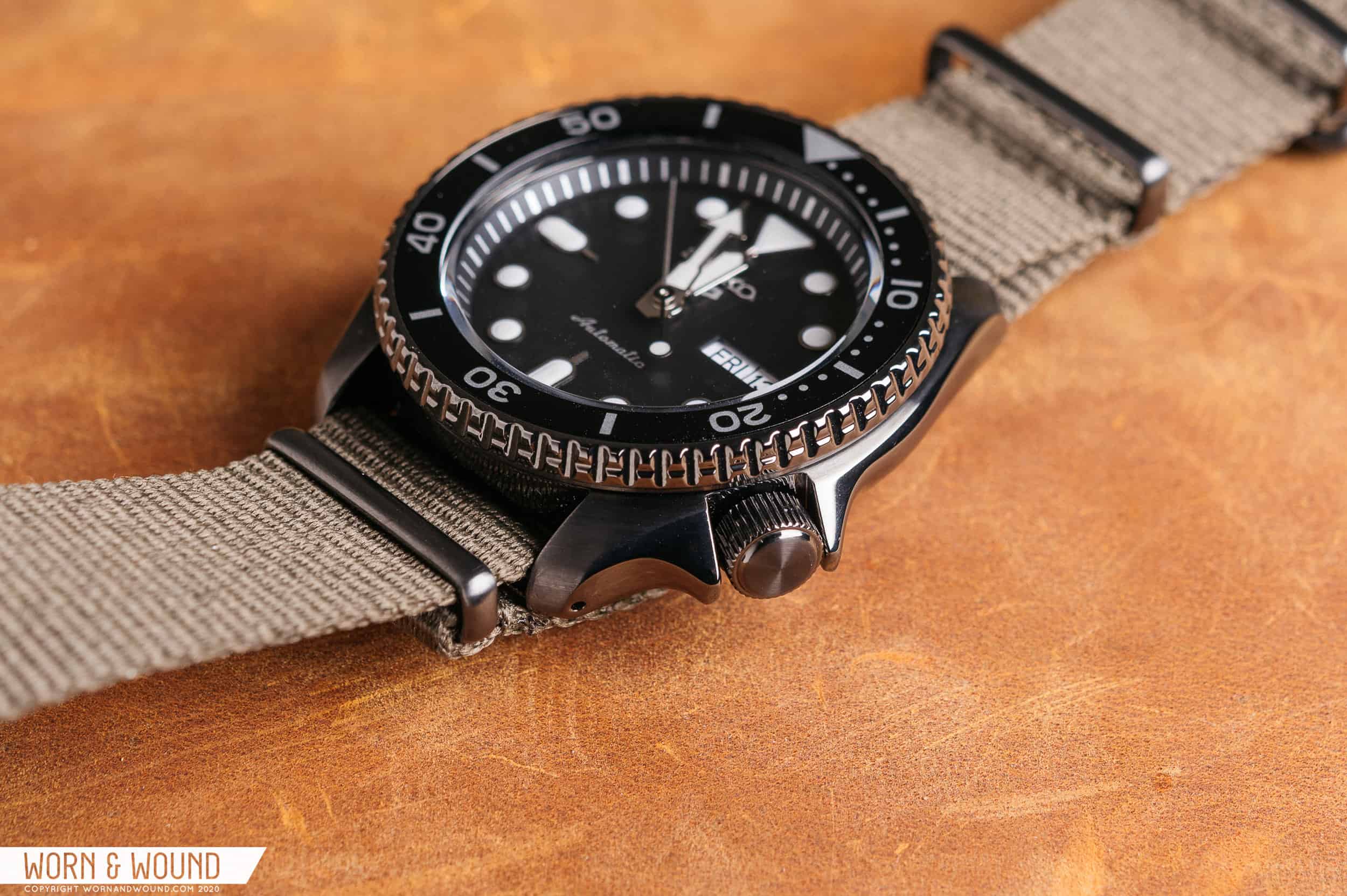
The Seiko 5 Sports series includes popular models like SRPD and SRPE. These watches have the crown positioned at 4 o’clock, which is different from many other Seiko models. They do not have hack seconds, meaning the seconds hand doesn’t stop when the crown is pulled. Use the 6:00 reset method to safely set time and date, and always wind manually before setting if the watch has stopped.
Seiko Prospex Divers
Prospex divers like SPB and SKX models feature a screw-down crown for water resistance. Always unscrew the crown fully before pulling it out. After setting, screw it back tightly to maintain 100m or more of water resistance. Avoid date changes under water or when the crown is not fully secured, as this can allow water ingress.
Seiko Presage Models
Presage watches like SRPB and SARX have some models with hacking seconds. This feature stops the seconds hand when the crown is pulled, allowing precise time synchronization. Otherwise, follow the same safe-setting rules as other Seiko models.
Maintain Accuracy and Longevity
A well-set Seiko can last decades. Protect your investment with smart habits that keep the movement running smoothly for years to come. Prevention is always better than cure when it comes to mechanical watches.
Avoid Frequent Date Adjustments at Night
Even outside the danger zone, changing the date manually every night isn’t necessary. Let the watch do its job. Frequent use of the quick-set function increases wear on the stem and gears over time.
Better approach: Set the time and date once, then let the watch run naturally. If you take it off for extended periods, wind it occasionally to keep the date mechanism on track.
Service Every 3 to 5 Years
Over time, lubricants dry out and dust enters the movement. Regular servicing by a Seiko-authorized technician ensures smooth hand setting, reliable date change, and long-term accuracy. Ignoring maintenance can lead to costly repairs from preventable wear.
Plan for routine service to catch small issues before they become major problems.
Store Properly When Not Worn
If you’re not wearing your Seiko daily, proper storage matters. Wind it every few days to keep the movement active, or use a watch winder set to 650 to 800 turns per day for Seiko automatics. Store in a cool, dry place away from magnets and shocks, as these can damage the movement.
Frequently Asked Questions About Adjusting Seiko Watch Time
Can I set the time on my Seiko watch at any hour?
Yes, you can adjust the hour and minute hands at any time. The critical restriction applies only to changing the date, which should never be done between 9 PM and 3 AM when the date mechanism is engaged.
How do I know if my Seiko is set to AM or PM?
Move the hands forward past 12:00. If the date changes when you cross midnight, you’re in AM. If the date stays the same, you’re in PM. This simple test eliminates all confusion about morning versus evening.
What happens if I force the crown during the date change window?
Forcing the crown can damage the date jumper spring, bend the cannon pinion, or misalign the date wheel. If the crown feels stiff, stop immediately and move the hands forward to 6:00 before trying again.
Is the 6:00 reset method necessary every time?
It’s not strictly necessary, but it’s the safest approach, especially for first-time setup. Once you understand the AM/PM relationship, you can set the time more directly as long as you avoid the 9 PM to 3 AM window for date changes.
Can I damage my Seiko by setting the time backward?
You can set the time backward safely, but only outside the 9 PM to 3 AM window. During date transition, moving the hands backward can force the date mechanism components the wrong way, causing damage over time.
Do all Seiko watches have the same date change danger zone?
Most Seiko automatic watches follow the 9 PM to 3 AM guideline, but always consult your specific model’s manual. Some older or specialized movements may have slightly different windows.
Key Takeaways for Adjusting Your Seiko Watch
Setting the time on your Seiko watch doesn’t have to be stressful. The most important thing to remember is that you can adjust the hands at any time, but you must respect the date change window between 9 PM and 3 AM to protect the movement.
Use the 6:00 reset method to safely set both time and date. This technique eliminates AM/PM confusion, protects your movement, and works across all Seiko automatic models. Wind your watch manually before initial setup, always position the crown correctly, and avoid forcing any mechanism that feels stiff.
For long-term reliability, service your Seiko every 3 to 5 years, store it properly when not in use, and let the watch run naturally rather than frequently adjusting the date manually. When in doubt, always move the hands forward rather than backward, and let the watch tell you when it’s midnight. Your Seiko will serve you reliably for decades with proper care.



