

You check your Fitbit every evening, proud of the 600 calories burned during your walk. But is that number accurate? And more importantly—how do Fitbit calories work in the first place?
Fitbit doesn’t measure calories directly. Instead, it estimates them using a smart blend of your personal data and real-time movement. From your resting metabolism to your morning jog, every calorie burned is a calculated guess, not a lab-tested fact. This means the number on your screen can be off by 20%, 30%, or even more depending on what you’re doing.
The Two-Part Formula Fitbit Uses

Fitbit calculates your daily calorie burn using a simple equation that combines two main components.
BMR + Activity Burn = Total Calories Burned
Your Basal Metabolic Rate makes up about 60–70% of your total daily burn. This is the energy your body uses just to keep you alive—breathing, heartbeat, cell function. Fitbit estimates your BMR using your age, sex, height, and weight from your profile.
The second component is activity burn, which comes from movement detected by the accelerometer and heart rate sensor. This number climbs throughout the day, even when you’re sitting, because your body is always working at some level.
Here’s the catch: no consumer wearable can measure oxygen use like laboratory equipment. All Fitbit calorie counts are estimates based on algorithms and population averages, not direct measurements of your metabolism.
What Data Fitbit Collects for Calorie Calculations
Your calorie estimate depends on several data inputs working together.
Your Profile Information
The foundation of your calculation starts with details you enter:
- Age: Metabolism naturally slows as you age
- Sex: Men and women have different average metabolic rates
- Height and Weight: Heavier bodies burn more energy maintaining function and moving
- Weight Updates: You must update weight manually unless you use a Fitbit Aria scale, which syncs automatically
An error in your profile—like entering the wrong weight—means all future calorie estimates will be skewed.
Heart Rate Monitoring
Devices with optical heart rate sensors use real-time pulse data to refine calorie estimates during activity.
- A higher heart rate indicates more effort and higher calorie burn
- Fitbit compares your active heart rate to your resting heart rate to adjust estimates
- Compatible models include Charge 4, Charge 5, Sense, Versa series, and Inspire 3
If the sensor loses contact because the band is too loose, heart rate data gaps occur and calorie counts become underestimated.
Accelerometer and Movement Tracking
Every Fitbit has a 3-axis accelerometer that tracks steps, movement frequency, intensity, and duration.
The device converts steps to distance using this formula: Steps × Stride Length = Distance Traveled. Stride length starts based on your height and sex but can be updated manually or through GPS tracking.
When GPS is active during a run or walk, distance is measured directly via satellite rather than step count. After a 10-minute GPS session, Fitbit automatically updates your stride length for better future estimates.
Floors and Altitude Tracking
Devices with an altimeter track floors climbed using barometric pressure changes.
- One floor equals approximately 10 feet (3 meters) of elevation gain
- The sensor combines step data with air pressure shifts
- It won’t count floors on stair climbers, treadmills, when descending, or in elevators
This data adds to your activity calories, especially during hiking or stair workouts.
Why Fitbit Calorie Counts Are Not Always Accurate
:max_bytes(150000):strip_icc()/how-does-fitbit-calculate-calories-01-5fba00a0504f4f7aaf14fa4ce91678c8.jpg)
Studies show Fitbit calorie estimates are off by an average of 27%, with some activities missing the mark by over 90%. Here’s how accuracy breaks down by activity type.
Walking Is Often Overestimated
Paradoxically, walking is one of the least accurate activities for calorie tracking.
- Some Fitbit models overestimated walking burn by over 50%
- The algorithm struggles with low-intensity, repetitive motion
- Arm movement alone can inflate results
Running Is Usually More Accurate
Running tends to be more reliable but still has errors.
- Some models underestimated running calories by about 4%
- GPS improves accuracy, but heart rate response can lag during sprints
Weight Training Shows Major Overestimation
Resistance training is where Fitbit fails most dramatically.
- Studies show strength training calorie overestimation between 12% and 48%
- Lifting weights spikes heart rate due to tension, not aerobic effort
- The accelerometer sees minimal full-body motion, so it underestimates the work
The result: you might see 300 calories burned after lifting, but the real number could be closer to 180.
Cycling and Stationary Workouts
Cycling often shows low calorie counts because minimal arm movement means fewer detected steps. Heart rate may be high, but the algorithm doesn’t fully credit non-impact cardio.
On treadmills or ellipticals, Fitbit may overestimate if it counts steps that don’t translate to real-world movement.
Factors That Reduce Fitbit Calorie Accuracy
Beyond activity type, several everyday factors affect how accurate your calorie count really is.
Incorrect Wrist Placement and Fit
For accurate tracking, wear the device 2–3 fingers above the wrist bone. Keep it snug but not tight. Avoid wearing it too loose or on your dominant hand, which causes false step counts.
Wrong User Settings in the App
Common mistakes that hurt accuracy include entering the wrong weight in your profile, never updating stride length, and wearing the device in clip mode without switching the app setting.
Individual Physiology Differences
Fitbit’s algorithms are based on population averages. They don’t account for your unique metabolic efficiency, fitness level, muscle mass versus fat mass, or medical conditions. Two people doing the same workout may burn different calories, and Fitbit won’t know the difference.
Heart Rate Sensor Gaps
If the optical sensor can’t read your pulse due to dark skin tone, tattoos, or poor contact, you’ll lose the heart rate refinement that makes calorie estimates more accurate during exercise.
How to Improve Your Fitbit Calorie Accuracy
While you can’t make Fitbit perfect, you can maximize its accuracy with these strategies.
Wear It Correctly
Use the non-dominant wrist by default. Ensure skin contact for the heart rate sensor. Switch to Clip mode in the app if using a chest or pocket mount instead of wrist wear.
Update Your Weight Regularly
Manually update your weight every few weeks if you’re actively losing or gaining. Use a Fitbit Aria scale for automatic syncing so your BMR always uses current data.
Calibrate Your Stride Length
Do this every few months by starting a GPS outdoor walk or run and going for at least 10 minutes. Let Fitbit auto-calculate your stride.
Or measure manually: walk 50 feet, count your steps, then divide distance by steps to get your stride length.
Log Activities Manually
For strength training, cycling, or elliptical work, tap the exercise shortcut on your device and select the correct activity type. This tells Fitbit to use a different algorithm for that session.
Reset When Data Is Way Off
If your calorie count seems wildly inaccurate, try a factory reset, re-pair the device, and re-enter your profile data from scratch.
Should You Trust Fitbit Calories for Weight Loss?
The short answer: don’t use Fitbit calories to calculate exactly what you can eat.
The Danger of Eating Back Exercise Calories
Here’s the biggest risk. If Fitbit says you burned 500 calories walking and you eat a 500-calorie snack to “earn” it, you might undo your deficit entirely.
But if the real burn was only 300 calories, you just created a 200-calorie surplus. Over time, this leads to weight loss plateaus or even weight gain, even if you’re staying active.
Better Strategy: Use Trends, Not Daily Totals
Instead of fixating on specific numbers, watch weekly patterns. Compare similar workouts to see if you’re burning more or less over time. Use the data as motivation rather than a food budget.
What Experts Recommend
Dietitians and fitness professionals suggest calculating your maintenance calories based on your weight and goals, then adjusting by 10–15% for fat loss or muscle gain. Eat that amount consistently, weigh yourself weekly, and if you see no change in two weeks, adjust your intake by 200 calories per day.
This method beats chasing Fitbit numbers that might be off by hundreds of calories.
Fitbit vs. Other Trackers and Lab Equipment
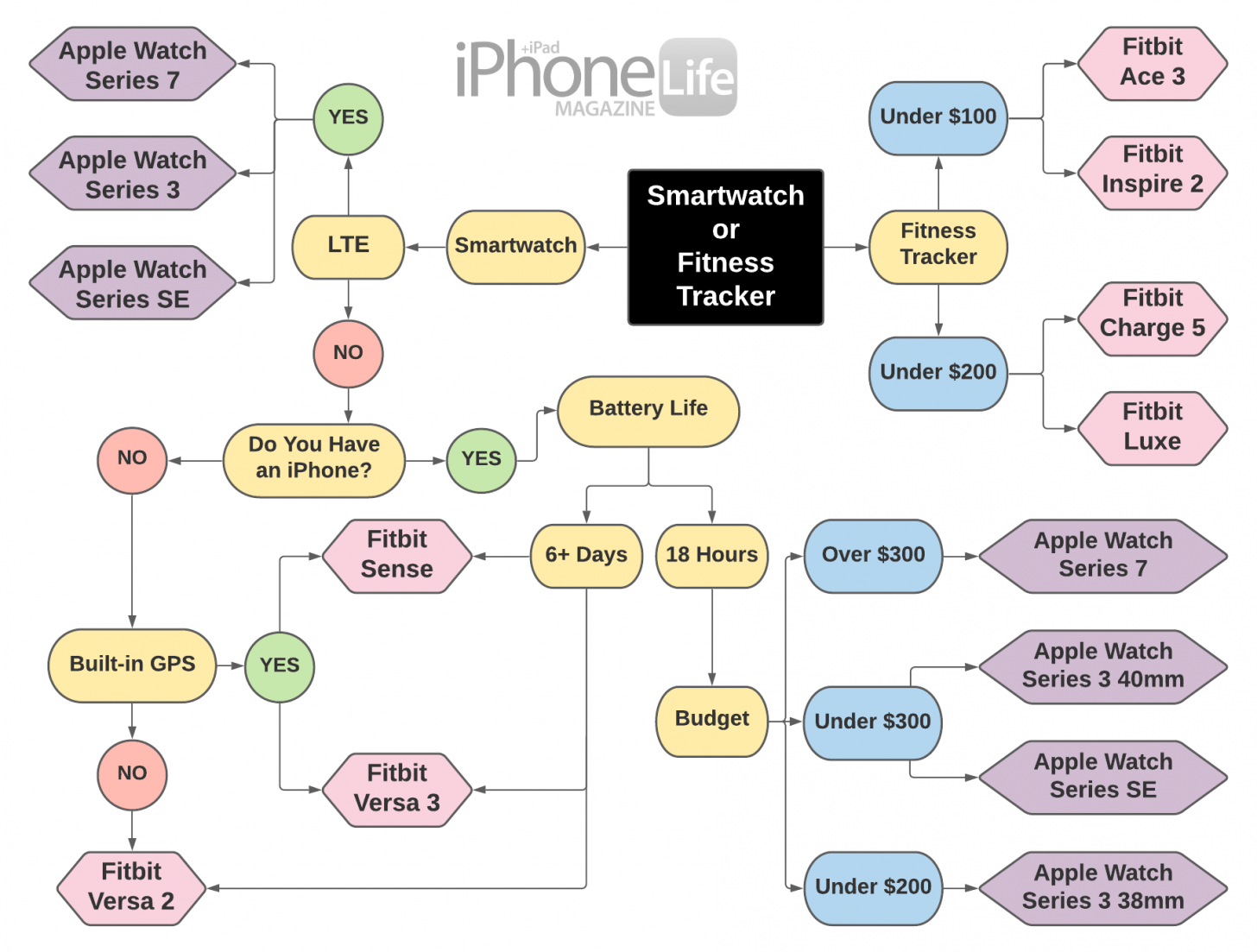
Understanding how Fitbit compares helps set realistic expectations.
Compared to Treadmills
Treadmills often overstate calories by 15–30% because they assume average fitness and no handlebar leaning. Fitbit is usually more honest but still flawed.
Compared to Apple Watch
In comparative studies, Apple Watch showed the most accurate calorie readings among tested wearables, though it still had 15–20% error. Fitbit sits within the general consumer accuracy range, with premium models outperforming budget options.
Compared to Lab Equipment
Only indirect calorimetry, which measures oxygen use and carbon dioxide output, gives true calorie burn. These machines cost thousands and are used in research settings.
Fitbit provides a reasonable estimate, but it’s not a replacement for scientific measurement.
Key Takeaways for Using Fitbit Calorie Data

Fitbit calories are useful for tracking activity trends over time, motivation and goal setting, estimating moderate cardio effort like running and brisk walking, and monitoring heart rate zones during exercise.
However, don’t use them for calculating exact calorie deficits, eating back burned calories, tracking strength training or cycling accurately, or any medical or scientific purposes.
The best approach is to let your weight, energy levels, and progress—not your Fitbit—guide your nutrition decisions. Use the device to stay active, sleep better, and move more. But when it comes to food, trust your body more than the screen.
Frequently Asked Questions About Fitbit Calories
How does Fitbit calculate the calories I burn?
Fitbit uses a two-part formula: your Basal Metabolic Rate (BMR) plus activity burn. Your BMR comes from your profile data (age, sex, height, weight), while activity burn comes from accelerometer movement and heart rate data during exercise.
Why are my Fitbit calorie counts sometimes wrong?
Fitbit uses algorithms and population averages rather than direct measurement. Studies show average error rates around 27%, with some activities like weight training being off by up to 48%. Walking is often overestimated while cycling is typically underestimated.
Should I eat back the calories Fitbit says I burned?
No. Because Fitbit can overestimate calories significantly, especially during strength training, eating back exercise calories often creates a caloric surplus rather than a deficit. This can stall weight loss.
Which activities does Fitbit track most accurately?
Moderate to vigorous continuous cardio activities like running and brisk walking tend to have the best accuracy. Strength training and cycling show the largest errors, sometimes overestimating by 30% or more.
How can I make my Fitbit calorie tracking more accurate?
Wear the device on your non-dominant wrist, keep it snug but not tight, update your weight regularly, calibrate your stride using GPS runs, and manually log specific activities like weightlifting instead of relying on automatic detection.
Is Fitbit or Apple Watch more accurate for calories?
Studies have shown Apple Watch tends to be slightly more accurate than Fitbit, but both have significant error margins around 15–27%. Neither is precise enough for exact calorie counting.



