

Wearing your Garmin watch too loose or too tight can sabotage accurate heart rate tracking, cause skin irritation, or even lead to circulation issues. The right fit is not one-size-fits-all. It depends on your activity level, band type, and wrist anatomy. For most users, the ideal tightness strikes a balance: snug enough to stay in place during exercise, yet loose enough to allow natural blood flow and avoid pressure marks. This guide breaks down exactly how tight your Garmin watch should be, backed by official recommendations, user insights, and practical testing methods.
You will learn how to adjust your band for workouts versus daily wear, spot signs of improper fit, and choose the best strap for comfort and accuracy. Whether you are tracking sleep, running a marathon, or just staying active, getting the fit right makes all the difference for your biometrics and wrist health.
Snug But Not Restrictive
Ideal Daily Wear Fit
For all-day use tracking steps, stress, sleep, and resting heart rate, your Garmin should feel secure but relaxed. A well-fitted watch allows slight movement without sliding around. The goal is continuous sensor contact without discomfort.
Position the watch two finger widths above the wrist bone on the outer side of your wrist. You should be able to slip one finger comfortably under the band. There should be no numbness, tingling, or cold fingers. These indicate restricted circulation. Avoid deep red marks or indentations after removing the watch.
This looser fit prevents skin irritation and allows your skin to breathe during long-term wear.
Why the One Finger Rule Matters
The one-finger rule is a widely adopted standard among users and experts. If you cannot fit a single finger under the band, it is too tight. If two fingers slide in easily, it is likely too loose, especially for activity tracking.
Pro Tip: Use your index finger to test fit. Slide it between the band and skin with the watch on. It should move in smoothly but feel slight resistance, like a firm handshake.
Tighten for Workouts
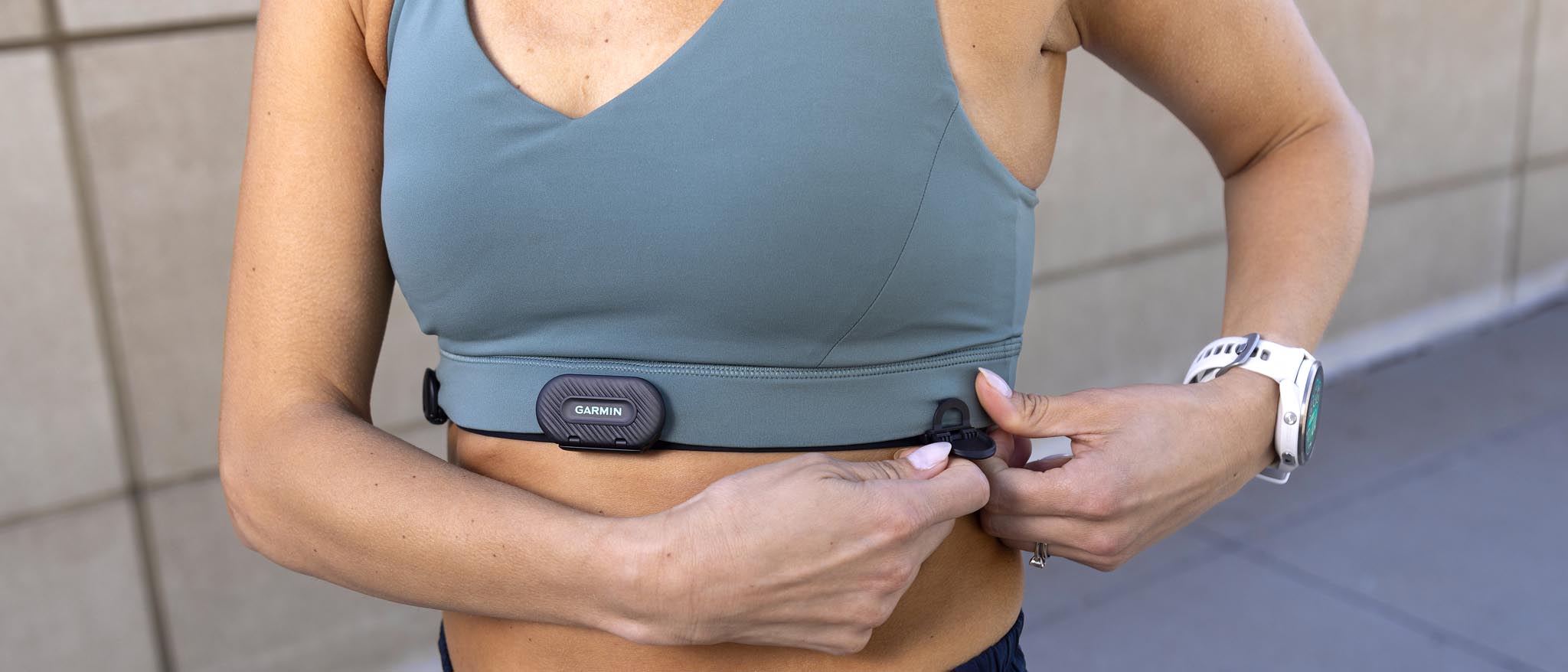
Secure Fit for Accurate Heart Rate
During physical activity, especially cardio, running, or HIIT, optimal heart rate accuracy requires a tighter fit. A loose watch bounces, creating motion artifacts that distort sensor readings.
Garmin recommends wearing the watch snugly during workouts to maintain consistent contact between the optical sensor and your skin.
Tighten one notch before starting your activity. Ensure the green LEDs stay hidden when the sensor is active, meaning no light leakage. Prevent rotation or sliding that disrupts blood flow detection.
User Insight: “I tighten mine before a run. If it is loose, the heart rate jumps around or misses beats completely.” — FitForLife22 (Reddit)
Fixing Skipped Heart Beats
A common issue with a loose fit is skipped beats, where the sensor fails to detect every pulse. This leads to artificially low average heart rates in your data.
Cause: Gaps between sensor and skin from movement or poor fit.
Solution: Tighten the band until the watch stays flat against your wrist during motion.
Test: Start a heart rate reading and shake your arm. If readings drop or spike erratically, adjust the fit.
Proper Sensor Contact

Prevent Light Interference
The optical heart rate sensor uses green LEDs to measure blood flow. If ambient light sneaks in around the edges, it interferes with readings.
Check for glowing edges. In a dim room, activate heart rate tracking and rotate your wrist. If you see green light escaping, tighten the band. Avoid gaps. The back of the watch must remain flush with your skin during movement. Position correctly. Wear above the ulna bone because bony areas reduce sensor contact.
Visual Cue: A properly fitted watch will show no visible LED glow from the side during heart rate measurement.
Avoid Pressure That Blocks Flow
Ironically, over-tightening also harms accuracy. Excessive pressure can compress capillaries, reducing blood flow the sensor needs to detect.
Sensors require blood pulsing beneath the skin, not blocked flow. Too-tight bands mimic low circulation, leading to unmeasurable segments in your data. Balance is key: snug, not squeezing.
Warning: No pulse equals no heart rate data. Your fingers should never go numb.
Band Type Affects Fit
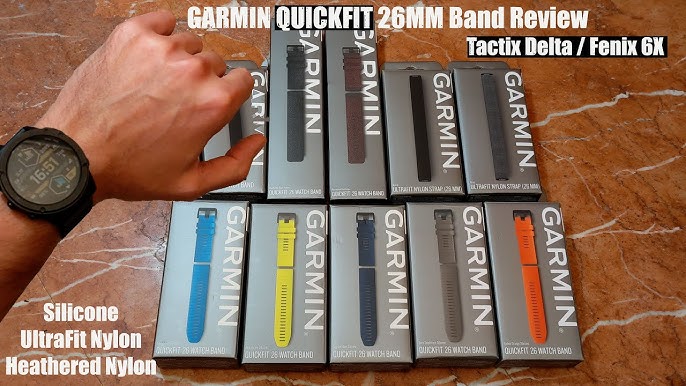
Silicone Bands: Secure but Stiff
Silicone straps are standard on most Garmin models and ideal for workouts due to their durability and snug fit.
Pros: Waterproof, easy to clean, holds shape well.
Cons: Can feel tighter when heated by body sweat. May cause irritation over time.
Tip: Clean regularly with alcohol wipes to remove residue that blocks sensors.
Nylon and Stretch Bands: Comfort Meets Flexibility
Many users switch to UltraFit, Hemsut, or woven nylon straps for better comfort and adaptive fit.
Pros: Breathable, flexible, less likely to pinch or dig in.
Cons: May stretch slightly with prolonged use.
Best for: All-day wear, sensitive skin, or those who find factory bands too rigid.
User Solution: “I replaced my original band with a stretchy nylon one from Amazon. Fits perfectly now.” — Grant Edward (Facebook)
Metal and Leather Bands: Style Over Performance
Metal link or leather bands offer a polished look but are not ideal for activity tracking.
Metal bands: Less flexible, prone to sliding during motion.
Leather bands: Absorb sweat, degrade over time, not suitable for workouts.
Use case: Best reserved for casual, dry environments.
Expert Note: Avoid metal bands for intense exercise unless they are securely fastened and sit flat on the wrist.
Test Your Fit Correctly
Finger Test for Daily Wear
The simplest way to check daily fit involves these steps:
- Put on your watch normally.
- Slide your index finger under the band.
- It should fit snugly but slide in without force.
- If it does not fit, loosen the band.
- If a second finger fits easily, consider tightening for workouts.
This test ensures you are not cutting off circulation while maintaining sensor contact.
Motion Test for Activity
Before starting a workout, perform this check:
- Tighten the band by one notch.
- Shake your arm vigorously side to side.
- Watch should stay in place without rotating or bouncing.
- Check that green LEDs remain covered.
If the watch shifts, tighten further or consider a different band type.
Circulation Check
Always monitor for signs of poor blood flow.
Stop immediately if you notice: fingers turning pale, blue, or cold. Tingling or numbness in hand or fingers. Persistent red marks or indentations.
Immediate Action: Loosen the band or remove the watch if any of these occur.
Clean for Consistent Accuracy
Why Cleaning Matters
Even a perfectly fitted watch delivers bad data if the sensor is dirty. Sweat, lotion, sunscreen, and grime create a barrier between the sensor and your skin.
Buildup scatters LED light, causing erratic readings. Oily residue mimics poor contact, triggering unmeasurable alerts. Regular cleaning restores sensor performance.
How to Clean Your Watch
Follow these steps to maintain accurate sensors:
- Remove the band from the watch body.
- Use a 70% isopropyl alcohol wipe on the back of the watch, specifically the sensor area.
- Wipe the underside of the band thoroughly.
- Rinse with clean water if exposed to sunscreen or insect repellent.
- Dry completely before reattaching.
Pro Tip: Do this weekly if you wear the watch daily or exercise frequently.
Band Care by Material
Different materials require different cleaning approaches.
Silicone: Rinse with water. Disinfect with alcohol wipe.
Nylon: Hand wash in cold water with mild soap. Air dry completely.
Leather: Wipe gently with dry cloth. Never soak.
Metal: Wipe with soft cloth. Avoid moisture in links.
Also clean charging contacts with a soft-bristled toothbrush to maintain charging efficiency.
Troubleshoot Common Fit Issues
Inaccurate Heart Rate During Runs
Symptom: Erratic spikes, missed beats, or implausibly low readings during cardio.
Causes: Loose band allowing motion. Green light leakage. Dirty sensor.
Fixes: Tighten band one notch before running. Clean sensor and underside of band. Reposition watch two fingers above wrist bone.
Validation Tip: Compare with a chest strap to confirm accuracy.
Skin Irritation or Marks
Symptom: Redness, rash, or an imprint of the sensor after removal.
Causes: Band too tight. Prolonged wear without breaks. Sweat and bacteria buildup.
Solutions: Loosen the band for daily wear. Remove the watch at night or alternate wrists. Clean band and sensor regularly.
Prevention: Let your skin breathe for a few hours each day.
Watch Slides or Rotates
Symptom: Device spins on wrist during movement.
Causes: Band too loose. Inflexible or ill-fitting strap. Worn-out clasp.
Fixes: Try a stretch nylon band. Ensure proper clasp engagement. Consider a smaller band size if available.
User Favorite: “Hemsut straps. Amazon.” — Peter Bøjgaard (Facebook)
Adjust Fit by Activity
Daily Tracking vs. Exercise
Your fit should change based on what you are doing.
Daily Wear: Loose to moderate tightness. Intermittent sensor contact is acceptable. Prioritize high comfort.
Workout: Snug, one notch tighter. Continuous sensor contact required. Accuracy is more important than comfort.
Sleep Tracking: Loose fit. Accepts brief gaps. Maximum comfort is priority.
Best Practice: Tighten before a workout, loosen afterward.
Manual Labor and Daily Tasks
Jobs involving hand movement may require adjustments.
Loosen slightly to avoid band interference. Use flexible bands that conform to wrist shape. Remove during tasks involving water, grease, or chemicals.
Avoid wearing too tight during repetitive motions to prevent chafing.
Choose the Right Band
Upgrade for Better Fit
Factory bands do not work for everyone. Upgrading can solve chronic fit issues.
Recommended Alternatives: UltraFit Stretch Band for flexible, breathable, ideal 24/7 wear. Hemsut Nylon Strap for lightweight, durable, fits snug without pressure. AfterShokz Titanium Strap for designed stability during runs.
All are available on Amazon and compatible with most Garmin models.
What to Avoid
Avoid overly stiff bands that dig into skin. Avoid cheap knockoffs with poor clasp quality. Avoid non-breathable materials for long-term wear.
Invest in a quality strap that matches your lifestyle.
Summary: Best Practices
Daily Wear Checklist
Wear the watch snug but comfortable. Ensure one finger fits under the band. Position it two finger widths above wrist bone. Check for no numbness or discoloration. Clean the sensor weekly.
Workout Fit Checklist
Tighten one notch before exercise. Ensure no visible green LED glow. Verify watch stays flat during arm movement. Keep sensor clean and dry. Compare with chest strap if accuracy is critical.
Post-Activity Routine
Loosen or remove the watch. Clean sensor and band. Let skin breathe for at least 30 minutes. Inspect for redness or irritation.
Long-Term Tips
Switch wrists periodically to prevent skin fatigue. Avoid tattoos and hairy areas because they interfere with optical sensors. Validate readings occasionally with a chest strap. Replace worn bands that no longer hold tension.
Frequently Asked Questions About Garmin Watch Fit
How tight should a Garmin watch be during workouts?
Tighten the band one notch tighter than your daily wear. The watch should stay flat against your wrist without bouncing or rotating. You should not see any green LED light from the sensor when heart rate tracking is active.
How do I know if my Garmin watch is too tight?
Signs of over-tightening include numbness or tingling in fingers, cold or pale fingers, deep red marks that persist after removing the watch, and difficulty sliding one finger under the band. Loosen immediately if you experience any circulation issues.
Can a loose Garmin watch affect heart rate accuracy?
Yes. A loose fit causes the watch to move around on your wrist, creating gaps between the sensor and your skin. This leads to skipped beats, erratic readings, or artificially low heart rate data. Tighten the band before exercise for better accuracy.
Should I wear my Garmin watch tighter at night for sleep tracking?
No. Sleep tracking does not require the same tightness as workouts. Wear the watch loosely at night to prevent skin irritation and allow natural movement. Comfort should be your priority for extended wear.
What is the best band material for all-day comfort?
Nylon stretch bands like UltraFit or Hemsut offer the best combination of comfort and functionality. They are breathable, flexible, and less likely to cause skin irritation compared to silicone. Many users switch from factory bands to these alternatives.
How often should I clean my Garmin watch band?
Clean your watch and band weekly if you wear it daily or exercise frequently. Clean more often if you use sunscreen, lotion, or sweat heavily. Regular cleaning maintains sensor accuracy and prevents skin irritation.
Final Thoughts on Finding Your Perfect Garmin Fit
Finding the ideal tightness for your Garmin watch is a personal journey. There is no universal setting that works for everyone. The key is adjusting dynamically based on what you are doing. Looser for daily wear and sleep tracking. Tighter for workouts and exercise. This balance delivers accurate biometrics while keeping your wrist healthy and comfortable.
Experiment with the one-finger test, try different band materials if needed, and pay attention to how your body responds. Upgrade to a nylon stretch band if factory bands never feel quite right. Clean your sensor regularly to ensure consistent accuracy. With the right fit, your Garmin delivers reliable data without sacrificing comfort.



