

Your Bose Sport Earbuds refuse to pair, the audio cuts out mid-run, or only one side plays sound. These frustrations are common, and they usually trace back to a corrupted Bluetooth pairing history rather than hardware failure. The good news is that a simple reset resolves most issues in under five minutes.
In this Bose Sport Earbuds troubleshooting guide, you will learn how to clear paired devices, re-enter pairing mode, fix one-sided audio, and decode LED signals. Every step uses only the built-in controls on your earbuds, so no special tools or apps are required.
Reset Bose Sport Earbuds to Clear Connection Errors
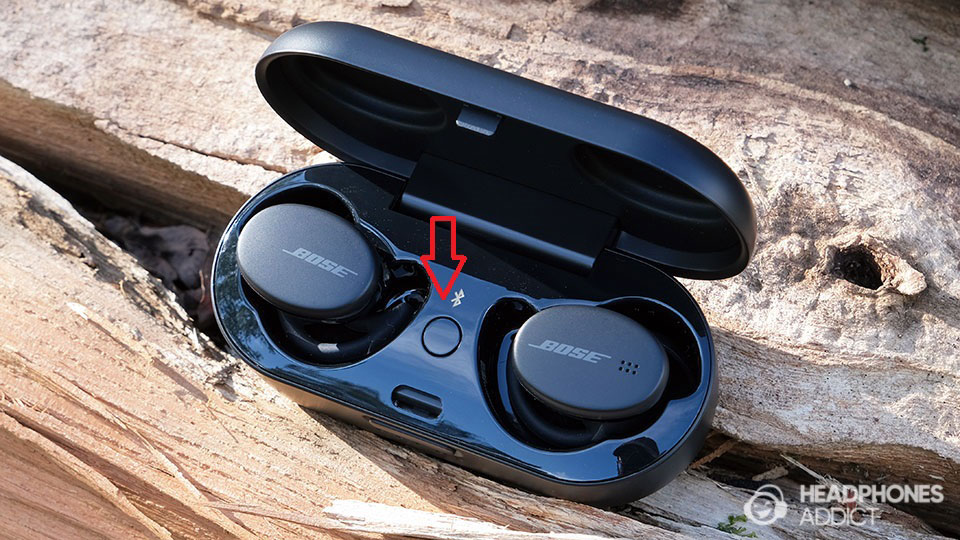
A full reset is the foundation of effective Bose Sport Earbuds troubleshooting. It erases all saved devices and forces a fresh handshake with your phone or tablet.
Clear All Paired Devices in 10 Seconds
The reset procedure wipes the earbuds’ internal memory of previously connected phones, tablets, and laptops. This step is essential when switching devices or fixing stubborn connection failures.
Follow these steps:
1. Remove one earbud from the charging case.
2. Press and hold the Bluetooth button on the earbud.
3. Hold for 10 seconds until you hear the voice prompt: “All previously paired devices have been cleared.”
4. Repeat with the second earbud if needed, though clearing one typically resets both.
Pro Tip: Keep the earbud close to your ear during the hold. The voice confirmation is subtle and easy to miss if held too far away.
Enter Pairing Mode After the Reset
Once the memory is cleared, the earbuds must enter a discoverable state so your device can detect them.
• Open the charging case near your phone or tablet.
• Both earbuds should show a slow blinking blue LED.
• If the lights are solid, rapidly flashing, or off, the reset may not have completed.
Warning: If only one earbud blinks blue, place both back in the case, close it for 10 seconds, then reopen. This often synchronizes the pair.
Reconnect to Your Device
Now that the earbuds are reset and discoverable, reconnect them to your preferred device.
- On your phone, go to Settings, then tap Bluetooth.
- Scan for available devices.
- Tap “Bose Sport Earbuds” when it appears in the list.
- Wait for the connection to complete, which usually takes 5 to 10 seconds.
Note: If the earbuds do not appear, select Forget This Device in your Bluetooth settings, then retry the pairing process.
Fix One-Sided Audio on Bose Sport Earbuds
When only the left or right earbud produces sound, the issue is usually a sync failure rather than a hardware defect. This is one of the most common Bose Sport Earbuds troubleshooting scenarios.
Check LED Synchronization Between Both Earbuds
Before assuming a defect, verify that both earbuds are active and broadcasting properly.
• Remove both earbuds from the case.
• Look at the LEDs on each unit.
• Both must blink slowly in blue.
• If one is off or flashing differently, place both back in the case and close it for 15 seconds.
Test Your Device Audio Balance
Sometimes the problem sits in your phone’s settings, not the earbuds. Ensure your device is not routing sound to one side only.
• Play music and open your phone’s accessibility settings.
• On iPhone, go to Settings, then Accessibility, then Audio/Visual, then Balance.
• On Android, go to Settings, then Accessibility, then Hearing Enhancements, then Audio Balance.
• Adjust the slider to center if it is skewed to one side.
Expert Note: One-sided audio after a reset usually resolves once both earbuds properly reconnect. If not, repeat the reset with each earbud individually.
Decode LED Light Signals on Your Bose Sport Earbuds
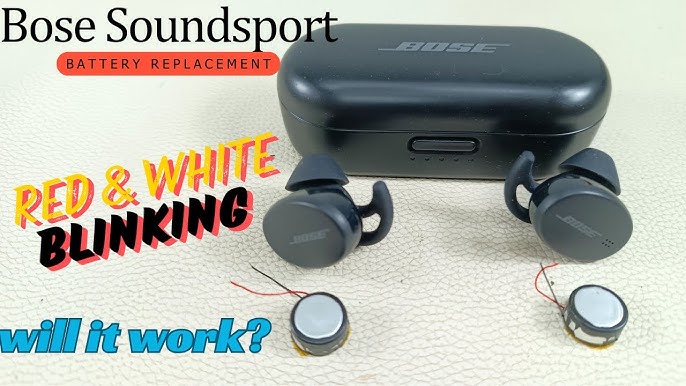
The LED color and blink pattern tell you exactly what state your earbuds are in, removing all guesswork from the troubleshooting process.
| Light Pattern | Meaning |
|---|---|
| Slow blink blue | Ready to pair |
| Rapid blink blue | In process of connecting |
| Solid white | Fully charged |
| Pulsing white | Charging in progress |
| Red (steady or blinking) | Low battery |
Critical Insight: A slow blinking blue light is the only correct signal for pairing. If you do not see it, do not attempt to pair. Reset first.
Resolve “Connection Failed” Errors on Bose Sport Earbuds
A “Connection Failed” message typically appears when the earbuds try to reconnect to a device that is out of range or has Bluetooth issues. This is a frequent entry point for Bose Sport Earbuds troubleshooting.
Steps to resolve:
1. Reset the earbuds using the 10-second Bluetooth button hold.
2. On your phone, open Bluetooth settings.
3. Tap the gear icon next to “Bose Sport Earbuds” and select Forget This Device.
4. Re-pair the earbuds from scratch.
Common Mistake: Skipping the “Forget” step. Old connection profiles often conflict with new pairing attempts and cause repeated failures.
Improve Bluetooth Stability for Bose Sport Earbuds
Weak or dropping connections can stem from environmental factors and background interference. A few small adjustments can dramatically improve reliability.
• Keep your phone within 3 feet during initial pairing.
• Avoid Wi-Fi routers, microwaves, or crowded Bluetooth environments like gyms and busy offices.
• Close unused Bluetooth apps running in the background on your phone.
Pro Tip: Restart your phone’s Bluetooth stack by turning it off for 10 seconds, then back on. This clears temporary glitches that cause dropouts.
When to Seek Repair for Bose Sport Earbuds
If all troubleshooting fails, the issue may be hardware-related and require professional service. Knowing when to stop troubleshooting saves you time and frustration.
Signs That Indicate Hardware Failure
Consider seeking repair if you notice any of the following:
• One earbud never powers on, with no light or sound at all.
• The earbud fails to charge after 30 minutes in the case.
• You smell burning or notice visible physical damage.
Warranty Note: Bose offers a 1-year limited warranty covering defects. Register your earbuds through the official Bose channels for faster support.
Use the Bose Connect App for Diagnostics
The Bose Connect app can help confirm successful pairing and provide direct support links.
• Download the app from the App Store or Google Play.
• Open the app after pairing your earbuds.
• View connection history and current device status.
Limitation: The app cannot fix connection issues on its own, but it confirms whether the pairing process completed successfully.
Prevent Future Bose Sport Earbuds Connection Problems
Avoid recurring issues with simple maintenance habits that take only minutes each month.
Clean the Charging Contacts Regularly
Dirt and earwax can block charging contacts and disrupt power cycles.
• Use a dry cotton swab to clean the metal contacts on the earbuds and inside the case.
• Perform this cleaning every 2 weeks for best performance.
Store Earbuds Properly Between Uses
Always place earbuds back in the case when not in use.
• The case preserves battery life during storage.
• It also protects against drops and moisture exposure.
Warning: Never charge the case and earbuds with a damaged cable or third-party charger. Use only the included USB-C cable to avoid damage.
Reset Before Switching Devices
Whenever you switch phones or tablets, take this preventive step.
• Reset the earbuds first using the 10-second hold.
• Then pair with the new device.
This prevents conflicts between multiple saved connection profiles.
Frequently Asked Questions About Bose Sport Earbuds Troubleshooting
Why are my Bose Sport Earbuds not pairing?
Your earbuds likely have a full pairing memory or are not in the correct discoverable mode. Perform a 10-second reset by holding the Bluetooth button until you hear the voice prompt. Then confirm both LEDs show a slow blinking blue pattern before attempting to pair again.
How do I reset my Bose Sport Earbuds?
Remove one earbud from the charging case and press and hold the Bluetooth button for 10 seconds. Listen for the voice prompt that confirms all previously paired devices have been cleared. This single action resolves most connection problems.
Why is sound only coming from one earbud?
One-sided audio usually means the two earbuds lost synchronization. Place both back in the charging case, close it for 15 seconds, then remove them together. Verify both LEDs blink slowly in blue before testing audio again.
What does a slow blinking blue light mean on Bose Sport Earbuds?
A slow blinking blue light indicates that the earbuds are in pairing mode and ready to connect to a new device. This is the only LED pattern that signals readiness for pairing. Any other pattern means the reset or pairing process did not complete correctly.
How long does the Bose Sport Earbuds reset take?
The active reset requires holding the Bluetooth button for approximately 10 seconds. The full process, including re-pairing with your device, usually takes under 5 minutes from start to finish.
Can I use the Bose app to fix connection issues?
The Bose Connect app helps confirm successful pairing and provides support resources, but it cannot directly fix connection failures. The 10-second hardware reset remains the most effective solution for Bluetooth problems.
Key Takeaways for Resolving Bose Sport Earbuds Issues
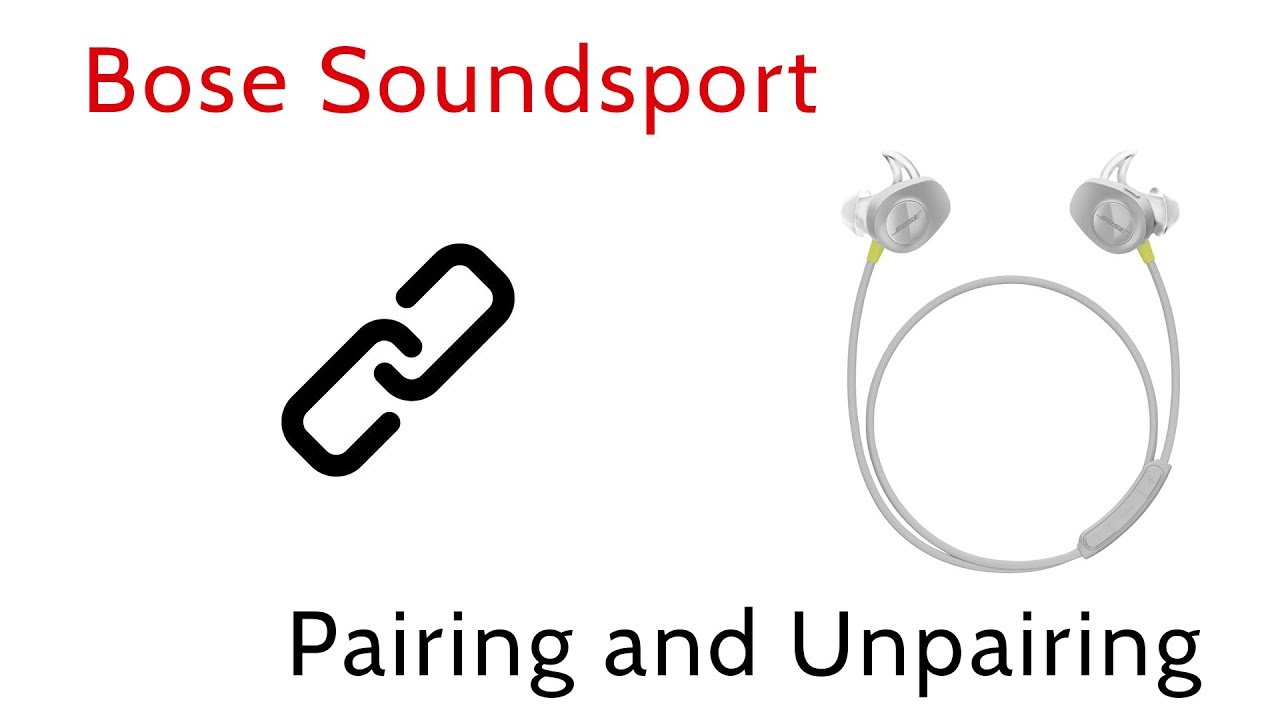
Most Bose Sport Earbuds issues are software-related and fixable in under 5 minutes without any special tools. The 10-second reset is the single most effective solution for connection problems, one-sided audio, and pairing failures. By understanding LED signals, clearing old devices, and re-pairing correctly, you can maintain reliable performance during workouts and daily use.
If problems persist after completing every step in this Bose Sport Earbuds troubleshooting guide, check your warranty status or contact Bose support through the official app. Save this guide for quick reference. Next time your earbuds act up, you will know exactly what to do.



