
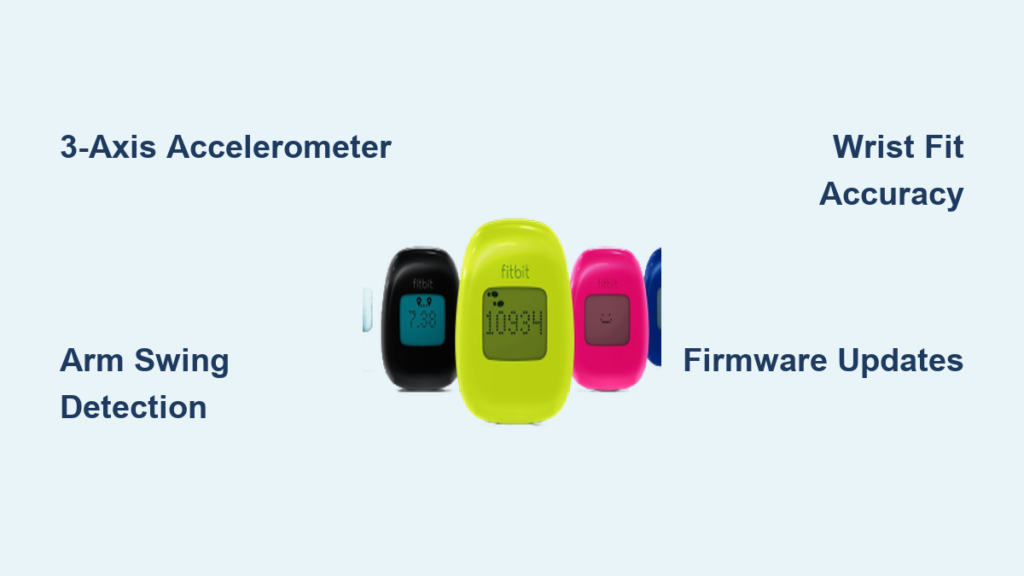
If you have ever wondered why your Fitbit counts steps when you are just gesturing during a conversation, or why it seems to miss steps while you are walking on thick carpet, you are not alone. The technology behind a Fitbit pedometer is more sophisticated than a simple step counter, yet it is not perfect. At its core, a Fitbit pedometer works by using a 3-axis accelerometer to detect motion patterns and applying advanced algorithms to determine what counts as a step.
This system allows Fitbit devices to track not just steps, but also distance, calories burned, sleep duration, and even floors climbed. However, because it relies on wrist-based movement rather than foot impact, the accuracy can vary depending on how you move, how you wear the device, and the type of activity you are doing. Understanding how this technology functions helps explain both its strengths and limitations.
In this guide, you will learn exactly how Fitbit turns arm swings into step counts, how personal data improves tracking, where inaccuracies come from, and how to get the most accurate results from your device.
Core Motion Detection System
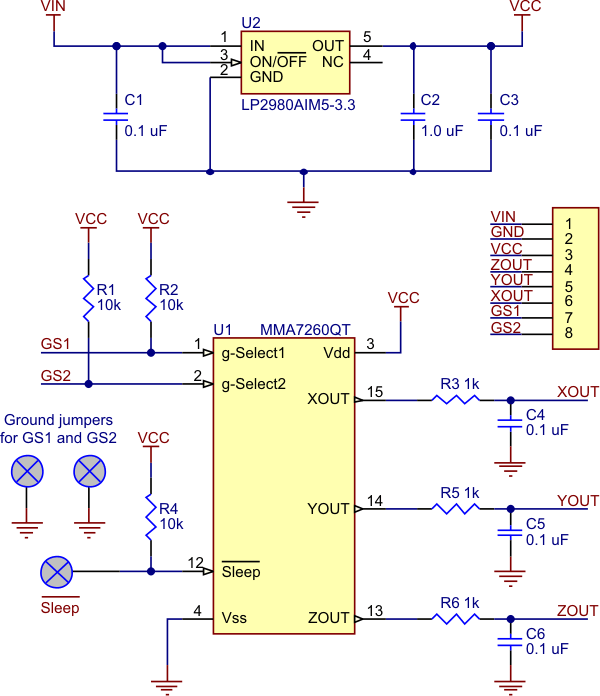
Fitbit’s ability to count steps starts with a tiny but powerful sensor embedded inside every device.
3-Axis Accelerometer Explained
The heart of the Fitbit pedometer is the 3-axis accelerometer, a micro-electromechanical system that measures acceleration forces in three directions. These three axes are the vertical axis, which detects up and down movement, the longitudinal axis, which detects forward and backward motion, and the lateral axis, which detects side-to-side movement.
As you walk, your arm naturally swings in a rhythmic pattern. Each swing creates a unique acceleration signature across these three axes. The sensor captures this motion thousands of times per second, generating raw data about movement intensity and direction. Unlike older pedometers that used basic pendulum switches, the 3-axis design allows Fitbit to detect complex motion patterns, making it far more accurate in real-world conditions.
How Motion Becomes a Step
Not every movement gets counted. Here is how Fitbit decides a movement qualifies as a step.
The process follows four distinct stages. First, the accelerometer continuously records motion data from your wrist. Second, the device firmware scans for repetitive, periodic movements that are typical of walking or running. Third, only motions exceeding a certain intensity and frequency threshold are considered potential steps. Fourth, a proprietary algorithm analyzes the shape and consistency of the motion wave to confirm it matches human gait. If all criteria are met, the movement is logged as one step.
This process happens in real time, directly on the device. No phone connection is required for step counting to work.
Step Counting Algorithms and Accuracy

Behind the scenes, software plays just as big a role as hardware in determining your step count.
Proprietary Algorithm Logic
Fitbit uses a closed-source algorithm trained on vast datasets of human movement. It does not just count arm swings. It distinguishes between walking versus typing, running versus driving on a bumpy road, and arm gestures versus actual strides.
The algorithm evaluates three key factors. Frequency refers to how often the motion repeats, as steps typically occur at 1 to 3 Hz, which equals 60 to 180 steps per minute. Amplitude refers to the strength of the acceleration, which must match expected walking force. Consistency refers to whether real walking produces regular, repeating patterns.
Movements that mimic these characteristics, even without walking, can trick the system into counting steps that were not actually taken.
Common False Positives
Despite smart filtering, some non-step activities still register as steps. Here are the most common causes.
Driving on rough roads creates vibrations that mimic the rhythm of footfall. Folding laundry involves repetitive arm motion that meets the detection threshold. Waving hands while talking produces large, rhythmic gestures that look like walking. Shaking hands or clapping generates sudden acceleration spikes that the algorithm interprets as steps.
These false positives occur because the algorithm cannot see what your legs are doing. It only interprets wrist motion.
When Steps Are Missed
Undercounting happens too, especially during certain activities. Walking on soft surfaces like thick carpet or sand reduces arm swing impact, causing the motion to fall below the detection threshold. Pushing a stroller or shopping cart restricts arm movement, which eliminates the primary motion the sensor relies on. Cycling keeps arms stable while legs do the work, so the device registers no movement at the wrist.
In these cases, the motion either falls below the detection threshold or lacks the expected vertical bounce that defines walking motion.
Personalization for Better Tracking

Fitbit does not treat everyone the same. It adjusts tracking based on your personal profile.
User Data Input Requirements
During setup, you must enter your height, weight, gender, and age. This information allows Fitbit to go beyond step counting and estimate additional metrics that personalize your tracking experience.
Distance Traveled
Distance is calculated by multiplying your step count by your stride length. Stride length is estimated from your height, which means taller users have longer strides and therefore cover more distance per step. This calculation provides a more accurate representation of how far you have actually traveled.
Calories Burned
Calorie calculations are based on movement intensity from the accelerometer, duration of activity, and your basal metabolic rate, which is derived from your weight, gender, and age. More intense movement burns more calories, and Fitbit adjusts the estimate based on your body composition to provide a personalized number.
Floors Climbed (Advanced Models)
Some Fitbit models include an altimeter, which is a barometric pressure sensor that detects elevation changes of approximately 10 feet, which equals about 3 meters. This elevation change is equivalent to climbing a floor of stairs. If no altimeter is present, the device may estimate floors climbed based on vertical motion in your arm swing, though this method is less accurate.
Sleep Tracking Mechanism
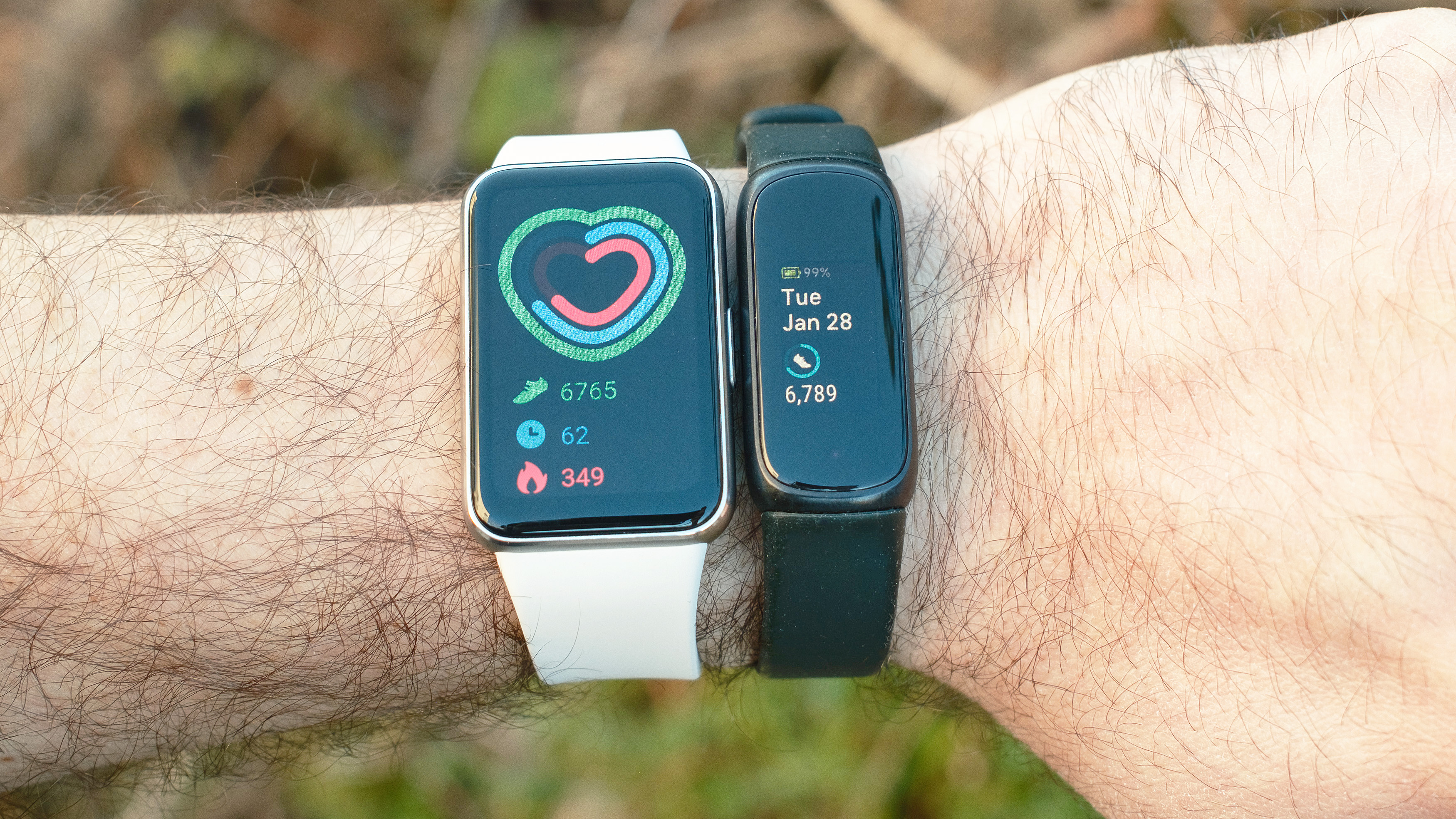
The same sensor that counts steps also monitors sleep, but with different logic applied to the data.
Motion-Based Sleep Detection
At bedtime, Fitbit switches to sleep mode and analyzes movement over time. Stillness is interpreted as being asleep, while frequent movement indicates being awake or restless. The device uses this data to estimate your total sleep time, time spent restless, and sleep stages in models that include heart rate sensors.
Limitations of Wrist-Based Sleep Tracking
Because sleep tracking relies solely on motion, several limitations exist. Lying still while awake, such as reading in bed, may be logged as sleep. Tossing and turning can inflate the amount of time recorded as awake. Naps taken without wearing the device on your wrist will not be recorded at all.
Heart rate variability improves accuracy in higher-end models, but motion remains the primary input for sleep detection.
Model Differences and Feature Tiers
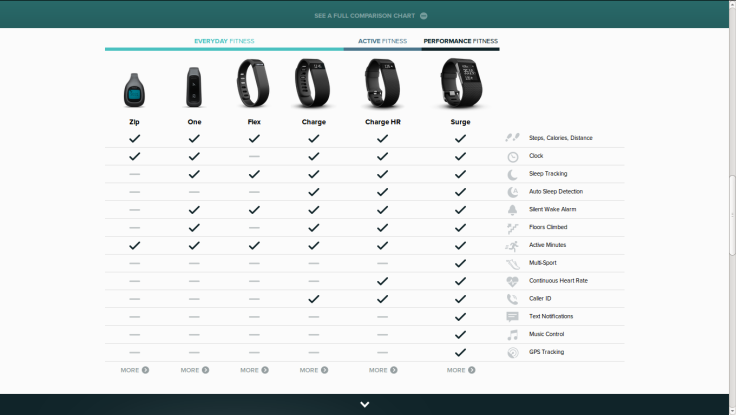
Not all Fitbits work the same. Features vary significantly across different model tiers.
Entry-Level: Fitbit Zip
The Fitbit Zip is a clip-on design that tracks steps, distance, calories, and active minutes. It does not include sleep tracking or heart rate monitoring. It features a simple tap display for viewing stats. This model is best for users who want basic daily tracking without additional features.
Mid-Range: Fitbit Alta
The Fitbit Alta is a wristband design that tracks all Zip metrics plus sleep and automatic exercise detection through a feature called SmartTrack. It includes silent alarms and call and text alerts. The device syncs wirelessly via Bluetooth. This model is best for everyday wear with smart features that go beyond basic step counting.
Advanced: Fitbit Surge
The Fitbit Surge is a smartwatch-style design that includes all Alta features plus built-in GPS, continuous heart rate monitoring, floor counting with an altimeter, and music control. GPS allows precise distance tracking without needing a phone. Heart rate data improves calorie accuracy during workouts. This model is best for runners, cyclists, and fitness enthusiasts who want comprehensive tracking data.
Maximizing Step Count Accuracy
You can reduce errors and improve reliability with simple adjustments to how you wear and use your device.
Wear It Right
Proper placement is critical for accurate step counting.
A snug fit is essential. Wear the band snug but comfortable, about one finger-width above the wrist bone. If the band is too loose, extra movement creates false steps. If it is too tight, it causes discomfort and may restrict blood flow.
Wrist choice also matters. Most people wear their Fitbit on the non-dominant wrist. This provides a more consistent arm swing pattern for the algorithm to calibrate against. The dominant hand tends to have more incidental motion throughout the day.
Adjust for Activity Type
Some activities require workarounds to maintain accuracy.
For cycling or pushing a stroller, use Exercise Mode in the app and select the appropriate activity type. The device will use heart rate or GPS instead of arm swing to estimate effort. For low-impact walking, walk on firmer surfaces when possible. Consider enabling high sensitivity mode if available in your device settings.
Keep Software Updated
Firmware updates often include improved motion filtering, reduced false positives, and better algorithm calibration. Check for updates regularly in the Fitbit app under Device Settings. Keeping your device updated ensures you benefit from the latest improvements in step counting accuracy.
Troubleshooting Common Issues
Even well-worn devices can run into problems. Here is how to address the most common issues.
No Steps Being Counted
If your Fitbit is not counting steps, check these items first. Verify the device is turned on by tapping the screen or plugging it in to charge. Confirm it is worn correctly, as a loose fit or wearing it on the wrong wrist can disable tracking. Check whether motion sensitivity is set too low in the app settings. Make sure the firmware is not outdated by checking for updates.
If none of these resolve the issue, test the device by taking 20 steps deliberately. If none register, try restarting the device or syncing with the app.
Overcounting Steps
If your Fitbit is counting too many steps, several factors are likely responsible. A loose band bouncing on your wrist creates extra movement. Repetitive hand motions from daily activities trigger false counts. Driving on uneven roads creates vibrations that mimic walking.
To fix these issues, tighten the band to prevent bouncing. Avoid vigorous arm movements if tracking accuracy is crucial. Use Do Not Disturb mode during non-activity periods such as car rides to prevent false counting.
Comparison With Alternatives

Fitbit is not the only way to track steps. Here is how it compares to other options.
Smartphone Step Tracking
Most smartphones have built-in accelerometers and free apps such as Apple Health or Google Fit. The pros include no extra device needed and no cost to use. The cons include having to carry the phone at all times, the phone being easily left behind or placed in bags, and less consistent data because the phone is not worn 24/7. Smartphone tracking is best for casual users who already track habits on their phone.
Clip-On Trackers
Clip-on trackers such as the Jawbone Up Move are small devices that clip to clothing. The pros include being affordable and lightweight, with some models offering better step accuracy when worn on the waistband. The cons include being easy to forget to reattach after charging or showering, difficulty wearing on dresses or tight clothes, and limited smart features. Clip-on trackers are best for budget-conscious users who prefer pocket or clip wear.
Fitbit’s Edge
Fitbit stands out from alternatives in several ways. The wrist-worn, water-resistant design with long battery life allows for all-day wear. Continuous 24/7 tracking covers sleep, steps, and heart rate. The seamless app ecosystem provides goal setting, challenges, and trend analysis. Multi-sensor fusion in premium models combines GPS, heart rate, and accelerometer data for richer insights.
While no device is perfect, Fitbit offers the best balance of convenience, accuracy, and features for serious activity tracking.
Final Thoughts: How Reliable Is Your Step Count
So, how does a Fitbit pedometer work? It combines a 3-axis accelerometer with intelligent software to detect walking-like arm motions and convert them into steps. Personal data enhances this with distance and calorie estimates, while advanced models add GPS, heart rate, and altimeters for richer insights.
But remember, it is an estimate, not a lab-grade measurement.
The key takeaways are straightforward. Fitbit is accurate for general use and great for tracking trends and staying active. It is prone to overcounting steps during arm-heavy activities. It may undercount steps during low-arm-motion exercises. It is most accurate when worn properly and updated regularly.
For most users, Fitbit provides more than enough precision to meet fitness goals. Just know its limits and use Exercise Mode when needed.
To get the most from your device, wear it snugly on your non-dominant wrist, enter accurate personal data in your profile, update firmware monthly, and use specific activity modes for cycling, gym sessions, or stroller walks. With these practices, your Fitbit becomes a powerful daily health companion, not just a step counter.
Frequently Asked Questions About Fitbit Pedometers
Does Fitbit count steps when you are driving?
Yes, Fitbit may count steps while driving, especially on rough or bumpy roads. The vibrations from the vehicle can mimic the acceleration pattern of walking, tricking the algorithm into counting false steps. Using Do Not Disturb mode during car rides prevents this overcounting.
Why does my Fitbit count steps when I am not moving?
This happens because the accelerometer detects arm movements as steps. Activities like gesturing while talking, folding laundry, shaking hands, or fidgeting create repetitive arm motions that meet the algorithm threshold for step counting. This is a known limitation of wrist-based pedometers.
Can Fitbit track steps while in your pocket?
No, Fitbit devices are designed for wrist wear. While some older clip-on models like the Fitbit Zip could be worn on a waistband or in a pocket, current Fitbit devices require wrist placement for accurate step detection. The accelerometer is calibrated specifically for arm swing patterns.
How accurate is Fitbit compared to a phone?
Fitbit is generally more accurate than phone tracking because it is worn continuously on the wrist, providing consistent data throughout the day. Phones are often left in bags, pockets, or on desks, leading to gaps in tracking. However, both devices use similar accelerometer technology and share the same inherent limitations.
Does Fitbit overcount or undercount more often?
Fitbit tends to overcount more often than undercount. False positives from arm gestures, driving vibrations, and loose band movement are common. Undercounting typically occurs only during specific activities like cycling, pushing a stroller, or walking on very soft surfaces where arm motion is reduced.
How do I make my Fitbit count steps more accurately?
To improve accuracy, wear the device snugly on your non-dominant wrist, about one finger-width above the wrist bone. Keep your firmware updated, as each update often includes algorithm improvements. Enter accurate personal data including height, weight, and age. Use Exercise Mode for activities that involve limited arm movement.



