

You are not alone if your Casio watch suddenly starts beeping every hour or with every button press. That soft beep meant to confirm settings can quickly become an annoyance, especially in quiet offices, meetings, or late at night. The good news is that you can mute a Casio watch often in seconds using simple button combinations. This guide covers both the standard software method and a reliable hardware fix for stubborn button beeps.
You will learn exactly how to mute a Casio watch, including disabling hourly chimes, alarms, and mode-switch beeps that persist despite your best efforts. Whether you own a classic F-105 Illuminator, a vintage A171WE-1A, or another three-button digital model, these methods will help you achieve the silence you need.
Disable Beeps Using Button Controls
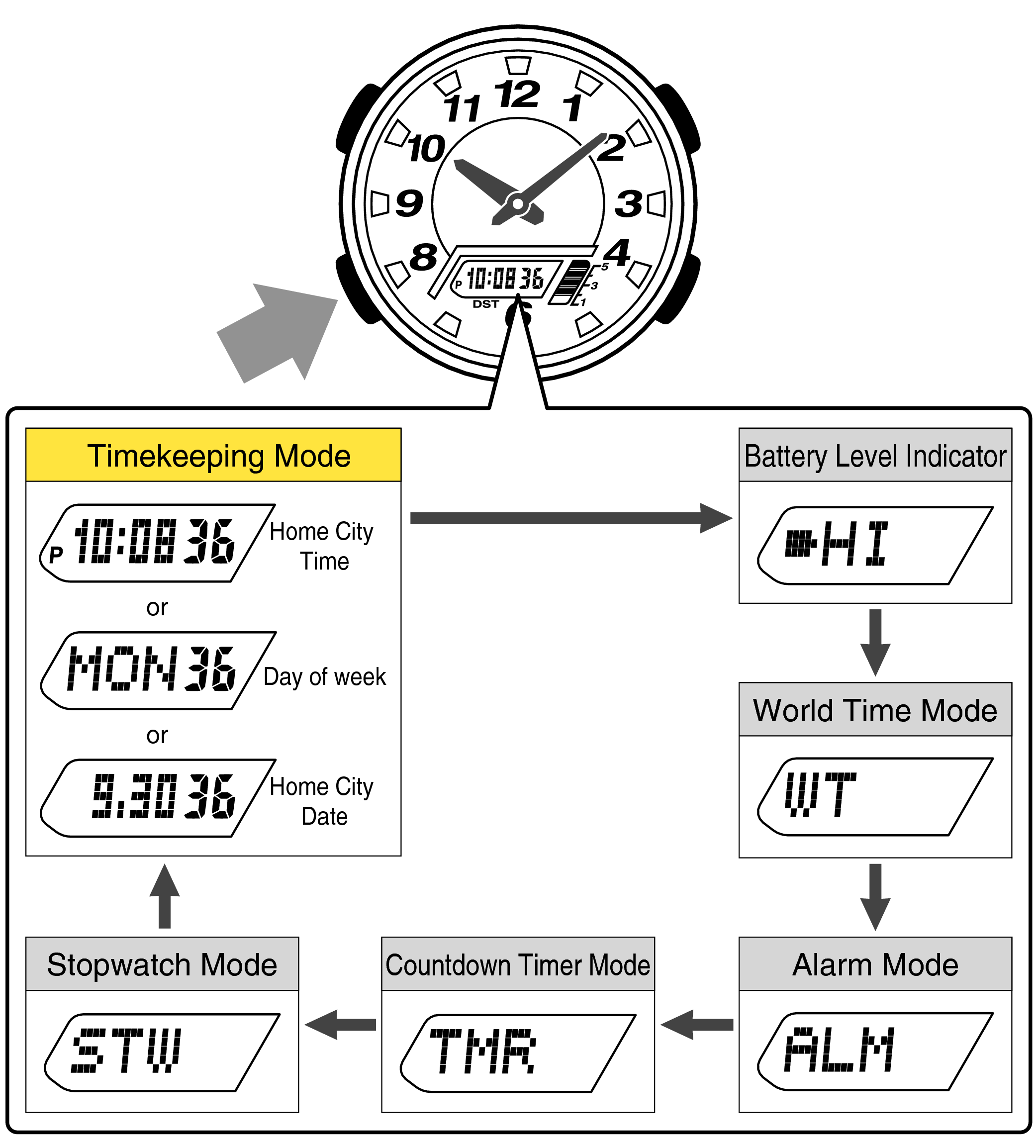
The fastest and safest way to mute your Casio watch is through its built-in settings. This method disables audible alerts like the hourly chime and alarm, but it may not silence button feedback beeps on all models.
Enter Alarm Mode Correctly
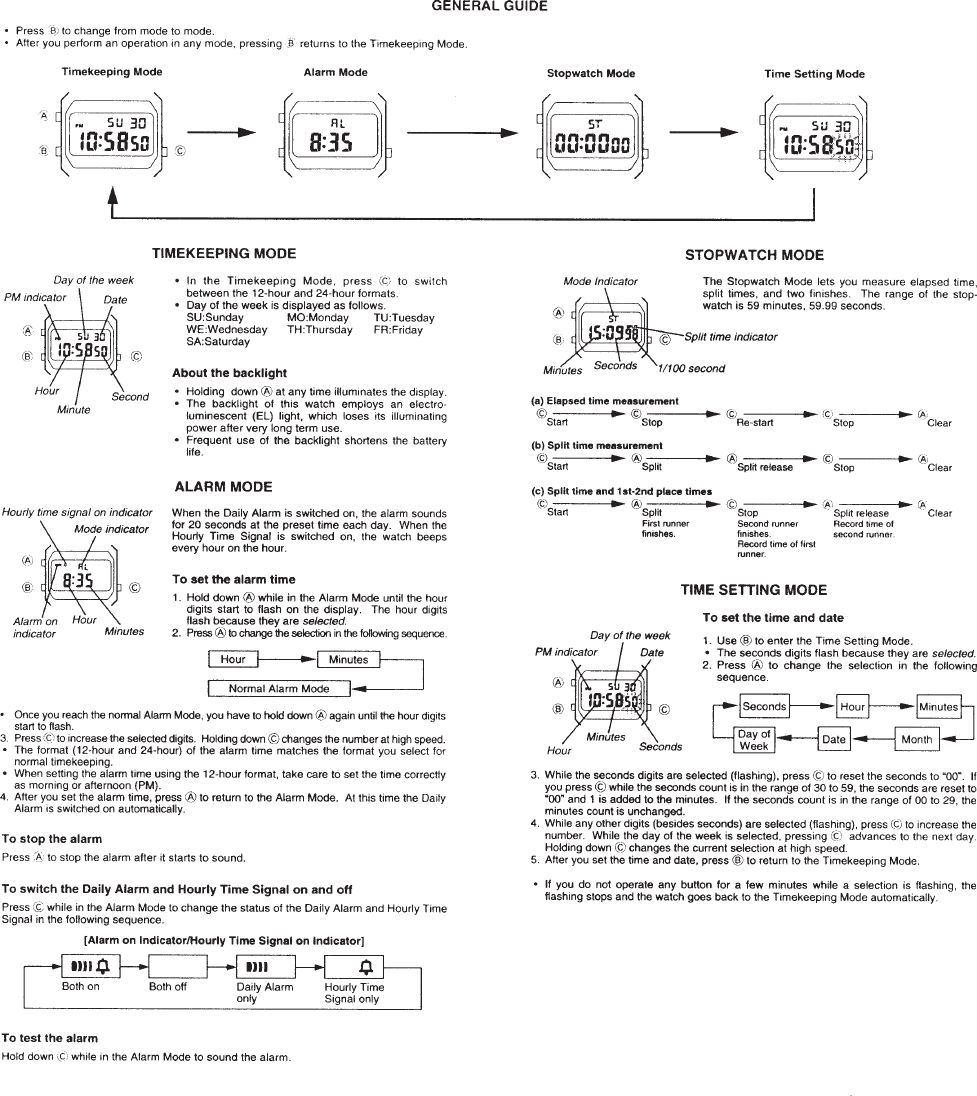
Press the Mode button, which is typically the top-left button, repeatedly until the alarm screen appears. Look for one or more icons in the display top left corner. A bell icon indicates the hourly chime is active, while an alarm clock icon means the daily alarm is enabled. If you are seeing time, stopwatch, or set modes instead, keep pressing Mode until the alarm screen displays.
Toggle to Silent Mode
Once in alarm mode, press the right-side button to cycle through settings. The cycle typically shows the bell icon only for hourly chime, the alarm icon only for the daily alarm, both icons together, and finally no icons at all. When no icons appear, your watch is in silent mode and all sound is disabled.
Save and Exit Safely
After reaching the no-icon state, press the bottom-left button to lock in the setting. Then press Mode once or twice to return to the main time screen. Test by waiting for the top of the hour or manually triggering an alarm. There should be no beep.
Try the Hidden Mute Shortcut
Some users report a lesser-known trick that may disable both chime and button beeps at once without opening the watch.
Hold Both Bottom Buttons
With the watch on the time screen, press and hold both the bottom-left button and the right-side button simultaneously. Hold for two to three seconds, then release and check if beeping stops. This method is not in official Casio manuals, but multiple users confirm it works on certain variants. If standard muting fails or button beeps persist, try this before considering hardware modifications.
Why Button Beeps Suddenly Appear
Many users report that their watch was silent for weeks or months, then suddenly started beeping. Understanding why this happens helps you prevent it.
Accidental Setting Activation
Pressing Mode too many times can accidentally enter alarm settings. A single press of the right button may enable the bell icon, turning on the hourly chime. Even if you do not see the icon immediately, a partial activation can enable audio feedback. Be mindful of how many times you press Mode throughout the day.
Battery Replacement Reset
After replacing the CR2032 battery, the watch resets to factory defaults. This often means the hourly chime is enabled by default, with the bell icon visible in the display. You must re-enter alarm mode and manually disable it again after every battery change.
Magnetic or Physical Shock
Exposure to strong magnets or drops can cause firmware glitches that reset sound settings. Store your watch away from magnetic closures and avoid dropping it on hard surfaces.
Silence All Beeps with Hardware Mute
If button beeps or mode-switch beeps still annoy you after trying software methods, you will need a physical fix that silences every sound permanently.
Gather Your Tools
You will need a precision screwdriver set, typically Phillips number zero or number 00. You will also need a small piece of paper, preferably printer or notebook paper, and a soft cloth to protect the watch face during repair. Avoid paper towels because they are too absorbent and may leave fibers inside the case.
Open the Watch Safely
Remove the Back Cover
Place the watch face-down on a soft surface. Use the screwdriver to remove all screws from the metal backplate. Gently lift the cover, but do not force it. Watch for small components that may fall out.
Preserve the Gasket
A thin rubber ring sits between the case and back cover. Leave it attached to the body to maintain water resistance. Do not stretch or damage this seal during repair.
Locate and Dampen the Buzzer
Find the Piezoelectric Buzzer
Look on the circuit board for a small metal disc, about five to eight millimeters wide. This is usually located near the edge of the board and may have two small pins or wires connected. This component is the source of every beep your watch makes.
Apply the Paper Damping Patch
Cut a tiny square of paper just large enough to cover the buzzer or its pins. Gently place it over the buzzer without covering batteries, contacts, or the display. For stronger damping, fold the paper once to create two layers. This method is reversible and requires no glue or tape.
Reassemble and Test
Close the Case Properly
Align the back cover and gently press it into place. Insert screws one at a time and tighten evenly. Do not over-tighten the screws or you may strip the threads.
Verify Full Mute
Test all functions by pressing Mode with no beep, triggering the alarm with no sound, using the light button silently, and waiting for the top of the hour with no chime. If all tests pass, your hardware mute was successful.
Model-Specific Muting Tips
Casio F-105 Illuminator
The hourly chime can be disabled through the right-button cycle in alarm mode. The mode-switch beep cannot be disabled via software on this model. Button beeps often remain active even in silent mode. The hardware mute method is the best solution for complete silence on this watch.
Casio A171WE-1A Vintage
This model uses the same three-button layout. Silent mode is achieved when no icons are visible in the top-left corner. Factory default may vary, with some units starting in silent mode and others starting with the chime enabled. If beeps appear later, you likely cycled into alarm mode accidentally.
Beep Type Control Guide
Different beep types require different approaches to silence.
| Beep Source | Can Software Mute It | Hardware Required |
|---|---|---|
| Hourly chime | Yes | Yes, but unnecessary |
| Alarm sound | Yes | Yes |
| Button press beep | Often no | Yes |
| Mode-switch beep | No | Yes |
| Light activation beep | Rarely | Yes |
Software controls only scheduled alerts. Feedback beeps are often hardwired or firmware-locked and require hardware intervention.
When to Use Each Muting Method
Choose Software Mute If
You want to keep alarms active while disabling the hourly chime. You need a reversible and non-invasive fix. You are in a quiet meeting and need silence immediately. This method is fast, safe, and effective for chimes and alarms.
Choose Hardware Mute If
Button beeps drive you crazy. You want absolute silence at all times. You do not rely on audio alarms. This method provides total sound elimination but is permanent.
Try the Button Hold Trick If
You are unsure about opening the watch. You want to test if full mute is possible without tools. This works on some models but not all. Use it as a bridge between software and hardware methods.
Avoid Common Mistakes
Mistake One: Confusing Alarm and Chime
The bell icon represents the hourly chime that plays every hour on the hour. The alarm icon represents the daily alarm that plays at a set time. Both can be on, off, or mixed. Do not assume that turning off the alarm means no beeps because the chime might still be active.
Mistake Two: Forgetting to Save
After cycling to no icons, you must press the bottom-left button to confirm the setting. Otherwise, the watch will revert to its previous sound configuration when you exit.
Mistake Three: Damaging the Gasket
When reassembling, ensure the rubber seal is flat and seated properly. A pinched gasket can let moisture in, damaging the watch long-term and voiding water resistance.
Mistake Four: Covering the Wrong Part
Do not cover the battery, the circuit contacts, or the LCD display cables. Only target the buzzer or its pins. Covering other components can cause the watch to malfunction.
Frequently Asked Questions About Muting a Casio Watch
How do I mute the hourly chime on my Casio watch?
Press the Mode button until the alarm screen appears. Press the right-side button until no icons are visible in the display. Press the bottom-left button to save the setting. The hourly chime will no longer play.
Can I disable button press beeps through settings?
On most Casio models, button press beeps cannot be disabled through software settings. The hourly chime and alarm can be silenced, but button feedback tones often persist. Try holding both bottom buttons simultaneously for a few seconds as an alternative before resorting to hardware modifications.
Why did my watch start beeping after months of silence?
This commonly happens after battery replacement, which resets the watch to factory defaults where the hourly chime is often enabled. It can also occur from accidentally entering alarm settings or exposure to magnetic fields that cause firmware glitches.
Is the hardware mute reversible?
Yes, the hardware mute is reversible. Simply open the watch again and remove the paper damper from the buzzer. The watch will return to its previous sound functionality. However, repeatedly opening the watch may damage the water resistance gasket.
Will muting my watch affect its other functions?
No, muting only affects the audio output. Timekeeping, alarm scheduling, backlight, stopwatch, and all other functions remain fully operational. The watch will continue to work normally in every other regard.
Does muting affect battery life?
No, disabling sound has a negligible effect on battery life. Casio watches with CR2032 batteries typically last two to five years regardless of sound settings.
Key Takeaways for Muting Your Casio Watch
Muting a Casio watch is straightforward when you know which method applies to your situation. Start with the software method by entering alarm mode and cycling to no icons. This handles the hourly chime and alarm sounds effectively. If button beeps persist, try holding both bottom buttons simultaneously before considering hardware modifications. The hardware method, involving a small paper damper over the buzzer, provides complete silence but is permanent and may affect water resistance. Check your sound settings after every battery change since the watch resets to factory defaults. Now you can enjoy the legendary durability and reliability of your Casio watch without the constant beeping.



