
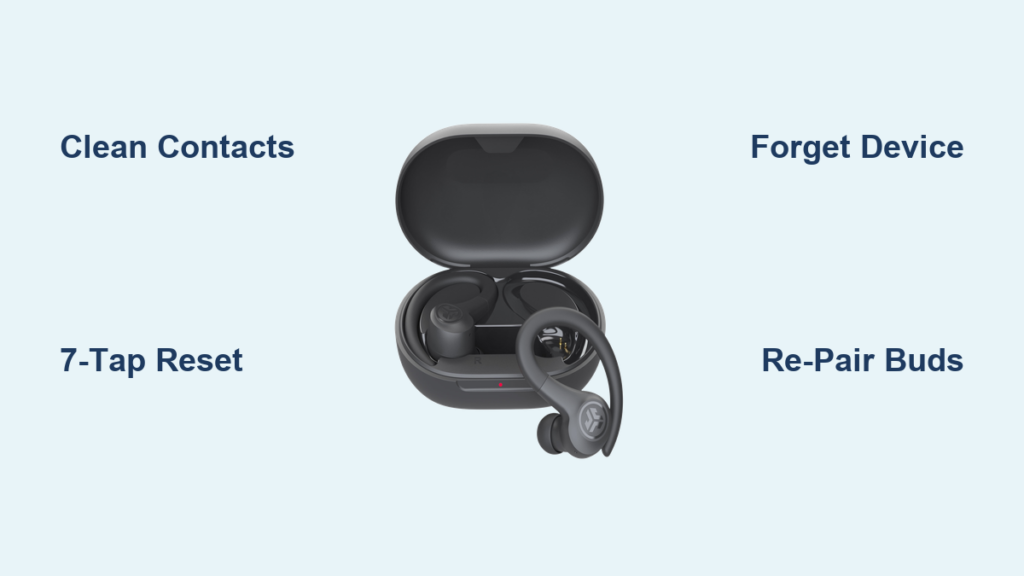
You pop in your JLab Sport earbuds for a run, press play, and notice something is off. Sound only comes from the left side while your right earbud stays silent. Before you toss them in a drawer and order a new pair, take a breath. Roughly 95% of one-sided audio problems come down to a sync glitch, not broken hardware. A quick factory reset usually restores full stereo sound within minutes.
This guide covers the JLab Air Sport, Go Air Sport, JBuds Air Sport, and Go Pop+ models, all of which use the same reset protocol. You will learn how to check charging contacts, perform the critical 7-tap reset, re-pair correctly, and prevent the issue from coming back. By the end, your JLab Sport right earbud not working problem should be solved.
Verify Charge and Clean the Charging Contacts
A silent right earbud often looks dead but is simply not charging. Sweat, earwax, and oxidation build up fast on sport earbuds and block the electrical connection between the buds and the case.
Confirm the Case and Earbuds Are Charging
Start by confirming both earbuds are actually receiving power from the case.
- Place both earbuds in the charging case.
- Check that the case LED lights up, which confirms the case has battery.
- Wait one to two minutes and look for indicator lights on the earbuds.
- A blinking or solid light means power is flowing.
If no lights appear, the case battery may be dead. Use a known-good USB cable to recharge the case before continuing.
Clean the Metal Pins on Both Earbuds and the Case
Dirt on the charging contacts is one of the top reasons a JLab Sport right earbud stops working. Clean both surfaces with a dry cotton swab.
- Wipe the metal pins on the stem of each earbud.
- Shine a flashlight into each well of the case.
- Gently scrub the metal contacts inside the case to remove grime.
Doing this weekly prevents oxidation buildup, especially if you sweat heavily during workouts.
Perform the 7-Tap Factory Reset
The 7-tap reset is the core fix for one-sided audio. It clears saved data, breaks old pairing bonds, and forces both earbuds to re-establish their internal master and slave link.
Prepare the Earbuds for Reset
Set the stage so the reset actually takes hold.
- Place both earbuds in the charging case.
- Open the lid.
- Wait about ten seconds to let the earbuds fully power down.
- Keep the case nearby because you will tap the earbuds while they sit inside or right after removing them.
Some users report better success removing the earbuds before tapping. Try both methods if the first attempt does not trigger the blue blink.
Execute the 7-Tap Sequence on Each Earbud
Work on one earbud at a time. Skipping the second bud breaks the entire process.
- Tap the touch sensor seven times in quick succession.
- Make the taps distinct but fast, similar to double-tapping three times plus one extra.
- Watch the LED closely after the seventh tap.
A successful reset produces four blue blinks. The light is dim, so look straight at the front of the earbud in a well-lit room. If you see no blink or random flashing, repeat the seven taps. Both earbuds must blink blue four times for the sync to take.
Clear the Old Pairing From Your Phone
After a reset, the earbuds are blank, but your phone still remembers the old connection. You must remove that memory before pairing fresh.
Remove the JLab Device From iPhone
- Open Settings and tap Bluetooth.
- Find your JLab model in the list, such as JLab Go Air Sport.
- Tap the small (i) icon next to the name.
- Select Forget This Device and confirm.
Remove the JLab Device From Android
- Open Settings and tap Bluetooth or Connected Devices.
- Tap the gear icon next to your JLab earbuds.
- Select Unpair or Forget.
After forgetting the device, toggle Bluetooth off, wait five seconds, and turn it back on. This clears any cached signals that could interfere with the new pairing.
Activate Pairing Mode on Both Earbuds
With old data cleared, the earbuds are ready to connect. Removing them from the case usually powers them on automatically.
Confirm the Correct LED Pattern
Watch the lights on both earbuds as they wake up.
- The right earbud, which acts as the primary, shows a solid white light.
- The left earbud, the secondary, blinks blue and white alternately.
This pattern means the two earbuds are synced and ready to pair. If both earbuds blink blue and white at the same time, they are not talking to each other. Repeat the 7-tap reset until one solid white and one blinking blue and white appears.
Use Manual Power-On if the Earbuds Stay Dark
Sometimes the earbuds do not power on automatically after a reset. Try this backup method.
- Remove both earbuds from the case.
- Press and hold the touch sensor on both earbuds for three seconds.
- Watch for one solid white and one blinking blue and white.
- Now connect through your phone’s Bluetooth menu.
Connect to Your Device
The final step is pairing the earbuds with your phone or tablet.
- Open the Bluetooth menu on your device.
- Look for one of these model names:
– JLab Go Air Sport
– JLab Air Sport
– JLab JBuds Air Sport
– JLab Go Pop+ - Tap the matching name to connect.
A successful connection plays the voice prompt “Bluetooth connected.” Both earbuds briefly flash solid white, then either turn off or stay lit depending on your model. Audio should now play through both sides.
Prevent Future Right-Side Failures
Once your JLab Sport right earbud is working again, a few habits keep it that way.
Keep Your Phone on the Right Side
The right earbud receives the Bluetooth signal first and relays it to the left. When your phone sits in your left pocket, your body blocks the signal and causes dropouts or left-side silence.
- Carry your phone on your right side during workouts.
- Clip it to your right armband or the right side of your waistband.
Know When to Reset Again
Run the 7-tap reset any time you experience:
- One earbud stops producing sound
- Audio delay during video playback
- Microphone failure during calls
- Earbuds connecting to a stranger’s phone
- Intermittent cuts while moving
Diagnose Persistent Issues With LED Behavior

If the reset does not solve the problem, the LED pattern points to the cause.
| Light Pattern | Likely Cause | Action |
|---|---|---|
| One solid white, one blinking blue and white | Normal operation | Connect now |
| Both blinking blue and white | Sync failure | Repeat 7-tap reset |
| One blinking, one no light | Charging issue | Clean contacts, charge 30 minutes |
| No lights on either | Dead battery or case | Recharge case, try new cable |
| Solid white on both, no sound | Audio balance issue | Check phone volume balance |
Tell Hardware From Software Problems

Not every issue is fixable at home. Knowing the difference saves time.
Software Issues You Can Fix
- One side cuts out but resets temporarily solve it
- Sync problems appear after a phone update
- Audio delays during video playback
These respond well to resets and re-pairing.
Hardware Red Flags
- Earbud never lights up after one full hour of charging
- The 7-tap reset never triggers the blue blink
- Sound crackles or distorts when connected
- Charging pins look bent or damaged
- Visible discoloration inside the earbud suggests water damage
These signs point to internal failure that requires professional service.
Maintain Your Earbuds for Long-Term Use
Simple care extends the life of your sport earbuds.
- Clean the charging contacts weekly with a dry cotton swab.
- Keep the case dry and avoid storing it in gym bags or damp areas.
- Always close the lid when not in use to protect the contacts and save battery.
- Avoid extreme heat by never leaving earbuds in cars or direct sunlight.
After every workout, wipe the earbuds and case with a dry cloth. Let them air out for ten minutes before closing the lid.
Contact JLab Support When Nothing Else Works
If you have cleaned the contacts, verified charging, performed the 7-tap reset at least twice, and re-paired the device, but the JLab Sport right earbud is still not working, the issue is likely a hardware defect.
What to Tell JLab Support
- Model name, such as JLab Go Air Sport
- A clear description, like “right earbud not working after full troubleshooting”
- The exact steps you have already taken
- Purchase date and retailer
Warranty Coverage
JLab typically offers a one-year warranty covering battery failure and internal defects. Water damage beyond the IPX4 rating, physical damage, and lost earbuds are not covered. Visit JLab.com/support for live chat or email assistance.
Frequently Asked Questions About JLab Sport Right Earbud Problems
Why is my JLab Sport right earbud not working after charging?
The right earbud may not be receiving power due to dirty charging contacts or a depleted case. Clean the metal pins on both earbuds and inside the case with a dry cotton swab, then confirm the case has battery before testing again.
How do I reset my JLab Sport earbuds?
Place both earbuds in the open case, wait ten seconds, then tap the touch sensor seven times quickly on each earbud. A successful reset produces four blue blinks on each earbud. Both must blink to complete the process.
Why does only one JLab earbud play sound?
This almost always points to a sync failure between the two earbuds. The internal master and slave link breaks, so only one side receives the audio signal. The 7-tap factory reset restores that link.
What does it mean when both JLab earbuds blink blue and white?
Both earbuds blinking blue and white at the same time means they have not synced to each other. Repeat the 7-tap reset on each earbud until you see one solid white light and one alternating blue and white blink.
How do I fix JLab earbuds that will not pair together?
Forget the device on your phone, toggle Bluetooth off and on, then remove both earbuds from the case. If they do not show one solid white and one blinking blue and white, perform the 7-tap reset again.
Is the right earbud covered under JLab warranty?
Yes, the right earbud is covered under JLab’s one-year warranty for manufacturing defects and battery failure. Water damage beyond the IPX4 rating, physical damage, and lost earbuds are excluded from coverage.
Key Takeaways for Fixing Your JLab Sport Right Earbud
Most JLab Sport right earbud not working problems trace back to a sync glitch, not hardware failure. Start by cleaning the charging contacts and confirming the case has power. Then perform the 7-tap reset on each earbud and wait for four blue blinks on both. Clear the old pairing from your phone, re-pair fresh, and keep your phone on your right side to maintain a strong signal.
If the reset does not work after two attempts, check the LED behavior table to pinpoint the cause. Hardware red flags like no lights after extended charging or a bent pin mean it is time to contact JLab support with your model name and purchase details.



