
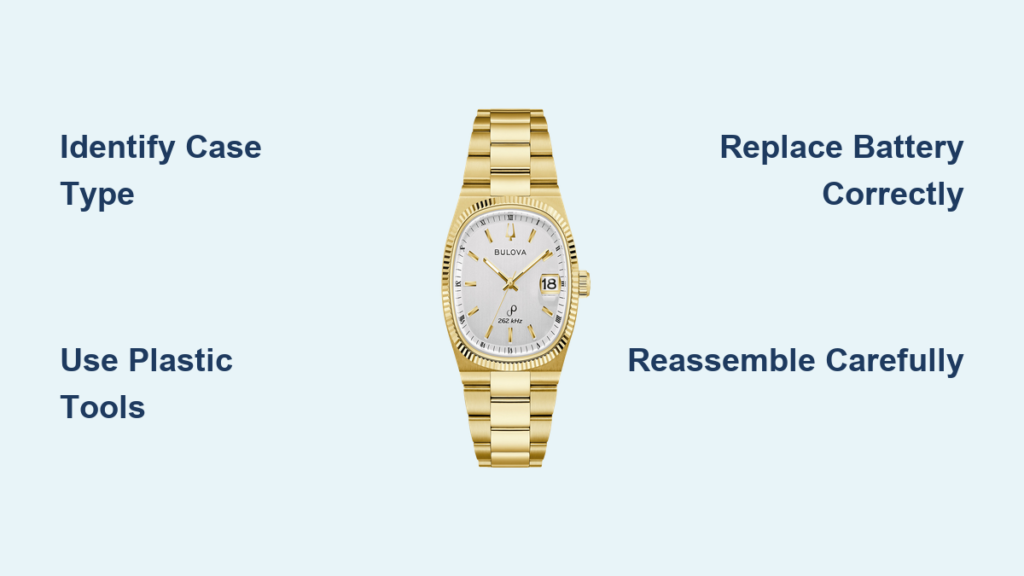
You’ve noticed your Bulova watch has stopped, and it’s likely time for a battery change. But before you can replace the battery, you need to open the case back, and doing it wrong could scratch the case or damage the seal. Whether you’re dealing with a delicate women’s model or a rugged Bulova Lunar Pilot, knowing how to open a Bulova watch safely is essential. This guide walks you through identifying your watch’s case type, using the right tools, opening the back without damage, replacing the battery, and resealing properly to maintain water resistance. By the end, you’ll know exactly how to open a Bulova watch correctly and confidently.
Identify Your Bulova Case Back Type
Before using any tools, determine whether your Bulova has a snap-on or screw-down case back. Using the wrong method can damage threads or deform the case.
Snap-On vs. Screw-Down Backs
Snap-on backs are common on women’s and basic models. They fit tightly into the case with friction and feature a small notch or indentation near the edge, usually opposite the crown. No screws are involved.
Screw-down backs appear on more advanced models like the Bulova Lunar Pilot. These have notched edges that accept a case wrench and unscrew clockwise. Never pry these open.
Pro Tip: Use a magnifier or bright light to inspect the seam. If you see threading or notches, it’s screw-down. If there’s just one small gap, it’s likely snap-on.
Check for Model-Specific Features
Some Bulova watches require additional steps such as bezel removal before accessing the case back. Always verify your model first.
• Bulova 96L128: Snap-on back, no retaining clip, simple access
• Bulova Lunar Pilot: Screw-down back, requires bezel removal, battery held by clip
Knowing your model prevents costly mistakes during disassembly.
Essential Tools for Opening a Bulova Watch

Using the correct tools protects your watch and ensures smooth operation.
Must-Have General Tools
• Plastic pry tool or case knife: Safely lifts snap-on backs without scratching
• Blue painter’s tape: Apply around the edge to prevent tool slips from marring the case
• Plastic tweezers: Handle batteries without risking short circuits
• Lint-free cloth: Keep the movement free of debris
• Gloves: Improve grip and avoid transferring skin oils
Model-Specific Equipment
| Tool | Used For | Why It Matters |
|---|---|---|
| Case wrench | Screw-down backs | Prevents slippage and damage to notches |
| Horch Maxi Press | Lunar Pilot models | Holds case securely during disassembly |
| BON8 ball tool | Removing Lunar Pilot bezel | Prevents scratching polished surfaces |
| Berson Case Cushion (Model 3097) | Protecting case back | Provides grip and prevents rolling |
Warning: Never use a metal screwdriver aggressively. A plastic pry tool reduces the risk of damaging the case or internal components.
Open a Snap-On Case Back
Models like the Bulova 96L128 use a press-fit back that snaps into place. Follow these steps carefully.
Locate the Opening Notch
Find the small indentation on the edge of the case back, typically located opposite the crown. This is where you’ll insert your tool.
If unsure, rotate the watch slowly under light to spot the seam break. The notch may be subtle.
Insert Pry Tool Gently
Slide the tip of a plastic pry tool or case knife into the notch at a shallow angle. Do not force it.
Apply steady pressure while gently twisting to lift one edge. You should feel a slight give as the seal breaks.
Visual Cue: Once you see a gap, stop prying. Forcing too far can bend the case back.
Lift and Remove the Back
After the first edge pops up, work your fingers or tool around the perimeter to release the rest.
Remove the case back completely and set it aside on a clean surface, gasket-side up.
Common Mistake: Using a wide blade that spreads too much force. Stick to thin, flexible tools.
Open a Screw-Down Case Back
Water-resistant models like the Bulova Lunar Pilot use threaded backs that must be unscrewed, not pried.
Secure the Watch First
Place the watch in a Horch Maxi Press or use a non-slip holder. This keeps the case stable and prevents internal damage to pushers or the crown.
Do not clamp too tightly. Just keep it held firmly in place.
Remove the Bezel (If Required)
On the Lunar Pilot, the rotating bezel must be removed first using a BON8 ball tool.
Insert the tool under the bezel at the 12 o’clock position and gently lift upward. Work your way around until it releases.
Set the bezel aside safely to avoid scratches.
Unscrew the Case Back
Align a case wrench with the notches on the back.
Turn counterclockwise to loosen. If resistance occurs, try a back-and-forth motion to free any corrosion or tight threads.
Once loose, unscrew fully by hand and lift off.
Pro Tip: Place the case back on a Berson cushion to protect the notches and gasket.
Replace the Battery Correctly

Now that the case is open, it’s time to replace the battery. Correct polarity is critical.
Find Your Battery Type
| Model | Battery | Size | Notes |
|---|---|---|---|
| 96L128 | Sony SR621SW | 11.6 x 1.6 mm | No retaining clip |
| Lunar Pilot | SR27W (399) | Larger | Held by clip |
Use Sony or Renata batteries for best performance and lifespan.
Remove the Old Battery
For snap-on models like the 96L128, the battery sits loose. Use plastic tweezers to lift it out.
For screw-down models like the Lunar Pilot, gently move the retaining clip aside. It’s spring-loaded. The battery will pop out slightly. Use tweezers to remove it.
Critical: Never use metal tools near the movement. Even light contact can cause a short.
Install the New Battery
For snap-on models, insert the SR621SW with the positive side up (marked plus). Ensure it lies flat and makes contact.
For screw-down models like the Lunar Pilot, insert the SR27W upside-down. Hook the battery under the retaining clip first, then slide it in. Verify full seating with a visual check.
Warning: Do not press the battery with a screwdriver. Use only fingers or plastic tools.
Inspect and Maintain the Gasket
The rubber gasket ensures water resistance. A damaged seal compromises protection.
Check for Damage
Remove the gasket from the case back groove if necessary. Look for cracks, flattening, twisting, or dryness and brittleness.
If any of these are present, replace the gasket with an OEM or compatible version.
Reinstall Without Twisting
When placing the gasket back, start at one point and work around the edge. Pull it gently. Don’t roll it, as this causes twisting and poor sealing.
Expert Note: A properly seated gasket forms a continuous, unbroken ring with no kinks.
Reassemble the Case Back
Closing the watch properly is just as important as opening it.
Snap the Back On Evenly
For snap-on models, align the cutout with the crown stem. Press down evenly with your thumbs around the edges. Apply firm pressure until you hear a distinct click.
Use a press tool if available. It ensures even force and prevents misalignment.
Troubleshooting: If the back doesn’t seat, check for gasket twists or debris in the groove.
Screw Down with Proper Torque
For screw-down models, place the back on the case, aligning threads carefully. Turn clockwise by hand until resistance is felt. Use a case wrench for final tightening. Do not over-tighten.
Return to the Horch Maxi Press to apply manufacturer-recommended torque if possible.
Key Signal: You may hear a faint click when threads fully engage.
Reset the Watch After Battery Change
A new battery doesn’t always mean automatic operation. Some models need resetting.
Set Time on Snap-On Models
- Move the hands to 12:25
- Pull the crown out and adjust to 12:26
- The watch should start running immediately
Why This Works: This small jump helps engage the movement’s start mechanism.
Reset Chronograph on Lunar Pilot
After battery replacement, pull the crown out two notches. Press and hold the reset button (usually at 4 o’clock). Watch the center seconds hand. It should jump to zero.
Use the split-second pusher to align the sub-dial hand if needed.
Run the chronograph briefly to confirm it starts and stops cleanly, minutes sub-dial advances correctly, and hands return to zero.
Note: The center hand rarely resets automatically. Manual adjustment is normal.
Final Quality Checks
Before declaring the job complete, run through these checks.
Visual and Functional Tests
• Case back flush: Run a finger around the edge. No gaps or protrusions.
• Crown operation smooth: Should turn easily without wobble.
• Gasket seated: Double-check under light if unsure.
• Chronograph aligned: Reset if needed.
Water Resistance Considerations
Even with a perfect reseal, DIY work can reduce original water resistance.
Recommendation: If your watch was rated 30m or higher, have it professionally pressure tested after service.
Avoid Common Mistakes
Many issues come from simple oversights. Steer clear of these errors.
Using the Wrong Tool
Metal screwdrivers can slip and scratch. Always start with plastic tools.
If more force is needed, upgrade carefully. But never force a stuck back.
Forcing a Stuck Case Back
Resistance usually means wrong tool, misaligned notch, or screw-down mistaken for snap-on.
Stop, reassess, and try again. Forcing leads to dents or broken lugs.
Closing Without a Battery
Leaving the case open and reassembling without a battery risks trapping dust or moisture.
If you don’t have the right battery, keep it closed until you do.
Model-Specific Tips
Different Bulovas demand different approaches. Know your model.
Bulova 96L128: Simple Snap-On
• Back Type: Snap-on with notch opposite crown
• Battery: SR621SW, no clip
• Time Start: Set to 12:25, then 12:26
• Reassembly: Thumb-press or use press tool
Ideal for beginners. Minimal parts, straightforward access.
Bulova Lunar Pilot: Advanced Service
• Back Type: Screw-down with notches
• Bezel Removal Required: Use BON8 tool
• Battery: SR27W, installed upside-down
• Chronograph Reset Needed: Manual alignment after battery change
• Torque-Sensitive: Use Horch Maxi Press for re-torquing
Best handled with proper tools and patience.
Troubleshooting Guide
| Problem | Likely Cause | Fix |
|---|---|---|
| Back won’t open | Wrong notch, too much force | Recheck location; use plastic tool |
| Back won’t close | Gasket twisted, misaligned | Re-seat gasket; align crown cutout |
| Watch doesn’t run | Battery backward, poor contact | Recheck polarity and placement |
| Chronograph off-zero | Normal after battery swap | Reset via pusher and crown |
| Loss of water resistance | Damaged gasket, poor seal | Replace gasket; consider pressure test |
Quick Fix: If the watch doesn’t start, remove and reinsert the battery. Sometimes contact is imperfect on first try.
Safety and Best Practices
Work smart to protect your watch and yourself.
Prepare Your Workspace
Use a clean, well-lit, static-free area. Lay down a non-slip mat or watch repair pad. Keep tools and parts organized.
Avoid carpets or windy areas. Small parts can disappear fast.
Handle Batteries Safely
Never touch battery terminals with fingers. Use plastic tweezers only. Don’t install and remove a battery repeatedly.
Contamination from skin oils can shorten battery life.
Protect the Finish
Apply blue painter’s tape around the case edge. Use gloves for better grip and cleanliness. Work slowly. Rushing causes mistakes.
User Feedback: One watch owner said paying $5 for expert advice saved their Bulova from a costly repair.
Frequently Asked Questions About Opening a Bulova Watch
What tools do I need to open a Bulova watch?
You need a plastic pry tool or case knife, blue painter’s tape, plastic tweezers, a lint-free cloth, and gloves. For screw-down backs, you’ll also need a case wrench. The Lunar Pilot specifically requires a BON8 ball tool and Horch Maxi Press.
How do I know if my Bulova has a snap-on or screw-down case back?
Examine the edge under bright light. If you see a small notch or indentation with no visible threading, it’s snap-on. If you notice notches for a wrench and visible threading, it’s screw-down. Never attempt to pry a screw-down back.
Can I damage my Bulova watch by opening it myself?
Yes, if you use the wrong tools or force the case back open incorrectly. Using metal screwdrivers can scratch the case. Forcing a stuck back can deform it or break the lugs. Using plastic tools and proper technique minimizes this risk.
Do I need to replace the gasket when opening my Bulova?
Inspect the gasket for cracks, flattening, or brittleness. If damaged, replace it before reassembling. Even if it looks fine, ensure it’s properly seated without twisting to maintain water resistance.
How often should I replace the battery in my Bulova watch?
Most Bulova quartz watches need battery replacement every 2 to 3 years. Battery life depends on usage, especially for chronograph models that use more power.
Key Takeaways for Opening Your Bulova Watch
Knowing how to open a Bulova watch empowers you to maintain it safely and save on service fees. Whether it’s a simple snap-back model or a complex chronograph, the key is patience, the right tools, and attention to detail.
Start by identifying your case type. Snap-on backs require a plastic pry tool and gentle pressure. Screw-down backs need a case wrench and counterclockwise turning. Never force a stuck back. Stop and reassess if you meet resistance.
Protect the case finish with blue painter’s tape. Handle batteries with plastic tweezers only. Install the new battery with correct polarity. Inspect the gasket for damage and reseat it without twisting.
Reassemble with even pressure for snap-on backs and proper torque for screw-down models. Reset the time and chronograph functions as needed. Finally, consider professional pressure testing if your watch was water-resistant.
With this guide, you’re fully equipped to open, service, and restore your Bulova watch like a pro.



