

If you own a Fitbit device with ECG capability, you have access to a powerful tool that can help monitor your heart rhythm for signs of atrial fibrillation. The Fitbit ECG feature measures your heart’s electrical activity just like a doctor’s office ECG, but right from your wrist. However, knowing how to use Fitbit ECG correctly is essential for accurate results. This guide covers everything from device compatibility and preparation to taking readings, interpreting results, and sharing data with your healthcare provider.
You’ll learn step-by-step instructions for your specific model, how to understand what “Normal Sinus Rhythm” or “Atrial Fibrillation” means, and best practices to avoid common mistakes that lead to inconclusive readings.
Check Device Compatibility First
Not all Fitbit devices support ECG functionality. Before attempting to use this feature, you must confirm your model is equipped with the necessary sensors.
Confirm Your Model Supports ECG
Only three Fitbit models currently have ECG capability. These devices use embedded electrodes in the metal frame and biosensor core to record electrical signals when you touch the sensor points.
Compatible models include:
• Fitbit Sense 2
• Fitbit Charge 5
• Fitbit Charge 6
If you own an older model like Inspire, Versa series, or any device not listed above, ECG is not available on your device.
Verify Feature Activation
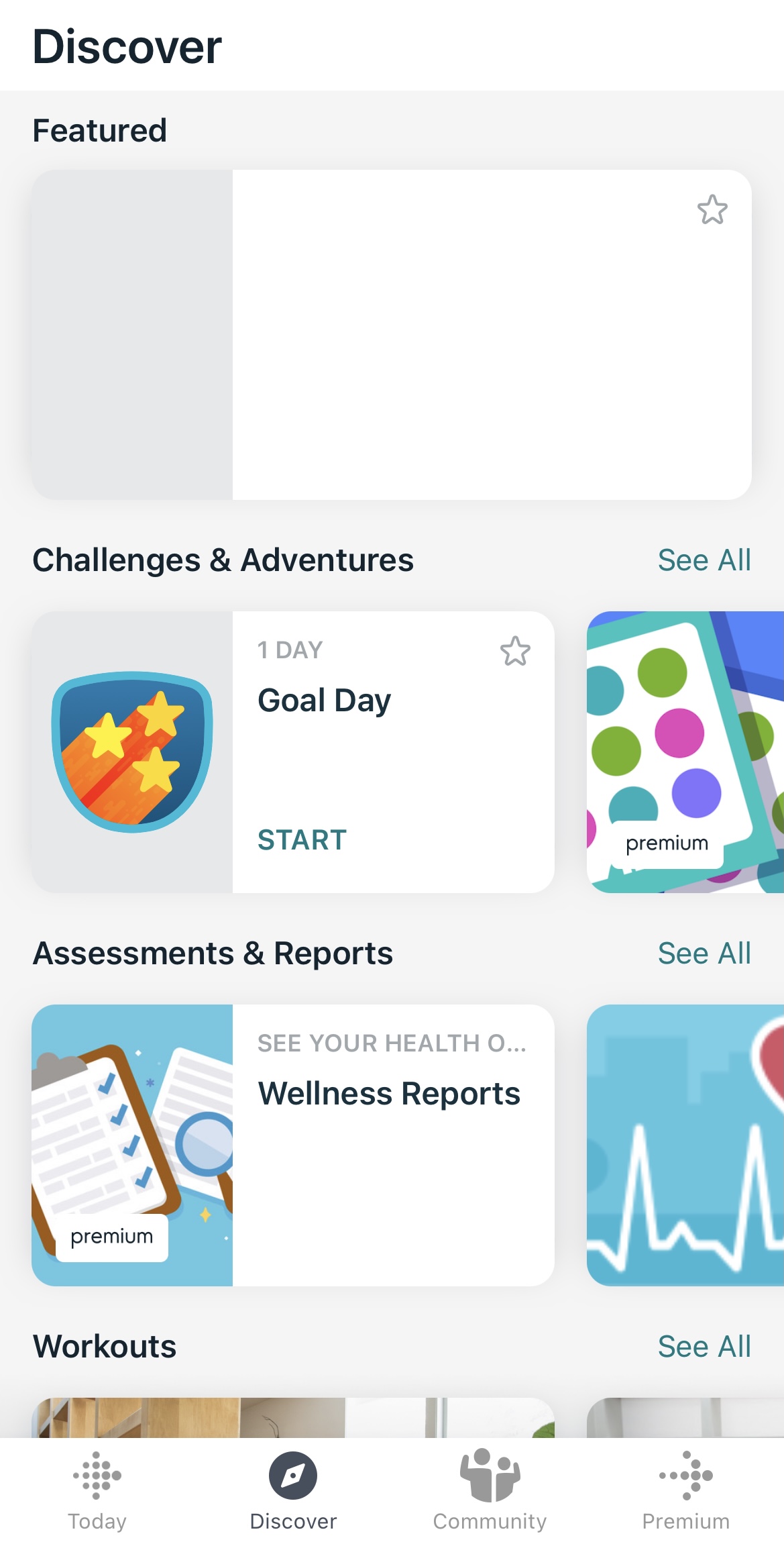
Even with a compatible device, the ECG app must be properly installed and activated before use. Open the Fitbit app and navigate to Today, then tap your profile icon and select your device. Ensure your firmware is up to date under Device Settings. For Sense 2 users, confirm the ECG app appears in your watch face list. For Charge 5 and Charge 6 users, first-time setup requires visiting Discover, then Assessments and Reports, then Heart Rhythm Assessment to complete the required education and consent steps.
Prepare Your Device for Accurate ECG Readings
Proper preparation significantly impacts the quality of your ECG results. Taking a few minutes to set up correctly prevents wasted attempts and ensures reliable data.
Update Software and Charge Your Device
Before taking any ECG reading, ensure your Fitbit device has at least 50 percent battery. Both the Fitbit app and device firmware must be updated to the latest versions. Navigate to Account in the app, select your device, and verify the firmware version. Outdated software may prevent ECG functionality entirely or cause errors during reading.
Wear the Device Correctly
Proper positioning affects signal quality and determines whether you get a readable result. Wear the tracker snugly on your wrist, approximately one finger-width above the wrist bone. A loose fit disrupts electrical contact and commonly leads to inconclusive results. Use your non-dominant hand if possible, as it tends to stay steadier during the test.
Rest Before Starting
To avoid motion interference, sit down in a quiet place and rest both arms on a flat surface like a table. Stay still for at least 30 seconds before starting the test. Avoid testing after exercise, caffeine, or stress. Your heart rate should be between 50 and 120 beats per minute for accurate analysis. High or low heart rates outside this range will result in an inconclusive reading.
Take an ECG Reading on Your Fitbit
The exact procedure varies slightly depending on your specific Fitbit model. Follow the steps for your device to ensure proper technique.
Use Fitbit Sense 2 Correctly

The Sense 2 has a dedicated ECG app that makes taking readings straightforward. Swipe on the watch face to find the ECG app and tap to open it. Follow the on-screen instructions, then place your thumb and index finger lightly on the top two corners of the metal case. Keep your fingers in place and remain completely still. Wait for the 30-second countdown to finish. A chime and on-screen message confirm completion. Do not move or speak during the test.
Use Fitbit Charge 5 or 6 Properly

The Charge series uses a swipe-based interface rather than a dedicated app. Wake the screen by tapping or raising your wrist, then swipe right until you see the ECG screen. Tap Start, then select which wrist the device is worn on when prompted. Place your fingers firmly on the metal sides of the tracker to complete the circuit. Hold still for the full 30 seconds. A success screen appears when done. Unlike the Sense 2, the Charge requires more consistent finger pressure due to smaller contact areas.
Understand Your ECG Results

After the test completes, results sync automatically to the Fitbit app within minutes. Understanding what each result means helps you determine appropriate next steps.
View Results in the App
Open the Fitbit app and navigate to Discover, then Heart Rhythm Assessment for Charge devices, or Health Metrics for Sense 2. Tap the latest reading to view details. Each result includes the classification, date and time, and an option to export as PDF.
Interpret the Three Result Types
Your reading will fall into one of three categories. Normal Sinus Rhythm means your heart rhythm is regular and within normal electrical patterns with no signs of atrial fibrillation detected during the 30-second window. No immediate action is needed, though periodic checks remain useful if you have risk factors like high blood pressure or family history.
Atrial Fibrillation indicates the ECG detected an irregular, often rapid heartbeat typical of Afib. This condition increases stroke risk and requires medical attention. Do not ignore this result. Contact your doctor or cardiologist immediately and bring your ECG report for review. Even one Afib reading warrants follow-up, as some people have intermittent Afib that only shows up occasionally.
Inconclusive means the device could not analyze the rhythm due to signal issues. Common causes include movement during the test, poor skin-to-metal contact, heart rate too high above 120 bpm or too low below 50 bpm, dry or sweaty fingers, or loose device fit. Wait a few minutes, recheck your posture and grip, then try again with better stillness and contact. You can safely retake the test as many times as needed.
Export and Share ECG Reports With Your Doctor
Fitbit allows you to export ECG data in a doctor-friendly format that provides context for your heart rhythm assessment.
Generate a PDF for Your Healthcare Provider
In the Fitbit app, go to Heart Rhythm Assessment and select the specific ECG result. Scroll down and tap Export PDF. The file saves to your phone’s download folder. The PDF includes waveform data, classification, timestamp, and device information, making it ideal for sharing via email or during appointments.
Share With Healthcare Providers
Email the PDF directly to your doctor or upload it to patient portals if supported. Bring a printed copy to cardiology visits for context. This data supports diagnosis but does not replace a clinical ECG. Doctors may order additional tests for confirmation.
Follow Safety Guidelines and Limitations
Understanding the limitations of the Fitbit ECG feature ensures you use it appropriately and know when to seek professional care.
Know What ECG Cannot Do
The ECG feature is not designed for users under 22 years of age, as the algorithm is validated only for adults. Do not use this feature if you have a pacemaker, as electrical interference may affect readings. The feature provides an assessment, not a medical diagnosis. It detects rhythm irregularities but does not detect heart attacks or other acute cardiac events. The ECG on Fitbit is designed for rhythm analysis, not ischemia or ST-segment changes.
When to Seek Emergency Care
If you experience chest pain, shortness of breath, or fainting, seek emergency care immediately. Do not rely on ECG results to determine your condition in an emergency. Contact emergency services rather than attempting to take an ECG reading when experiencing acute symptoms.
Avoid Common Mistakes That Cause Inconclusive Results

Most failed readings stem from avoidable errors. Understanding these common mistakes helps you achieve accurate results on your first attempt.
Prevent Inconclusive Readings
Movement during the test is the most common cause of failed readings. Rest both arms on a table to minimize muscle activity. Light finger contact disrupts the electrical circuit. Press your fingers firmly on the metal surfaces. Testing immediately after exercise elevates your heart rate and movement. Wait at least 10 minutes after physical activity. Low battery can affect sensor performance. Charge your device before use. Wearing the device too loose prevents proper skin contact. Adjust the band for a snug fit.
On-screen animation should show steady lines during recording. Jagged or flat lines indicate poor signal quality.
Don’t Overuse the Feature
While you can take multiple readings, ECG is meant for occasional assessment, not continuous monitoring. Use it when you feel palpitations, when checking a baseline rhythm, or when your doctor recommends periodic tracking. Daily use is not necessary unless specifically advised by your healthcare provider.
Troubleshoot ECG Issues
If you encounter problems with the ECG feature, these solutions address the most common issues.
ECG App Not Showing
Check your firmware by updating the device via Account in the app. On Sense 2, remove and re-add the ECG app through device settings. Restart your device by holding the power button and selecting Restart. Force a manual sync in the Fitbit app. If the feature is still missing after trying these steps, contact Fitbit support for assistance.
Repeated Inconclusive Readings
Clean the metal sensors with a dry cloth to remove oils and debris. Wipe your fingers before testing and avoid applying lotion. Test in a seated, relaxed state with both arms supported. Avoid cold environments, as low temperatures can reduce skin conductivity. If problems persist after trying these fixes, your device may need service.
Frequently Asked Questions About Fitbit ECG
Which Fitbit devices support ECG?
Only the Fitbit Sense 2, Fitbit Charge 5, and Fitbit Charge 6 support ECG functionality. Older models like Inspire, Versa, and earlier Charge versions do not have this feature.
How long does an ECG reading take?
The actual recording takes 30 seconds. However, you should sit quietly for 30 to 60 seconds before starting to ensure your heart rate is within the measurable range of 50 to 120 beats per minute.
Can Fitbit ECG detect heart attacks?
No. The Fitbit ECG feature is designed to detect heart rhythm irregularities like atrial fibrillation. It does not detect heart attacks, ischemia, or other acute cardiac events. Seek emergency care immediately if experiencing chest pain or shortness of breath.
What does an inconclusive result mean?
An inconclusive result means the device couldn’t analyze your heart rhythm due to poor signal quality. This typically occurs from movement during the test, loose device fit, improper finger placement, or heart rate outside the measurable range. Retry with proper technique.
Is Fitbit ECG FDA-cleared?
Yes. The ECG feature on compatible Fitbit devices has received FDA clearance for detecting atrial fibrillation. However, it provides an assessment, not a medical diagnosis. Always share results with your healthcare provider.
Can I use Fitbit ECG if I have a pacemaker?
No. The ECG feature is not intended for individuals with pacemakers or other implanted cardiac devices, as electrical interference may affect readings.
Key Takeaways for Using Fitbit ECG Properly

The Fitbit ECG feature empowers you to monitor heart rhythm and detect potential atrial fibrillation from your wrist. To get accurate results, always prepare properly by updating software, charging your device, and wearing it snugly one finger-width above your wrist bone. Sit quietly with arms supported for 30 seconds before starting, and keep fingers firmly on the metal contact points during the 30-second recording.
Understanding your results is crucial. Normal Sinus Rhythm requires no urgent action, but an Afib result demands immediate medical follow-up. Inconclusive readings are common and usually resolved by retrying with better technique. Export and share PDF reports with your healthcare provider to support diagnosis.
Remember that Fitbit ECG is a screening tool, not a replacement for professional medical care. Use it as part of your overall heart health strategy, and always consult your doctor for any concerning results or symptoms.



