
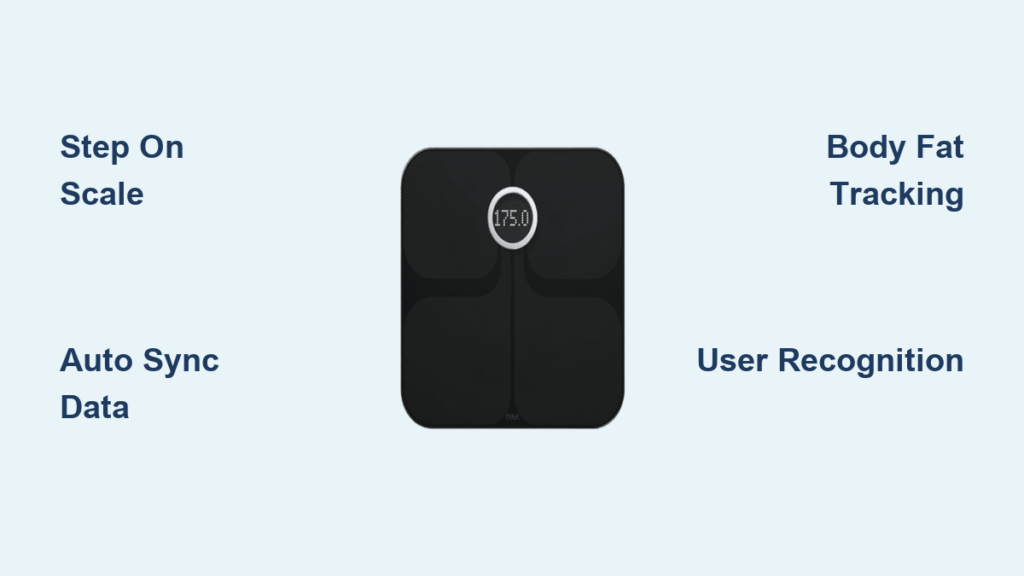
You step on the scale, and seconds later, your weight appears in the Fitbit app. No buttons, no manual entry. Just seamless tracking. But how does a Fitbit scale work behind the scenes? Whether you own an Aria, Aria 2, or Aria Air, each model uses a blend of sensor technology, wireless connectivity, and smart algorithms to automate your health tracking. Understanding the mechanics helps you troubleshoot sync issues, interpret body fat readings, and get the most accurate data from your device.
This guide breaks down the inner workings of all Fitbit scales, from weight sensors and bioimpedance tech to syncing quirks and user identification logic—all based on official specifications and real-world performance.
Fitbit Scale Models: What You Need to Know
Each Fitbit scale uses distinct technology for connectivity and measurement. Knowing your model is the first step to understanding how it works.
Aria Air vs Aria 2 vs Original Aria
The lineup consists of three models with different capabilities. The original Aria was the first Wi-Fi scale, measuring weight and body fat via bioimpedance but requiring 802.11b Wi-Fi compatibility that causes setup issues with modern routers. Aria 2 improved on this with a sharper display, better sync logic, and on-screen BMI readings while still using Wi-Fi. The Aria Air took a different path, using Bluetooth only and measuring weight only—no body fat tracking.
Key Features Comparison
| Feature | Aria Air | Aria 2 | Aria (Original) |
|---|---|---|---|
| Weight | Yes | Yes | Yes |
| Body Fat % | No | Yes | Yes |
| BMI Display | App only | Scale and app | App only |
| Connectivity | Bluetooth | Wi-Fi | Wi-Fi |
| User Profiles | No | Up to 8 | Up to 8 |
The Aria Air works best if you want simplicity and always have your phone nearby. Aria 2 suits households wanting hands-free tracking with automatic Wi-Fi syncing. The original Aria is really only for tech-savvy users who can manage legacy Wi-Fi compatibility issues.
How the Scale Measures Your Weight
Every Fitbit scale detects weight using the same core technology beneath the platform.
Strain Gauge Sensors Explained
Four strain gauges sit beneath the platform, bending slightly when you step on. The amount of bend correlates directly to your weight, and the data processes instantly. You don’t need to press any buttons—just step on and the scale activates automatically.
Calibration and Stability
If you move or store the scale vertically, it needs to recalibrate. Perform two consecutive weigh-ins to reset the internal sensors. On Aria 2, an unbalanced stance triggers a visual arrow directing you to shift your weight until distribution is even.
When to Step Off
The scale signals when weighing is complete. On Aria and Aria 2, animated footprints walk backward—step off when they disappear. On Aria Air, the weight locks on screen then resets automatically. Staying on too long triggers Error 1 on Aria 2, so step off immediately after the signal.
Body Fat Sensing: The Science of Bioimpedance
Only Aria and Aria 2 estimate body fat. The Aria Air skips this feature entirely.
How BIA Works
When you step on, a safe, low-level electrical signal passes from foot to foot via the metal contacts. Fat tissue resists electricity more than muscle, so higher impedance equals a higher body fat estimate. The scale combines this impedance reading with your profile data, including height, weight, age, and gender, to calculate body fat percentage.
Regular Mode vs Lean Mode
Regular Mode works for most users. Lean Mode is designed for athletes with high muscle mass and low body fat. Using Regular Mode as an athlete may overestimate body fat. Using Lean Mode when you’re not an athlete may underestimate it. Switch modes in the Fitbit app under Devices, Scale, your user name.
Safety Restrictions
Do not use BIA body fat tracking if you have a pacemaker or implanted device. The electrical signal could interfere with your device. Pregnant users should skip body fat readings and consult their doctor for safe monitoring alternatives. The Aria Air is safe for both groups since it doesn’t use bioimpedance at all.
Wi-Fi vs Bluetooth: Which Sync Method Works Better
How your data reaches the app depends entirely on your model, and it’s a major difference in daily use.
Wi-Fi Syncing on Aria and Aria 2
These scales connect directly to your home Wi-Fi network on the 2.4GHz band using 802.11b/g/n standards. No phone is needed during weigh-in. Data uploads automatically even if your phone is off.
The catch is router compatibility. Many modern routers disable 802.11b support, and the scale won’t work on public Wi-Fi with login pages. MAC filtering and strict firewalls also block the connection. Fix this by temporarily setting your router to mixed mode B/G/N during setup and keeping the scale within 10 feet of the router.
Bluetooth Syncing on Aria Air
The Aria Air uses Bluetooth Low Energy to send data to your phone. Your phone must be nearby and the Fitbit app must be open during weigh-in. The phone then uploads the data via cellular or Wi-Fi.
This eliminates router compatibility issues but requires more effort. You can’t just step on and walk away like with Wi-Fi models. If Bluetooth is off or the app isn’t open, the weigh-in won’t sync. You’ll see the weight on the display, but it won’t appear in your history.
User Recognition: How It Knows Who You Are
Aria and Aria 2 support up to eight users with automatic recognition. Aria Air doesn’t do this—it treats every weigh-in as linked to the phone’s user.
Weight-Based Profile Matching
The scale compares your weight to stored profiles. If weights are distinct, like 140 pounds versus 180 pounds, it assigns data automatically. If two users are close in weight, ambiguity occurs and the scale needs help.
Resolving Confusion
When the scale isn’t sure, it displays a user avatar with a bird icon. Tap the right side with your foot if the displayed user is correct. Tap the left side if it’s wrong. No response within eight seconds saves the data as Guest. You can reassign guest entries later in the app under Recent Weigh-ins.
Keep your height and weight updated in the app. Outdated stats confuse the recognition algorithm and cause more guest assignments.
Data Flow: From Scale to App
Your data doesn’t vanish into the cloud. It’s processed, calculated, and stored with specific logic.
BMI Calculation Happens in the App
No Fitbit scale calculates BMI internally. The formula is weight divided by height squared, and it’s computed in the app using your stored height. Aria 2 can display BMI on the scale screen if you enable it in settings, but the calculation still happens in the app.
Managing Your Data
Edit or delete weight entries in the Today tab under the Weight tile. Change units between pounds, kilograms, and stones in Account Settings under Preferences. View historical data through Account, then Aria, then Recent Weigh-ins.
Power, Setup, and Maintenance
Keep your scale running smoothly with proper care.
Battery Life
All models use four AAA batteries. On Aria Air, a battery icon appears on the display when power is low. On Aria and Aria 2, check the app next to the device name. If the scale won’t turn on, remove batteries for ten seconds then reinsert to force a hard reset.
Cleaning and Storage
The scales are water-resistant, not waterproof. Wipe with a dry cloth if damp. If submerged, remove batteries immediately and let it dry for at least 24 hours. Always store flat. Vertical storage requires recalibration before the next use.
Initial Setup Steps
Insert four batteries first. Open the Fitbit app and add a device. For Aria and Aria 2, enter Wi-Fi credentials through the app. For Aria Air, step on the scale with your phone nearby and the app open. Enter your height and weight in your profile to enable BMI calculation and user recognition.
Fixing Common Fitbit Scale Problems
Even reliable scales glitch. Here’s how to handle the most frequent issues.
Wi-Fi Connection Errors
WIFI ERR means the scale cannot communicate with your network. Verify your password is correct and case-sensitive. Ensure your router supports 802.11b. Move the scale closer to the router. NO WIFI means the scale can’t detect the router at all—check that your router is on. WEAK SIGNAL means connectivity exists but is too weak—relocate closer to the router. If you see CONNECTION ERROR after four failed attempts, wait 24 hours before trying again.
Measurement and Display Errors
On Aria 2, Error 1 means you stayed on too long—step off after footprints move. Error 2 or 6 means uneven weight distribution—center your weight and follow the arrow. Errors 3 or 5 mean the weigh-in was incomplete—try again. Error 400 or 180 means you’ve exceeded the 400-pound capacity. On Aria Air, Error C means step off to reset or you’ve exceeded the weight limit.
A blank screen usually means power failure. Check battery insertion or try a hard reset by removing and reinserting the batteries.
Missing or Guest Weigh-ins
If weigh-ins appear as Guest, your profile height or weight may be inaccurate. Update your stats in the app. Perform three consecutive weigh-ins to retrain the recognition algorithm. Reassign guest entries manually in the app under Recent Weigh-ins.
What to Expect: Accuracy and Limits
Fitbit scales work well for what they are, but they have real limitations.
Weight Accuracy
Weight measurements are generally consistent on hard, flat surfaces like tile, wood, or concrete. Never use the scale on carpet—it causes significant errors. Place it on a stable, level surface for best results.
Body Fat Variance
Body fat percentage can vary by plus or minus five percent due to hydration, time of day, or recent exercise. BIA is best for tracking trends over weeks and months, not for exact numbers. Measure at the same time daily for more consistent results.
Long-Term Durability
The physical platforms are sturdy and last for years. The main failure point for older models is software compatibility, specifically the 802.11b requirement. Battery life typically lasts six to twelve months thanks to sleep mode.
Who Should Use One
Fitbit scales work best for users already in the Fitbit ecosystem who want automated tracking. They’re ideal for households with distinct weights where user recognition works reliably. Not recommended for users with pacemakers using BIA models, those needing medical-grade precision, or homes with complex enterprise Wi-Fi that blocks IoT devices.
Frequently Asked Questions About Fitbit Scales
Does Fitbit Aria Air measure body fat?
No. The Aria Air only measures weight and calculates BMI in the app. It does not have bioimpedance technology for body fat sensing.
Why does my Fitbit scale show guest instead of my name?
The scale couldn’t match your weight to a stored profile. This happens when weights are similar between users or when your profile stats in the app are outdated. Update your height and weight, then perform three consecutive weigh-ins to retrain recognition.
Can I use a Fitbit scale on carpet?
No. Carpet causes significant measurement errors. Always place your Fitbit scale on a hard, flat surface like tile, wood, or concrete.
Do Fitbit scales need Wi-Fi?
Only Aria and Aria 2 use Wi-Fi. The Aria Air uses Bluetooth and requires your phone to be nearby with the app open during weigh-in.
How accurate is body fat percentage on Fitbit scales?
Body fat readings can vary by approximately five percent due to hydration levels, time of day, and recent activity. BIA is reliable for tracking trends over time but not for medical-grade precision.
Final Thoughts on Fitbit Scale Technology
How a Fitbit scale works depends on your model, but all rely on smart sensors, wireless technology, and app integration to automate health tracking. The Aria Air prioritizes simplicity with Bluetooth and weight-only tracking. Aria 2 offers the most features with Wi-Fi, body fat sensing, and multi-user support. The original Aria is largely outdated.
Keep your scale on a hard surface, maintain fresh batteries, and understand the limits of bioimpedance body fat readings. Whether you use Wi-Fi or Bluetooth, consistency is key. Step on the same way, at the same time, every day to get the most useful data for tracking your health trends over time.



