

You hit play before your run and only one earbud produces sound. A silent left or right side on your Bose Sport Earbuds is one of the most reported issues users encounter. The encouraging part is that roughly 90% of these cases trace back to software glitches rather than broken hardware, meaning you can likely fix the problem at home in minutes.
This guide walks you through every proven fix for Bose Sport Earbuds one side not working, starting with the most effective solution and moving through targeted diagnostics. You will learn how to perform a factory reset correctly, wake a sleeping earbud, verify charging status, update firmware, and isolate whether the problem lives in your earbuds or your phone. By the end, both sides should be playing in perfect stereo again.
Perform a Factory Reset on Your Bose Sport Earbuds
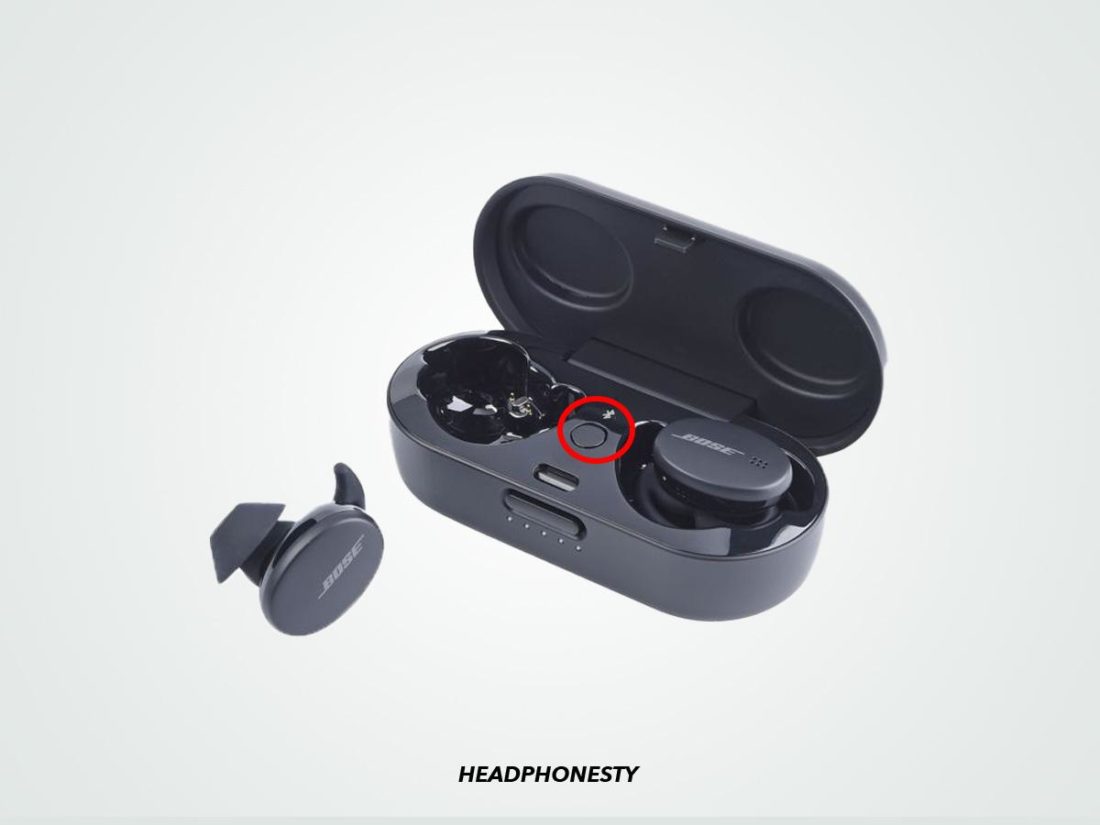
A factory reset clears corrupted Bluetooth data and forces both earbuds to resync. This single procedure resolves the majority of single-side audio failures reported by users.
Charge the Case Before You Begin
The charging case needs adequate power before initiating any reset sequence:
• Connect the case to a USB-C power source using the included cable.
• Wait for the LED to display a steady or animated light pattern.
• Confirm the light remains active for at least 10 seconds before proceeding.
A weak case can interrupt the reset mid-cycle, leaving the earbuds in an even more confused state. Always start with a powered case.
Hold the Reset Button for 20 Seconds
The reset button sits on the back of the charging case as a small metal circle.
- Open the case lid to wake the LEDs.
- Press and hold the metal reset button firmly.
- Keep holding for a full 20 seconds without releasing.
- Watch the LED behavior closely:
• It begins blinking yellow within the first few seconds.
• After several more seconds, it transitions to blinking blue.
• Release the button the instant blue blinking appears. - The earbuds are now reset and ready for pairing.
Pro Tip: Use a paperclip or SIM ejector pin to press the recessed button with enough force. If the LED never changes color, hold longer. Some units require the full 20 seconds before responding.
Re-Pair Your Earbuds After the Reset
Resetting severs every previous Bluetooth connection, so you must establish a fresh link.
- Open Bluetooth settings on your phone or tablet.
- Locate “Bose Sport Earbuds” in the device list.
- Tap the information icon and select Forget This Device.
- Toggle Bluetooth off, wait 10 seconds, then toggle it back on.
- Open the charging case near your phone.
- When “Bose Sport Earbuds” appears, tap to connect.
Play music immediately after pairing to confirm both sides produce sound. If stereo audio returns, the fix worked.
Wake a Sleeping Earbud on Bose SoundSport Free Models
The left earbud occasionally enters a deep sleep state and refuses to power on alongside the right. This is especially common with older SoundSport Free units.
Press the Bluetooth Button for 2 to 3 Seconds
• Remove the unresponsive earbud from your ear.
• Locate the small Bluetooth button on the earbud housing.
• Press and hold it for 2 to 3 seconds.
• Listen for a power-on tone and watch for an LED flash.
• Return the earbud to the case, close the lid, and wait 10 seconds.
• Reopen the case and test audio output.
If only one earbud powers on after this attempt, the other likely needs a full factory reset to re-establish the stereo link.
Check Battery and Charging Status on Both Sides
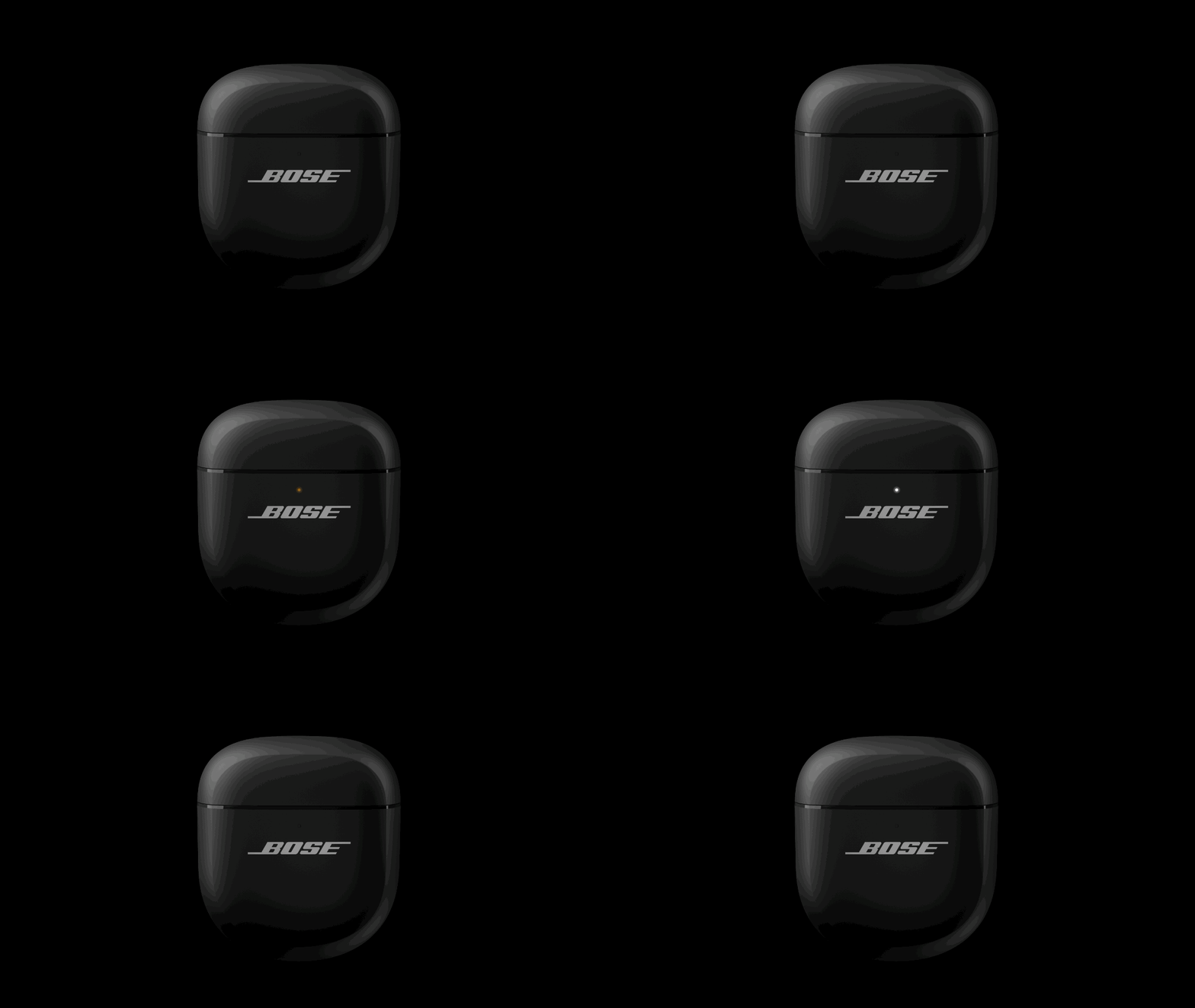
Audio dropouts and silent sides frequently stem from one earbud losing charge faster than its partner. Battery imbalance confuses the Bluetooth handshake between the two units.
Verify the LED Indicators
Place both earbuds into the charging case and observe the lights:
• Blinking white LED means the earbud is actively charging.
• Solid white LED indicates a full charge.
• No LED at all signals a seating problem or a dead battery.
Charge for at Least 15 Minutes Before Testing
If the LEDs fail to illuminate when you seat the earbuds:
- Clean the charging pins on both earbuds with a dry cotton swab.
- Re-seat each earbud firmly until you feel the magnetic snap.
- Connect the case to power and wait a minimum of 15 minutes.
- Test audio after the charging window completes.
A short 15-minute top-up often revives a deeply discharged earbud and restores balanced stereo playback.
Rule Out Software and App Conflicts
Sometimes the earbuds work perfectly, but the host device or a specific app causes the imbalance. Isolating the source saves you from unnecessary resets.
Test Audio Across Multiple Apps
Switch playback between several applications:
• Spotify
• YouTube
• Apple Music or Podcasts
• Native phone dialer for a test call
If audio plays correctly in one app but cuts out in another, the problem lives inside the misbehaving app. Clear its cache or reinstall it to restore proper stereo output.
Pair With a Different Device
Borrow another phone, tablet, or laptop and pair your earbuds:
• If both sides work on the second device, your original phone has a Bluetooth stack issue.
• If the problem persists across devices, the earbuds themselves are at fault.
Android Users: Navigate to Settings > Apps > Spotify > Storage > Clear Cache if music cuts out only inside that app.
Update Firmware to Eliminate Audio Glitches
Outdated firmware creates sync errors, dropouts, and one-sided audio. Bose regularly releases patches that address exactly these symptoms.
Update Through the Bose Music App
- Download Bose Music from the App Store or Google Play.
- Open the app and pair your earbuds.
- Tap your earbuds in the device list.
- The app displays a notification if a firmware update is available.
- Follow the on-screen prompts to install.
- Keep the earbuds in the case and charged throughout the update.
Update Through the Web for SoundSport Free
Older models like the SoundSport Free use a separate update portal:
- Visit btu.bose.com on a computer.
- Select your specific model from the dropdown menu.
- Follow the instructions to download and install the firmware.
- Connect the earbuds via USB if the site prompts you to do so.
Never interrupt a firmware update once it begins. Cutting power mid-install can brick the earbuds or leave them in an unstable state.
Refresh the Bluetooth Connection Without a Full Reset
When you want a quicker first attempt before committing to a factory reset, a simple connection refresh often resolves corrupted pairing data.
Forget and Re-Pair in Under One Minute
- Open Bluetooth settings on your device.
- Turn Bluetooth off and wait 10 seconds.
- Tap the information icon next to “Bose Sport Earbuds.”
- Select Forget This Device and confirm.
- Turn Bluetooth back on.
- Re-pair from the available devices list.
This entire process takes less than a minute and frequently fixes one-sided audio without erasing other settings.
Identify Hardware Failure When Software Fixes Fail

If every software solution above fails to restore stereo sound, the problem likely lives inside the physical components.
Signs of Hardware Damage
Watch for these red flags:
• One earbud never charges, even after hours in the case.
• No sound emerges from one side after reset, charge, and re-pair.
• Distorted or crackling audio plays from only one earbud.
• The unresponsive earbud ignores all button presses.
Contact Bose Support for Repair or Replacement
When hardware failure seems likely:
- Visit Bose Support to check your warranty status.
- Open a support ticket with Customer Service for diagnostics.
- If covered, Bose will repair or replace the defective unit.
- Out-of-warranty owners may still qualify for discounted service options.
Remember that the factory reset solves roughly 90% of single-side issues. When it fails, hardware is the most probable remaining cause.
Prevent Future One-Sided Audio Problems
A few simple habits keep your earbuds performing reliably for years.
Keep Firmware Updated Every Month
• Open the Bose Music app monthly to check for new updates.
• Enable push notifications for firmware alerts so you never miss a patch.
Seat Earbuds Properly in the Charging Case
• Always press each earbud until you feel the magnetic click.
• Wipe the charging contacts weekly with a dry microfiber cloth.
Avoid Deep Discharge Cycles
• Never leave the earbuds dead in the case for multiple days.
• Top up the case regularly, even when you are not using the earbuds.
Reset Periodically as Maintenance
Every two to three months:
• Perform a factory reset using the 20-second button hold.
• Re-pair to all your devices for a clean Bluetooth slate.
This routine prevents sync drift and keeps the wireless connection stable over time.
Frequently Asked Questions About Bose Sport Earbuds One Side Not Working
Why is only one side of my Bose Sport Earbuds working?
The most common cause is corrupted Bluetooth pairing data that breaks the stereo handshake between the two earbuds. A factory reset clears this data and restores balanced audio in roughly 90% of cases. Low battery in one earbud or outdated firmware can also trigger the symptom.
How do I perform a factory reset on Bose Sport Earbuds?
Place the earbuds in the case, connect the case to USB-C power, then press and hold the metal reset button on the back for 20 seconds. Release the button when the LED switches from blinking yellow to blinking blue. The earbuds are now reset and ready for pairing.
What do I do if my left Bose earbud will not turn on?
For SoundSport Free models, press and hold the Bluetooth button on the left earbud for 2 to 3 seconds to wake it from deep sleep. If that fails, place both earbuds in the case, charge for at least 15 minutes, then perform a full factory reset to re-sync the pair.
Can outdated firmware cause one Bose earbud to stop working?
Yes. Firmware bugs frequently create sync errors that disable one side of the audio stream. Updating through the Bose Music app or btu.bose.com patches these bugs and often resolves one-sided playback without any further intervention.
How long should I charge my Bose earbuds before testing them?
Charge the case and earbuds for at least 15 minutes before testing audio output. Deeply discharged units need this minimum window to recover enough power to complete a Bluetooth handshake with your device.
When should I contact Bose support for a silent earbud?
Contact Bose support when the factory reset, charging cycle, firmware update, and device isolation tests all fail to restore sound. Persistent silence after every software fix usually indicates internal hardware damage that requires professional repair or replacement under warranty.
Key Takeaways for Fixing Bose Sport Earbuds One Side Not Working

Start every troubleshooting session with the 20-second factory reset, since it solves the vast majority of Bose Sport Earbuds one side not working cases. Combine that reset with proper charging habits, monthly firmware checks, and device isolation tests to pinpoint the exact cause. In most situations, you will restore full stereo sound in under 10 minutes without spending a cent. If software fixes fail completely, reach out to Bose support before replacing your earbuds, since warranty coverage often applies to exactly this type of failure.



