
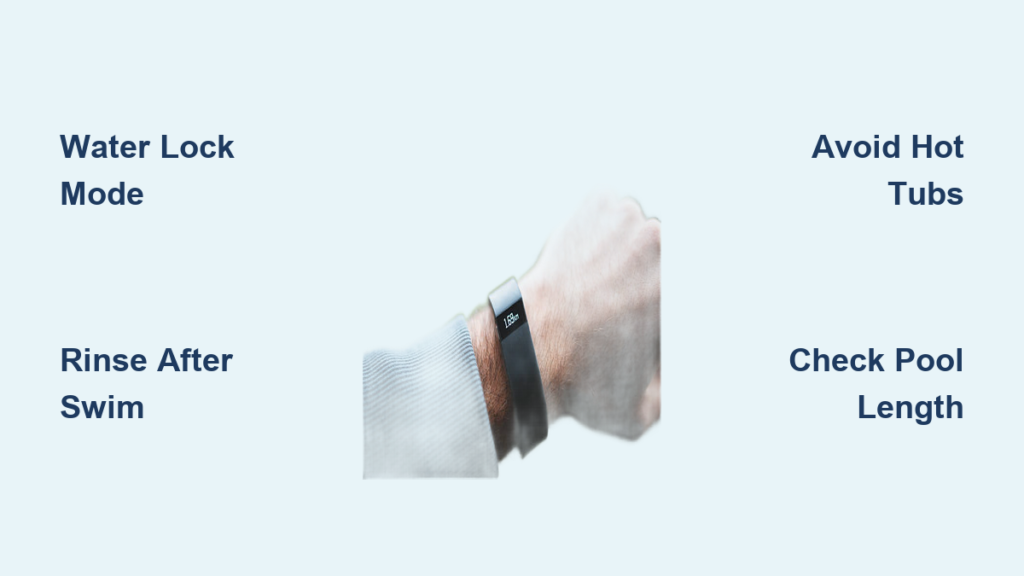
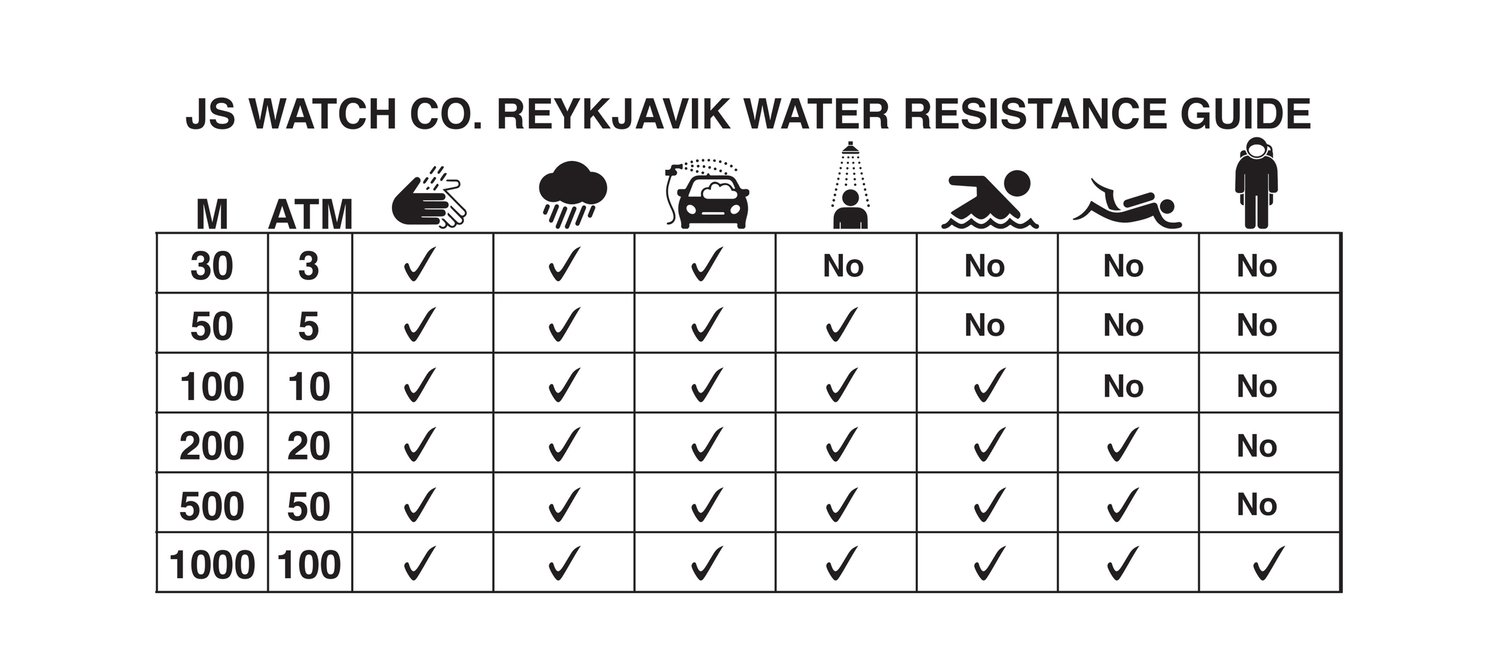
Yes, most Fitbit devices do work in water, but they are water-resistant rather than truly waterproof. The majority of modern Fitbit models feature a 5 ATM (50-meter) water resistance rating, making them suitable for swimming pools, ocean swims, and showering. However, this rating follows the ISO 22810:2010 standard for static water resistance, which means certain activities like hot tub use, scuba diving, or high-velocity water sports can exceed their limits. Water resistance also degrades over time due to wear, chemical exposure, and physical damage, so proper care is essential to extend your device’s lifespan.
In this guide, you will learn which Fitbit models are swim-ready, how to activate Water Lock mode, which environments to avoid, and how to maintain your device after water exposure. Whether you swim casually or train daily, these tips will help you get accurate data without damaging your tracker.
Check Your Fitbit’s Water Resistance Rating
:max_bytes(150000):strip_icc()/VWFitInfographics15001000px-70228fc259df4e719d2ef18a08ba2dd7.png)
Not all Fitbit devices handle water equally. Knowing your model’s rating is the first step to safe aquatic use.
50-Meter Water Resistance (Swim-Proof)
Most modern Fitbits carry a 5 ATM rating, meaning they can withstand submersion in up to 50 meters of water under controlled conditions. This makes them ideal for pool swimming, open water swims, and showering.
Swim-proof models include:
- Fitbit Charge 3, 4, 5, 6
- Fitbit Versa series (all models)
- Fitbit Sense and Sense 2
- Fitbit Inspire 2, Inspire 3
- Fitbit Ace 2, Ace 3
- Fitbit Luxe
- Google Pixel Watch 1 through 4
These devices include swim tracking features and Water Lock mode to prevent accidental screen touches underwater.
Splash-Resistant Only (Not for Swimming)
One notable exception exists in the Fitbit lineup. The original Fitbit Ace (first generation) is rated splashproof or showerproof only and should never be submerged or used for swimming activities.
How to Use Fitbit for Swimming Safely
Using your Fitbit in water requires more than just jumping in. Proper activation of features ensures accurate tracking and protects the device.
Activate Water Lock Mode
Water Lock disables the touchscreen and physical buttons to prevent accidental inputs from water droplets or movement. Without it, your Fitbit might register false touches or even end your workout prematurely.
To enable Water Lock on different models:
- Charge 5/6, Luxe, Inspire 3: Swipe down from the clock face and tap Water Lock, then firmly double-tap the screen.
- Ace 3, Inspire 2: Press the side button, select Water Lock, and double-tap the screen.
- Automatic activation: On Charge 5/6, Inspire 3, Sense 2, Versa 3/4, and Pixel Watch, Water Lock turns on automatically when you start a swim workout.
To unlock: Firmly double-tap the center of the screen. The system requires significant force to distinguish intentional unlocking from water movement.
Start a Swim Workout for Accurate Tracking
For the best results, manually start a swim workout rather than relying on automatic detection.
Steps to start:
- Swipe up or open the Exercise app on your Fitbit.
- Select Swim (Pool or Open Water).
- Confirm your pool length setting before beginning.
- Start swimming.
Your Fitbit will track duration, laps, distance, stroke type on supported models, calories burned, and heart rate on Pixel Watch 2, 3, and 4.
Avoid These Water-Related Hazards
Water resistance does not mean all-water-proof. Certain environments can bypass or destroy the seals that keep water out.
No Hot Tubs or Saunas
Never wear your Fitbit in a sauna or hot tub. High heat warps internal seals and softens adhesives, compromising water resistance. The bubbles in hot tubs create pressure surges that can force water past seals that static water pressure would not affect. Additionally, chemicals like chlorine and bromine degrade materials faster in hot water.
Even brief exposure can cause irreversible damage that may not appear immediately.
No High-Velocity Water Activities
Avoid wearing your Fitbit during water skiing, wakeboarding, jet skiing, or high-diving. These activities generate pressure spikes far beyond the 5 ATM rating. While your device may survive 50 meters of still water, a fast plunge from a diving board or wave impact can let water in.
No Scuba Diving or Freediving
Fitbit devices are not rated for scuba diving. Rapid pressure changes at depth exceed safe limits. Use a dedicated dive watch instead for any underwater diving activities.
Can You Swim in the Ocean with Fitbit?
Yes, but only with proper precautions. Saltwater is corrosive and can damage your device if left untreated.
Saltwater Risks and Rinse Protocol
Salt residue can build up in ports, buttons, and seals, leading to long-term damage even if the device appears fine immediately after use.
Best practices for ocean swimming:
- Rinse your Fitbit immediately with fresh tap water after any saltwater exposure.
- Use lukewarm water and a lint-free cloth for drying.
- Dry thoroughly before charging the device.
- Remove the band to dry skin underneath and prevent moisture trapping.
Devices like the Charge 6, Versa 4, and Pixel Watch can handle saltwater exposure, but skipping the rinse increases failure risk significantly over time.
Set the Correct Pool Length for Accurate Tracking
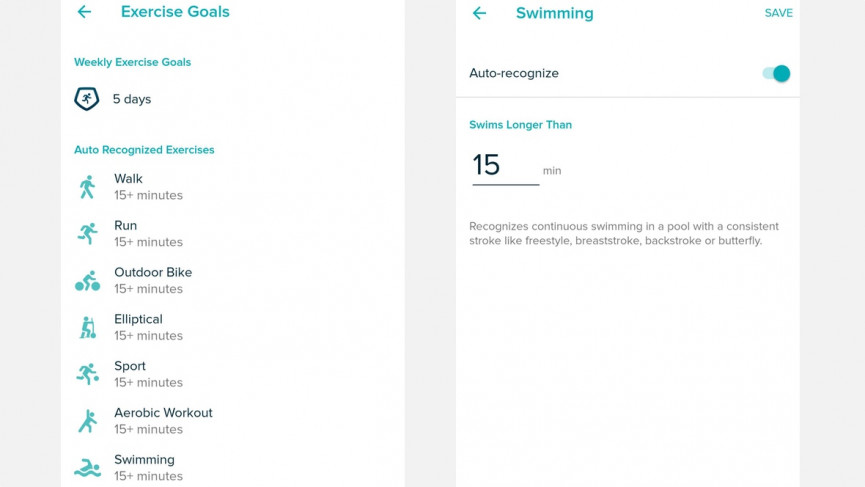
Accurate distance tracking requires your Fitbit to know the pool length. Without this setting, your distance data will be incorrect.
Why Pool Length Matters
If your pool is 25 meters but your Fitbit thinks it is 50 meters, your recorded distance will be off by 100 percent. Conversely, if your pool is 50 meters and the device is set to 25 meters, your distance will be halved.
How to set pool length:
- Open the Exercise app on your Fitbit.
- Select Swim and choose Pool Length.
- Choose from 25m, 50m, 25yd, or 50yd.
- Save the setting before starting your swim.
Some models like the Versa Lite Edition default to 25 meters. Always verify this setting when swimming at a new pool.
Why Laps Might Be Missed
Common tracking errors occur if you stop too long between laps, push off the wall inconsistently, change strokes frequently, or wear the device too loosely on your wrist. Wear the device snugly but comfortably above the wrist bone for better motion detection.
Choose the Right Band for Swimming
Your band matters as much as the device when it comes to water performance.
Use Silicone Bands
Silicone bands are water-resistant, non-absorbent, easy to clean, and resistant to chlorine and salt. Fitbit’s official silicone bands are ideal for regular swimmers.
Avoid These Bands
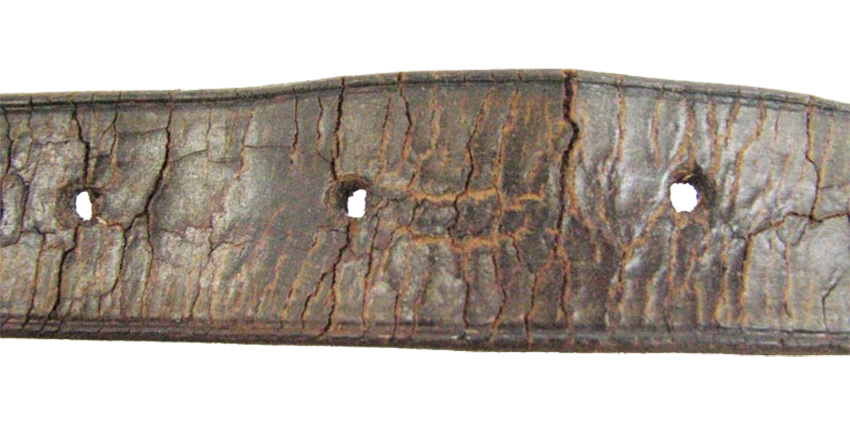
Leather bands absorb water, warp, and develop odors. Metal bands can corrode and irritate wet skin. Woven or fabric bands trap moisture and degrade quickly.
If you swim daily, keep a dedicated silicone band on your Fitbit to extend the life of both the band and the device.
Heart Rate Tracking in Water: What to Expect
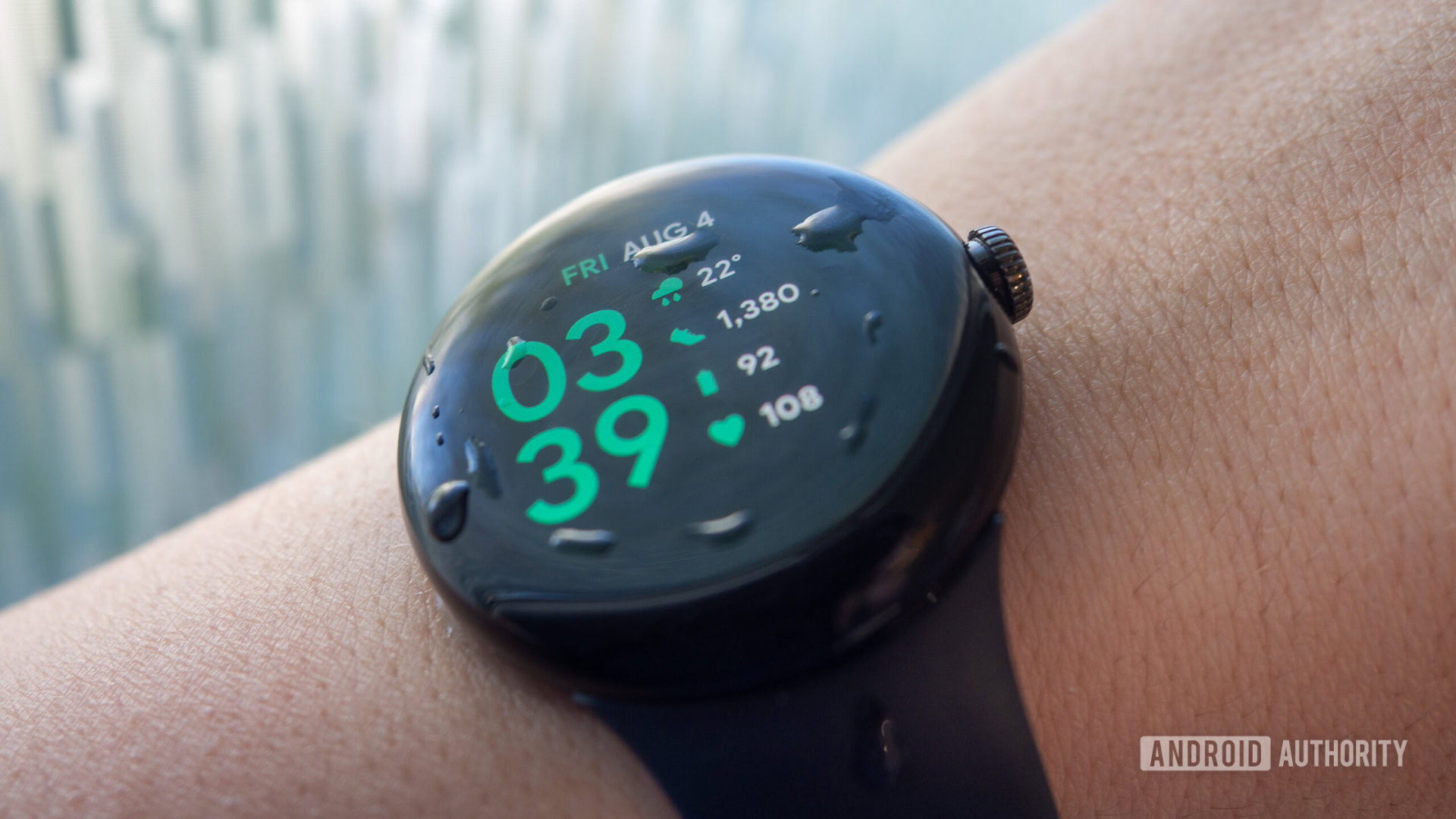
Most Fitbits struggle with underwater heart rate monitoring due to optical sensor interference from water and motion.
Which Models Track Heart Rate While Swimming
- Google Pixel Watch 2, 3, 4: Yes, with optimized algorithms designed for aquatic use.
- Fitbit Sense 2, Versa 4, Charge 6: Limited or inconsistent heart rate tracking during swims.
- Older models: Typically disable heart rate monitoring during swim mode.
Arm movement and water distortion reduce accuracy on most devices. Pixel Watch users get the best real-time heart rate data in water, but even then, expect some variance from dry-land readings.
Troubleshooting: What If Your Fitbit Fails After Water?
Even with proper care, devices sometimes fail. Here is what to do if your Fitbit stops working after water exposure.
Step 1: Dry and Restart
Power off the device completely. Wipe it dry with a lint-free cloth. If dampness may be inside, wait 24 hours before attempting to restart. To restart, hold the button for 10 to 12 seconds.
Step 2: Check Warranty Coverage
Understand that Fitbit’s warranty does not cover water damage, even on 50-meter-rated models. Coverage applies only to manufacturing defects like a cracked seal from the factory. If you swam in a hot tub, did not rinse saltwater, or dropped the device, the damage is considered user damage and falls outside warranty protection.
There is no workaround. Water-resistant does not mean waterproof, and Fitbit makes this distinction clear in all documentation.
Frequently Asked Questions About Fitbit Water Resistance
Can I wear my Fitbit in the shower?
Technically yes, since most models are rated for 50 meters, but Fitbit recommends against it. Soaps, shampoos, and conditioners degrade seals over time. If you do shower with your Fitbit, rinse it with fresh water immediately afterward.
Does Fitbit track steps when swimming?
No. Swimming does not generate steps. Instead, Fitbit logs swim minutes toward your active minutes goal. The device tracks laps, distance, and calories rather than step count during swim workouts.
Why did my Fitbit not track my swim?
Common causes include not starting the workout manually, incorrect pool length setting, swimming fewer than 6 to 12 laps continuously, or wearing the device too loosely on your wrist.
How do I clean my Fitbit after swimming?
Rinse with fresh water, wipe dry with a lint-free cloth, and avoid soaps. Use a soft brush for stubborn residue. Pat dry all sensors and charging ports thoroughly.
Can I wear my Fitbit in a hot tub?
No. High heat and bubbles compromise seals. Remove your Fitbit before entering any hot tub or sauna. This is one of the most common causes of water damage that Fitbit sees.
Does Fitbit warranty cover water damage?
No. Fitbit’s warranty explicitly does not cover water damage, even on models rated for 50 meters. Coverage is limited to manufacturing defects only.
Key Takeaways for Using Fitbit in Water
To keep your Fitbit working reliably in aquatic environments, remember these essential points. First, most modern Fitbit devices are water-resistant to 50 meters, making them suitable for swimming, showering, and heavy sweating, but they are not waterproof against high-pressure or high-velocity water activities. Second, always activate Water Lock mode before swimming and set the correct pool length for accurate tracking. Third, rinse your device with fresh water after any saltwater or chlorinated pool exposure to prevent corrosion.
Avoid hot tubs, saunas, scuba diving, and high-velocity water sports entirely, as these activities exceed the 5 ATM rating and will void any warranty claims. Use only silicone bands for swimming, and never charge your device while it is wet. Finally, accept that water resistance is a degradable feature, not a permanent guarantee. With proper care and realistic expectations, your Fitbit will track your swims reliably for years.



