

Waking up feeling groggy, disoriented, or exhausted despite getting eight hours of sleep is a common frustration. What if your alarm could know when you are in the lightest stage of sleep and gently wake you then? That is exactly what Fitbit Smart Wake aims to do. This intelligent alarm feature uses your sleep data to help you rise at the optimal moment, so you start your day feeling more refreshed and alert.
Fitbit Smart Wake works by analyzing your sleep stages, specifically light sleep, using heart rate and motion data collected overnight. Instead of jolting you awake at a fixed time, it scans a 30-minute window before your set alarm for the best possible moment to wake you. If it detects you are in a light sleep phase, it triggers the alarm early. If you are still in deep sleep, it waits and sounds at your original time as a backup.
How Smart Wake Detects Sleep Stages
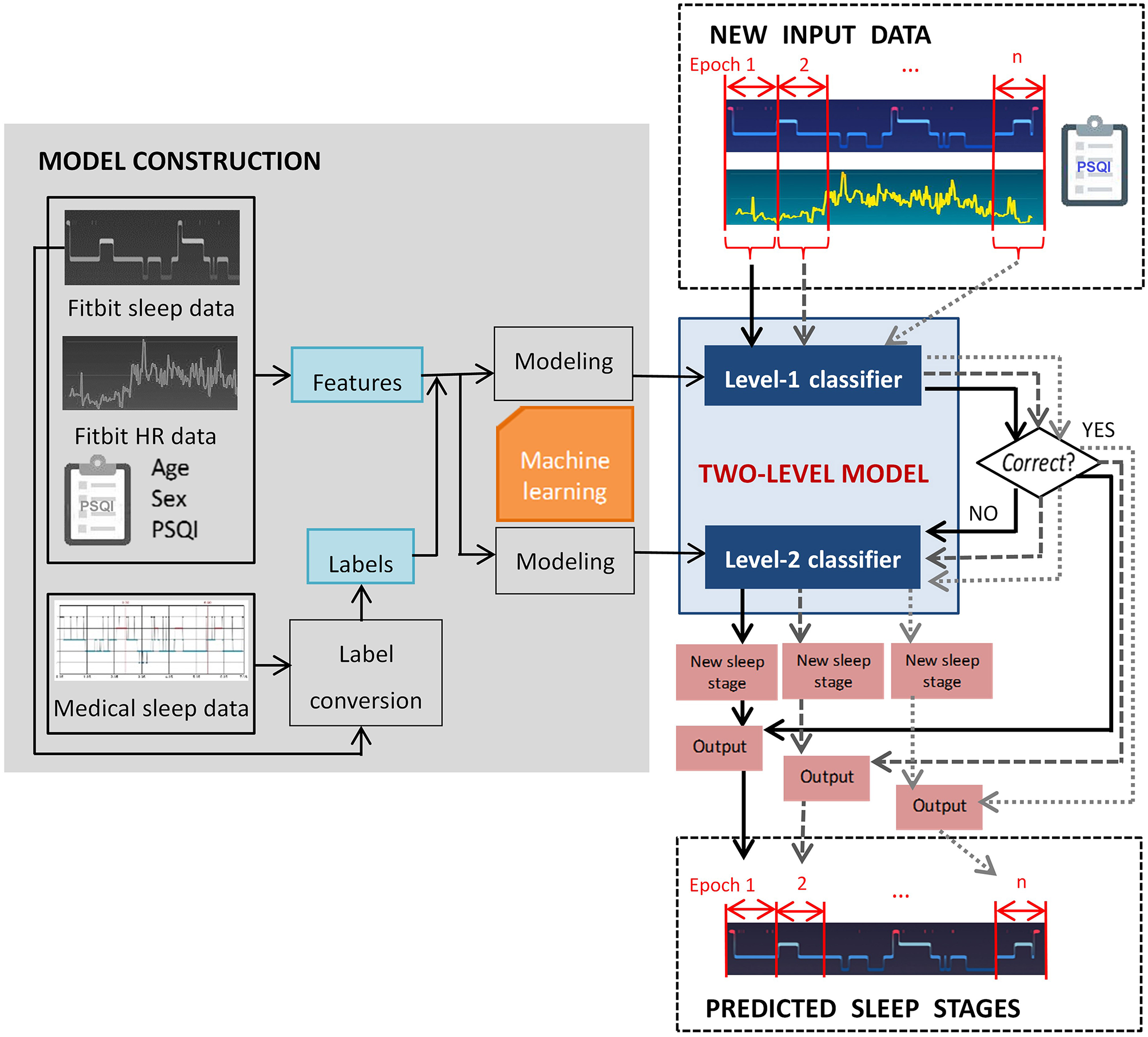
Fitbit Smart Wake does not guess when you are ready to wake. It relies on real-time biometric signals tracked while you sleep. By combining data from multiple sensors, the system identifies transitions between sleep phases and determines the ideal wake-up window.
Uses Heart Rate and Motion Sensors
The core of Smart Wake functionality lies in two integrated sensors:
- Optical heart rate monitor: Tracks heart rate variability which changes predictably across sleep stages. In deep sleep your heart rate is slower and more regular. During light sleep it becomes slightly more variable.
- Accelerometer: Detects body movement. Minimal motion typically indicates deeper sleep while small shifts suggest lighter sleep or micro-awakenings.
Together these sensors feed data into Fitbit sleep-stage detection algorithm which classifies your sleep into Light, Deep, and REM stages throughout the night.
Analyzes Light Sleep Only for Waking
While Fitbit tracks all major sleep stages, Smart Wake only triggers during Light sleep. It does not use REM sleep as a wake-up opportunity even though REM is also a lighter phase due to current algorithmic limitations.
Why avoid waking during deep sleep? Being abruptly pulled from deep sleep often causes sleep inertia, a groggy disoriented state that can last for minutes or even hours. By waiting for light sleep, Smart Wake reduces this effect and helps you feel more alert upon waking.
Note: If you remain in deep sleep for the entire 30-minute window, the alarm defaults to your original set time to ensure you do not oversleep.
Compatible Fitbit Devices and Requirements
Not every Fitbit model supports Smart Wake. The feature requires both specific hardware and updated software to function properly.
Supported Devices List
Smart Wake is available on the following Fitbit wearables:
- Fitbit Charge 3
- Fitbit Charge 4
- Fitbit Inspire HR
- Fitbit Ionic
- All Fitbit Versa models including Versa, Versa 2, Versa 3, and Versa 4
- Fitbit Sense and Sense 2
- Newer Fitbit fitness trackers released after late 2019
These devices have the necessary sensor suite and processing power to run the Smart Wake algorithm locally during sleep.
Devices That Do Not Support Smart Wake
Despite advanced sleep tracking, some models lack Smart Wake:
- Fitbit Blaze: Lacks required firmware and sensor integration.
- Fitbit Inspire 2: Can track sleep stages but does not include Smart Wake even after updates.
There is no known workaround for unsupported devices. However, user demand for Inspire 2 compatibility remains high and future updates may address this.
Software and Update Requirements
Even with a compatible device, Smart Wake will not appear unless your Fitbit watch firmware is up to date, the Fitbit app on your phone is updated to the latest version, and your device has been synced recently. If you do not see the Smart Wake option when setting an alarm, force-sync your device and check for system updates in the app.
Setting Up Smart Wake: Step-by-Step Guide
You cannot enable Smart Wake from the Fitbit app. Configuration happens directly on your wearable. Here is how to turn it on.
Enable Directly on the Device
Follow these steps to activate Smart Wake:
- Open the Alarms app on your Fitbit.
- Tap + to create a new alarm or edit an existing one.
- Set your desired wake-up time such as 7:30 AM.
- Tap Save or Done.
- On the confirmation screen, swipe up to reveal advanced options.
- Toggle Smart Wake to On.
- Confirm the change.
Once enabled, the alarm will automatically use the 30-minute wake window.
Recognize the Visual Indicator
After setup, check the alarm list. A sun-like icon or smart wake symbol appears next to the alarm time. Standard alarms show only a clock icon. If you do not see the Smart Wake icon, the feature is not active. Repeat the setup steps and ensure you swiped up to access the toggle.
The 30-Minute Wake Window Explained
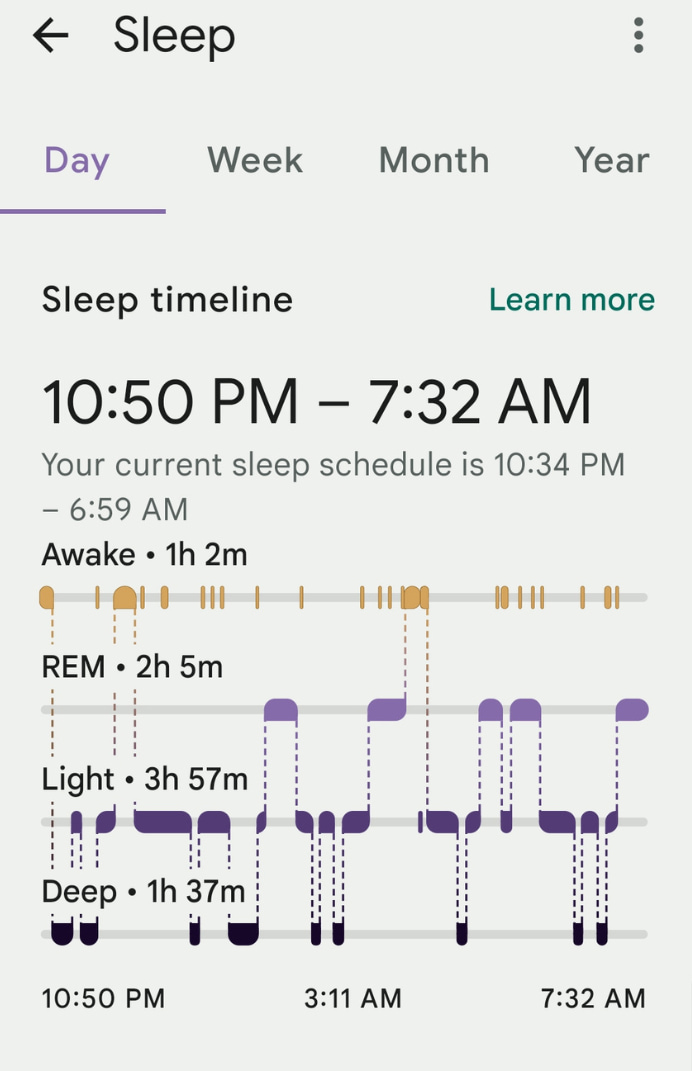
Smart Wake does not wake you randomly. It operates within a precise timeframe designed to balance flexibility and reliability.
Wake Window Starts 30 Minutes Early
When you set an alarm for 7:30 AM, Smart Wake begins monitoring at 7:00 AM. During this period it continuously evaluates your sleep stage.
- If light sleep is detected at 7:12 AM, the alarm goes off immediately.
- If you stay in deep sleep until 7:30 AM, the alarm sounds at exactly 7:30 AM as a failsafe.
This ensures you never miss an appointment while maximizing the chance of a gentle wake-up.
No Customization of Window Length
Currently the 30-minute window is fixed. Users cannot shorten or extend it. Future updates may allow customization but for now all compatible devices use the same duration.
Pro Tip: For best results, set your alarm at the latest time you can realistically wake up. This gives Smart Wake the most room to find a light sleep moment.
Battery Impact and Performance
Using sensors overnight might sound like a drain, but Smart Wake is optimized to minimize power consumption.
Minimal Effect on Overnight Battery
Smart Wake uses the same low-power sleep tracking mode as regular sleep scoring. Since heart rate and motion monitoring already run all night, adding Smart Wake does not significantly increase battery draw.
Most users can expect less than 5% additional drain over a full night use. Fitbit Charge 4 users report no noticeable difference in morning battery percentage with Smart Wake enabled. The bigger battery savings come from other features like Dynamic GPS, not sleep monitoring.
Local Processing Saves Power
The algorithm runs on-device, meaning no constant Bluetooth connection to your phone is needed. This reduces energy usage and allows Smart Wake to work even if your phone is off or out of range.
User Experience and Real-World Benefits

People who use Smart Wake often report tangible improvements in how they feel in the morning.
Feeling More Refreshed
Users consistently say they wake up feeling less groggy, more alert, and ready to start the day. One study participant noted that they used to hit snooze three times but now they are up on the first buzz most days.
This improvement comes from avoiding abrupt awakenings during deep sleep cycles.
Works Best with Flexible Schedules
Smart Wake shines for people who work from home, have variable start times, or can wake up 10 to 20 minutes early without consequence. It is less ideal for those with rigid schedules such as shift workers or parents with school drop-offs where waking even 10 minutes late is not an option.
Expert Note: Pair Smart Wake with consistent bedtimes for best results. Regular sleep patterns make sleep stage predictions more accurate.
Troubleshooting Common Issues
Even on supported devices, users sometimes struggle to get Smart Wake working.
Cannot Find the Smart Wake Option
Check these common causes:
- Device not supported such as Inspire 2 or Blaze
- Outdated firmware or app
- Did not swipe up after setting the alarm time
To fix, open the Fitbit app, go to Account, select your device, and check for updates. Sync your device and re-attempt alarm setup on the watch.
Alarm Did Not Go Off Early
Possible reasons include:
- You were in deep sleep the entire 30-minute window
- Device was not worn snugly, leading to inaccurate heart rate data
- Motion was misinterpreted such as pet movement or partner rolling over
Ensure the band fits snugly but comfortably on your wrist to maintain sensor contact.
Future of Smart Wake and Google Integration
Since Google acquired Fitbit in 2020, there has been speculation about AI-driven enhancements.
Potential for AI and Machine Learning
Google expertise in machine learning could lead to more accurate sleep stage detection, personalized wake windows based on long-term sleep trends, inclusion of REM sleep as a wake trigger, and adaptive timing that learns your weekly rhythms such as later wake-ups on weekends.
While not yet implemented, these upgrades are technically feasible and align with Fitbit shift from passive tracking to active health intervention.
Community Feedback Shapes Development
Fitbit Feature Suggestions board shows strong user demand for expanding Smart Wake to the Inspire 2, allowing custom wake windows, and adding REM-based wake options. High-vote requests often influence future updates, so participation can help drive change.
Frequently Asked Questions About Fitbit Smart Wake
Does Smart Wake work with every Fitbit device?
No, Smart Wake only works on specific Fitbit models including Charge 3, Charge 4, Inspire HR, Ionic, Versa family, Sense, and Sense 2. Devices like Fitbit Blaze and Inspire 2 do not support this feature.
Can I choose how early Smart Wake can wake me?
The wake window is fixed at 30 minutes before your set alarm time. You cannot customize this window on any currently supported device.
What happens if I am in deep sleep when the window ends?
If you remain in deep sleep for the entire 30-minute window, the alarm defaults to your original set time. This ensures you do not oversleep.
Does Smart Wake drain battery overnight?
Smart Wake adds minimal battery drain, typically less than 5% over a full night. It uses the same low-power sensors already running for standard sleep tracking.
Can I use Smart Wake with multiple alarms?
Yes, you can enable Smart Wake on individual alarms. Each alarm with Smart Wake active will display a sun-like icon next to the time.
Does Smart Wake work during REM sleep?
Currently Smart Wake does not trigger during REM sleep. It only analyzes light sleep stages for optimal wake timing.
Key Takeaways for Using Fitbit Smart Wake
Fitbit Smart Wake is a smart, science-backed way to improve your mornings. By leveraging heart rate and motion data, it finds the best moment to wake you during light sleep, helping you rise feeling refreshed instead of ragged.
The feature is limited to certain devices including Charge 3 and newer, Versa models, and Sense wearables. Setup happens on the device itself, not in the app, and the 30-minute window is fixed. Make sure your firmware and app are updated to access this feature.
For best results, pair Smart Wake with a consistent bedtime routine and set your alarm at the latest realistic time you can wake. With proper configuration and realistic expectations, Smart Wake can transform your wake-up experience, one light sleep phase at a time.



