
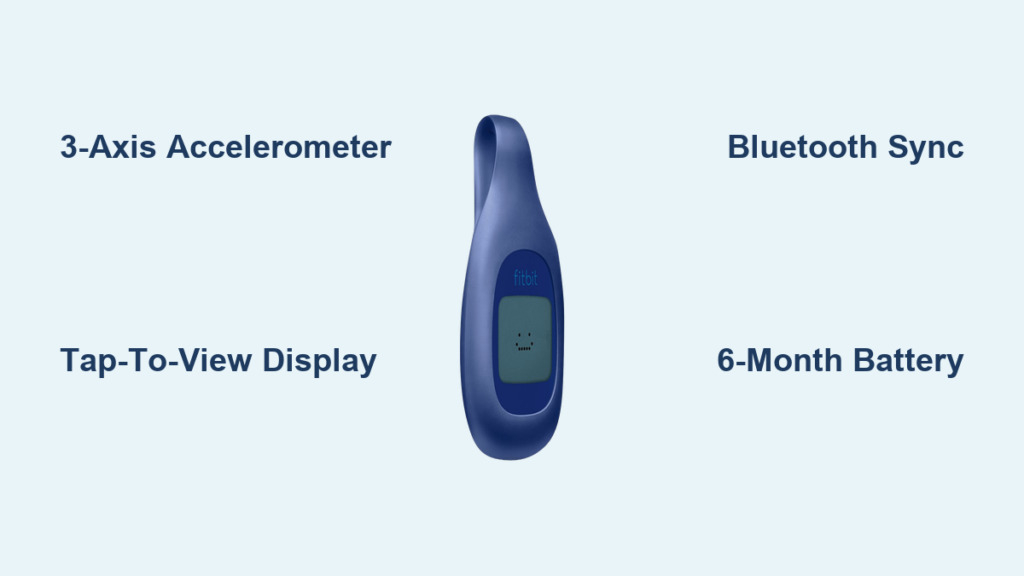
You clip it on, tap the smiley face to check your progress, and forget about it for months. No charging cables, no confusing menus, no weekly battery anxiety. The Fitbit Zip is designed for anyone who wants simple activity tracking without the tech overload of modern smartwatches. But how does this tiny device actually count your steps and turn motion into meaningful data? At its core, the Fitbit Zip uses a 3-axis accelerometer to detect movement, applies smart algorithms to filter out false steps, and syncs your activity to the cloud via Bluetooth. In this guide, you’ll learn exactly how the Fitbit Zip captures your daily movement, processes the data, and integrates with the Fitbit ecosystem to help you stay motivated.
The 3-Axis Accelerometer: How Motion Becomes Data

The heart of the Fitbit Zip is a 3-axis accelerometer, an electromechanical sensor that measures acceleration forces in three dimensions: up-down, side-to-side, and forward-backward. Every time you walk, your body creates a unique pattern of micro-motions. The accelerometer detects these vibrations and translates them into digital signals. Unlike basic pedometers that only sense vertical movement, the 3-axis design captures more natural gait patterns, improving step-count accuracy across different walking styles.
How the Algorithm Filters Real Steps
Raw motion data alone is not enough. Bumps from driving, hand gestures, or shuffling in your chair could be mistaken for steps. That’s where Fitbit’s proprietary algorithm comes in. It analyzes the timing, intensity, and rhythm of motion to distinguish real walking from noise. The algorithm identifies movements that meet a specific magnitude threshold while ignoring those below it. This threshold-based filtering prevents overcounting but may occasionally miss very light steps, such as slow shuffling or walking on thick carpet.
Environmental Factors That Affect Accuracy
While the algorithm is smart, certain conditions can impact performance. Walking on soft surfaces like plush rugs may absorb impact, causing undercounting. Bumpy car rides can mimic step patterns, leading to false positives. Carrying the device loosely in a bag increases vibration errors. For best results, clip the Zip securely to your waistband or belt, close to your center of gravity, to ensure consistent motion detection.
Setting Up Your Fitbit Zip: Step-by-Step
Getting started takes only a few minutes. First, use the included battery opener tool to access the compartment on the back of the device. Insert a CR2025 coin cell battery with the positive side facing up, then close the cover. Tap the smiley face on the device. When it lights up, the device is powered and ready to go. There is no power button, which means the Zip activates only when tapped or during syncing, conserving battery life.
Pairing With Your Smartphone
To sync data, connect the Zip to the Fitbit app on your phone. Install the Fitbit app from the App Store or Google Play. Open the app and select “Set up a Device.” Tap your Zip to wake the screen, then enter the 4-digit code displayed on the device into the app. Confirm the pairing request. Once paired, the device automatically syncs whenever the app is open and nearby. The Zip pulls time data from your smartphone, so it auto-adjusts for time zones when you travel.
Configuring Your Profile
During setup, enter your height, weight, and gender. These biometrics are critical because the algorithm uses them to calculate distance traveled and calories burned. The app also asks for your stride length, which can be estimated or measured for better distance accuracy. You can adjust these settings later in the app if your activity level or body metrics change.
Understanding the Tap-to-View Display System
The Zip saves power by keeping its screen off until you activate it. Tap the smiley face to cycle through several data screens. The display shows the smiley face first, which indicates your progress toward your daily goal. Next comes the current time, followed by your step count. The screen then displays distance traveled, calories burned, and returns to the smiley face. The display automatically turns off after a few minutes of inactivity.
Interpreting the Smiley Face Feedback
The smiley face serves as instant motivational feedback. A happy face means you are on track to meet your daily goal. A neutral face means you are behind pace. A very happy face means you have already achieved your goal. This visual cue encourages consistent movement without requiring you to check specific numbers.
Customizing What Displays
In the Fitbit app, you can enable or disable specific data screens. If you only care about steps, turn off the calories and distance displays. If you prefer simpler feedback, hide the metrics you do not use. Changes sync to the device during your next connection.
Data Syncing: From Device to Cloud
The Zip stores raw activity data locally until a sync event occurs. You can choose between manual syncing and background syncing. For manual sync, tap the Zip, open the app, and press refresh. This takes approximately 30 seconds for one day of data. For background sync, enable automatic syncing when the app runs. This ensures your stats stay up to date but may slightly increase your phone’s battery use.
What Happens in the Cloud
The Zip functions as a data collection node, not a standalone processor. Actual data analysis, trend generation, and historical logging occur on Fitbit’s backend servers. After syncing, step counts are combined with your height, weight, and gender. The cloud calculates distance traveled using your stride length and estimates calories burned based on movement intensity and your biometrics. Trends, badges, and progress reports are generated server-side, not on the device itself.
Firmware Updates
Occasional updates improve performance and fix bugs. Notifications appear in the Fitbit app when updates are available. The process takes a few minutes and requires the Zip to be near your phone. Updates often improve sync stability, time zone handling, or overall performance. Keep your app updated to ensure compatibility.
What Metrics the Fitbit Zip Actually Tracks
The Fitbit Zip tracks five core metrics. Steps are the primary function and are highly accurate for regular walking. Distance is calculated based on steps multiplied by your stride length. Calories estimates active burn using movement and your user profile. Active minutes log periods of sustained activity. Time displays the current hour and minute. All data reflects daily totals since your last reset or sync.
What the Zip Does NOT Track
Unlike newer Fitbit models, the Zip has no sleep tracking capability. You must log sleep manually in the app if desired. It does not track floors climbed because it lacks a barometric altimeter. There is no heart rate monitoring since there is no optical sensor. The Zip has no GPS, so distance is estimated rather than mapped. It also cannot display smartphone notifications because there is no vibration motor. The Zip is a pure step counter, ideal for simplicity rather than advanced fitness tracking.
Accuracy in Real-World Use
Controlled tests show strong step accuracy. Walking 100 steps resulted in 100 recorded steps. Walking 107 steps resulted in 107 counted. However, the Zip is not designed for precise athletic tracking. A 9.25-mile run was logged as only 7.36 miles due to stride variation. Extra steps sometimes get added after you stop moving. The Zip works best for monitoring daily activity trends rather than precise athletic performance.
Battery Life and Maintenance
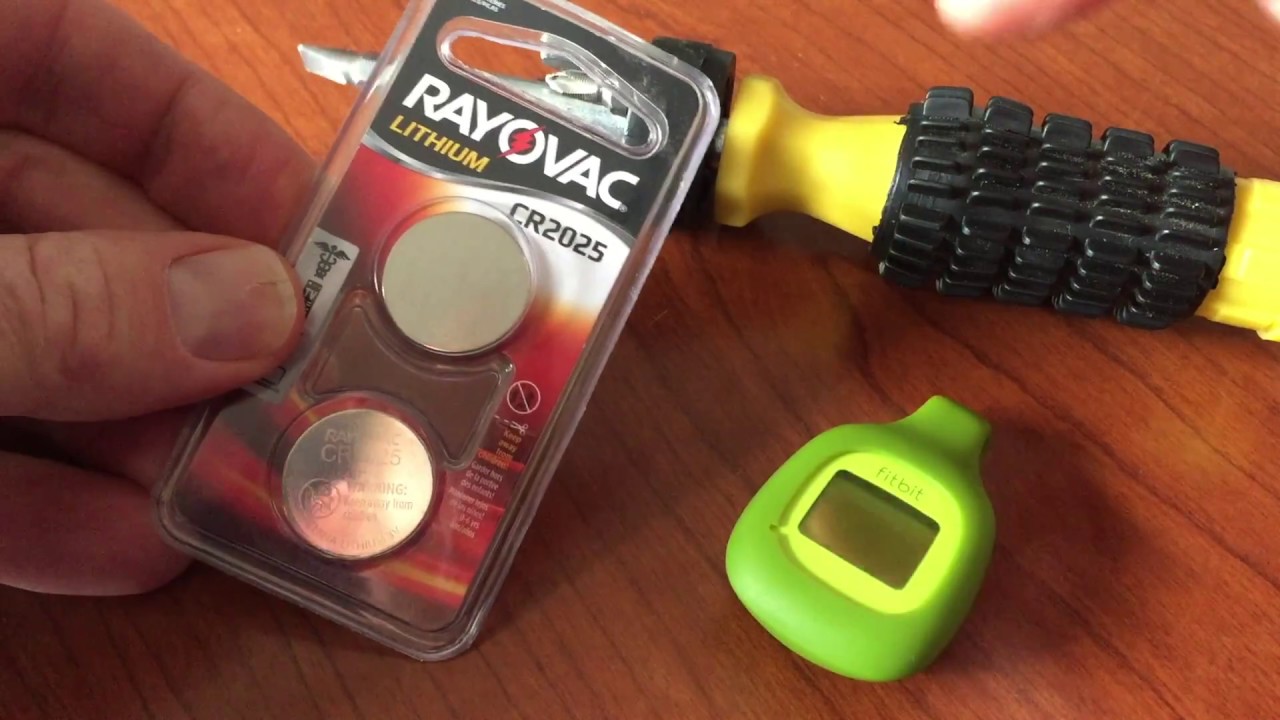
The Zip runs on a CR2025 battery that lasts approximately six months with normal use. Replacement batteries cost only $2 to $3 and are widely available at drugstores and electronics retailers. This long battery life is a major advantage over devices that need weekly recharging.
Replacing the Battery
Use the included tool to twist open the back cover. Remove the old battery and insert a new CR2025 with the positive side facing up. Close the cover securely. No reset is needed because the device powers on automatically. The process takes less than a minute.
Cleaning and Care
Wipe the device with a damp cloth if it gets dirty. Do not submerge it in water because the Zip is not waterproof. It can withstand sweat and rain but will not survive a washing machine cycle. Remove the device from clothing before washing. Store it in the rubber holder to prevent loss and protect against drops.
Troubleshooting Common Sync Issues
If you encounter “authorization failed” errors, this is usually not a device issue. Ensure you are logging into the official fitbit.com website and not a phishing site. Reset your password using “Forgot Password” if needed. Clear your browser cache or try a different browser like Chrome, Firefox, or Safari.
Fixing Sync Failures
If the Zip will not sync, check that your phone has a stable internet connection. Restart the Fitbit app. Reinstall the app if necessary. Try syncing with a different phone or tablet to isolate the problem. If all else fails, reset the Zip by removing the battery for 10 seconds, then reinsert it. Most sync issues stem from Bluetooth interference or outdated software.
Preventing Data Loss
Sync regularly to avoid data loss. The Zip holds limited local storage. Multiple missed days may take several minutes to upload. Long gaps between syncs increase the risk of incomplete data transfer. Set a daily reminder to tap and sync your device.
Who Should Buy the Fitbit Zip?
The Zip shines for beginners who are just learning to track activity. It works well for older adults, including users as old as 96, because the interface is simple and there is no touch screen confusion. It is popular in corporate wellness programs that require step verification. Anyone who dislikes charging devices weekly will appreciate the six-month battery life.
Clip-On vs. Wrist Wear: Pros and Cons
The clip-on design offers longer battery life compared to wrist-based trackers. It is unobtrusive under clothes and causes no wrist discomfort. However, it can be inconvenient with dresses or loose pants. The small size makes it easier to lose. Compare this to wrist-worn options if you prefer always-on visibility.
When to Consider Upgrading
Consider a newer Fitbit model if you want sleep tracking, heart rate monitoring, GPS route mapping, or smart notifications. But if you simply want to move more and see your daily progress, the Zip still delivers reliable performance.
Fitbit Zip vs Other Fitbit Models
| Feature | Fitbit Zip | Fitbit One | Fitbit Flex |
|---|---|---|---|
| Sleep Tracking | No | Yes | Yes |
| Stairs Climbed | No | Yes | No |
| Display | Yes (digital) | Yes | No (LED dots) |
| Battery Life | 6 months | ~6 months | 5-7 days |
| Price | $59 | Higher | Higher |
The Zip trades advanced features for lower cost and longer battery life. Compared to smartphone alternatives, modern phones have built-in step counters via Apple Health or Google Fit that are free. But some users prefer a separate device to avoid phone dependency or reduce screen time.
Frequently Asked Questions About Fitbit Zip
Does the Fitbit Zip track sleep?
No, the Fitbit Zip does not track sleep. This functionality is reserved for other Fitbit models like the One, Flex, and Alta. If you want sleep tracking, you must manually log your rest in the app or choose a different device.
How accurate is the Fitbit Zip for counting steps?
The Fitbit Zip is highly accurate for regular walking. Controlled tests show 100% accuracy for standard step counts. However, accuracy decreases for running, very slow shuffling, or walking on soft surfaces like thick carpet.
Can I swim with the Fitbit Zip?
No, the Fitbit Zip is not waterproof. It can withstand sweat and rain but should not be submerged in water. Remove it before swimming or showering to prevent damage.
How do I sync my Fitbit Zip without the app?
You can sync using the included Bluetooth Smart USB stick with a computer. Install the Fitbit desktop software, plug in the USB stick, and tap the Zip to initiate syncing. However, the mobile app is the primary intended workflow for most users.
Does the Fitbit Zip need to be charged?
No, the Fitbit Zip does not need to be charged. It uses a CR2025 coin cell battery that lasts approximately six months. Simply replace the battery when needed.
Can the Fitbit Zip track distance without GPS?
The Zip estimates distance based on step count and your stride length setting. It does not use GPS, so the distance is an approximation rather than a precise measurement. For accurate route tracking, you would need a device with built-in GPS.
Key Takeaways for Using Your Fitbit Zip
The Fitbit Zip works by combining motion sensing, smart filtering, and cloud analytics to turn everyday movement into actionable insights. It uses a 3-axis accelerometer to detect steps, applies proprietary algorithms to filter out false movements, and syncs data to Fitbit’s servers via Bluetooth for processing. The six-month battery life and simple tap-to-view interface make it ideal for users who want basic activity tracking without the complexity of modern smartwatches. To maximize accuracy, clip the device securely to your waistband near your hip, avoid loose pockets or bags, and sync regularly to prevent data loss. Whether you are starting your fitness journey or supporting a loved one’s health goals, the Zip proves that sometimes simple is better.



