
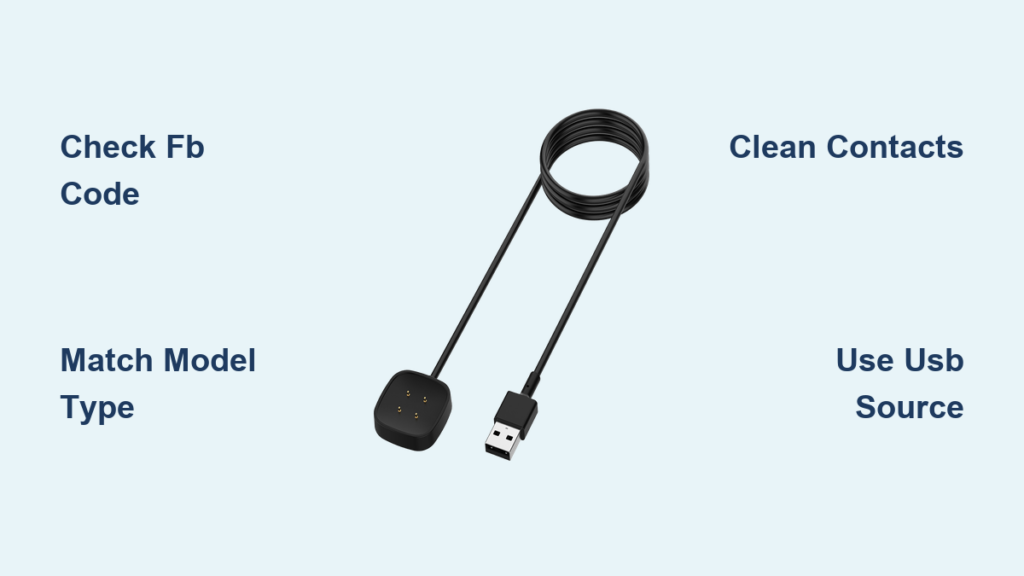
Losing or damaging your Fitbit charger can leave your device powerless and your fitness tracking at a standstill. Whether you’re replacing a lost cable, upgrading your setup, or troubleshooting charging issues, knowing how to find a Fitbit charger that is compatible with your exact model is critical. Fitbit does not use universal chargers across its lineup, and using the wrong one can lead to slow charging, connection failures, or even damage to your device. This guide provides a step-by-step approach to finding, buying, and using the right charger for your specific Fitbit model.
From identifying your device by screen shape and port design to sourcing chargers on Amazon, Walmart, or directly from Fitbit, you will learn exactly where to look and what to avoid. You will also discover which third-party chargers are trustworthy, how to charge your Fitbit in a pinch without the original dock, and common mistakes that can damage your battery.
Identifying Your Fitbit Model for Charger Compatibility
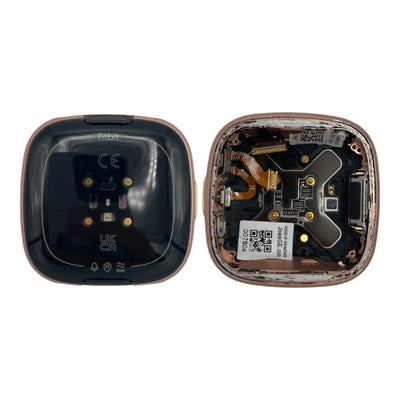
Before buying any charger, you must confirm your Fitbit model. Chargers are not cross-compatible, even among similar-looking devices. Using the wrong charger can result in no charge or potential harm to your device.
Check Back Casing for Model Code
Flip your Fitbit over and look for a small engraved label. Most devices have “FB” followed by a number that identifies your exact model.
• FB518 = Fitbit Charge 6
• FB436 = Fitbit Inspire 3
• FB415 = Fitbit Charge 5
If the text is worn, clean the back gently with a dry cloth and use a magnifying glass or your phone camera zoom for better visibility.
Analyze Screen and Band Design
If you cannot read the model number, use visual cues to narrow down your options.
| Feature | Indicates Model |
|---|---|
| Square screen | Versa, Sense, Blaze |
| Narrow rectangular screen | Charge, Inspire, Alta |
| Button to remove band | Charge 4 or newer |
| No band release button | Charge 2, Alta HR |
| Magnetic clip on back | Inspire HR, Ace 2 |
| Snap-in charging port | Inspire 3, Ace 3 |
This quick visual check helps you determine which charger type your device requires before making a purchase.
Matching Your Charger to Specific Fitbit Models

Once you have identified your device, match it to the correct charging mechanism. Fitbit uses four main types: magnetic dock, snap-in clip, clamp-style, and proprietary cradle.
Charge Series Compatibility
Charge 6, Charge 5, and Luxe use the same magnetic cable that attaches to the back port. The screen lights up when connected, and these three models are fully interchangeable.
Charge 4 requires a specific gray connector base. The Charge 3 charger will not work with the Charge 4 due to different pin layouts. Replacement cables are widely available on Amazon for approximately $10.
Charge 3, Charge 2, and Charge HR each use a unique clip-style charger with no cross-compatibility between models.
Inspire Series Charging Rules
Inspire 3 uses a snap-in mechanism with alignment pins. It is not compatible with Inspire 2, despite looking similar. Look for “Inspire 3 only” in product titles to ensure proper fit.
Inspire 2 uses a similar snap-in design but has different pin alignment. Using an Inspire 3 charger on an Inspire 2 may cause charging failure.
Inspire and Inspire HR feature magnetic attachment to the back port and vibrate when connected successfully.
Versa and Sense Series Pairings
Sense 2 and Versa 4 use magnetic docks that attach to the back of the device. The charge percentage appears on screen when connected.
Sense 1 and Versa 3 use the same magnetic design, though the battery icon flashes briefly and then disappears to allow use while charging.
Versa 2 requires a cradle-style charger with pin alignment. It is not compatible with the original Versa or Versa Lite Edition.
Original Versa and Versa Lite use a cradle where pins must align manually with gold contacts.
Other Models at a Glance
| Model | Charger Type | Notes |
|---|---|---|
| Ace 3 | Snap-in | Same as Inspire 3 |
| Ace 2 | Magnetic | Similar to Inspire HR |
| Alta / Alta HR | Clip-on | Discontinued, check specialty retailers |
| Blaze | Cradle with prongs | Remove tracker from band first |
| Flex 2 | Press into cable | Rare, limited availability |
| Ionic | Proprietary dock | Hard to find, check used markets |
Where to Purchase the Correct Fitbit Charger

Once you know your model, you have several purchasing options depending on urgency, budget, and need for warranty protection.
Fitbit Official Store
The official Fitbit store guarantees correct fit and warranty support. Prices range from $14.99 to $23.99 depending on the model. This option is ideal if you are unsure about your model or want guaranteed compatibility.
Pro Tip: Fitbit often bundles chargers with wall adapters, useful if you need both components.
Amazon
Amazon offers the widest selection with fast Prime shipping. Search using exact phrases like “Fitbit Charge 6 charger replacement” or “Official Fitbit Versa 4 charging dock” to avoid incompatible listings.
Top third-party brands include Maledan for durable magnetic hold, Kissmart for affordable fast charging, and WZHENB for longer cables at 3.3 feet. Look for listings with 4.5 stars or higher and verified purchase comments.
Walmart
Walmart offers competitive pricing with same-day in-store pickup available. Examples include TSV Versa 4 charger at $8.48, KOMI Charge 6 charger at $10.01, and Sinoacc Inspire 3 at $7.99. Check ratings before purchasing and avoid listings with fewer than 3 stars.
Specialty Retailers Like StrapsCo
StrapsCo specializes in Fitbit accessories and carries chargers for discontinued models like Flex 2, Charge 2, and Alta. Frequent sales drop prices significantly, with Flex 2 chargers as low as $4.99 and Charge HR at $3.99 during promotions.
Emergency Charging Options Without Your Original Charger

Lost your charger while traveling? You can still power up your Fitbit using common USB sources if you have the right approach.
Use a Computer USB Port
Plug your Fitbit cable into a laptop or desktop USB port. Use USB 3.0 ports (blue ports) for faster charging. Avoid USB hubs, as they may deliver unstable power that harms battery health.
Charge via Smartphone Wall Adapter
Any standard USB wall charger works with your Fitbit cable. Use your phone adapter (5V/1A typical) for normal charging speed. These adapters are found at hotels, cafes, and airports.
Power Bank Charging on the Go
Connect your Fitbit cable to a power bank USB port. This is ideal for flights, hikes, or gym trips. A 10,000mAh power bank can charge your Fitbit five or more times.
Smart TV USB Ports
Most modern TVs have powered USB ports. Plug in your Fitbit cable, but ensure the TV is turned on for the port to supply power.
Replace Just the USB Cable
Many Fitbit chargers have two parts: the proprietary dock and the USB cable. If you lost only the USB cable, replace it with any USB-A to Micro-USB or USB-A to USB-C cable depending on your dock. This costs under $5 and works instantly.
Troubleshooting Fitbit Charging Problems
Even with the right charger, problems can occur. Here is how to fix common issues.
Clean Charging Contacts
Dirt, sweat, and oils block electrical contact and cause charging failures.
- Power off your Fitbit
- Wipe gold contacts on the back with a dry microfiber cloth
- Clean charger pins gently
- For stubborn grime, use a slightly damp cloth, then dry completely
- Try charging again
Do this monthly to prevent intermittent charging issues.
Test Power Source and Cable
If your device shows no charge, try a different USB port or wall adapter. Avoid low-power sources like keyboards or USB hubs. Test with a power bank to determine if the issue is your power source or the charger.
Avoid These Charging Mistakes
• Using cheap, unbranded chargers that may deliver wrong voltage
• Unplugging before 100% regularly, which reduces long-term battery health
• Leaving the device on charger for days, causing overcharging stress
• Using fast chargers (18W+) that are not recommended for Fitbit devices
• Ignoring port hygiene, which leads to connection failures
Understanding Charging Indicators and Duration

Knowing what the lights mean helps you verify successful charging.
Charging Status Indicators
| Light or Icon | Meaning |
|---|---|
| Solid white | 100% charge (Fitbit Air, Flyer) |
| Solid battery icon | Full charge (Charge, Versa) |
| Smile face | Full charge (Charge 3/4, Inspire 2) |
| Green light | Full charge (Flex 2) |
| Red light | Low battery under 20% |
| Flashing red | Critical battery or error |
| Vibration | Successful connection |
Most Fitbit devices vibrate when charging begins.
Charging Duration
Standard charging time ranges from 1 to 2 hours for 0% to 100%. The Google Fitbit Air charges faster at approximately 90 minutes. Charging speed is affected by battery age, ambient temperature (ideal range 72°F to 86°F), and USB power output.
Avoid charging in extreme heat or cold, as this slows the process and harms battery longevity.
Key Takeaways for Finding Your Fitbit Charger
Finding the right Fitbit charger starts with identifying your specific model by checking the back casing for the FB code, analyzing screen shape and band style. Once confirmed, purchase from Fitbit for guaranteed compatibility, Amazon for speed and selection, or specialty retailers like StrapsCo for older models. Third-party chargers priced at $8 to $12 are often as reliable as official ones if they have high ratings and verified reviews. In emergencies, use your laptop, phone charger, or power bank with the original cable. Clean charging contacts regularly, avoid cheap chargers, and let your Fitbit charge fully when possible. With the correct match, your device will stay powered and tracking your fitness goals day after day.
Frequently Asked Questions About Finding a Fitbit Charger
How do I know which Fitbit charger I need?
Check the back of your device for an “FB” code followed by numbers, which identifies your exact model. You can also identify your model by screen shape (square for Versa/Sense, rectangular for Charge/Inspire) and band attachment style.
Can I use any charger for my Fitbit?
No, Fitbit chargers are model-specific. Using the wrong charger can cause charging failures or damage your device. For example, Charge 4 requires a different charger than Charge 3, and Inspire 3 is not compatible with Inspire 2 chargers.
Where is the best place to buy a Fitbit charger?
Amazon offers the best selection and fast shipping with many third-party options. Fitbit.com guarantees compatibility and warranty support. Walmart is good for in-store pickup, and StrapsCo specializes in older or discontinued models.
How much does a Fitbit charger cost?
Official Fitbit chargers range from $14.99 to $23.99. Third-party chargers typically cost $7.99 to $10.99 and work well if they have 4.5+ star ratings with verified model compatibility.
Can I charge my Fitbit without the original charger?
Yes, you can use any standard USB wall adapter, computer USB port, power bank, or smart TV USB port with your original Fitbit cable. The proprietary dock must still connect to the device, but the USB side can use any standard source.
What should I do if my Fitbit is not charging even with a new charger?
Clean the gold contacts on both the device and charger with a dry microfiber cloth. Test different USB ports or power sources. If problems persist, the charging port on your device may be damaged and require professional repair or replacement.



