

You just unboxed your Bose Sport Earbuds, slipped them in, and within minutes they slipped right back out. The good news: this is one of the most common complaints from new owners, and the fix is almost always technique, not the earbuds themselves. Getting the right fit depends on understanding how to put Bose Sport Earbuds in ear using the backward rotation method that activates the StayHear™ Max tip’s built-in stability wing.
This guide walks you through every step of the process, from selecting the correct eartip size to mastering the insertion angle and troubleshooting loose fits. By the end, you’ll know exactly how to lock your earbuds in place so they stay secure through workouts, runs, and long commutes.
Choose the Correct Eartip Size Before Insertion
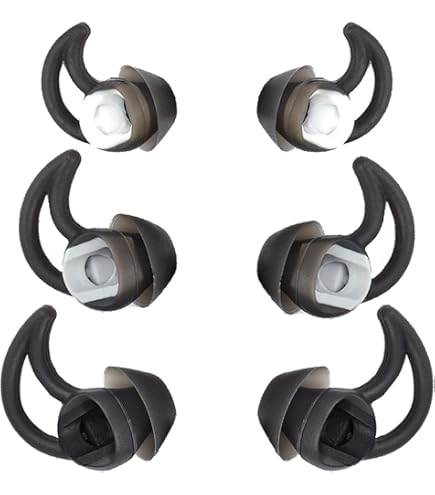
The first step in learning how to put Bose Sport Earbuds in ear is matching the eartip to your ear canal. A wrong size is the number one reason these earbuds feel unstable.
Identify the Three Included Sizes
Your Bose Sport Earbuds ship with a Fit Kit containing three StayHear™ Max eartip sizes:
• Size 1 (Small)
• Size 2 (Medium) — pre-installed from the factory
• Size 3 (Large)
Each tip is clearly labeled with its number and an L or R marking for the correct ear.
Hold Each Tip to Your Ear First
Before inserting, hold each eartip up to your ear canal entrance. The tip should:
• Sit flush without forcing into the canal
• Allow the wing to align naturally with your antihelix (the ridge above your ear canal)
If the wing looks bent or pinched when held near your ear, the size is wrong for your anatomy.
Test the Seal After Inserting
A quick check tells you if you’ve matched sizes correctly:
• Too tight: Pain or pressure means the tip is too large
• Too loose: The bud slips out easily or rattles when tapped
• Just right: Snug but pain-free, with deep, full sound
You can mix sizes between ears. Many users wear Size 2 in one ear and Size 3 in the other because ear canals are rarely identical.
Master the Backward Rotation Insertion Technique
The StayHear™ Max tip requires a specific motion to seal and lock. Simply pushing the earbud in won’t work.
Position the Earbud Correctly
- Pick up the earbud and confirm the L or R marking matches your ear.
- Aim the nozzle gently toward your ear canal entrance.
- Do not push yet; just rest the tip at the opening.
Pro Tip: Pull your earlobe slightly downward and back to open the canal. This simple move makes insertion easier and more comfortable.
Rotate Backward to Lock the Wing
- Place the eartip at the entrance of the ear canal.
- Gently rotate the earbud backward (toward your neck) by about 30 degrees.
- This rotation expands the silicone tip inside your outer ear and tucks the wing under the antihelix.
The earbud should now feel anchored, almost as if it clicked into place.
Confirm the Wing Is Tucked Properly
The wing is a structural anchor, not just decoration. Check that it is:
• Positioned under the cartilage ridge, not resting on top
• Not folded or compressed against your skin
• Conforming smoothly to your ear’s natural shape
If the wing sticks out, remove the earbud and reinsert with more backward rotation.
Replace Eartips Safely When Needed

If fit issues persist, swapping eartips is the next step. Doing it wrong can tear the silicone or damage the nozzle.
Remove Old Eartips Without Damage
- Hold the earbud body firmly with one hand.
- Do not pull the wing; this can tear the silicone.
- Gently stretch and peel the base of the eartip away from the nozzle.
Work around the circumference if needed to release tension evenly.
Install New Eartips Correctly
- Align the new eartip’s opening with the earbud nozzle.
- Slide the nozzle fully into the eartip until it seats evenly.
- Stretch the base around the earbud to ensure a gap-free seal.
Always double-check that the L/R marking matches the earbud side before inserting.
Retest the Fit After Each Change
After swapping tips, repeat the backward rotation insertion method. Listen for improved bass and stability. Expect to try two or three combinations before finding your ideal match.
Power On and Pair Your Bose Sport Earbuds
Proper setup ensures your earbuds respond immediately when inserted and deliver optimal sound.
Activate from the Charging Case
- Open the case lid; this powers on the earbuds automatically.
- Remove both earbuds; they should enter pairing mode with a blinking blue light.
Five LEDs on the front of the case display the current battery level.
Trigger Pairing Mode Manually if Needed
If no blinking blue light appears:
1. Press and hold the Bluetooth button inside the case.
2. Wait for blinking blue lights or the voice prompt “Ready to connect.”
Connect via Bluetooth or the Bose Music App
Option 1 — Direct Bluetooth
1. Open your phone’s Bluetooth settings.
2. Select “Bose Sport Earbuds” from the list.
3. Wait for a solid blue light and connection tone.
Option 2 — Bose Music App (Recommended)
1. Download the Bose Music app from the App Store or Google Play.
2. Create or log in to a My Bose account.
3. Tap the + button, select Headphones & Frames, and follow the prompts.
The app unlocks EQ customization, firmware updates, and device management.
Optimize Sound Quality After a Secure Fit
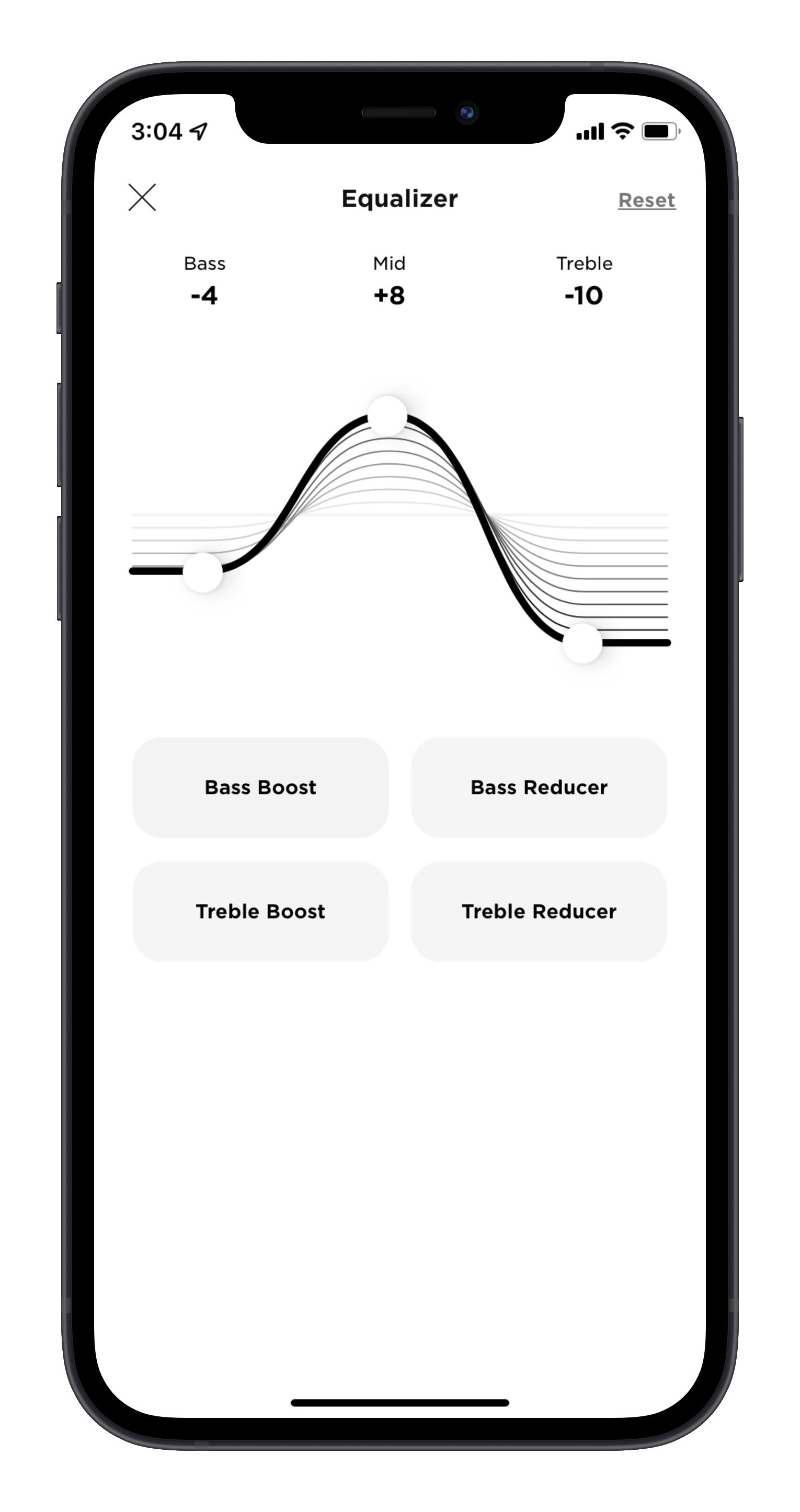
Even with a perfect fit, sound varies by ear shape. Fine-tuning your audio makes a noticeable difference.
Adjust EQ for Better Bass
Open the Bose Music app and:
• Boost bass with the Bass Boost preset
• Manually drag the bass slider up to +10
• Reduce treble if audio feels harsh
Ear canal shape affects how frequencies reach your eardrum, so these adjustments matter.
Switch Between Listening Modes
Depending on your model and app support, toggle between:
• Quiet Mode for blocking ambient noise
• Aware Mode for letting outside sound in during outdoor runs
Switch modes in the app or via your voice assistant.
Clean and Maintain Your Earbuds Weekly
A dirty eartip won’t seal properly, which ruins both fit and sound quality.
Wash the Eartips
- Remove the tips from the earbuds.
- Wash with mild soap and water.
- Rinse thoroughly and air dry completely before reattaching.
Never use alcohol, bleach, or abrasive cleaners on the silicone.
Wipe the Earbuds and Case
- Use a dry, soft cloth to clean the earbud body.
- Gently wipe the nozzles with a dry cotton swab.
- Clean the charging pins on both the earbuds and the case.
Never insert any tool into the nozzle holes; doing so can damage the internal drivers.
Store in the Case When Idle
Always return the earbuds to the charging case when not in use. They auto-power off, the magnetic pins align for charging, and the case shields them from dust, sweat, and drops.
Troubleshoot Common Fit Problems

Even with correct technique, occasional issues arise. Here’s how to fix them quickly.
Earbuds Keep Falling Out
Cause: Wing not tucked under the antihelix.
Fix:
• Re-insert with more backward rotation
• Try a larger eartip size for better anchoring
• Test by jogging in place or shaking your head vigorously
Sound Is Muffled or Bass Is Weak
Cause: Poor seal in the ear canal.
Fix:
• Re-insert with a full backward twist
• Try a larger size to fill the canal completely
• Check for earwax or debris on the nozzle
Ear Pain or Pressure
Cause: Eartip too large or inserted too deeply.
Fix:
• Switch to a smaller size
• Avoid pushing past the canal entrance
• Ensure only the silicone tip enters, not the hard plastic body
If pain persists, discontinue use and consult a hearing professional.
One Earbud Sounds Louder Than the Other
Cause: Uneven fit or debris on one driver.
Fix:
• Re-seat both buds using the rotation method
• Clean both nozzles with a dry swab
• Reset audio balance in your phone’s accessibility settings
Frequently Asked Questions About Bose Sport Earbuds Fit
How do I know which eartip size is right for me?
Start with the pre-installed Size 2 (Medium). Insert using the backward rotation method and check for a snug, pain-free seal with full bass. If the earbud feels loose, try Size 3. If it causes pressure, switch to Size 1. Many users end up using different sizes in each ear.
Why do my Bose Sport Earbuds keep falling out during workouts?
The most common reason is that the wing is not tucked under your ear’s antihelix ridge. Remove the earbud, reinsert it at the canal entrance, and rotate it backward about 30 degrees. This motion anchors the wing under the cartilage and locks the earbud in place.
Can I use Bose Sport Earbuds without the eartips?
No. The StayHear™ Max eartips are essential for both sound quality and stability. Without them, the earbuds will not seal in your ear canal, bass will be weak, and they will fall out immediately during any movement.
How often should I clean my Bose Sport Earbuds?
Clean the eartips weekly with mild soap and water. Wipe the earbud nozzles and charging contacts with a dry cotton swab every few days, especially after sweaty workouts. Always let the tips dry completely before reattaching.
What should I do if one earbud is quieter than the other?
First, re-seat both earbuds using the rotation method to ensure a consistent seal. Then clean both nozzles with a dry swab to remove any earwax or debris. If the imbalance persists, check your phone’s audio balance settings or reset the earbuds through the Bose Music app.
Are Bose Sport Earbuds waterproof?
Bose Sport Earbuds are designed for active use and resist sweat and light weather exposure. However, they are not fully waterproof and should not be submerged in water or worn while swimming.
Key Takeaways for Putting Bose Sport Earbuds In Ear
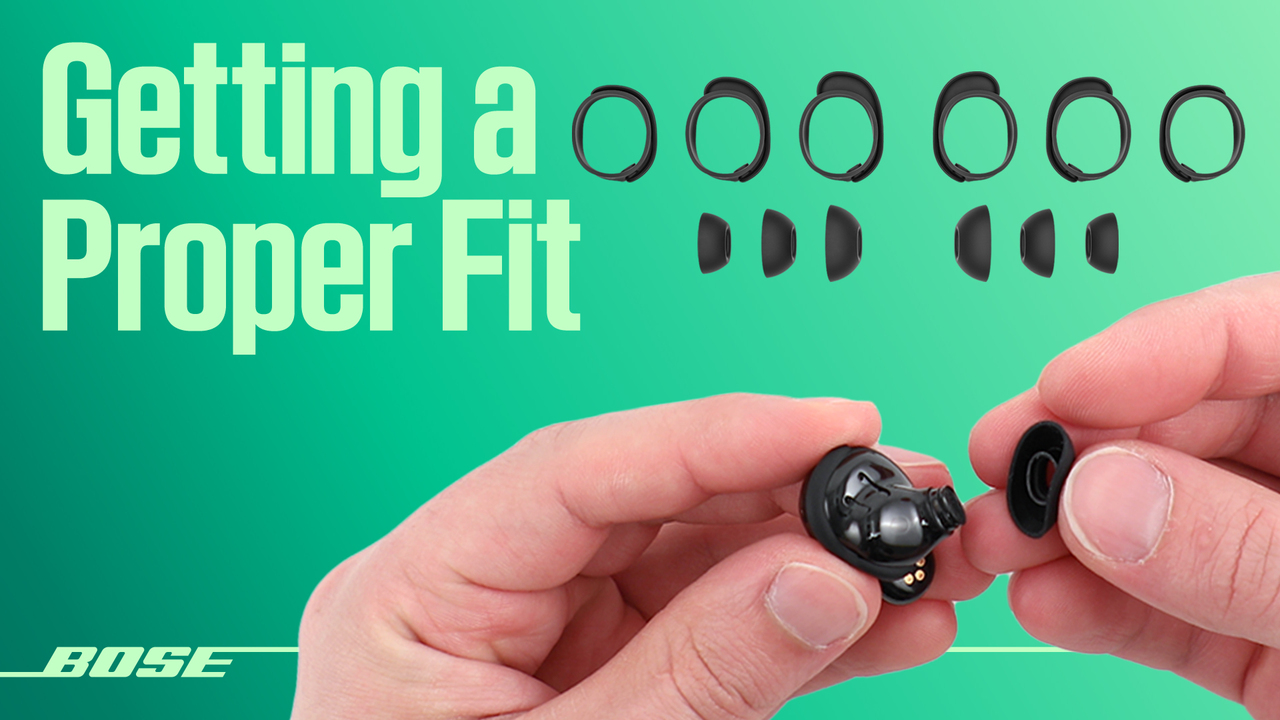
Mastering how to put Bose Sport Earbuds in ear comes down to three essentials: the right eartip size, the backward rotation technique, and proper wing placement. Start with Size 2, but don’t hesitate to mix sizes between ears; asymmetry is normal and often the key to a perfect fit. Always rotate the earbud backward after placing it at the canal entrance, and confirm the wing tucks securely under your antihelix ridge.
Your next step is simple: try the backward rotation method during your next workout. Run, jump, and shake your head to test the seal. If the earbuds stay locked in place with rich, full sound, you’ve nailed the fit. If not, swap eartip sizes and try again. Most users find their ideal combination within two or three attempts.



