
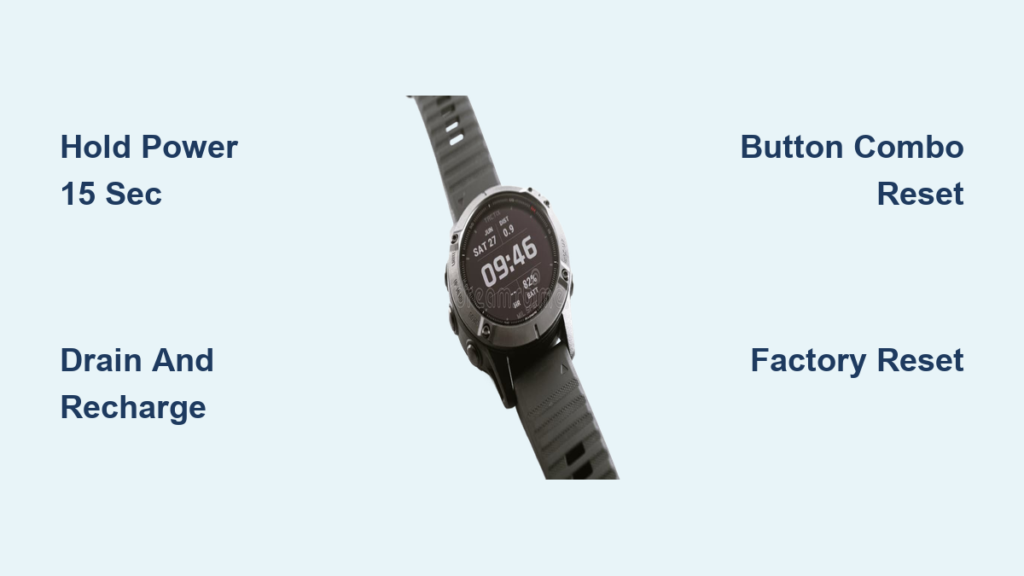
Your Garmin watch freezes mid-run. The screen won’t respond. Buttons do nothing. You’re frustrated but do not panic. A frozen Garmin watch is often fixable in minutes with the right reset method. Whether you own a Forerunner, fēnix, Venu, or Instinct, this guide gives you the exact steps to revive your device, from quick soft resets to full factory wipes.
You will learn the 15-second power trick, when to try a button combo reset, and how to recover your watch even if it will not turn on. No tech degree needed. Just clear, actionable steps that work.
Force Restart a Frozen Garmin Watch

When your Garmin watch locks up, the first fix is a force restart. This clears temporary glitches without deleting your data.
Hold the Power Button for 15 to 20 Seconds
Press and hold the Power/Light button, typically found at the top-left corner of the watch face. Keep holding for 15 to 20 seconds. Continue holding even if the screen flickers. Wait until the display goes completely black. This confirms the device has powered off.
Pro Tip: Older models like the Garmin Instinct may need a 30-second hold. If one attempt fails, try longer.
Manually Power It Back On
After the screen goes black, release the button. Wait a few seconds, then press and hold the same Power/Light button again for 2 to 10 seconds. The Garmin logo should appear. If it does not, wait a few seconds and try again.
What to Look For: A spinning logo or splash screen means the restart worked. No response? Move to the next troubleshooting step.
Alternative Reset When Screen Responds Slightly
If the watch reacts occasionally, you can avoid forcing a hard shutdown. Press the Power button until the power-off carousel appears. Select Power Off using the navigation buttons. After shutdown, press and hold the Power button for 2 seconds to turn it back on.
Troubleshoot a Non-Responsive Garmin Watch
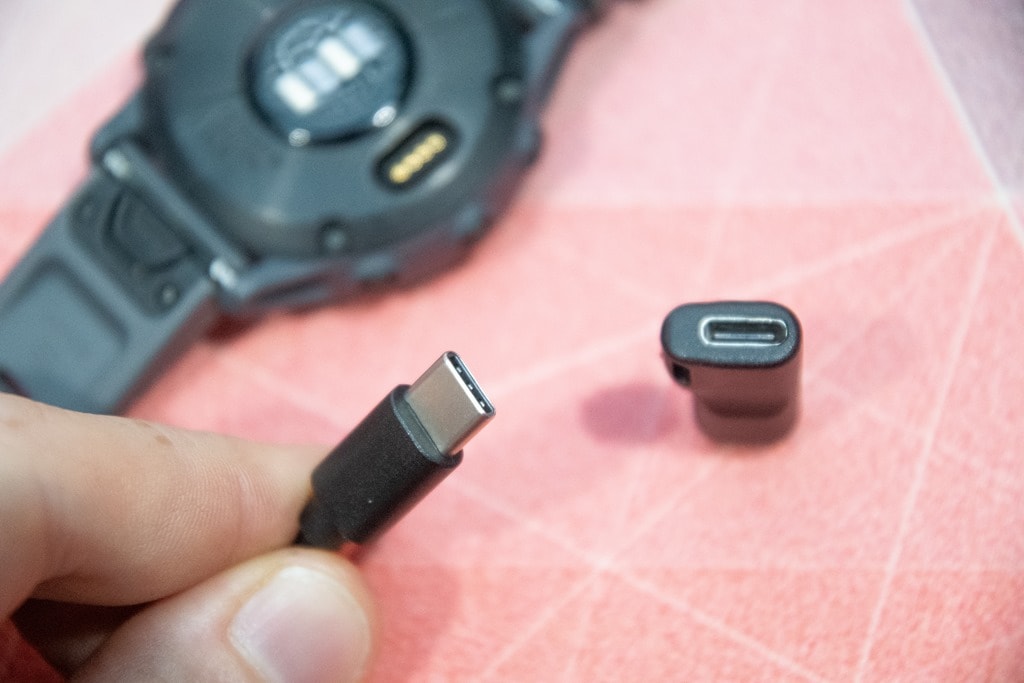
If the watch stays frozen after a restart, apply deeper recovery methods.
Drain and Recharge the Battery
When a reset fails, let the battery fully drain until the screen dies. Connect to the original charging cable for 4 to 5 minutes. Then hold the Power button for 15 seconds to restart.
Why It Works: A deep drain resets the power management system. Charging briefly ensures enough power for boot-up.
Test the Charging Cable
A faulty cable can mimic device failure. Try a different Garmin-approved cable. Use a USB port on a computer rather than a wall charger. Clean the charging contacts on the watch.
Warning: Third-party cables may not deliver stable power, causing boot issues.
Connect to a Computer for Diagnostics
Plug the watch into a PC or Mac using the data cable. Check if the device appears as a removable drive. Check if Garmin Express detects it. Even a black screen may still communicate via USB. If recognized, use Garmin Express to update firmware or run diagnostics.
Perform a Hard Reset on Your Garmin Watch
When software glitches persist, a hard reset restores system settings to factory defaults without erasing all data.
Use the Menu If the Screen Works
If the display is functional, press and hold the Menu/Up button. Navigate to Settings, then System, then Restore and Reset. Select Reset, then choose Reset Default Settings. Confirm and wait for the reboot.
Impact: Keeps activity history and user profile. You will need to re-pair with Garmin Connect.
Trigger Reset with Button Combo
For unresponsive devices, power off the watch by holding Power for 15 seconds. Press and hold the Back/Lap button. While holding Back, press and hold Power to turn it on. Keep holding Back until Restore Default Settings appears. Release and confirm.
Expert Note: This bypasses the OS and accesses low-level recovery, ideal when the interface is frozen.
Factory Reset: Wipe All Data

Use this option only when selling the device or when nothing else works.
Access Full Erase Via Settings
If the watch responds, navigate to Settings, then System, then Restore and Reset. Select Reset, then choose Reset Default Settings and Delete Data. Confirm to erase everything.
Use Button Combo for Frozen Devices
Power off the watch. Hold Back/Lap and Power/Light buttons together during startup. Release when prompted. Select Delete Data or Erase All.
Data Loss Warning: This removes activity history unless synced, custom watch faces, Connect IQ apps, training metrics, and profiles.
Exception: Devices with Physio TrueUp may restore VO2 max and HRV after syncing post-reset.
Reset a Garmin Instinct: Special Procedures
The Instinct model has unique reset behaviors due to its rugged design.
Standard Soft Reset
Hold the Light button, found at the top-left, for 15 seconds. Wait for the screen to go black. Press the Light button again briefly to restart.
User Feedback: A 5-year-old Instinct revived after a 10-second hold, then manual restart.
Extended Hard Reset
If standard reset fails, hold the Light button for 30 seconds. When the Garmin logo appears, release. Immediately press and hold Menu and Back buttons. Keep holding until a reset prompt shows.
Purpose: Forces a deeper system recovery, useful after firmware crashes or extreme conditions.
Prevent Future Freezes
Avoid recurring issues with these proactive steps.
Update Firmware Regularly
Outdated software causes instability. After any reset, connect to Garmin Express or Garmin Connect. Check for updates. Install pending firmware.
Best Practice: Enable automatic updates in the app.
Sync After Every Workout
Unsynced data is at risk during resets. Always open Garmin Connect. Confirm recent activities uploaded. Wait for sync confirmation.
Consequence: A factory reset can permanently delete unsynced workouts.
Perform Occasional Soft Resets
Like any smart device, Garmin watches benefit from periodic reboots. Do this every 2 to 4 weeks. Do this after long uptime, such as 7 or more days. Do this following software updates. Just hold the Power button for 15 seconds with no data loss.
When to Contact Garmin Support
Some issues go beyond user repair.
Signs You Need Professional Help
Contact Garmin Support if the screen stays black after charging. Contact them if the device is not detected by any computer. Contact them if physical damage or water ingress is visible. Contact them if battery drains in minutes. Contact them if reset attempts fail repeatedly.
For Older Devices: Watches over 5 years old may suffer battery degradation. Replacement may be more cost-effective than repair.
Warranty and Repair Options
Check warranty status online. Use Garmin’s repair portal for service requests. Consider professional diagnostics if used daily for training.
Frequently Asked Questions About Resetting a Frozen Garmin Watch
How do I force restart a frozen Garmin watch?
Press and hold the Power/Light button for 15 to 20 seconds. Wait until the screen goes completely black. Then press and hold the same button for 2 to 10 seconds to turn it back on.
Will I lose my data when resetting a frozen Garmin watch?
A soft reset preserves all data. A hard reset clears settings but keeps activity history. A factory reset erases everything unless data was synced to Garmin Connect.
Why does my Garmin watch freeze in the first place?
Common causes include outdated firmware, corrupted software after an update, low battery, third-party charging cables, and prolonged uptime without reboots.
Can I reset my Garmin watch if the screen is black?
Yes. Connect the watch to a computer via USB. If it is detected, use Garmin Express to run diagnostics or update firmware. You can also try the button combination reset while the screen is dark.
How long does it take to reset a frozen Garmin watch?
Most fixes take under 10 minutes. A soft reset takes seconds. A factory reset may take a few minutes due to the data wipe process.
What should I do if my Garmin watch still will not turn on after trying all resets?
Contact Garmin Support if the device remains unresponsive after all reset attempts. The watch may have hardware damage or battery failure requiring professional service.
Key Takeaways for Fixing a Frozen Garmin Watch
A frozen Garmin watch is rarely permanent. Start with the simple 15-second power hold to force a restart. If that fails, try the battery drain and recharge method. Escalate to a hard reset using the button combo if needed. Only use factory reset as a last resort.
Always sync your data to Garmin Connect before performing any reset. Keep firmware updated and use genuine cables to prevent future freezes. Save this guide for quick reference when your watch locks up again.



