
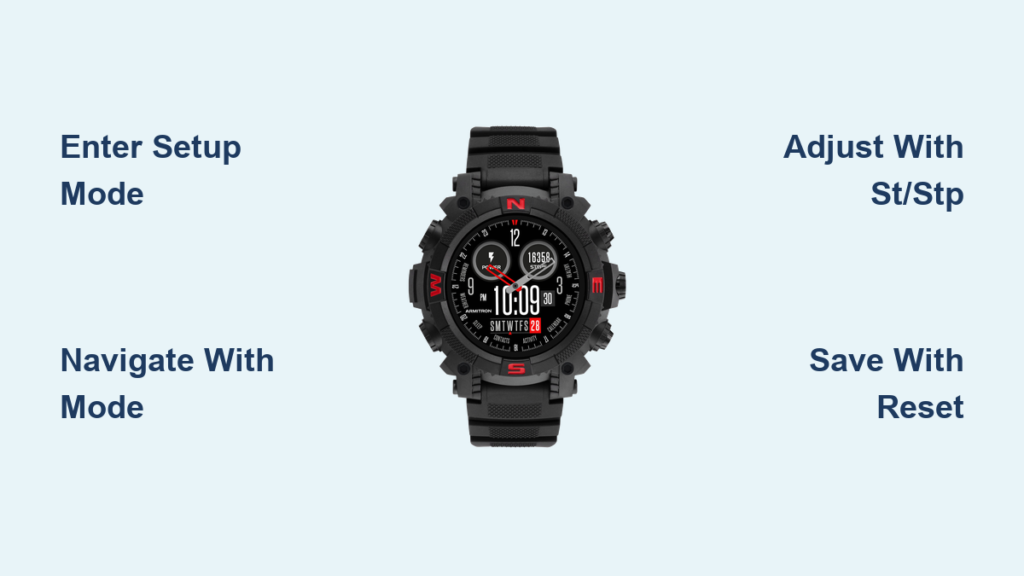
Is your Armitron watch showing the wrong time? Whether you’ve replaced the battery, traveled across time zones, or noticed a drift in accuracy, resetting the time on your Armitron watch is straightforward once you know the correct steps. The process varies depending on whether you have a digital or analog model, and even among digital subtypes like the WR330 or 45/7042 series.
This guide provides exact, model-specific steps to reset the time, switch between 12/24-hour formats, adjust the date and day, and troubleshoot common issues. You’ll learn how to enter setup mode, navigate settings, and save changes confidently without needing to guess which button does what.
Digital Armitron Watch Time Reset
Most Armitron digital watches use a four-button layout with RESET, MODE, ST/STP, and DATE buttons. The exact function depends on your specific model, but the core logic remains consistent: enter setup mode, cycle through fields, adjust values, and confirm.
Enter Time Setting Mode on Digital Armitron Watches
Locate the RESET or SET button, usually positioned on the top left of the watch case. Press and hold this button for approximately three seconds. The display will beep, and the numbers will start flashing, indicating that setup mode is active. If your model lacks a RESET button, refer to the WR330-specific instructions later in this guide.
Navigate Through Time Fields
Press the MODE button, typically on the bottom right, to cycle through the following fields in order: seconds, minutes, hours, day, and date. Stop when the desired field is flashing on the display. Avoid pressing RESET again at this point unless you want to exit without saving your changes.
Adjust Time Values on Digital Models
Use the ST/STP button on the top right to increase the flashing value. Press repeatedly to advance minutes or hours. If you overshoot the correct value, continue pressing to cycle forward around to 00. For date and day adjustments, use the DATE or ALARM button depending on your specific model. Set seconds to 00 when your reference clock hits the minute mark for optimal precision.
Save and Exit Setup Mode
Once all values are correct, press RESET or SET to exit setup mode. The display stops flashing, and the watch resumes normal operation. Verify the time matches a trusted source like your smartphone. If settings don’t save, try pressing MODE repeatedly until flashing stops, as some models require this specific exit method.
Armitron WR330 Time Reset for Model 40/8125

The WR330 and similar 40/8125 series have a unique sequence involving alarm mode as a gateway to time settings. Follow these steps carefully to avoid confusion.
Enter Clock Setup via Alarm Mode
Press and hold MODE on the bottom left until the alarm time digits begin flashing. Press MODE again, and seconds will now flash, indicating you’ve entered clock time setting mode. The alarm screen serves as an access point to other settings, so don’t skip this initial step.
Cycle Through WR330 Settings
Press DATE on the bottom right to move between settings in this order: minutes, hours, month, and date. After each press of DATE, use the ALARM button to adjust the flashing value to your desired setting. For example, to set 3:45 PM, stop when hours flash, then press ALARM until 15 appears for 24-hour format or 3 with PM indicator.
Toggle 12-Hour and 24-Hour Format on WR330
From the normal display, press and hold ALARM and MODE simultaneously for two to three seconds. The format switches instantly between 13:00 and 1:00 PM, or vice versa. No confirmation is needed, as the change takes effect immediately. The AM/PM icon or indicator will update automatically to reflect the new format.
Exit and Confirm WR330 Settings
Press MODE multiple times until all digits stop flashing. This action saves and exits, locking in your new settings. Avoid pressing RESET, as this may discard your changes on this model.
Analog Armitron Watch Time Adjustment
Analog Armitron watches use a crown, which is a small side knob, to adjust time, date, and day. The process is mechanical and requires careful handling to avoid damaging the internal movement.
Pull Out the Crown on Analog Models
Gently pull the crown outward from the watch side. It typically has two positions. The first click adjusts the date and sometimes the day. The second click, which is fully pulled out, adjusts the time by moving the hour and minute hands. Never adjust the date between 11:00 PM and 5:00 AM, as this can damage the internal gears during the automatic date change period.
Set the Date on Analog Watches
With the crown in the first position, rotate it clockwise or counterclockwise. Watch the date window change and stop when the correct date appears. If the day is incorrect, you can fix it by moving the time forward in 24-hour increments rather than forcing a manual day change.
Set the Time and Day on Analog Models
Pull the crown to the second, fully extended position. Rotate clockwise to move the hour and minute hands. Advance past midnight, which is 12:00 AM, to roll the day forward. Each full 12-hour cycle moves the day by one. For example, advancing from 11:30 PM to 12:30 AM will change the day from Thursday to Friday.
Push Crown Back In
Once time, date, and day are correct, push the crown back in until it clicks into place. The watch resumes normal operation. If hands move slowly or stop, the battery may need replacement.
Switch 12-Hour to 24-Hour Format on Armitron Watches

Different Armitron models handle time format differently, so there’s no universal toggle that works across all versions. Here’s how to switch formats on the most common models.
For Armitron 45/7042 and Similar Digital Models
Enter time setting mode by holding RESET or SET. When the hours are flashing, press ST/STP repeatedly. Cycle past 24:00, and it will switch to 1:00 AM. Continue until the correct AM/PM time appears. No button combination is needed because the format changes automatically based on the hour value you input.
For WR330 and 40/8125 Series
From the normal display, press and hold ALARM and MODE together for approximately three seconds. The watch instantly switches between 12-hour and 24-hour display. The icon or AM/PM indicator updates immediately to reflect the change. Test by setting a test alarm to verify the new format works correctly.
Set Day of the Week Correctly on Armitron Watches
A wrong day display is a common issue with Armitron watches. Here’s how to fix it on both digital and analog models.
Set Day on Digital Armitron Models
Enter time setting mode by holding RESET or SET. Press MODE until the day of the week is flashing. Use ST/STP or ALARM to advance to the correct day. Do not skip days; advance one at a time for accuracy. Set the time close to 12:00 AM when changing the day for best results.
Set Day on Analog Armitron Watches
Advance the hour hand past midnight, which is 12:00 AM, once to increment the day. For example, moving from 11:30 PM to 12:30 AM will roll the day forward. Avoid forcing a date change manually, and let the internal mechanism roll naturally through midnight. Never adjust date or day during the 11 PM to 5 AM window.
Fix Common Armitron Watch Issues
Even after resetting the time, problems can occur. Here’s how to solve the most frequent issues quickly.
Watch Not Entering Setup Mode
Weak batteries or incorrect button presses are the most common causes. Replace the battery with a CR2032 or your model-specific type. Hold RESET or MODE for five seconds instead of three. Ensure no moisture or dirt is blocking the buttons. Test by shining a light on the display; if segments are dim or missing, the battery is low.
Time Resets After Battery Change
This is normal behavior because settings are lost when power is removed. Reset the time, date, and alarms after every battery replacement. Keep a written note of your preferred settings like 12-hour mode or alarm preferences. Change the battery promptly rather than waiting for complete failure to avoid this issue.
Alarm Beeping Every Three Minutes on 45/7041 Models
The alarm is enabled but not properly set. Press MODE until a1, a2, or a3 appears on the display. Press C or ALARM to toggle the alarm OFF. Alternatively, set each alarm time to 00:00 to disable it. Hold ALARM and RESET together for three seconds to clear all alarms simultaneously.
Buttons Not Responding
Dirt, moisture, or a dead battery can cause unresponsive buttons. Clean around the buttons with a dry cloth. Replace the battery if needed. Avoid submerging non-water-resistant models. Do not force the buttons, as this can damage internal contacts.
Model-Specific Reset Tips for Armitron Watches
Armitron uses shared platforms across many models, but some have unique requirements. Use these shortcuts for specific versions.
Armitron 45/7041 Disable Persistent Alarms
Press MODE until the alarm screen appears. Use the C button to turn off a1, a2, and a3. If your model lacks a C button, set each alarm to 00:00. Exit by pressing MODE until the display stops flashing. Download a model-specific PDF from Armitron’s manual database for complete instructions.
Armitron 45/7042 Time and Format Sync
Enter setup via RESET. Set seconds to 00 when your reference clock hits the minute mark. For 12-hour mode, cycle the hour past 24:00 to trigger AM/PM mode automatically. Save by pressing RESET. Use an atomic clock or smartphone timer for the best synchronization accuracy.
Best Practices for Armitron Watch Maintenance
Keep your Armitron accurate and long-lasting with these habits.
Identify Your Model First
Check the back of the case for the model number, such as 40/8125 or 45/7042. Use this number to find exact instructions rather than guessing. Take a photo of the back before cleaning to keep a record of your model information.
Memorize Your Model’s Button Sequence
Digital models generally follow: hold RESET, press MODE to cycle, use ST/STP to adjust, press RESET to save. Analog models follow: pull crown, rotate, push back in. Avoid pressing multiple buttons during normal use to prevent accidental entry into setup mode.
Replace Battery Promptly
Watch for signs of low battery including dim display, slow-moving hands, or random resets. Replace with CR2032 or your model-specific battery type. Reset all settings immediately after replacement. Most batteries last one to two years under normal use.
Sync with Atomic Time for Precision
Wait for a clock showing exactly 12:00:00. Enter setup mode. Set seconds to 00 at the exact moment. Confirm all other values. Use time.gov or your smartphone clock in airplane mode as your reference.
Frequently Asked Questions About Resetting Time on Armitron Watches
How do I reset the time on my Armitron digital watch?
Press and hold the RESET button for three seconds until the display beeps and numbers flash. Use MODE to navigate between seconds, minutes, hours, day, and date. Press ST/STP to adjust each value. Press RESET again to save and exit.
Why does my Armitron watch time reset after battery change?
This is normal behavior because removing the battery cuts power and erases all settings. Simply reset the time, date, and any alarms after replacing the battery. Keep a record of your preferred settings for quick reference.
How do I switch my Armitron from 24-hour to 12-hour format?
For WR330 models, press and hold ALARM and MODE together for three seconds. For 45/7042 and similar models, enter time setting mode and cycle the hour past 24:00 to switch to AM/PM format automatically.
How do I change the day on my Armitron watch?
For digital models, enter time setting mode, press MODE until day flashes, then use ST/STP to advance to the correct day. For analog models, advance the hour hand past midnight once to increment the day.
Why does my Armitron alarm beep every three minutes?
This happens when an alarm is enabled but not properly set. Press MODE until a1, a2, or a3 appears, then press C or ALARM to turn it off. Alternatively, set all alarms to 00:00 to disable them completely.
Where can I find my Armitron model number?
The model number is engraved on the back of the watch case. Common numbers include 40/8125 for WR330 models and 45/7042 for digital sports watches. Use this number to download specific manuals from Armitron’s database.
Key Takeaways for Resetting Time on Your Armitron Watch

Resetting time on an Armitron watch is simple once you identify your model and follow the correct button sequence. Digital models require entering setup mode via RESET, navigating with MODE, adjusting values with ST/STP, and saving with RESET. Analog models use the crown system with two positions for date and time adjustments. Always check your specific model number on the case back before attempting any reset, and avoid adjusting date settings between 11 PM and 5 AM to prevent mechanical damage. Replace batteries promptly when you notice dim displays or slow hand movement, and always reset all functions including alarms after battery replacement. With this guide, your Armitron watch will stay accurate, reliable, and ready for daily use.



