
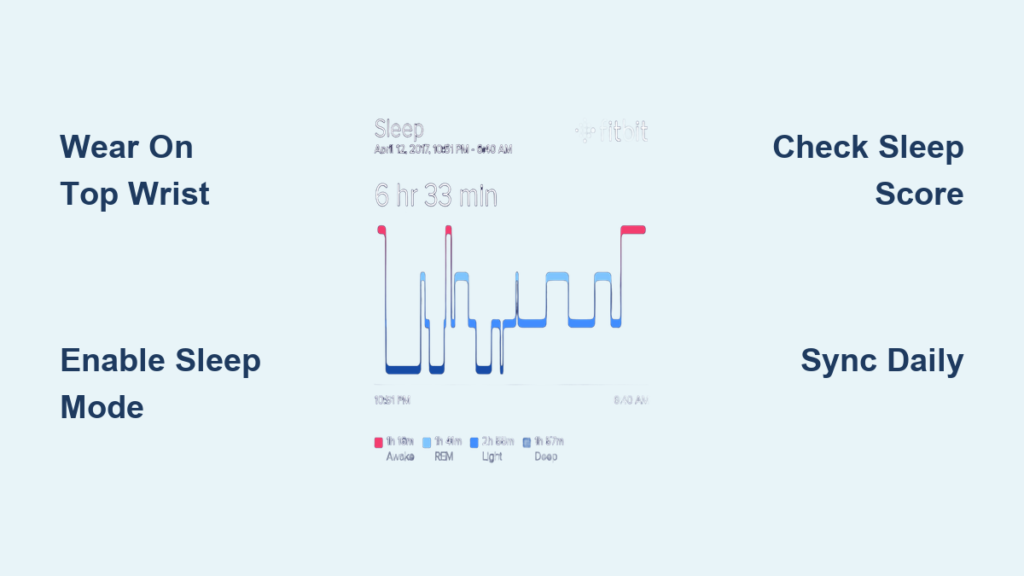
If you’ve ever wondered whether you’re really getting restful sleep, your Fitbit can give you the answers. The Fitbit sleep tracker automatically monitors your sleep stages, duration, and quality without requiring you to press a single button before bed. Using advanced sensors and smart algorithms, it captures data on your movement, heart rate, and sleep patterns every night. In just a few taps each morning, you can view detailed insights like your Sleep Score, time spent in light, deep, and REM sleep, and personalized recommendations to improve your rest.
Whether you’re troubleshooting poor sleep or optimizing for peak performance, learning how to use Fitbit sleep tracker features effectively turns nightly rest into actionable health data. This guide walks you through every step, from proper wrist placement to accessing advanced Premium features.
Enable Automatic Sleep Tracking on Your Fitbit

Fitbit devices with heart rate monitoring automatically track sleep, meaning no manual setup is required. As long as your device is worn and charged, it detects when you fall asleep based on stillness and reduced movement over approximately one hour. This means you never need to press a button or launch an app before bed.
The tracker uses accelerometers to measure motion and optical heart rate sensors to detect changes in heart rate variability, which helps identify transitions between sleep stages. To ensure tracking begins correctly, simply wear your Fitbit snugly on the top of your wrist and keep it on throughout the night.
Ensure Proper Wrist Placement for Accurate Readings
Proper placement is essential for getting reliable sleep data. The back of the device must maintain consistent contact with your skin for the sensors to work properly.
For accurate readings, follow these guidelines:
• Wear the device on the top of your wrist, not the side or underside
• Keep the back sensors in consistent contact with your skin
• Adjust the band so it’s snug but not tight; you should be able to slide one finger underneath
• Avoid wearing it too loose, as this may cause gaps in heart rate data
Confirm Your Device Supports Sleep Tracking
All modern Fitbit models support automatic sleep tracking when equipped with heart rate monitoring.
Compatible devices include:
• Fitbit Sense 2, Versa series, Charge 5/6, Inspire 3
• Earlier heart-rate-enabled devices
• Works seamlessly on both iOS and Android
If your model lacks continuous heart rate monitoring, it won’t track sleep stages. It will only record total time asleep and restlessness.
Activate Sleep Mode for Undisturbed Rest
While sleep tracking happens automatically, Sleep Mode enhances your nighttime experience by minimizing distractions from your device. It silences notifications, disables the screen wake-on-wrist-raise feature, and turns the display black so glancing at your watch won’t disrupt melatonin production. Despite these changes, background tracking continues uninterrupted.
Turn On Sleep Mode
To enable Sleep Mode, follow these steps:
- Open the Fitbit app
- Tap the Account icon (top-left)
- Select Devices
- Choose your device
- Tap Sleep
- Toggle Sleep Mode to “On”
Set Up Auto-Sleep Mode for Hands-Free Convenience
For automatic activation based on your schedule:
• Go to Today tab > Sleep Tile > Gear icon
• Set your typical bedtime and wake time
• Fitbit will automatically activate Sleep Mode at your scheduled hour
Note: You must record at least five nights of sleep data for the system to suggest an ideal schedule.
Combine Sleep Mode With Do Not Disturb
For complete nighttime quiet, enable Do Not Disturb in the Fitbit app under Alerts & Reminders. This stops all vibrations and sounds, including alarms unless you exempt specific alarms. Use both Sleep Mode and Do Not Disturb together for maximum peace.
Access and Read Your Sleep Data
Each morning, your Fitbit generates a detailed report showing how well you slept. You can view key metrics directly on your device or dive deeper in the companion app.
View Sleep Stats on Your Wrist
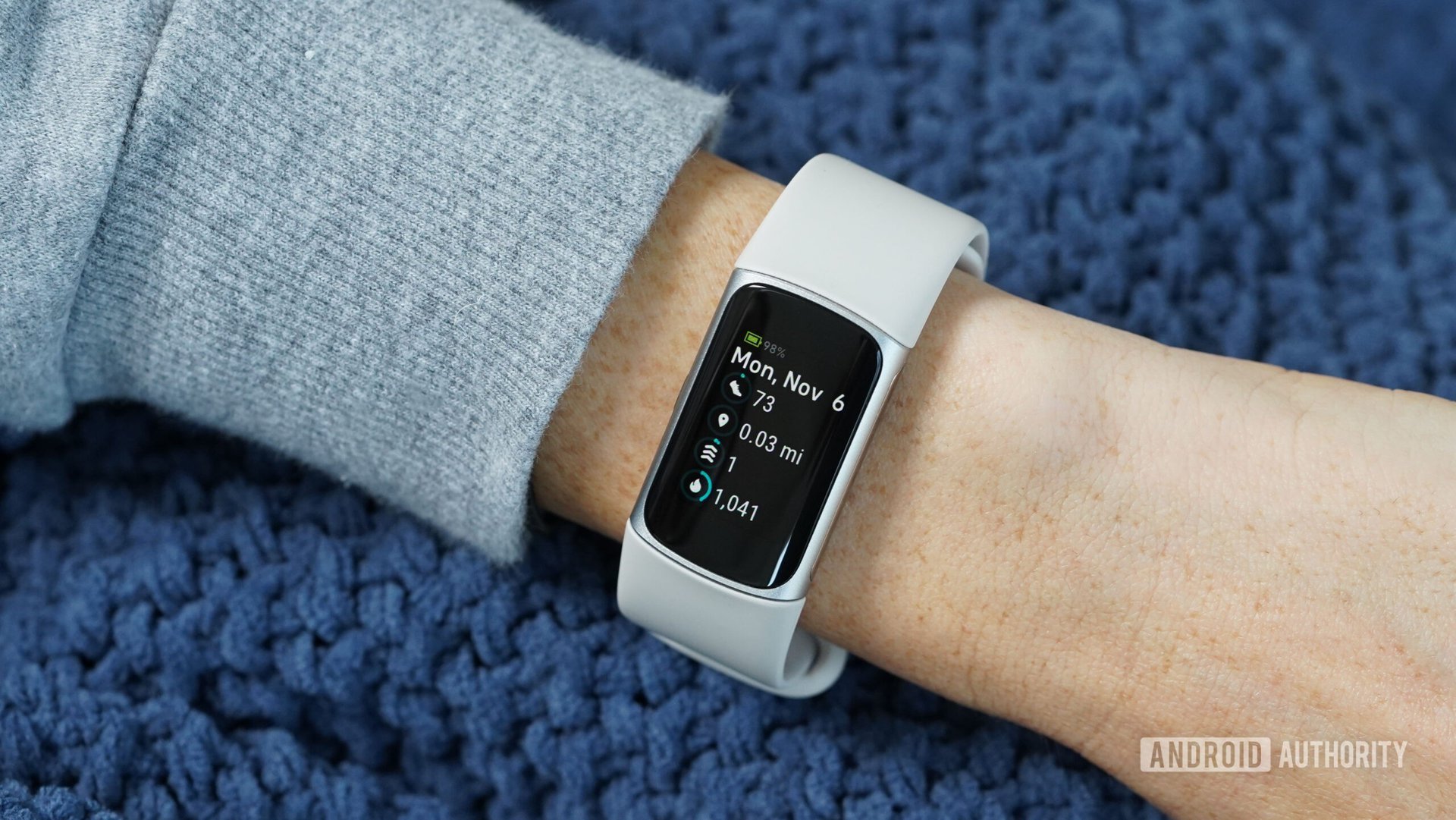
On your Fitbit screen:
- Tap or swipe up from the clock face to open Fitbit Today
- Select the Sleep Tile
- Swipe left to see total time asleep, time spent awake or restless, sleep stages (if supported), and a 7-day sleep history graph
This quick glance helps you spot trends like frequent nighttime awakenings or shorter-than-usual sleep duration.
Analyze Full Reports in the Fitbit App

For comprehensive insights:
- Open the Fitbit app
- Navigate to the Today tab
- Tap the Sleep Tile
Here, you’ll see:
• Sleep Score (0-100): A daily summary based on duration, restoration, and consistency
• Sleep Stage Breakdown: Time spent in Light, Deep, and REM sleep
• Restlessness: Number of times you moved significantly
• Sleep Schedule Adherence: Whether you stuck to your target bedtime
Tap any night to explore a timeline of your sleep cycles, including when you likely drifted off and woke up.
Understand Your Sleep Score
Your Sleep Score combines three core elements:
• Duration: Did you sleep long enough?
• Restoration: How much deep and REM sleep did you get?
• Consistency: Did you go to bed and wake up around the same time?
A score above 75 is generally considered good. Scores below 60 suggest room for improvement.
Optimize Sleep With Fitbit Smart Features
Fitbit doesn’t just track sleep. It helps you improve it using intelligent tools designed to strengthen your circadian rhythm and make waking easier.
Set a Personalized Sleep Schedule
After five tracked nights, Fitbit suggests a custom sleep schedule based on your actual bedtime and wake patterns. To adjust:
- Go to Today tab > Sleep Tile > Gear icon
- Edit your target bedtime and wake-up time
- Tap Done
This schedule powers other features like reminders and smart alarms.
Enable Bedtime Reminders
Stay consistent with Bedtime Reminders. A gentle alert reminds you when it’s time to wind down, helping reinforce a healthy pre-sleep routine.
To set it up:
- Open Fitbit app > Today tab > Sleep Tile > Gear icon
- Toggle on Bedtime Reminders
- Choose preferred time and days
- Ensure phone notifications are enabled in system settings
Use Smart Wake Alarm to Feel More Rested
Waking during deep sleep can leave you groggy. The Smart Wake Alarm reduces sleep inertia by vibrating gently within 30 minutes before your set alarm time, choosing the optimal moment when you’re in light sleep.
To activate:
- Open the Alarms app on your Fitbit or phone
- Set your desired wake time
- Toggle Smart Wake to “On”
You’ll wake feeling more refreshed, even if the alarm goes off earlier than expected.
Edit and Manage Sleep Logs
Sometimes, Fitbit may misread your sleep, like if you fell asleep on the couch or stayed still during a late-night movie. You can correct these errors manually.
Correct Start and End Times
To edit a sleep log:
- Open the Fitbit app > Today tab > Sleep Tile
- Tap the entry you want to change
- Tap the three dots (iOS) or Pencil icon (Android)
- Adjust the start time, end time, or sleep notes
- Save changes
Delete Incorrect Entries
To remove a log entirely:
- In the Sleep Tile, find the entry
- Swipe left on the log
- Tap Delete
Use this sparingly since deleting logs reduces long-term trend accuracy.
Unlock Advanced Insights With Fitbit Premium

While basic tracking is free, Fitbit Premium unlocks deeper analysis for users serious about sleep optimization.
View Monthly Sleep Profile
Premium subscribers gain access to the Monthly Sleep Profile, which analyzes ten key metrics over 30 days including average sleep duration, deep and REM sleep trends, nightly restorativeness, and consistency score. This report identifies gradual improvements or emerging issues you might miss day-to-day.
Access Guided Sleep Tools
Fitbit Premium includes guided meditations for falling asleep, breathing exercises to reduce pre-sleep anxiety, and sleep stories narrated by calming voices. These tools integrate directly into the app and can be launched from your device before bed.
Compare Long-Term Trends
Premium allows side-by-side comparisons of weekly sleep averages, sleep stage evolution, and impact of lifestyle changes. Use this data to test what works, like whether cutting caffeine after 2 PM improves your deep sleep percentage.
Improve Accuracy and Avoid Common Mistakes
Even the best tech needs proper use. Many users unknowingly reduce data quality due to simple errors in wear or settings.
Common Tracking Errors to Avoid
| Mistake | Consequence | Fix |
|---|---|---|
| Wearing device too loose | Gaps in heart rate data | Snug fit with slight wiggle room |
| Placing sensor on wrist side | Inconsistent skin contact | Wear on top of wrist |
| Removing device at night | Missed tracking | Wear it all night |
| Not syncing daily | Delayed data in app | Open app each morning |
Sync Daily for Best Results
Sync your device every day by opening the Fitbit app upon waking and waiting for automatic sync, which usually takes 10-20 seconds. This ensures sleep data appears promptly and triggers morning insights.
Charge Your Fitbit Regularly
Low battery can interrupt tracking. Charge your Fitbit nightly if needed. Most models last 4-7 days. Check battery percentage in the app and never let it die mid-sleep.
Use Data to Improve Sleep Hygiene
The real power of the Fitbit sleep tracker lies in turning data into action.
Identify Disruptive Patterns
Look for recurring issues in your sleep data:
• Frequent awakenings could indicate stress, noise, or alcohol consumption
• Low deep sleep may signal poor sleep quality or overtraining
• Inconsistent bedtimes hurt circadian rhythm and Sleep Score
Use the trends view in the app to correlate sleep with lifestyle factors.
Make Data-Driven Adjustments
Try one change at a time:
• Go to bed 15 minutes earlier and monitor your Sleep Score
• Avoid screens one hour before bed and check if restlessness decreases
• Exercise earlier in the day and observe deep sleep improvements
Track results over 5-7 nights to judge effectiveness.
Share Reports With Health Providers
Fitbit allows you to export sleep data, which is useful for discussing insomnia, sleep apnea symptoms, or fatigue with doctors. This provides objective evidence beyond memory-based recall.
To export data, go to Settings > Privacy > Data Export in the app to request a report.
Frequently Asked Questions About Fitbit Sleep Tracker
Does Fitbit automatically track sleep?
Yes, Fitbit devices with heart rate monitoring automatically track sleep without any manual activation. The device detects when you’ve been still for about an hour and begins tracking automatically.
How do I see my sleep stages on Fitbit?
Open the Fitbit app, go to the Today tab, and tap the Sleep Tile. Tap on any night’s entry to see the breakdown of Light, Deep, and REM sleep stages.
What does a good Sleep Score look like?
A Sleep Score above 75 is generally considered good. Scores below 60 suggest there’s room for improvement in your sleep duration, restoration, or consistency.
Can I edit my sleep log if Fitbit recorded the wrong time?
Yes. Open the Fitbit app > Today tab > Sleep Tile, tap the entry you want to change, tap the three dots (iOS) or pencil icon (Android), adjust the times, and save.
Does Fitbit Premium improve sleep tracking?
Fitbit Premium unlocks the Monthly Sleep Profile, which analyzes ten key metrics over 30 days, plus guided meditations and breathing exercises designed to help you fall asleep.
Key Takeaways for Using Your Fitbit Sleep Tracker
The Fitbit sleep tracker is a powerful tool, but only if used correctly. By wearing your device properly on the top of your wrist with a snug but comfortable fit, you ensure accurate heart rate and movement data collection throughout the night. Remember to sync your device daily and keep it charged to avoid losing valuable sleep data.
The real value comes from reviewing your Sleep Score and sleep stage breakdown each morning, then using those insights to make incremental improvements to your sleep hygiene. Start with one change, like setting a bedtime reminder or enabling Smart Wake, and track the results over a week before trying another adjustment.
With consistent use and attention to the data your Fitbit provides, you gain unprecedented visibility into your rest. From automatic stage detection to smart alarms and personalized coaching, mastering how to use Fitbit sleep tracker features empowers you to build healthier, more restorative sleep habits one night at a time.



