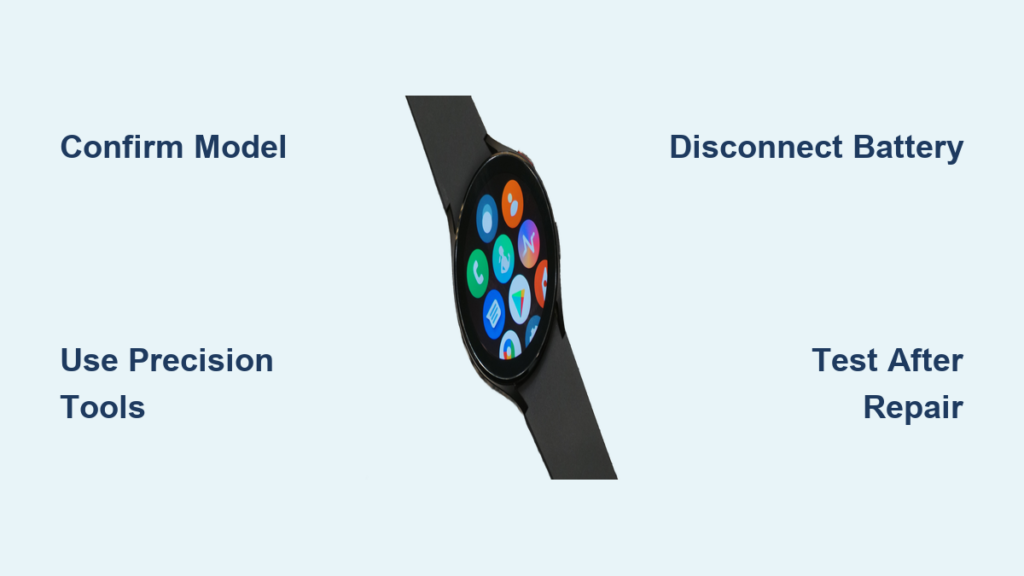
If your Samsung Galaxy Watch 4 no longer lasts through the day, you are not alone. After two years of daily charging, many users see battery life drop to just 15 to 16 hours, even with health sensors active. While software tweaks can help, true battery degradation often requires a physical replacement. The good news is you can replace the battery in your Galaxy Watch 4 through DIY repair or professional service.
This guide covers everything you need to know: step-by-step DIY instructions, required tools, model-specific battery specs, professional repair options, cost comparisons, and real user insights. Whether you are considering a ten-dollar battery swap or weighing a trade-in for a Galaxy Watch 8, you will leave knowing exactly what to do and what to avoid.
Confirm Your Watch Model First
Before buying any parts, verify your exact model number. Using the wrong battery can cause poor fit, charging issues, or permanent hardware damage.
Find Your Galaxy Watch 4 Model
The battery capacity depends on watch size and connectivity type:
- 40mm models: 247 mAh (SM-R870 or SM-R875U)
- 44mm models: 361 mAh (SM-R860 or SM-R865U)
To check your model, try these methods:
- On the device: Remove the band and read the engraving on the back of the case
- In software: Open Galaxy Wearable app, select your watch, tap About, and view the model number
- On packaging: Check the original box or receipt
Never interchange 40mm and 44mm batteries. The 361 mAh unit is physically larger and will not fit in a 40mm case.
Gather Precision Repair Tools

Replacing the Galaxy Watch 4 battery demands micro-screwdrivers and non-conductive tools. Standard toolkits will not work. Stripped screws or punctured batteries are common with improper equipment.
Essential Tools List
- Y6 or tri-wing screwdriver for removing back cover screws (four total)
- Joe’s 1.5 Plus screwdriver for removing the single motherboard screw
- Joe’s Flathead or plastic spudger for lifting delicate connectors
- Pride tool or plastic pry tool for opening the back cover safely
- Heat gun or hair dryer to soften adhesive around the casing
- Isopropyl alcohol (90% or higher) for cleaning corrosion and residue
- Lint-free swabs for applying cleaner without leaving fibers
- Replacement battery that matches your exact model
Pro Tip: Buy a complete Joe’s iFixit toolkit. It includes all specialized drivers and non-metal tools needed for this repair.
Power Off and Prepare Your Workspace
Skipping preparation increases the risk of static damage, lost screws, or accidental short circuits during repair.
Pre-Disassembly Checklist
- Power off the watch completely before starting
- Remove the strap for full access to the back of the device
- Work on a clean, well-lit surface
- Use a magnetic mat or labeled container to keep screws organized
- Take photos during disassembly to guide reassembly
Never rush the process. One misplaced flex cable can kill the screen or damage the sensors permanently.
Remove Back Cover Safely
The Galaxy Watch 4 uses strong adhesive and four perimeter screws to maintain water resistance. Heat and precision are key to opening it without damage.
Apply Heat to Soften Adhesive
- Use a hair dryer or heat gun on a low setting
- Warm the outer edge for 60 to 90 seconds, rotating the watch evenly
- Target temperature should be 70 to 80 degrees Celsius, hot to touch but not scorching
Do not overheat the watch. Excessive heat can warp the casing or damage the battery beneath.
Unfasten and Lift the Back Cover
- Remove the four screws using a Y6 or tri-wing driver
- Starting near the power button, insert the Pride tool into the seam between cover and case
- Gently twist to pop the cover open. Do not force it
- If resistance persists, reapply heat and try again
Once open, do not fully detach the cover yet. A flex cable still connects the back sensors to the motherboard.
Disconnect Back Cover Flex Cable
- Locate the thin ribbon cable linking ECG, heart rate, and temperature sensors
- Use a spudger or flathead tool to lift the connector from its socket
- Pull straight up. Never yank sideways
Set the back cover aside carefully while keeping the flex cable accessible.
Access the Battery Connector

You do not need to remove the entire motherboard. Simply lift it enough to reach the battery plug underneath.
Disconnect LCD Flex Cable
- Find the white or gold connector near the top of the motherboard
- This cable links the display to the board
- Use a spudger to gently pry it upward from the socket
- Apply even pressure. Tearing this cable disables the screen permanently
Remove Motherboard Securing Screw
- Locate the single small screw near the battery connection
- Use a Joe’s 1.5 Plus driver. Standard tools will strip this screw
- Remove the screw and keep it safe for reassembly
Lift Motherboard Slightly
- Insert the spudger under the battery side of the board
- Gently pry upward just enough to expose the battery connector beneath
- You only need 3 to 4mm of clearance
The motherboard stays connected to the display. Only lift it partially.
Replace the Old Battery
Now you can safely remove and swap the battery in your Galaxy Watch 4.
Disconnect Battery Connector
- The battery plugs into a small socket on the motherboard
- Use the spudger tip to lift the connector straight up
- It should click free. Do not pull the wires
Remove the Old Battery
- The battery is held by light adhesive, not strong glue
- Slide a plastic tool under one edge and slowly peel it out
- Never puncture, bend, or crush the battery. Risk of fire or chemical leakage exists
If the battery is swollen or damaged, do not proceed. Seek professional disposal instead.
Clean Battery Compartment
- Use isopropyl alcohol (90% or higher) and a lint-free swab
- Wipe away adhesive residue, any corrosion, and dust or debris
- Let the area dry completely before installing the new battery
Install New Battery
- Ensure the replacement matches your exact model (247 or 361 mAh)
- Align the notch and pin. This small detail is critical for proper fit
- Press the battery down firmly. It sticks with pre-applied tape
- Verify it sits flat and secure in the compartment
Reconnect Battery
- Plug the connector straight into the socket
- Press until it clicks securely
- Gently tug to test. It should not come loose
Reassemble the Watch Carefully
Reassembly is just as risky as disassembly. One misaligned cable can prevent boot-up entirely.
Reinstall Motherboard
- Lower the motherboard into place
- Align all connectors and screw holes
- Press down gently until seated
- Reinstall the 1.5 Plus screw. Hand-tighten only
Reconnect LCD Flex Cable
- Align the cable with the socket
- Press it in until it locks. You should feel resistance
- Do not over-press. Fragile pins can bend easily
Reattach Back Cover
- Align the cover starting from the button side
- Press around the edges to reseal the adhesive
- Reconnect the back cover sensor flex cable to the motherboard
Secure Screws in Pattern
- Reinstall the four back cover screws
- Tighten in a zigzag pattern (top-left, bottom-right, etc.) for even pressure
- Do not over-tighten. Samsung threads are soft and strip easily
Test Watch After Repair
Never skip testing. A loose connection may prevent startup or cause intermittent failures.
Power On and Boot Check
- Press and hold the power button
- Watch should vibrate and display the Samsung logo
- If no response, power off and recheck battery and LCD connections
Verify Core Functions
Test these features after repair:
- Touchscreen responsiveness
- Power and back button operation
- Heart rate sensor
- ECG functionality if available
- GPS and LTE on cellular models
Monitor Charging Behavior
- Place on charger for 30 minutes or more
- Look for normal charging animation, no overheating, and no swelling
- If battery gets hot, power off immediately. This indicates a short circuit
Track Battery Life Over 48 Hours
- After a full charge, use the watch normally
- Compare to expected performance: 40mm models should get 24 to 36 hours, 44mm models 36 to 48 hours depending on settings
If it boots, charges, and lasts longer, the repair worked.
Try Software Fixes First
Before opening the watch, rule out software issues that mimic battery drain.
Optimize Settings for Longer Life
- Disable Always-on Display: saves 1 to 2 hours per day
- Turn off LTE when not needed: major improvement
- Disable Activity Detection: reduces background usage
- Uninstall Google Gemini or Assistant: stops CPU spikes
- Use a simple analog watch face: lowers screen power draw
- Clear cache in Galaxy Wearable app: fixes bloat-related drain
- Reset via recovery mode: eliminates software bugs
Some users regain full-day life with just AoD and LTE disabled. Try these before physical repair.
Consider Professional Repair
If DIY feels too risky, uBreakiFix by Asurion offers authorized battery replacement for Samsung devices.
Why Choose uBreakiFix
- Samsung-approved parts with no risk of cheap clones
- Free diagnostics to confirm battery wear first
- One-year warranty on repair
- Same-day service at over 700 U.S. locations
- Mobile repair vans in select cities
- Walk-ins welcome
Cost and Warranty
- Estimated price: $60 to $100
- Low-price guarantee: They will beat any local quote by $5
- Warranty preserved if the device is still under original coverage
This option is best for users who want zero risk and long-term reliability.
Weigh Repair vs. Upgrade
For watches over two years old, upgrading may be smarter than repairing.
Cost Comparison
- DIY Battery: $10 to $20 for tech-savvy users with tools
- Professional Repair: $60 to $100 for those wanting safety and warranty
- Refurbished Watch 6: $100 to $150 for new features and full battery
- Trade-In Plus New Watch: $0 to $100 after credit for future-proofing with latest OS
Upgrade Incentives
Samsung offers $150 to $200 off Galaxy Watch 8 when trading in old watches. Galaxy Watch 4 only supports up to Wear OS 4 with no future major updates. Newer models have better health sensors, longer battery life, and five or more years of support.
Community Verdict: If your watch is over two years old, upgrading is often more cost-effective.
Avoid These Common Risks
Battery replacement is not without downsides.
Water Resistance Lost
- Opening the case breaks the factory seal
- Reassembly may restore partial dust resistance but do not submerge the device
- No IP68 rating post-repair. Avoid showers, swimming, or heavy rain
Warranty Voided
- DIY repair voids all manufacturer warranty
- Even third-party fixes may not be covered unless done by authorized providers
Low-Quality Batteries
- Cheap replacements may deliver less than advertised capacity
- They can fail within three to six months
- Overheating or swelling are common issues
- Only buy from trusted suppliers like ReplaceBase
Physical Damage Risk
- High chance of stripped screws, torn flex cables, cracked back cover, or battery puncture
- One mistake can turn a $10 fix into a bricked device
Final Decision Guide
Choose DIY repair if you have repaired phones or tablets before, own precision micro-tools, accept no water resistance and voided warranty, and want to extend life cheaply.
Choose professional repair if you value reliability and safety, want Samsung-grade parts and one-year warranty, and prefer no-risk service with diagnostics.
Upgrade instead if your watch is over two years old, you want Wear OS 5 or newer, longer support, or better sensors, and trade-in deals make new models nearly free.
Example: Trade in your Galaxy Watch 4 Classic and get $200 off Galaxy Watch 8 Classic.
Frequently Asked Questions About Samsung Watch 4 Battery Replacement
Can I replace the battery in my Samsung Galaxy Watch 4 myself?
Yes, you can replace the battery yourself with the right tools and experience. However, the repair requires precision micro-tools, knowledge of electronics, and comfort with voiding your warranty. The process takes about 30 minutes for experienced users.
How much does professional Samsung Watch 4 battery replacement cost?
Professional replacement through uBreakiFix by Asurion costs between $60 and $100. This includes Samsung-approved parts, free diagnostics, same-day service, and a one-year warranty on the repair.
Does replacing the battery void the warranty?
Yes, any DIY repair voids the manufacturer warranty. Even professional third-party repairs may not preserve Samsung warranty unless performed by authorized service providers.
Will my watch still be waterproof after battery replacement?
No. Opening the case breaks the factory water-resistant seal. While partial dust resistance may be restored with careful reassembly, you should not submerge the watch after repair.
How long does a new Galaxy Watch 4 battery last?
A new replacement battery should restore 24 to 36 hours of life for 40mm models and 36 to 48 hours for 44mm models, depending on your settings and usage patterns.
Key Takeaways for Replacing Your Samsung Watch 4 Battery
Replacing the battery in your Samsung Galaxy Watch 4 is possible through DIY methods or professional service. The 40mm model uses a 247 mAh battery while the 44mm uses a 361 mAh battery, and these are not interchangeable. DIY repair costs $10 to $20 but requires precision tools, voids your warranty, and loses water resistance. Professional repair through uBreakiFix costs $60 to $100, includes a one-year warranty, and uses Samsung-approved parts. For watches over two years old, upgrading to a newer model with trade-in credits is often the smarter financial decision.
Your next step depends on your situation. If you have micro-repair experience and the right tools, the DIY route can extend your watch’s life affordably. If you want reliability and warranty protection, schedule a professional repair. If your watch is aging and you want the latest features, check current Samsung trade-in promotions for the best deal on a Galaxy Watch 8.