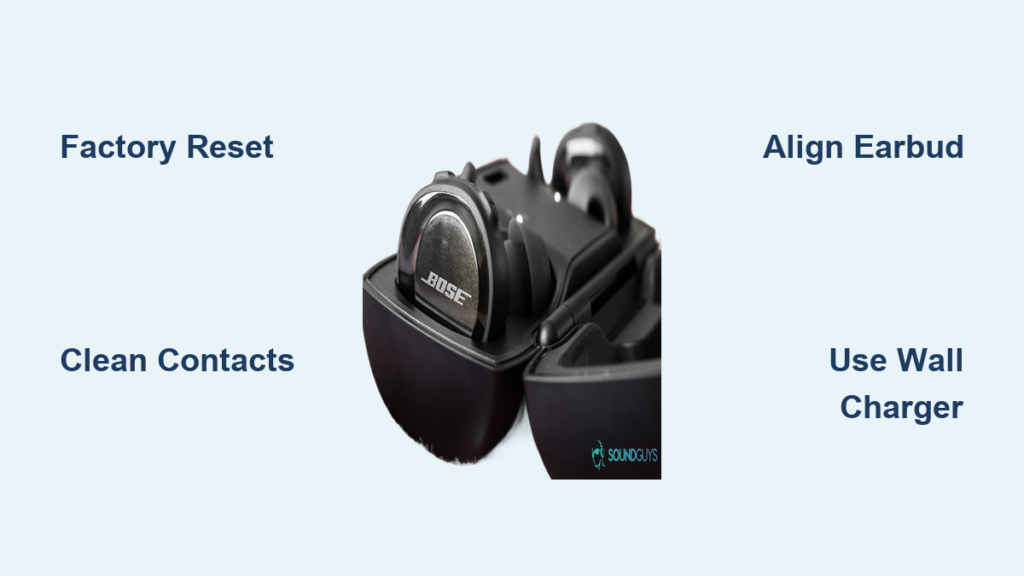
When your Bose Sport Earbuds left not charging, it can feel like a frustrating mystery. One side works perfectly while the other refuses to power up, leaving you stuck with a single earbud and incomplete audio. This common issue usually traces back to firmware glitches, dirty charging contacts, misalignment, or weak power sources. The good news is that most cases resolve without replacement.
This guide walks you through every proven fix, from decoding LED indicators to performing a factory reset. You will learn how to clean critical contact points, verify proper seating, test accessories, and recognize when professional service is needed. All methods follow official Bose troubleshooting protocols and require no special tools.
Decode the LED Light Behavior on Your Bose Sport Earbuds
Before touching any buttons, learn what the indicator lights tell you. These LEDs reveal whether the problem stems from power delivery, contact issues, or firmware errors.
What the Case LED Means
The charging case uses a simple color system to communicate status. An amber glow means the case is actively charging or delivering power to the earbuds inside. A solid white signal confirms both case and earbuds have reached full capacity. When you see no light at all, the case battery is completely drained. A fully depleted case can take up to 30 minutes of connected charging before any lights reactivate.
If your case shows zero response when plugged in, wait the full 30 minutes before assuming it is broken. Many users mistake a drained case for a dead one.
What the Earbud LED Tells You
Once seated inside the case, each earbud displays its own status light. An amber light confirms active charging, while solid white signals a full charge. A blinking white light means the earbud is ready to pair or has just been detected by the case. The blue-to-white transition specifically confirms a successful factory reset.
When the left earbud shows no light while the right one glows amber, the problem is isolated to that side. This pattern typically points to misalignment, debris on the contacts, or a firmware error preventing detection.
Perform a Factory Reset to Clear Firmware Glitches
A factory reset is the most effective fix when your Bose Sport Earbuds left not charging due to software errors. This procedure clears corrupted battery calibration data and resolves charging stalls at 80% or 90%.
Reset in 5 Simple Steps
- Place both earbuds securely into the charging case.
- Close the lid and wait exactly 5 seconds.
- Open the lid and confirm both earbuds blink white.
- Press and hold the Bluetooth button on the side of the case.
- Continue holding for 30 seconds, then release.
Watch for the blue-to-white light shift on the earbuds. This visual confirmation proves the reset completed successfully.
What Happens After the Reset
The earbuds return to factory settings and forget all paired devices. You must reconnect through your phone’s Bluetooth settings. Battery calibration also resets, allowing the system to recognize a full 100% charge again.
Pro Tip: After resetting, plug the case into a wall adapter rated at 5V/1A or higher. Low-output USB ports on laptops or older chargers may prevent stable recalibration and cause the charging issue to return.
Align the Left Earbud Properly in the Case
Even slight misalignment breaks the electrical connection between the earbud and the charging pins. This is one of the leading causes of one-sided charging failure in Bose Sport Earbuds.
Match the Alignment Markers
On older models, align the dot on the earbud body with the dot on the stability band. Newer versions use a notch as the positioning guide instead. Rotate the earbud until the notch faces outward before inserting it.
Listen for the Magnetic Snap
When correctly seated, the earbud should snap into place with a soft click. This confirms the magnets have engaged with the charging pins. If the earbud feels loose or wobbly, remove it and try again.
Confirm with the LED
After closing the lid, the left earbud should glow amber within seconds. No light means the connection failed. Remove the earbud, inspect the alignment, and reseat it firmly.
Common Mistake: Forcing the earbud in upside-down or rotated incorrectly. This blocks the charging pins and prevents power transfer. Always verify alignment before closing the case.
Clean the Charging Contacts to Remove Hidden Debris
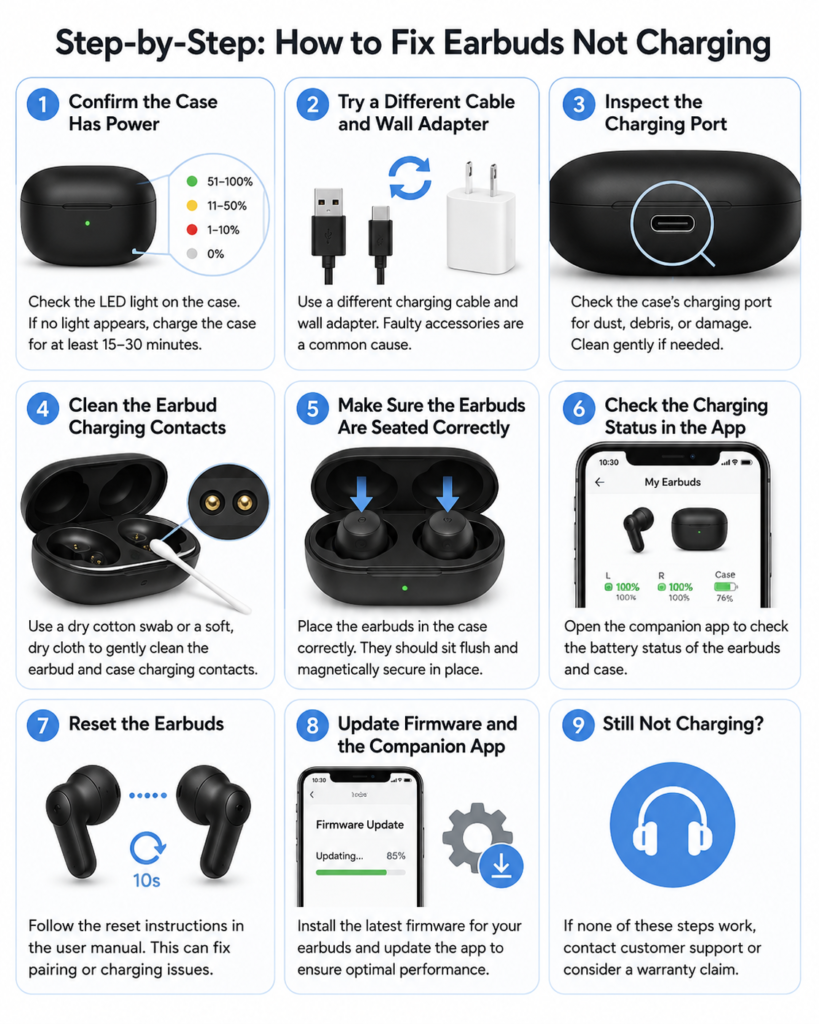
Dirt, earwax, and lint accumulate over time and create an insulating layer on the metal contacts. This buildup stops electricity from flowing between the case and the earbud.
Tools You Need
You only need a dry, soft cotton swab. Do not use water, alcohol, or sharp objects, as these can corrode the pins or damage internal components.
Clean the Earbud Contacts
Wipe the metal ring and stem base of the left earbud thoroughly. Pay special attention to the bottom surface where it meets the case.
Clean the Case Charging Pins
Insert the cotton swab into the left compartment of the case and gently rub the gold pogo pins. Rotate the swab to lift away grime and oxidation.
How Often Should You Clean? Every 2 to 4 weeks prevents recurring charging failures. Regular maintenance keeps the contacts conductive and reliable.
Warning: Moisture corrodes the pins permanently. Always use a completely dry swab.
Test the Power Source and Charging Cable
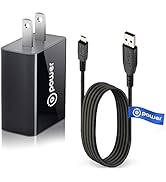
A weak or damaged power source can prevent the left earbud from charging even when alignment and contacts are perfect. The system requires consistent amperage to drive the charging circuit.
Use Certified Accessories Only
Pair your case with a USB-A to USB-C cable (or the appropriate version for your model) and a 5V/1A wall charger. Avoid phone chargers rated below 1A, as they often deliver insufficient power.
Avoid these power sources:
• USB hubs
• Old or frayed cables
• Computer USB ports
• Power strips with surge protectors
Swap and Test Methodically
- Replace the current cable with a known-working alternative.
- Try a different wall adapter.
- Plug directly into a wall outlet to bypass power strips.
If the left earbud begins charging after swapping, the original cable or adapter was the culprit.
Check Temperature Conditions Before Charging
Lithium-ion batteries include thermal protection that halts charging in extreme temperatures. This safety feature prevents permanent damage to internal circuits.
Ideal Charging Range: 15 to 30°C (59 to 86°F)
If your earbuds or case were recently left in a hot car, exposed to direct sunlight, or used in freezing weather, the charging circuit may have shut down automatically.
Move the device to a room-temperature environment and wait 30 minutes before attempting to charge again. Thermal lockout is temporary and clears once the components acclimate.
Try the Quick 30-Second Case Reset
For minor glitches, a quick circuit reset may restore charging without erasing your paired devices. This method works when the issue appeared suddenly and the earbuds were charging fine yesterday.
Quick Reset Steps
- Place both earbuds in the case.
- Close the lid completely.
- Wait 30 seconds.
- Open the lid and check for an amber light on the left earbud.
This clears temporary faults in the charging circuit. If the light activates, normal charging resumes immediately.
Update Firmware Through the Bose App
Outdated firmware causes charging errors, incorrect battery readings, and failure to recognize the left earbud. Bose regularly releases updates that fix these bugs.
Required Application
Download the Bose Music app on iOS or Android. This app replaced the older Bose Connect app and provides access to firmware updates.
Update Process
- Open the app and connect your earbuds.
- Navigate to device settings.
- Check for available firmware updates.
- Install any pending updates.
Note: Firmware updates can enable left-earbud standalone use and fix battery reporting bugs that cause false 100% readings.
Understand Wireless Charging Limitations
The standard Bose Sport Earbuds case does not support wireless charging out of the box. Placing it on a Qi charging pad produces no results.
Adding Wireless Capability
To enable wireless charging, you must purchase the Bose Wireless Charging Case Cover accessory. This add-on snaps onto the standard case and adds Qi compatibility.
If you rely on wireless charging, confirm you have the correct case model before troubleshooting other issues.
When to Contact Bose Support for Hardware Repairs
If your Bose Sport Earbuds left not charging after completing every troubleshooting step, the issue likely involves hardware failure.
Possible Hardware Defects
• Dead battery cell in the left earbud
• Damaged charging pin in the case well
• Internal circuit fault on the motherboard
Next Steps for Service
- Visit the official Bose Support website.
- Check your warranty status. Bose offers a 1-year limited warranty on most products.
- Use live chat or phone support to explore repair or replacement options.
- Browse community forums for similar cases and documented solutions.
Persistent charging failure often qualifies for out-of-warranty service at a reduced cost. Hardware defects are rare but covered when they occur.
Frequently Asked Questions About Bose Sport Earbuds Left Not Charging
Why is only my left Bose earbud not charging?
The left earbud fails to charge most often due to misalignment in the case, dirty charging contacts, or firmware glitches. The right earbud works because its connection remains intact, isolating the problem to the left side’s physical or software components.
How do I fix my Bose earbuds that won’t charge past 80%?
A factory reset resolves the 80% charging stall caused by corrupted battery calibration. Hold the Bluetooth button on the case for 30 seconds with both earbuds inside, then reconnect through your phone’s Bluetooth settings.
Can I charge just one Bose earbud at a time?
Yes, but only with updated firmware. Older firmware versions restricted single-bud use to the right earbud. Install the latest firmware through the Bose Music app to enable independent left-earbud charging and usage.
How long should I charge a completely dead Bose case?
A fully depleted case requires up to 30 minutes of connected charging before the status lights reactivate. Do not assume the case is broken if it shows no light immediately after plugging in.
Does the Bose Sport Earbuds case support wireless charging?
No, the standard case does not support wireless charging natively. You must purchase the Bose Wireless Charging Case Cover accessory to add Qi compatibility. Placing the standard case on a wireless pad does nothing.
What does a blinking white light on my Bose earbud mean?
A blinking white light indicates the earbud is ready to pair or has just been detected by the case. If the light blinks but the earbud does not charge, the issue involves the charging circuit rather than Bluetooth connectivity.
Key Takeaways for Resolving Bose Sport Earbuds Left Not Charging
Most cases of Bose Sport Earbuds left not charging resolve through three primary fixes: a factory reset, contact cleaning, and proper alignment. Firmware issues commonly cause charging to stall at 80% or 90%, and only a reset recalibrates the battery system to recognize full capacity. Always use a dedicated wall charger for consistent power delivery, and clean the charging contacts every few weeks to prevent debris buildup.
If all troubleshooting steps fail, contact Bose Support to explore warranty coverage or repair options. Hardware defects remain uncommon but do occur. With patience and the right approach, you can restore full charging function and avoid unnecessary replacement costs. Start with the factory reset today and work through each method systematically.