Cracked your Garmin watch screen? You’re not alone. Thousands of Forerunner owners face this frustration, especially with models like the 735XT, 935, and 945. The bad news is that Garmin doesn’t offer standalone screen repairs. Instead, they replace the entire unit for $142 to $180, often with a refurbished model that may be older than your original. A cracked outer glass voids your warranty, even if the display still works perfectly.
But there’s hope. Garmin watch screen repair is possible through DIY replacement, saving you up to 85% compared to Garmin’s cost. This guide walks you through everything: disassembly, sealing, common pitfalls, and how to avoid turning a simple fix into a permanent paperweight.
Garmin’s Replacement Policy: Why Repairs Aren’t Offered
Garmin treats a cracked screen as a total loss. Even if only the outer glass is damaged and the display works fine, you cannot buy just the glass from Garmin. Instead, you’re offered a full unit replacement, usually a reconditioned device.
What Garmin Charges for Replacement
Replacement cost ranges from $142 to $180 USD depending on your region and model. Units may be older generations or previous versions of your watch. For example, a Forerunner 945 owner reported receiving a 935 as a replacement, which felt like a poor value given the original ~$600 purchase price.
Warranty Voided by Physical Damage
Any crack, chip, or impact damage voids the warranty completely. This means no coverage for screen issues, and pre-existing problems like GPS drift or sensor errors won’t be addressed. You end up paying full price for a replacement with no guarantee of improved performance.
Consumer Frustration and Legal Discussions
User forums are filled with complaints calling Garmin’s repair policy expensive and anti-consumer. Some have explored class-action legal action, citing poor screen durability despite rugged marketing and lack of repairability for high-end devices. A past class-action win over defective watch straps provides precedent that consumers are watching closely.
Is DIY Garmin Watch Screen Repair Actually Possible
Yes, but with important caveats. You can replace the screen on several Forerunner models, but success depends on precision, the right tools, and patience.
Models Confirmed Repairable
These models share similar internal layouts, making repair guides transferable with minor adjustments.
Forerunner 235 is commonly reported for screen cracks with third-party screens readily available. The Forerunner 645 has LCD that remains functional post-crack, though replacement glass can be difficult to source. Forerunner 735XT has repair guides available, and reusing original double-sided tape is recommended. Forerunner 935 follows a similar process to the 735XT and requires waterproof adhesive for seal integrity. Forerunner 945 has limited parts availability but is repairable.
What You’re Actually Replacing
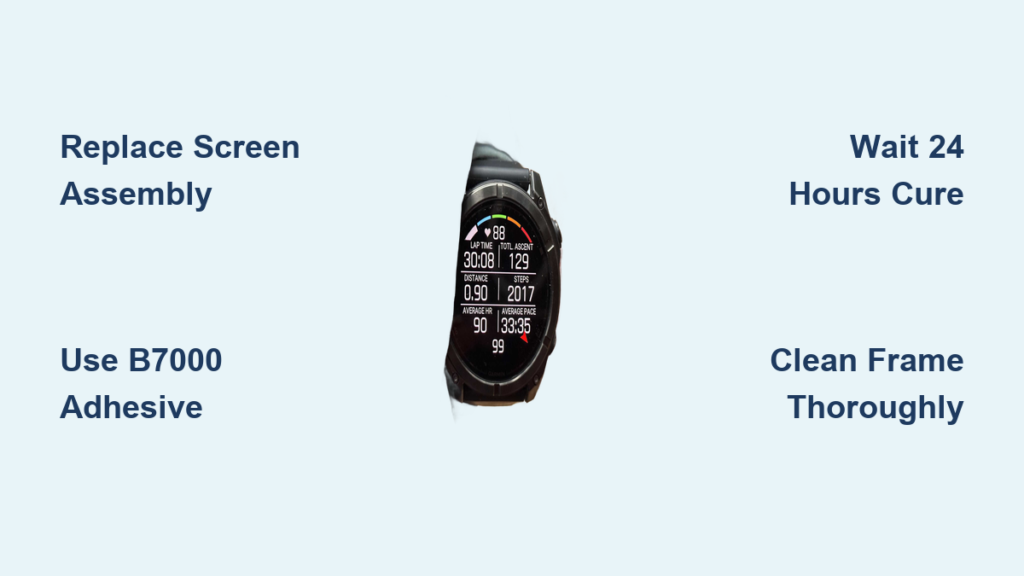
Garmin uses integrated display modules, meaning the outer glass, LCD, and touch layer are fused together. You cannot replace just the glass. Even if only the top layer is cracked, you must install a full screen assembly. Third-party suppliers sell these assemblies for $20 to $50, often including the LCD and pre-applied frame.
Why Garmin Doesn’t Support Repairs
Garmin doesn’t distribute official spare parts, doesn’t provide repair manuals or tools, and designs prioritize slim profile over serviceability. Waterproof sealing requires precise re-adhering, which Garmin apparently doesn’t want to support.
Tools You Need for Garmin Watch Screen Replacement

Skipping the right tools is the number one reason DIY repairs fail. Here’s what you actually need.
Essential Repair Tools
A heat gun or hair dryer softens adhesive without damaging plastic. Use low to medium heat and move constantly. Plastic pry tools or spudgers prevent scratching or shorting the board. Metal tools can destroy your watch. Fine-tipped tweezers handle small parts and clean debris from the frame. Lint-free cloths and cotton swabs prevent lint from getting trapped under the new screen.
Adhesives That Work for Water Resistance
Water resistance depends entirely on proper sealing. Use one of these options.
B7000 adhesive is recommended because it’s flexible, waterproof, and strong. It’s ideal for curved edges when applied thinly around the perimeter. 3M VHB double-sided tape comes in pre-cut strips available for some models and is less messy than liquid glue. Original adhesive from your old screen works if you can lift the factory tape intact. Clean it and reuse it to save time and ensure perfect fit.
Avoid super glue, silicone, or cheap glues because they crack, leak, or degrade quickly.
Optional but Helpful Items
Isopropyl alcohol at 90% or higher cleans old adhesive and prepares surfaces. Clear tape placed over the cracked screen before removal contains glass shards. Rubber bands or clamps hold the screen in place during curing.
Step-by-Step: Replace Your Garmin Watch Screen
Follow these steps carefully. Rushing can destroy the ribbon cable or ruin water resistance.
1. Power Off and Apply Heat
Turn the watch completely off. Use a heat gun or hair dryer on low or medium setting. Heat the outer edge of the screen for 60 to 90 seconds. The goal is to soften adhesive enough to separate glass from bezel. Test warmth with your finger. It should feel hot but not burn.
2. Break the Seal Safely
Optionally apply clear tape over the cracked screen to contain shards. Insert a plastic pry tool at the corner opposite the buttons. Gently twist and lift. Don’t force it. Work slowly around the perimeter, lifting slightly each time.
Warning: The screen connects at the bottom. Don’t pull upward too far until the cable is disconnected.
3. Disconnect the Ribbon Cable
Once the screen is lifted about 45 degrees, locate the ribbon cable connector. It’s attached to the main board with a small locking flap or tape. Use a plastic spudger to gently lift the connector flap. Slide the cable out slowly with no yanking.
Pro tip: Take a photo before disconnecting. It helps with reassembly.
4. Clean the Frame Thoroughly
Remove any leftover adhesive with isopropyl alcohol and a cotton swab. Wipe until the frame is shiny and residue-free. Check for dust, lint, or glass fragments. Let dry completely before installing the new screen.
A dirty frame means poor adhesion and water leaks.
5. Install the New Screen
Align the new screen with the housing, matching button cutouts and speaker holes. Reconnect the ribbon cable into the socket. Press down firmly until it clicks or feels secure. Optionally secure with a tiny piece of non-conductive tape.
Test before sealing: Power on the watch to confirm the display works.
6. Apply Adhesive and Seal
Apply B7000 adhesive in a thin, continuous line around the frame. Or use pre-cut 3M tape if available. Avoid getting adhesive on the ribbon cable or buttons.
Tip: Less is more. Excess glue can ooze out and harden visibly.
7. Press and Clamp for 24 Hours
Lower the screen into place with even pressure. Use rubber bands or small clamps to hold it down. Ensure full contact around all edges. Let cure for at least 24 hours before use.
Why wait? B7000 needs 24 hours to reach full waterproof strength.
8. Final Test and Validation
After curing, wipe away any excess adhesive with alcohol. Power on and check touch responsiveness, brightness and color accuracy, no flickering or dead pixels, and button and sensor function.
Then test water resistance. Start with hand washing or light rain. Avoid swimming or diving until you’re confident in the seal.
Common DIY Repair Mistakes to Avoid

Even small errors can ruin your repair. Watch out for these pitfalls.
Damaging the Ribbon Cable
Pulling too hard or using metal tools causes flickering, no display, or total failure. Handle the cable like a live wire. Be gentle and slow.
Skipping the Cure Time
Impatience to use the watch leads to poor seal, moisture ingress, and corrosion. Wait 24 hours. No shortcuts.
Trapped Debris or Air Gaps
A dirty frame or uneven pressure causes visible bubbles, loose screen, or water leaks. Clean meticulously and clamp evenly.
Using Wrong Adhesive
Choosing cheap glue or silicone results in cracking, shrinking, or water damage. Use B7000 or 3M VHB tape only.
Does the Repair Restore Water Resistance
Yes, if done correctly.
Original rating is 5 ATM, which equals 50 meters. Post-repair, you can achieve the same rating with proper adhesive and full cure. Key factors include a clean frame, full adhesive coverage, 24-hour cure time, and even clamping pressure.
But no DIY repair offers a guaranteed waterproof seal. Avoid deep diving or prolonged submersion unless you’re certain of the bond.
Cost Comparison: DIY Repair vs Garmin Replacement
DIY repair costs $20 to $50 for screen and tools. Garmin replacement costs $142 to $180 for a refurbished unit, possibly an older model. The savings equal 70 to 85% by doing it yourself. DIY lets you keep your data, settings, and watch face.
Where to Buy Replacement Screens
eBay is best for older models like the 235, 735XT, and 935. Amazon offers faster shipping with mixed quality, so check reviews carefully. AliExpress has the cheapest prices but slow delivery.
Look for sellers with high ratings of 4.8 or higher, photos of the actual product, and compatibility listed by model number. Avoid listings with stock images only because they may not fit.
When to Skip DIY and Accept Garmin’s Offer
DIY isn’t for everyone. Consider official replacement if you’re uncomfortable with micro-repairs, the ribbon cable is already damaged, you rely on water resistance for swimming, or your watch has other issues like GPS problems or battery degradation.
Also, if your device is under warranty for non-damage issues, get those fixed first before the screen cracks.
Frequently Asked Questions About Garmin Watch Screen Repair
Can I replace just the glass on my Garmin watch?
No. Garmin uses integrated display modules where the outer glass, LCD, and touch layer are fused together. You must replace the entire screen assembly even if only the glass is cracked.
How much does Garmin charge for screen replacement?
Garmin charges $142 to $180 USD for replacement units. These are typically refurbished or older models, not new screens.
Will DIY repair void my warranty further?
Yes, but your warranty is already voided due to the physical damage. A DIY repair doesn’t change that status, but it also doesn’t prevent you from using the watch.
Can I maintain 5 ATM water resistance after DIY repair?
Yes, if you use proper waterproof adhesive like B7000, clean the frame thoroughly, apply even pressure, and allow a full 24-hour cure time. However, no DIY repair guarantees water resistance.
How long does a DIY screen repair take?
The actual repair takes 1 to 2 hours, but you must wait 24 hours for the adhesive to cure fully before using the watch or exposing it to water.
Key Takeaways for Garmin Watch Screen Repair Success
A cracked Garmin screen doesn’t mean game over. With a $30 screen and a few careful hours, you can extend your watch’s life and avoid paying premium prices for a simple fix. While Garmin makes repair difficult by design, the DIY community has found ways to succeed.
Patience, precision, and proper sealing are your best tools. Work in a clean, well-lit area. Take photos during disassembly. Use a magnifying lamp or headlight for small parts. Don’t rush the cure time. These steps give you the best chance at a successful repair that lasts for years.